

142.250.183.238. The laptop builds an IP packet with that destination and its own private IP as the source:
1) From laptop to your Wi‑Fi router (default gateway)
The laptop first checks whether the destination IP is on the same local subnet. If it isn’t (which is the case for Google), the laptop sends the packet to its default gateway — your Wi‑Fi router. That default gateway was provided when the laptop joined the network. However, IP packets are not sent directly on Ethernet/Wi‑Fi links; they are carried inside frames. Think of a frame as an envelope that wraps the IP packet. The envelope contains MAC addresses for the local hop, while the IP packet inside still holds the end-to-end source and destination IP addresses. Example frame on the local network:IP vs MAC: IP addresses are used for end-to-end routing across multiple networks. MAC addresses are used only on a single local link (LAN/Wi‑Fi) to deliver frames to the next hop.
2) Router NATs and sends the packet to the ISP
When the packet arrives at your home router, the router typically performs Network Address Translation (NAT). NAT replaces the private source IP (e.g.,192.168.1.23) with the router’s public IP (e.g., 203.0.113.7) and keeps a mapping so returned traffic can be forwarded back to your laptop.
After NAT, the packet as seen by the ISP and beyond looks like:
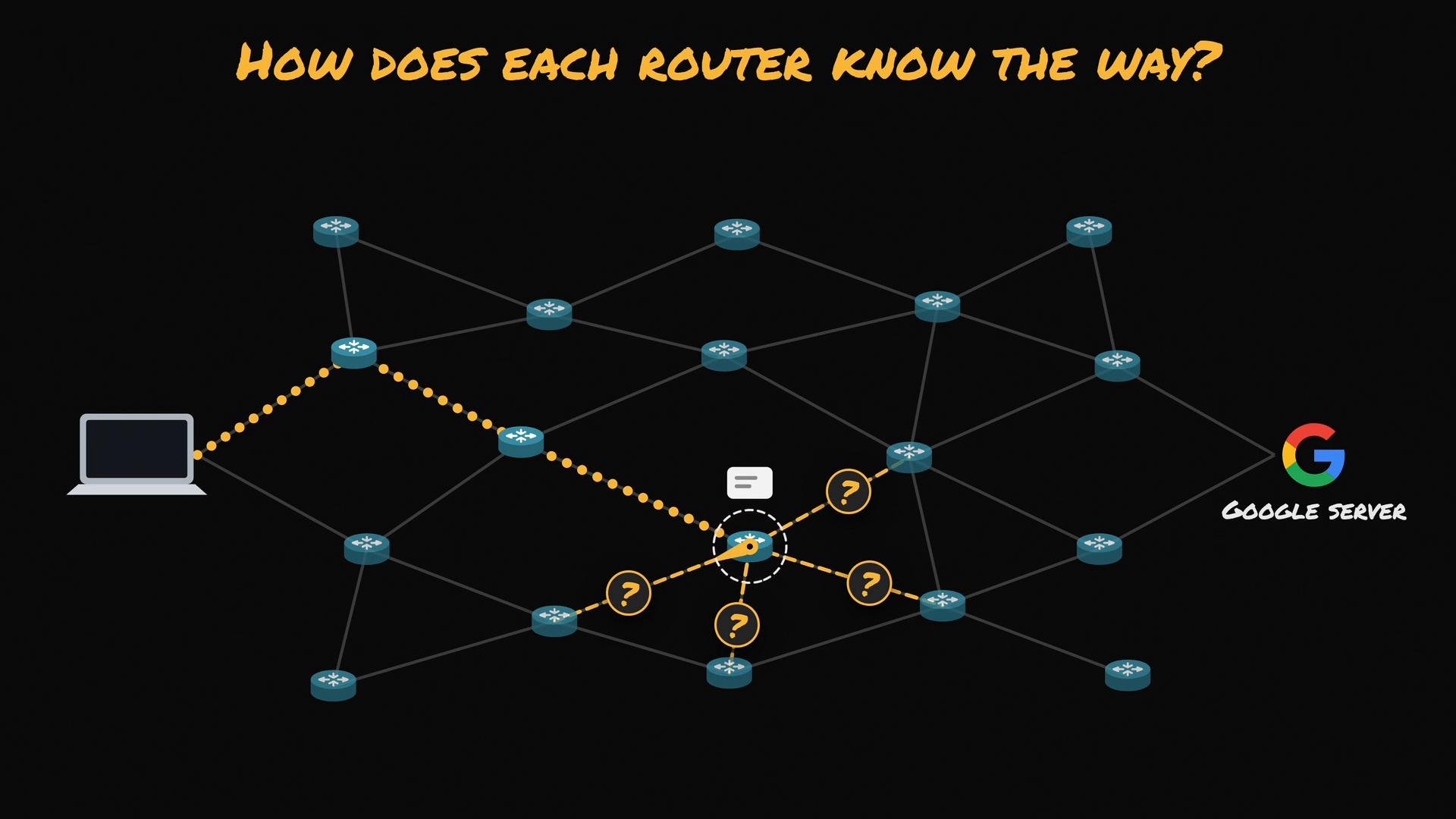
3) Routers forward based on routing tables (longest-prefix match)
Each router along the path maintains a routing table that maps IP prefixes to next hops (another router or an outgoing interface). Router A might have a table like this:142.250.183.238. Because that address matches both 142.0.0.0/8 and 142.250.0.0/16, Router A chooses the most specific (longest-prefix) route: 142.250.0.0/16 -> Router B. Router A then encapsulates the same IP packet in a new frame addressed to Router B’s MAC:
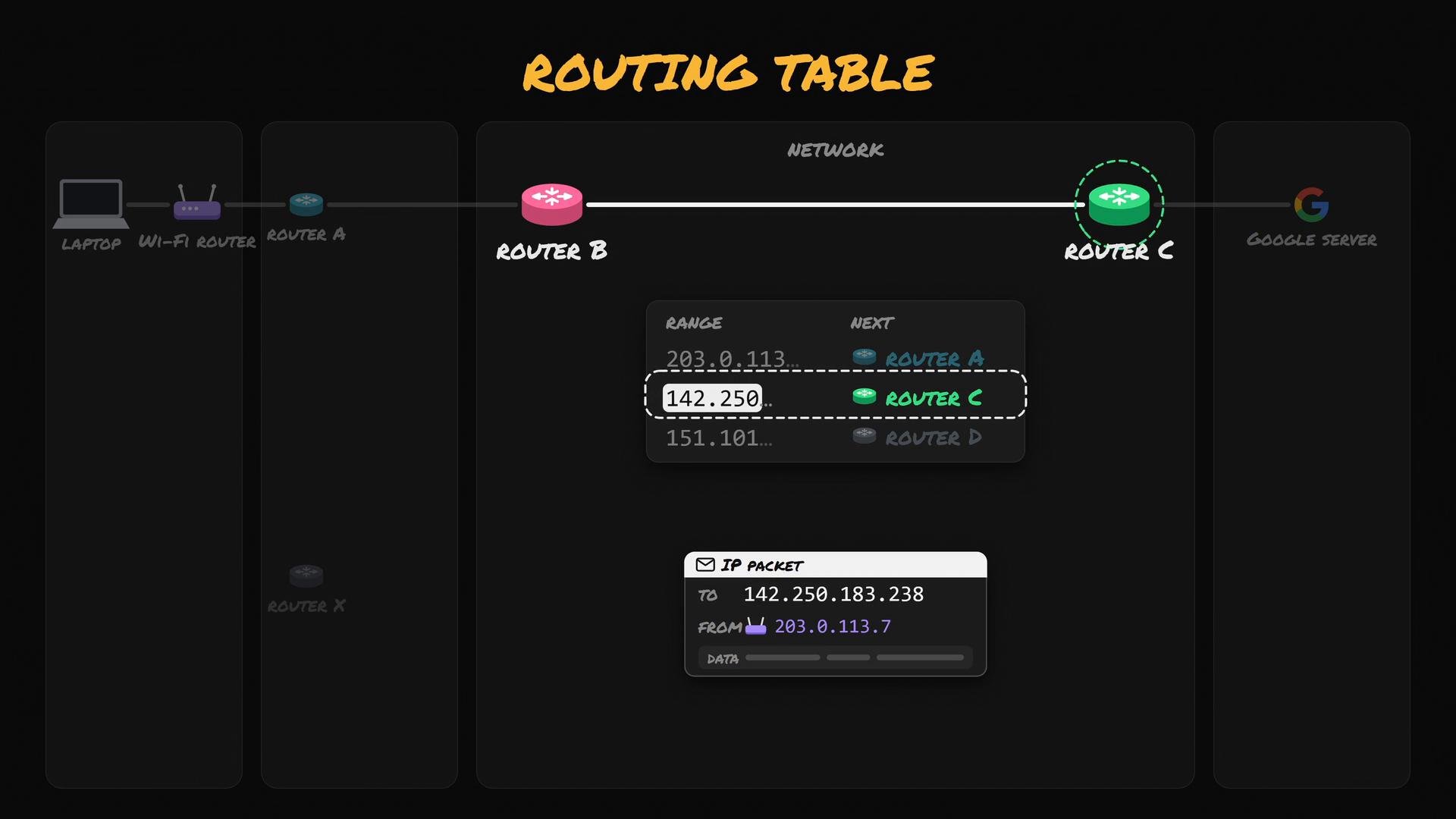
- The IP packet (with its destination IP) remains unchanged.
- The link-layer frame is removed and rebuilt for the next link with new source and destination MACs appropriate for that segment.
4) How do routers learn routes?
The global internet is made of many Autonomous Systems (AS)—ISPs, backbone carriers, cloud providers, and content providers like Google. Each AS advertises the IP prefixes it owns to its neighbors. These reachability announcements propagate across the internet using Border Gateway Protocol (BGP). Inside an AS, routers typically use an interior gateway protocol like OSPF or IS‑IS.- BGP: exchanges prefix reachability between autonomous systems.
- IGPs (OSPF, IS‑IS): share route information inside an AS.
- Route announcements they receive (BGP/IGP),
- Locally configured static routes and policy,
- Administrative preferences and metrics.
Quick glossary and responsibilities
ARP (Address Resolution Protocol) runs only on local links to map an IPv4 address to a MAC. On point-to-point links ARP isn’t needed because there is only one peer. NAT on the home router rewrites source IPs so public services see the router’s public IP and returns traverse the NAT mapping back to the original host.
Step-by-step summary (packet path)
- Browser builds IP packet to
142.250.183.238. - Laptop checks subnet; destination is off‑net → send to default gateway.
- Laptop places IP packet into a frame with the router’s MAC and sends it.
- Home router receives the frame, NATs the source IP, and forwards to ISP.
- ISP routers consult routing tables (learned via BGP/IGP), pick the best next hop (longest-prefix match), and forward by encapsulating the IP packet into new frames on each link.
- Frames are rebuilt at every hop; the enclosed IP packet keeps the original
TOaddress. - The packet reaches Google’s network; Google’s server responds to the source IP it sees (your router’s public IP).
- Return traffic follows a similar path back, and NAT on your router uses its mapping table to forward the response to your laptop.
Additional resources
- BGP overview: https://en.wikipedia.org/wiki/Border_Gateway_Protocol
- OSPF: https://en.wikipedia.org/wiki/Open_Shortest_Path_First
- ARP: https://en.wikipedia.org/wiki/Address_Resolution_Protocol
- NAT basics: https://en.wikipedia.org/wiki/Network_address_translation