

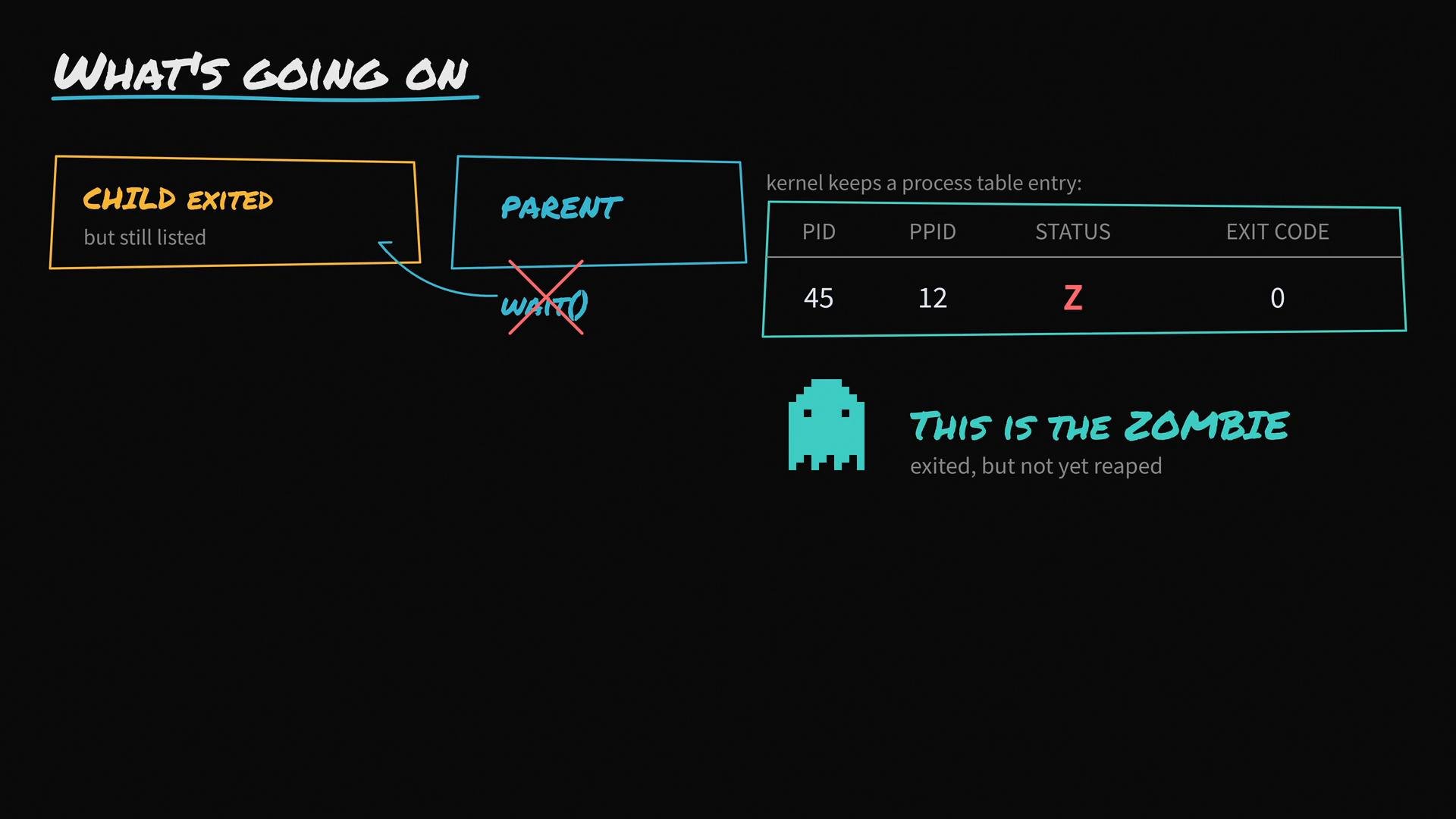
ps shows a process with status defunct, that entry is a zombie process.
Example:
defunct (or Z) state means the process has already exited — it’s dead — but its minimal bookkeeping entry (exit status, PID, and resource accounting) remains in the kernel process table because the parent has not yet collected that information.
How this works
- When a process exits, the kernel keeps the child’s exit status and basic accounting until the parent calls a wait-family syscall (
wait(),waitpid(), etc.). The parent retrieving the child’s status is called reaping. - A zombie is an exited child that has not been reaped. It uses no CPU and almost no memory — just a tiny process table entry.
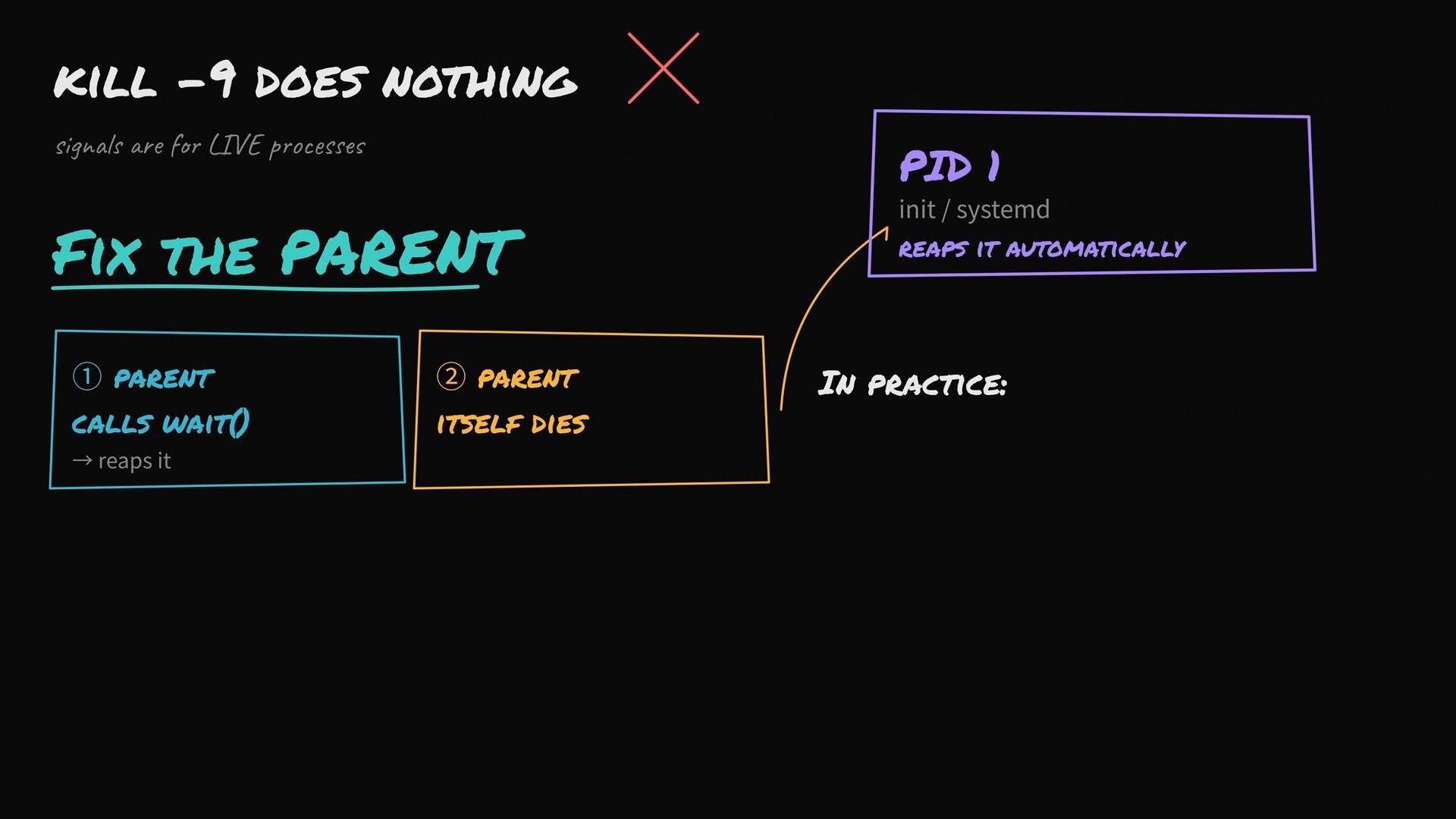
- Because the process is already dead, sending signals (including
kill -9) has no effect.
- Find the parent PID (PPID) and inspect the parent process to see why it’s not reaping children.
- Useful command:
wait()), it will accumulate zombies. If that parent process exits, the kernel reparents those entries to PID 1 (init/systemd). PID 1 will reap children when they exit, clearing the zombie entries.
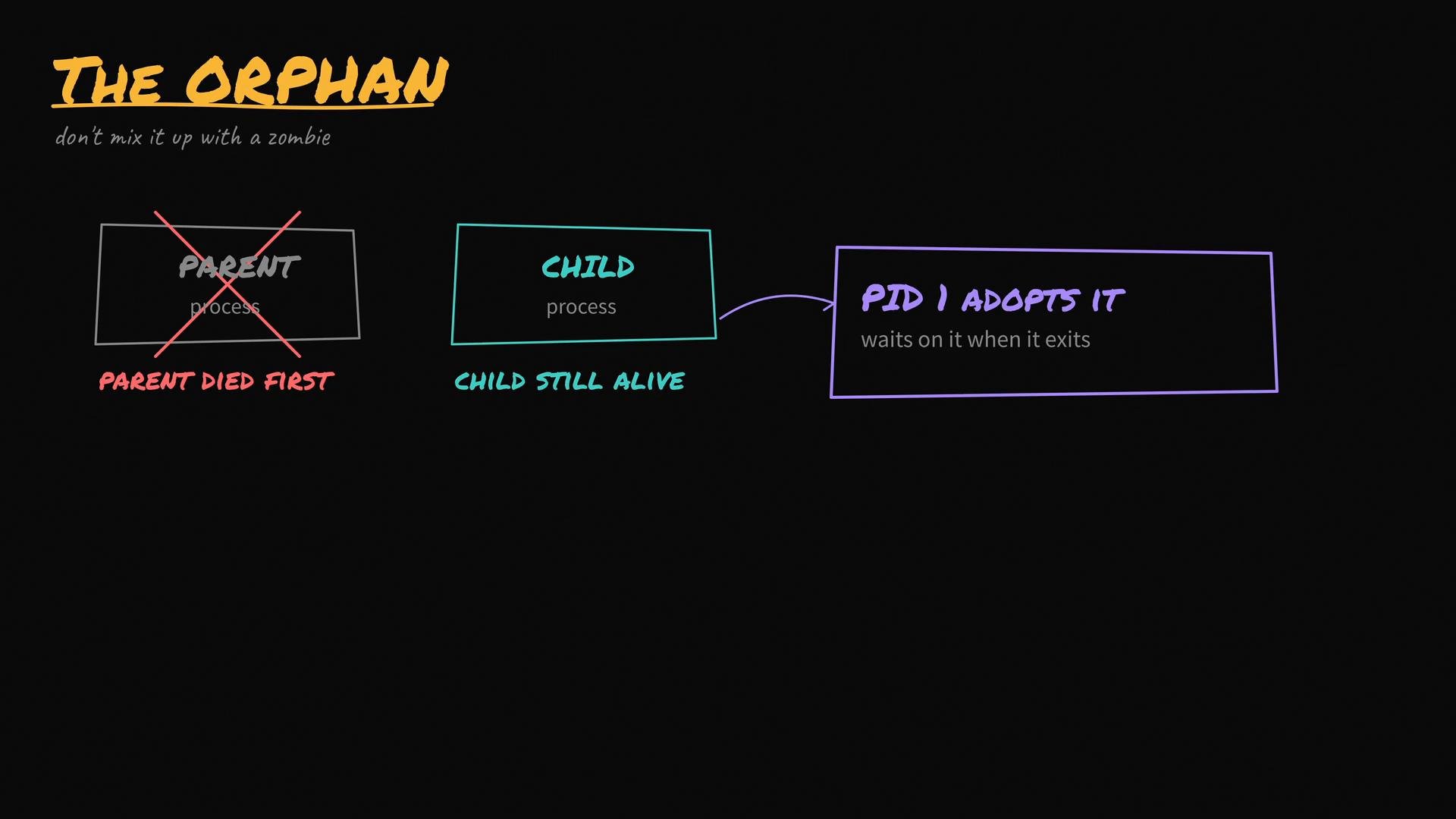
- An orphan is a live child whose parent died earlier. The kernel immediately reparents that live child to PID 1, which will wait on it when it exits.
- Orphans continue running normally; they are not zombies.
When zombies matter
- A few zombies are usually harmless. The kernel holds only tiny bookkeeping.
- A large accumulation of zombies can exhaust the PID namespace and indicate a buggy parent process that never reaps children.
- In container environments, the main application often runs as PID 1. If that program does not reap child processes, zombies can build up inside the container.
- For containers, use a tiny init (like
tini) as PID 1 to correctly reap children. Docker provides a convenience flag to run an init process:
- See Docker run reference: https://docs.docker.com/engine/reference/run/#specify-an-init-process—init
- tini project: https://github.com/krallin/tini
- Zombie: process has exited but remains listed until its parent reaps it.
- Orphan: process is still running after its parent dies; PID 1 adopts it.
- Fix the parent (or restart it) to clear zombies; in containers, run an init as PID 1 if your app doesn’t reap children.
If you need to debug zombies, find the PPID of the defunct process (
ps -o pid,ppid,stat,cmd -p <PID>) and inspect or fix the parent. If the parent can’t be fixed immediately, restarting or killing it will cause PID 1 to adopt and reap the exited children.- Docker run reference: https://docs.docker.com/engine/reference/run/#specify-an-init-process—init
- tini (tiny init for containers): https://github.com/krallin/tini
- Process management and wait(2) manual: https://man7.org/linux/man-pages/man2/wait.2.html