

Sending a video — step-by-step
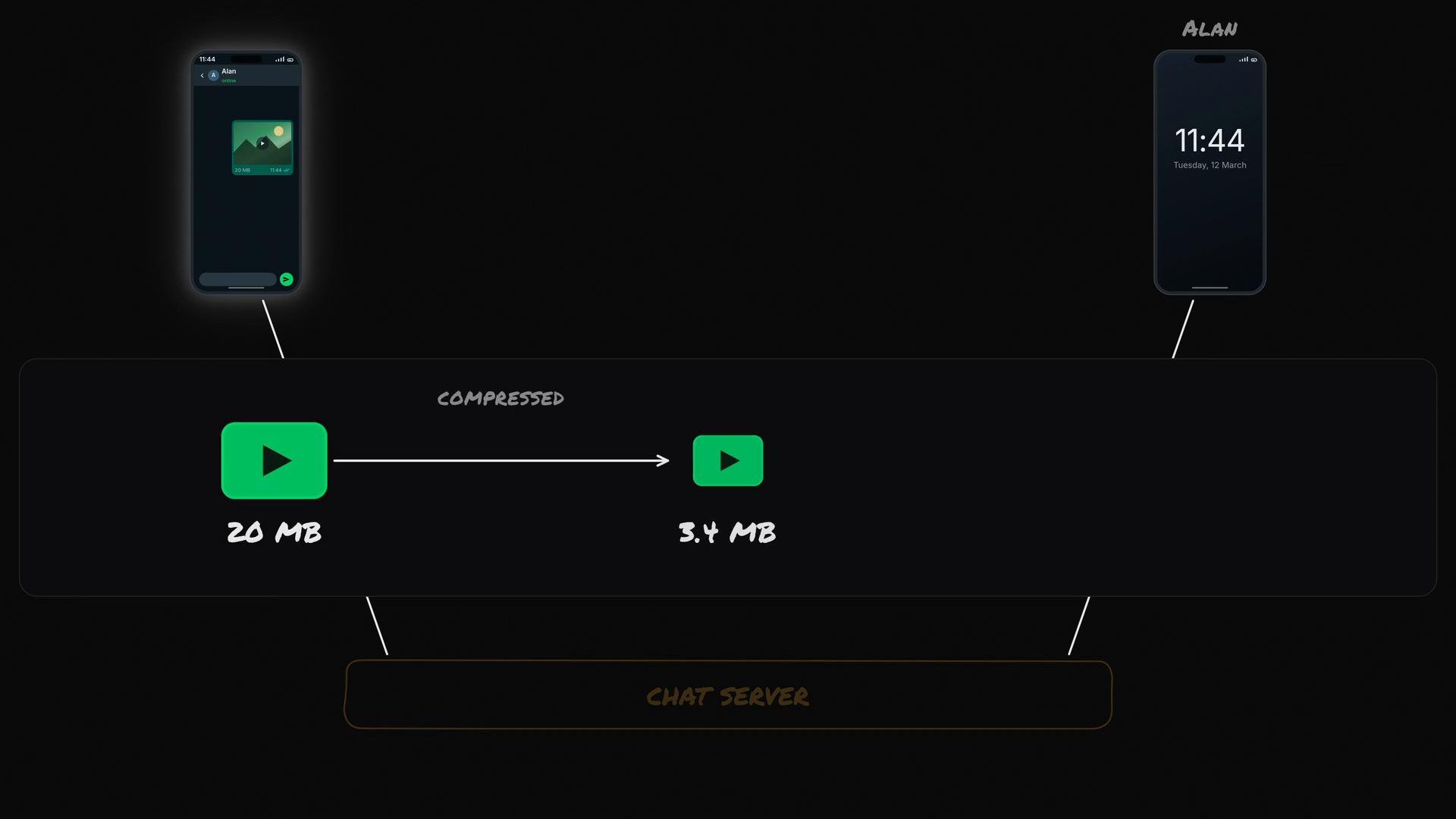
- Your phone compresses the original 20 MB video so it becomes smaller and faster to upload.
- Your phone generates a unique encryption key and encrypts the compressed video locally (end-to-end encryption).
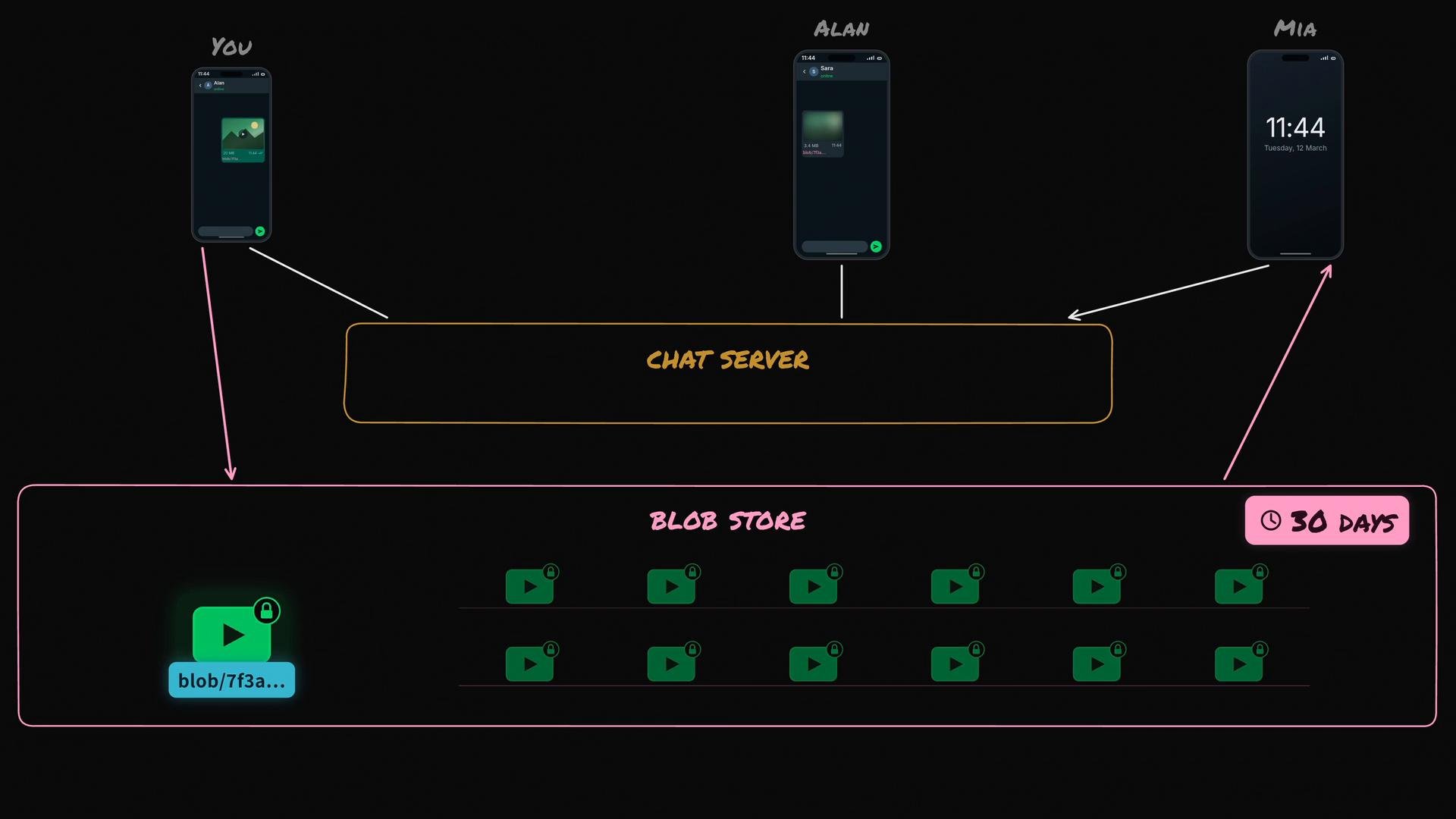
- The encrypted file is uploaded to WhatsApp’s Blobstore — a specialized storage system optimized for large media.
- After the upload completes, your phone receives an address (a URL or blob identifier) that points to the encrypted object in Blobstore.
- Your phone sends a regular chat message via the chat server to Alan. That message contains:
- The Blobstore address (URL/blob identifier) of the encrypted video.
- The encryption key needed to decrypt the video.
- A small blurry thumbnail so Alan sees that a video has been sent immediately.
What happens on the recipient’s device
When Alan’s phone receives the chat message:- The blurry thumbnail (attached to the chat message) is displayed immediately.
- If Alan taps to view or download the full video:
- His phone uses the Blobstore address in the chat message to download the encrypted video directly from Blobstore.
- His phone uses the encryption key included in the end-to-end encrypted chat message to decrypt the video locally.
Design implications — privacy, control, and performance
This design produces a number of observable behaviors and guarantees:
Key user-visible consequences:
- The Blobstore holds only the encrypted file; it never receives the decryption key.
- The encryption key travels only in the end-to-end encrypted chat message between sender and recipient, so WhatsApp’s servers cannot decrypt the media.
- The phone’s network settings (e.g., “download on Wi‑Fi only”) control when the encrypted file is fetched from Blobstore; the chat message and thumbnail still arrive via the chat server.
Because the decryption key is delivered inside the end-to-end encrypted chat message while the Blobstore keeps only ciphertext, WhatsApp’s servers cannot open or inspect the media content.
Efficiency for groups and forwarding
- Single-upload, many-download: If you send the same video to a group of 200 people, your phone uploads the encrypted file to Blobstore once. Each recipient downloads that same encrypted blob from Blobstore.
- Retention and deduplication: WhatsApp keeps an encrypted file in Blobstore for up to 30 days. This retention prevents repeated re-processing or re-uploading when recipients forward the same file: the platform can reuse the existing blob rather than creating duplicates.
Quick reference
- Term: Blobstore — scalable storage for large encrypted media objects.
- Encryption model: Client-side encryption (keys shared inside end-to-end encrypted chat messages).
- Retention: Encrypted blobs are typically retained up to 30 days to support forwarding and reduce duplicate uploads.
- Network control: Chat messages (and thumbnails) arrive over the persistent connection; large encrypted blobs are fetched separately and according to the device’s network settings.