

- Suppose stable v1 runs 10 pods handling live traffic.
- You deploy 1 pod of the new version (canary). Kubernetes Service-level load balancing will distribute traffic roughly evenly across all pods, so the canary receives ~9% (1/11) of requests.
- If you want the canary to receive a controlled percent (for example 1%), don’t rely on pod counts; control routing at the ingress or service mesh layer and set explicit weights.
- Service-level balancing (ClusterIP Service) uses pod counts. The traffic split changes as pod counts change and doesn’t offer explicit per-version weights.
- Ingress controllers and service meshes (Istio, Linkerd, etc.) support weighted routing so you can define exact percentages independent of pod counts.
- Example: an Istio
VirtualServiceroute with explicit weights:
Monitoring and analysis
- Define baseline windows for stable traffic and compare canary statistics to that baseline.
- Use relative thresholds (e.g., canary error rate > stable error rate + X%) rather than absolute values where appropriate.
- Include longer observation windows for stateful issues (memory leaks, connection pool exhaustion).
- Automate metric analysis and abort/rollback criteria so rollouts don’t rely entirely on manual dashboard-watching.
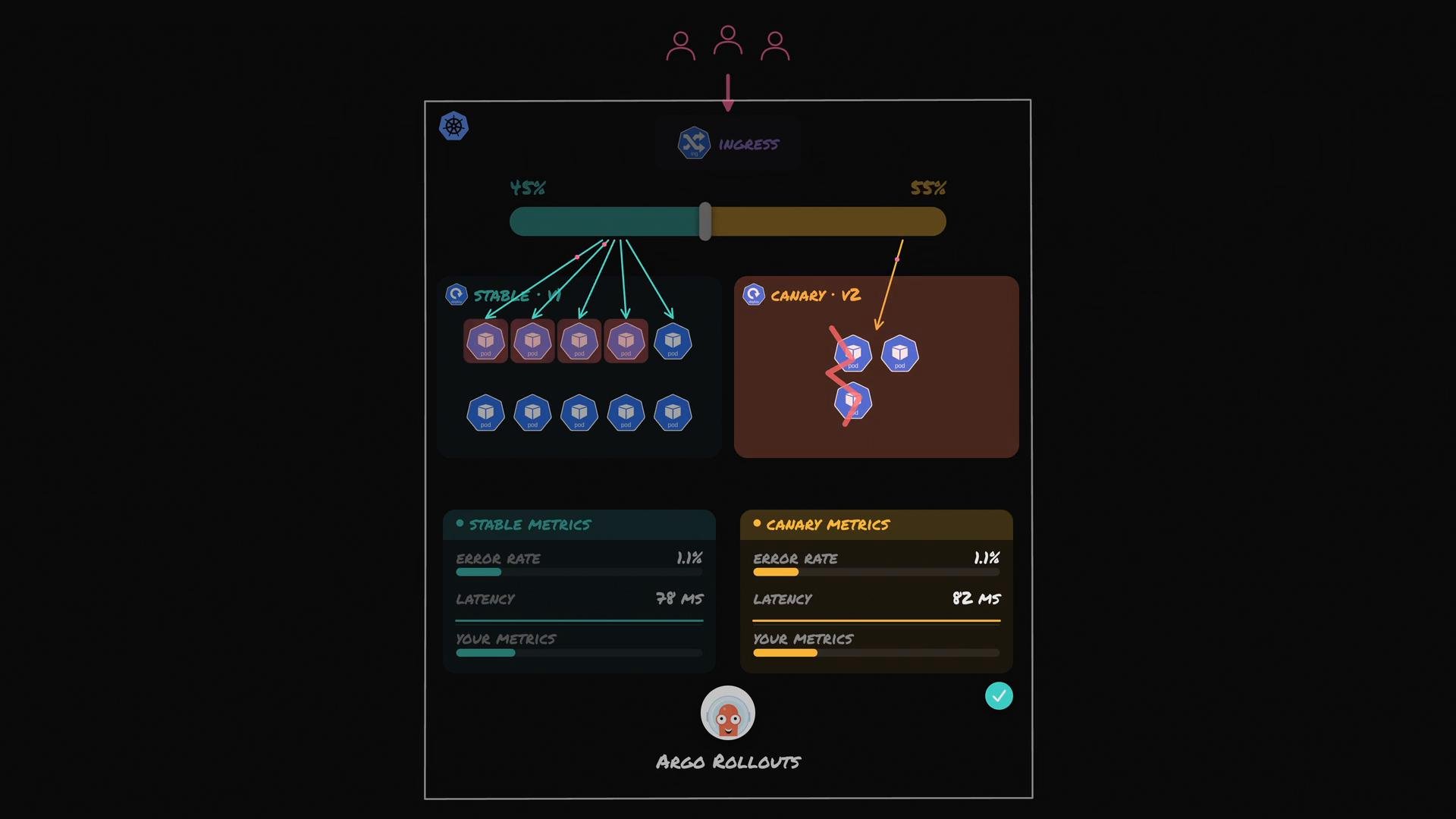
- Argo Rollouts: declarative progressive delivery CRD for Kubernetes (canary and blue/green strategies).
- Flagger: automates canaries and A/B testing with service meshes.
- Service meshes (Istio) with control plane tooling to manage weights and observe telemetry.
- Define a traffic plan: initial percentage, step sizes, and overall rollout duration.
- Instrument meaningful metrics: errors, p95/p99 latency, CPU/memory, connection counts, downstream failure rates, and business KPIs.
- Add synthetic/integration checks: health endpoints, smoke tests, and trace-based assertions.
- Specify comparison logic and tolerances: how much deviation vs stable triggers aborts.
- Configure automatic abort/rollback behavior for failed analyses.
- Automate with a canary-capable tool that supports metric analysis (Argo Rollouts, Flagger, Istio control plane).
- Continue monitoring after full promotion to catch long-window regressions.
Design your metrics and analysis to catch the specific failures you care about. Error rate and latency are important, but also include business metrics, resource saturation, and targeted synthetic checks to detect subtle regressions.
Further reading
When implemented and automated well, canary deployments provide a safe, observable path to roll out new versions while enabling rapid rollback when issues arise.