

if expressions to deploy an application to development on feature branches and to production only from the main branch. Pull requests will gate production releases behind review and environment protection rules.
Table of Contents
- Environment Variables
- Job Overview
- Dev Deploy Job
- Dev Integration Testing Job
- Prod Deploy Job
- Prod Integration Testing Job
- Workflow Execution & Pull Request Flow
- Links and References
Environment Variables
Define shared environment variables at the top of your workflow file:Job Overview
Below is a summary of each job, its trigger condition, and dependencies:Dev Deploy Job
Thedev-deploy job runs on any branch matching feature/. It depends on the docker job:
The
contains function evaluates whether the branch ref string includes feature/. See GitHub Actions expressions for more.Dev Integration Testing Job
After deployment to development, run integration tests to verify application health:Prod Deploy Job
Production deployments trigger only on themain branch. This job also sets up Kubernetes credentials and applies manifests:
Prod Integration Testing Job
Once production is deployed, run a final health check:Workflow Execution & Pull Request Flow
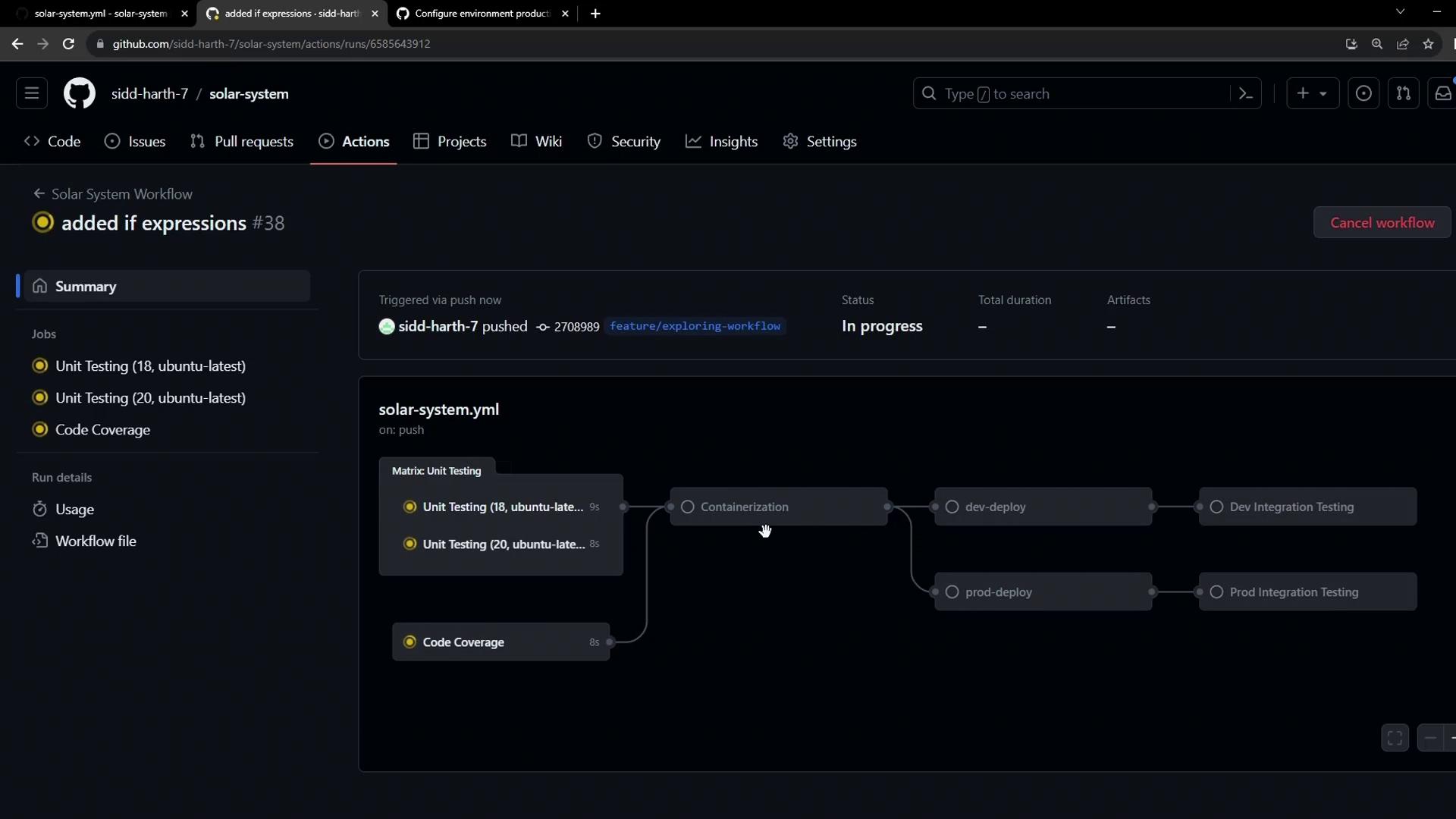
- Feature Branch Push
dockerbuilds and pushes the image.dev-deployanddev-integration-testingrun automatically.- Production jobs are skipped on feature branches.
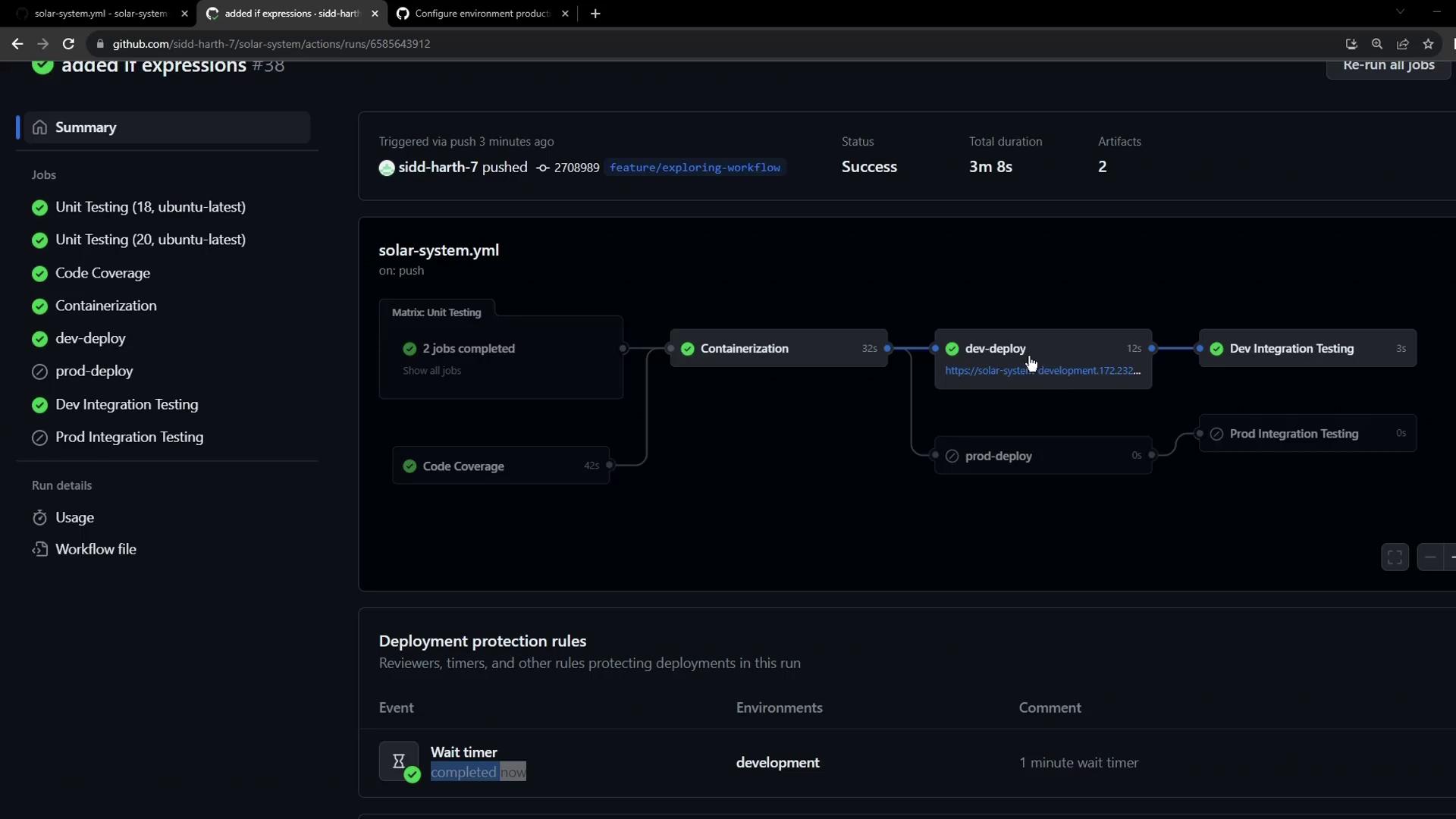
- Review Feature Deployments
- The workflow summary marks all dev jobs as successful.
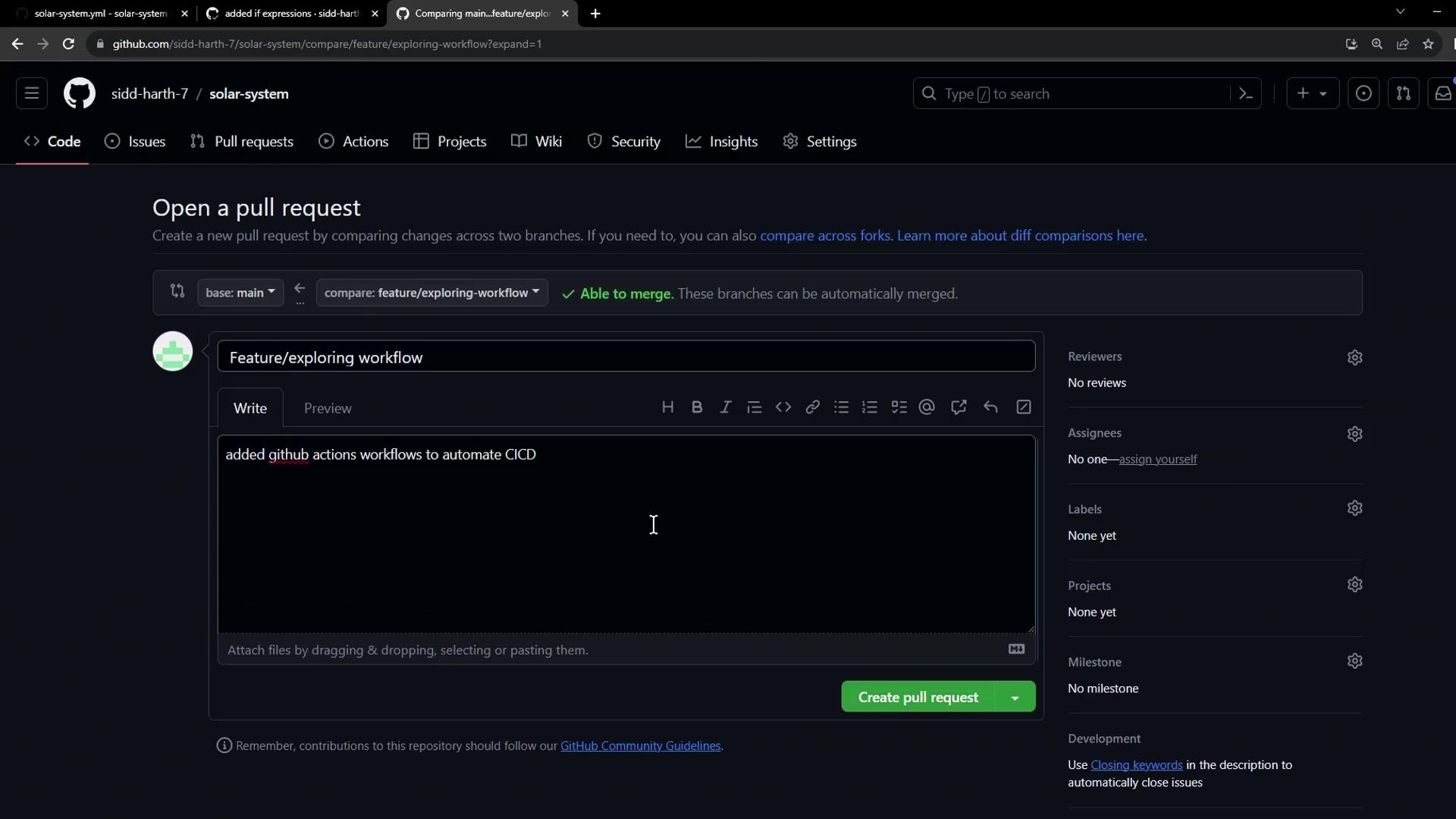
- Open Pull Request
- Create a PR from
feature/*intomainto prepare a production release.
- Create a PR from
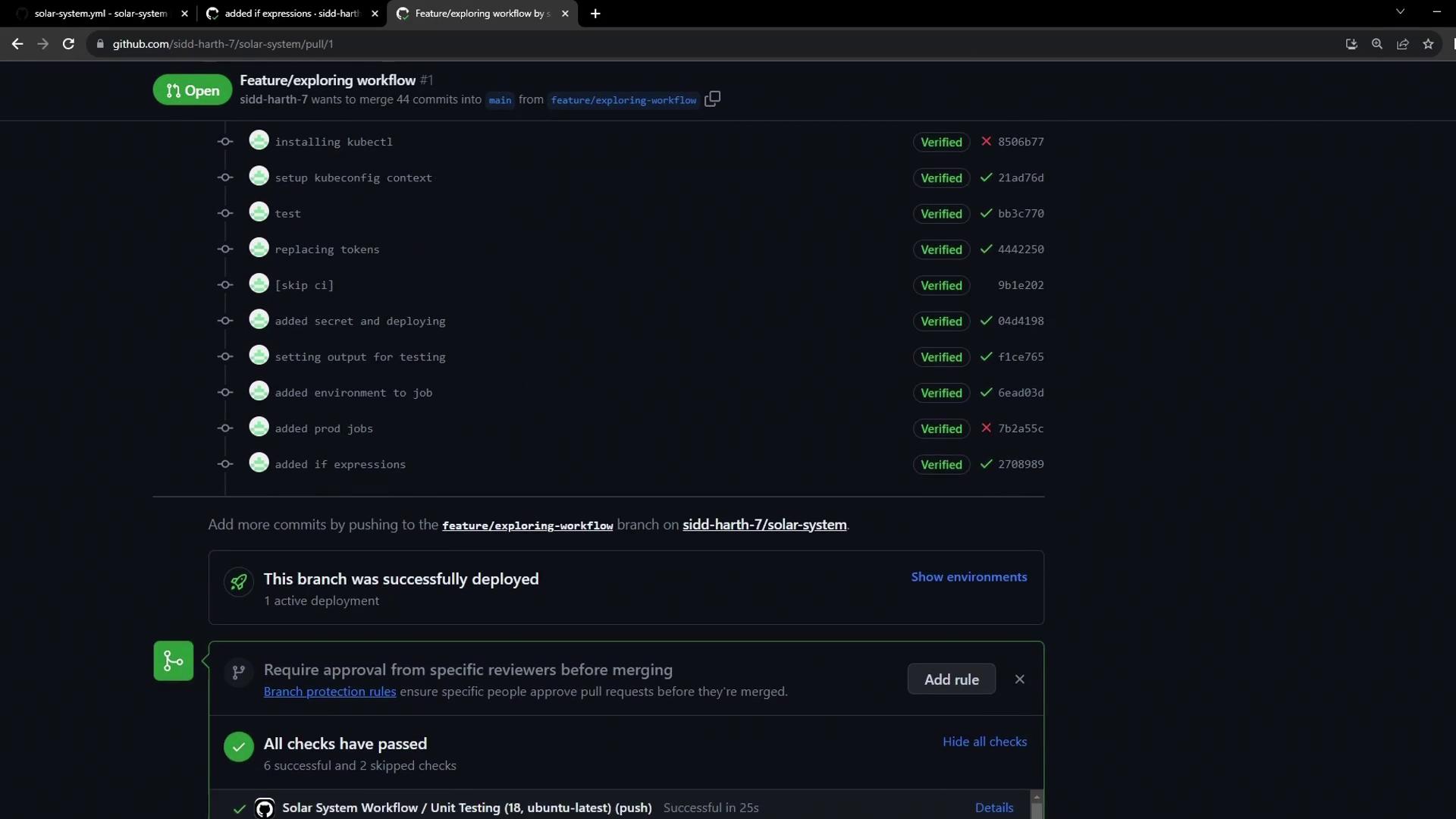
- Confirm Previous Deployments
- The PR page lists all commits and verifies the dev deployment.
- Merge to Main
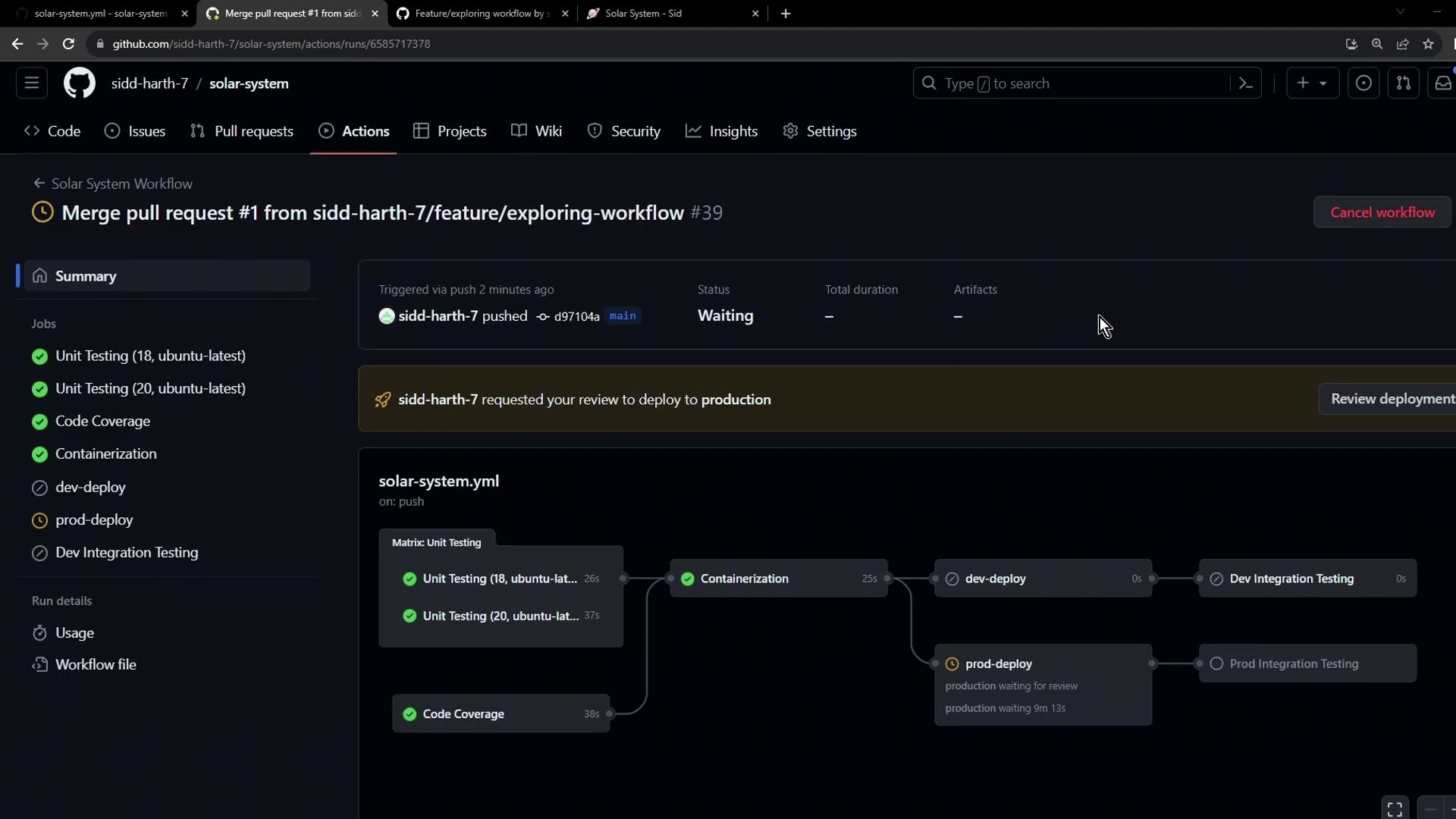
- Merging triggers a new workflow: dev jobs skip, prod job awaits manual approval or timer.
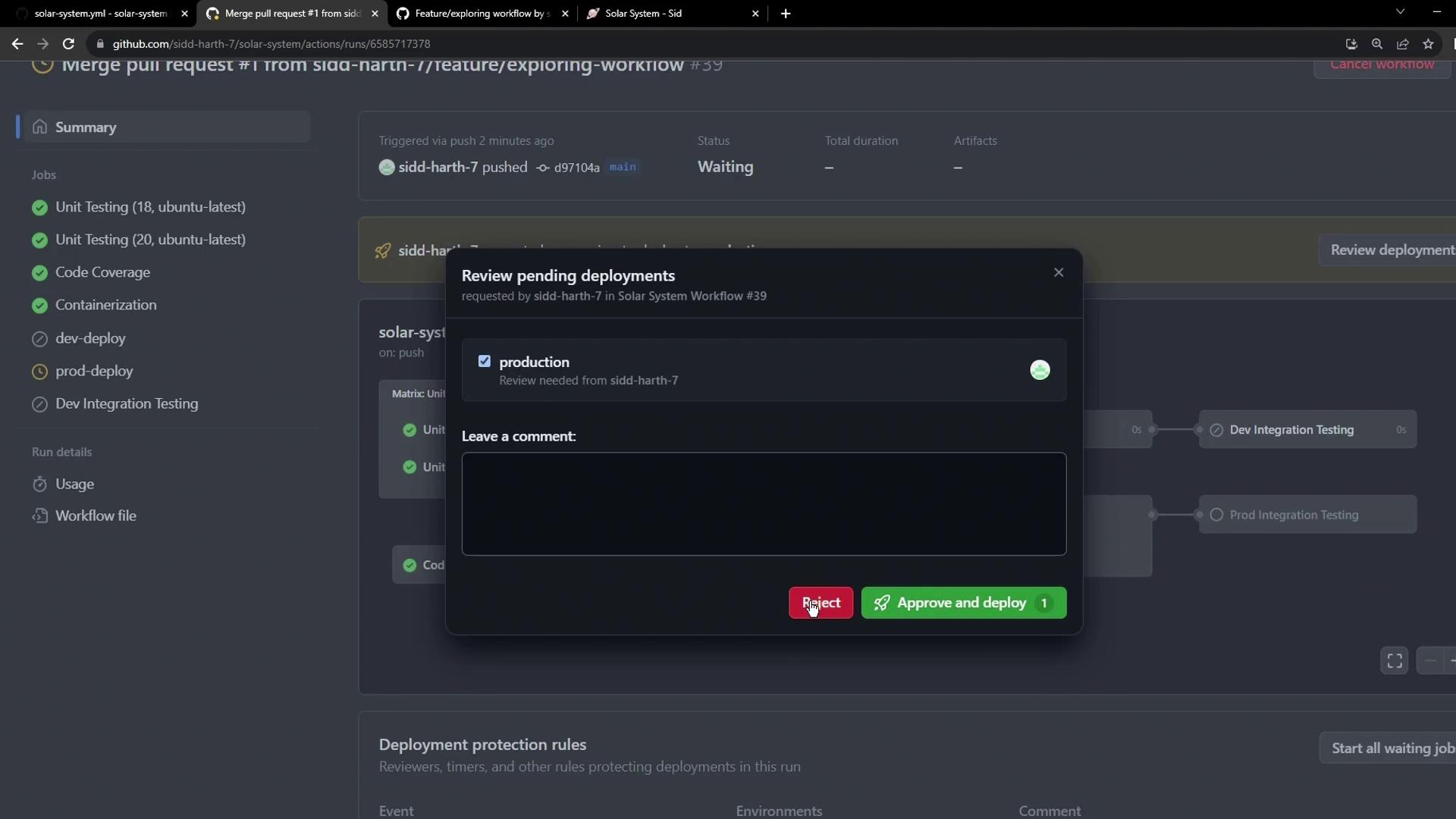
- Approve or Reject
- A reviewer approves the production deployment via the Actions UI.
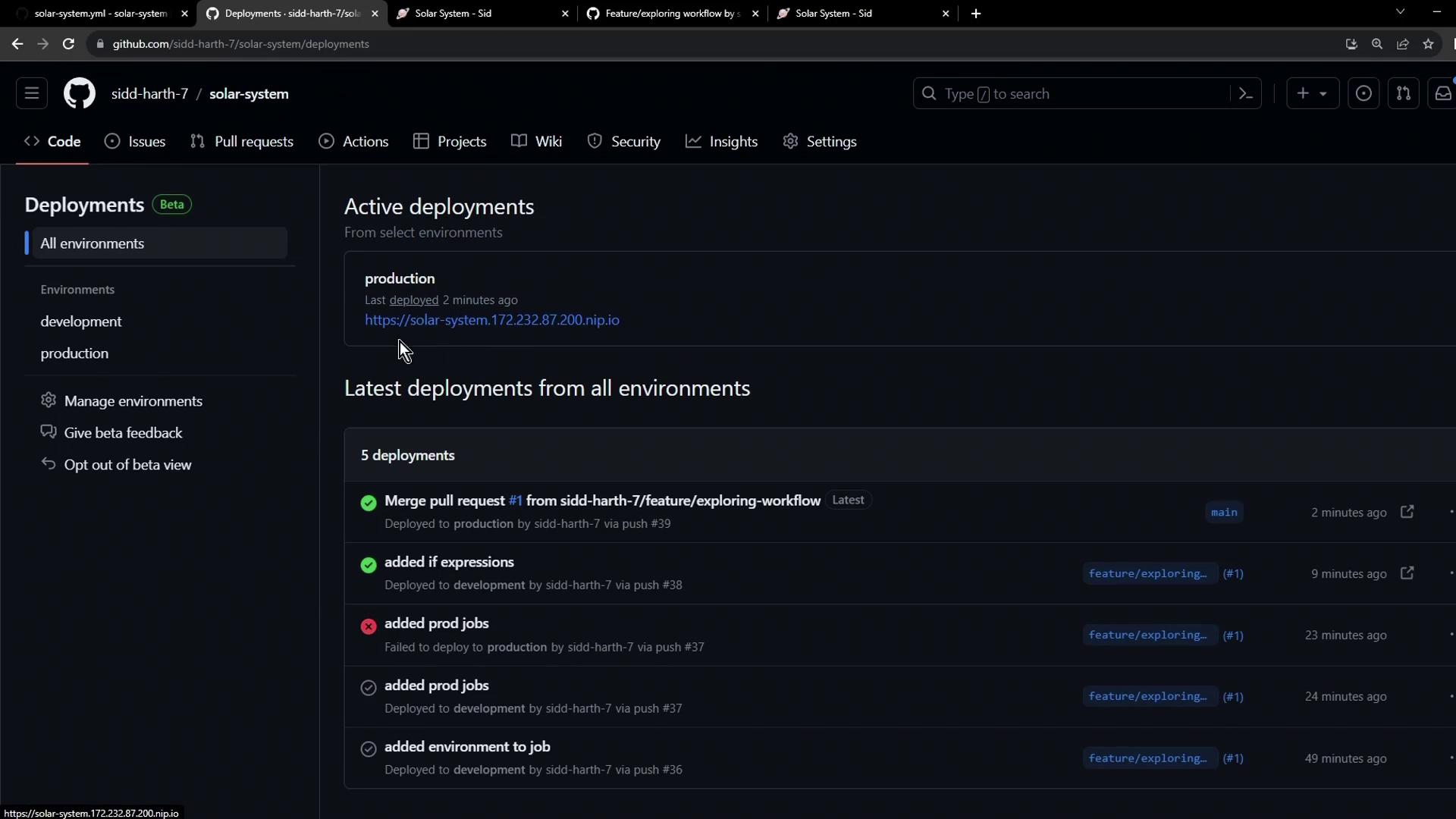
- Production Deployment Complete
- Once approved, the production deployment proceeds and can be monitored in the Deployments UI.
if expressions, pull requests, and environment protection rules, you can build a robust, secure CI/CD pipeline that separates development and production deployments seamlessly.
Links and References
- GitHub Actions Expressions
- Using Environments for Deployment
- Encrypted Secrets in GitHub Actions
- Protecting Branches