In this guide, you’ll learn how to prevent overlapping deployments by using the concurrency key in GitHub Actions. We’ll start with a simple Docker build-and-publish workflow, simulate a long-running deployment, and then introduce concurrency controls to ensure only one deployment runs at a time.

1. Base Workflow

This workflow builds, logs in, and publishes a Docker image when manually triggered:
on:
  workflow_dispatch:

env:
  CONTAINER_REGISTRY: docker.io
  IMAGE_NAME: github-actions-nginx

jobs:
  docker:
    runs-on: ubuntu-latest
    steps:
      - name: Docker Build
        run: echo docker build -t ${{ env.CONTAINER_REGISTRY }}/${{ vars.DOCKER_USERNAME }}/${{ IMAGE_NAME }}:latest
      
      - name: Docker Login
        run: echo docker login --username=${{ vars.DOCKER_USERNAME }} --password=${{ secrets.DOCKER_PASSWORD }}
      
      - name: Docker Publish
        run: echo docker push ${{ env.CONTAINER_REGISTRY }}/${{ vars.DOCKER_USERNAME }}/${{ IMAGE_NAME }}:latest

2. Adding a Long-Running Deploy Job

To demonstrate overlapping runs, let’s add a deploy job that runs the container and then sleeps for 10 minutes:
jobs:
  docker:
    runs-on: ubuntu-latest
    steps:
      - name: Docker Build
        run: echo docker build -t ${{ env.CONTAINER_REGISTRY }}/${{ vars.DOCKER_USERNAME }}/${{ IMAGE_NAME }}:latest
      - name: Docker Login
        run: echo docker login --username=${{ vars.DOCKER_USERNAME }} --password=${{ secrets.DOCKER_PASSWORD }}
      - name: Docker Publish
        run: echo docker push ${{ env.CONTAINER_REGISTRY }}/${{ vars.DOCKER_USERNAME }}/${{ IMAGE_NAME }}:latest

  deploy:
    needs: docker
    runs-on: ubuntu-latest
    steps:
      - name: Docker Run
        run: |
          echo docker run -d -p 8080:80 ${{ env.CONTAINER_REGISTRY }}/${{ vars.DOCKER_USERNAME }}/${{ IMAGE_NAME }}:latest
          sleep 600s
If you trigger this workflow while the previous deploy is still sleeping, you’ll end up with two simultaneous deployments—often a recipe for configuration drift or resource conflicts.
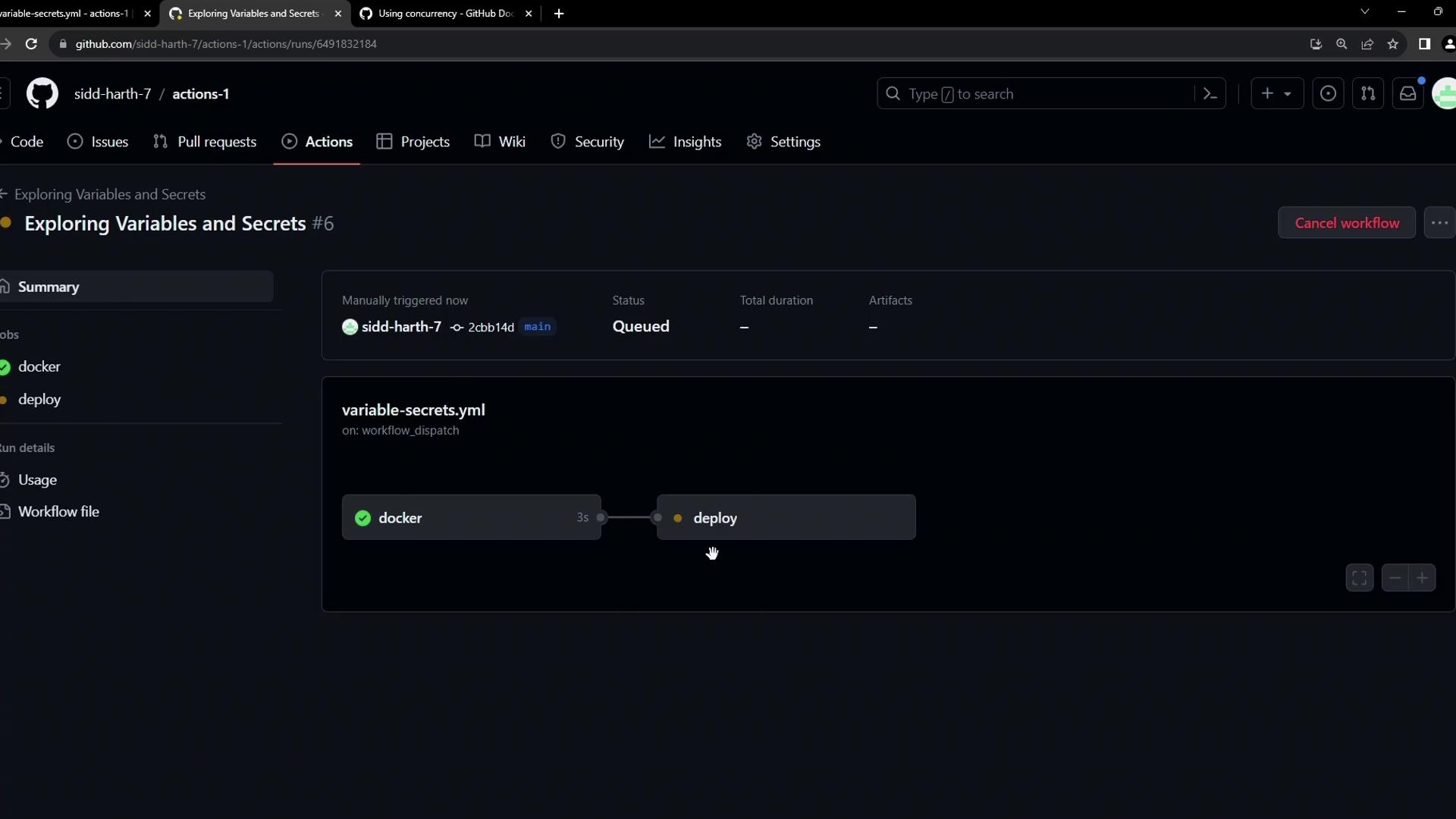
Once pushed, manually trigger the workflow:
The image shows a GitHub Actions workflow interface with a job titled "Exploring Variables and Secrets," displaying a sequence of steps involving "docker" and "deploy" processes.

3. Understanding Concurrency in GitHub Actions

GitHub Actions offers a concurrency key to group runs and control whether new runs cancel or queue behind in-progress ones:
KeyDescriptionDefault
groupUnique name for the concurrency groupnone
cancel-in-progressCancel any in-flight runs in the same group (true/false)false
Use a descriptive group name (for example, production-deployment) so unrelated workflows do not interfere with each other.
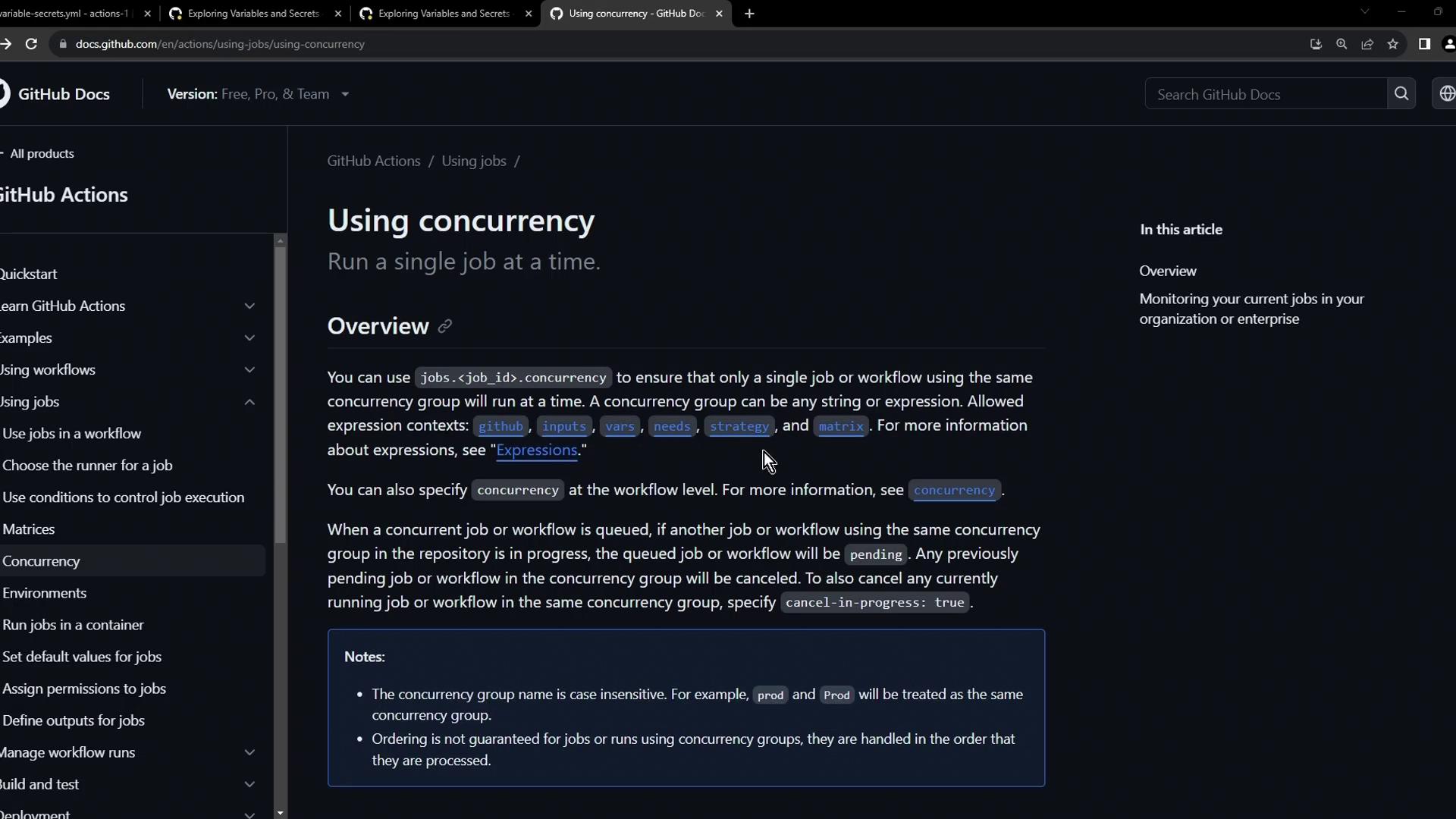
The image shows a GitHub documentation page about using concurrency in GitHub Actions, explaining how to run a single job at a time within a concurrency group.

4. Enabling Concurrency on the Deploy Job

Add concurrency to the deploy job so that any new deployment run cancels the one in progress:
env:
  CONTAINER_REGISTRY: docker.io
  IMAGE_NAME: github-actions-nginx

jobs:
  docker:
    runs-on: ubuntu-latest
    steps:
      - name: Docker Build
        run: echo docker build -t ${{ env.CONTAINER_REGISTRY }}/${{ vars.DOCKER_USERNAME }}/${{ IMAGE_NAME }}:latest
      - name: Docker Login
        run: echo docker login --username=${{ vars.DOCKER_USERNAME }} --password=${{ secrets.DOCKER_PASSWORD }}
      - name: Docker Publish
        run: echo docker push ${{ env.CONTAINER_REGISTRY }}/${{ vars.DOCKER_USERNAME }}/${{ IMAGE_NAME }}:latest

  deploy:
    needs: docker
    concurrency:
      group: production-deployment
      cancel-in-progress: true
    runs-on: ubuntu-latest
    steps:
      - name: Docker Run
        run: |
          echo docker run -d -p 8080:80 ${{ env.CONTAINER_REGISTRY }}/${{ vars.DOCKER_USERNAME }}/${{ IMAGE_NAME }}:latest
          sleep 600s
After committing the change, triggering another run will immediately cancel the previous deploy:
docker run -d -p 8080:80 $CONTAINER_REGISTRY/siddharth67/$IMAGE_NAME:latest
Error: The operation was canceled.

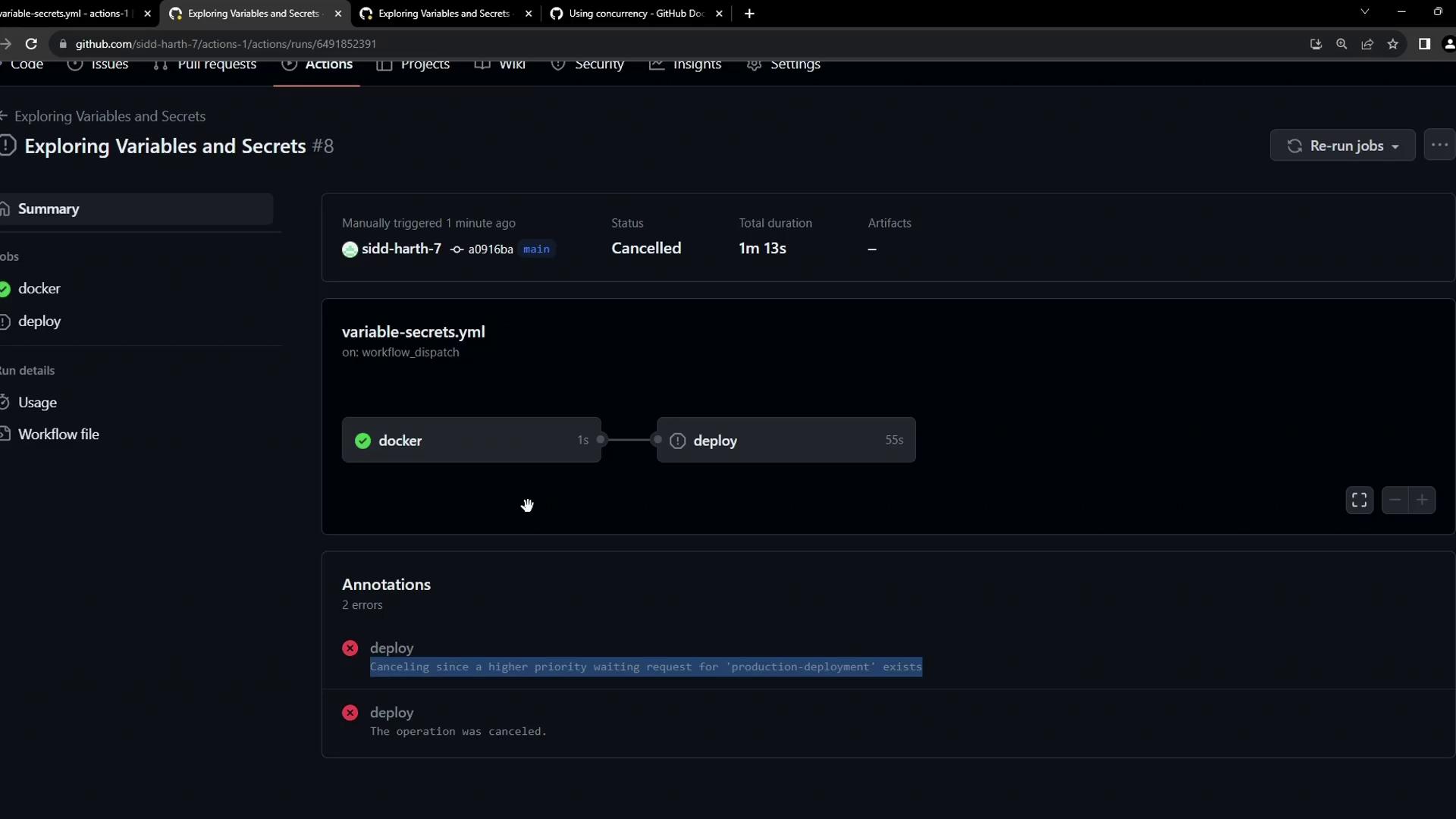
5. Demonstration: Cancel in Progress = true

  1. Trigger Workflow Adeploy starts and sleeps.
  2. Trigger Workflow B → cancels A’s deploy job and starts B’s.
The image shows a GitHub Actions workflow interface with a "variable-secrets.yml" workflow that was manually triggered and then canceled. It includes a visual representation of the workflow steps and annotations explaining the cancellation.
You’ll see:
“The deploy job was canceled because a higher priority waiting request for the production deployment exists.”

6. Demonstration: Cancel in Progress = false

If you prefer to queue new runs behind in-progress ones, set cancel-in-progress: false:
deploy:
  needs: docker
  concurrency:
    group: production-deployment
    cancel-in-progress: false
  runs-on: ubuntu-latest
  steps:
    - name: Docker Run
      run: |
        echo docker run -d -p 8080:80 ${{ env.CONTAINER_REGISTRY }}/${{ vars.DOCKER_USERNAME }}/${{ IMAGE_NAME }}:latest
        sleep 600s
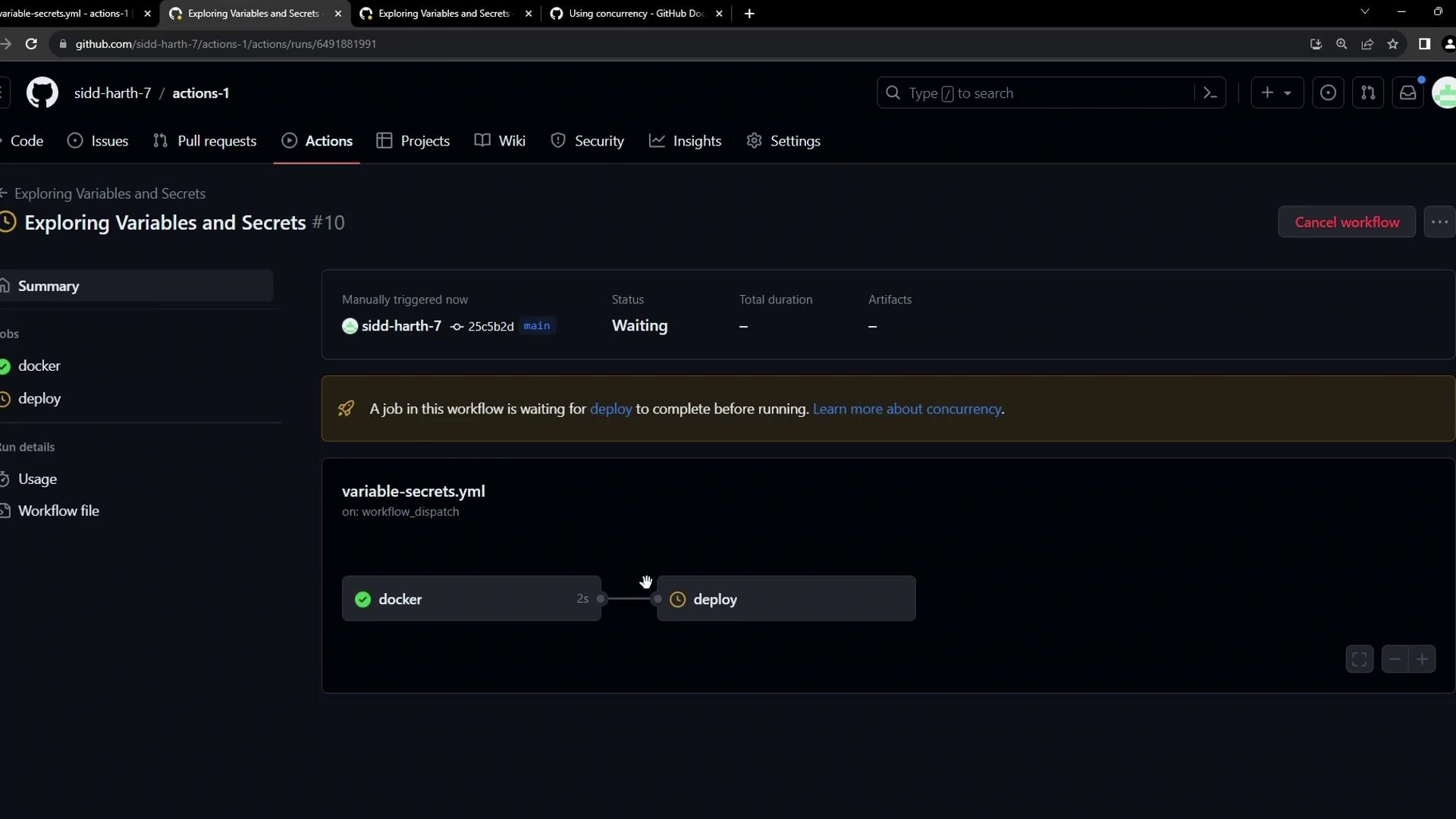
  1. Trigger Workflow A → sleeps in deploy.
  2. Trigger Workflow B → its docker job runs immediately, but its deploy job waits.
The image shows a GitHub Actions workflow interface with a job titled "Exploring Variables and Secrets" that is waiting for the "deploy" step to complete. The workflow includes steps for "docker" and "deploy" with a status indicator.
Hovering over the pending job reveals it’s waiting for the prior deployment to finish.

Conclusion

By defining concurrency.group and choosing whether to cancel-in-progress, you can enforce single-instance deployments or queue them, protecting your production environment from conflicts and ensuring predictable rollouts.