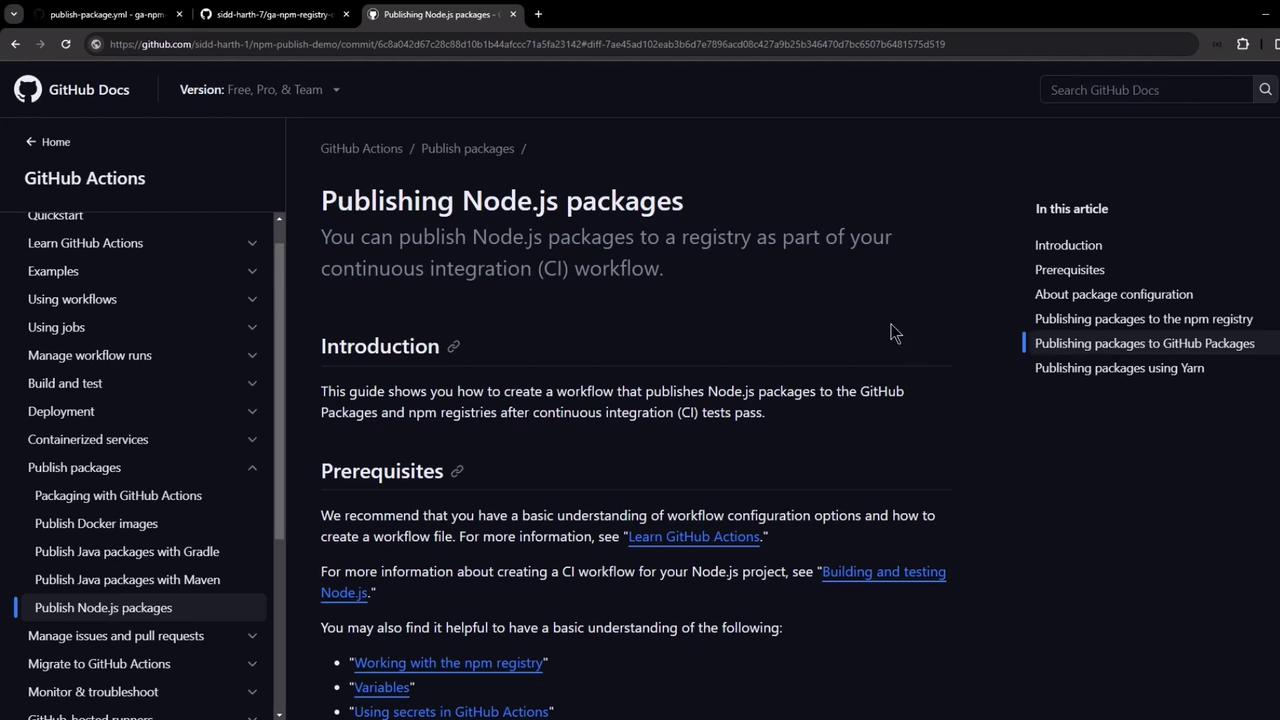
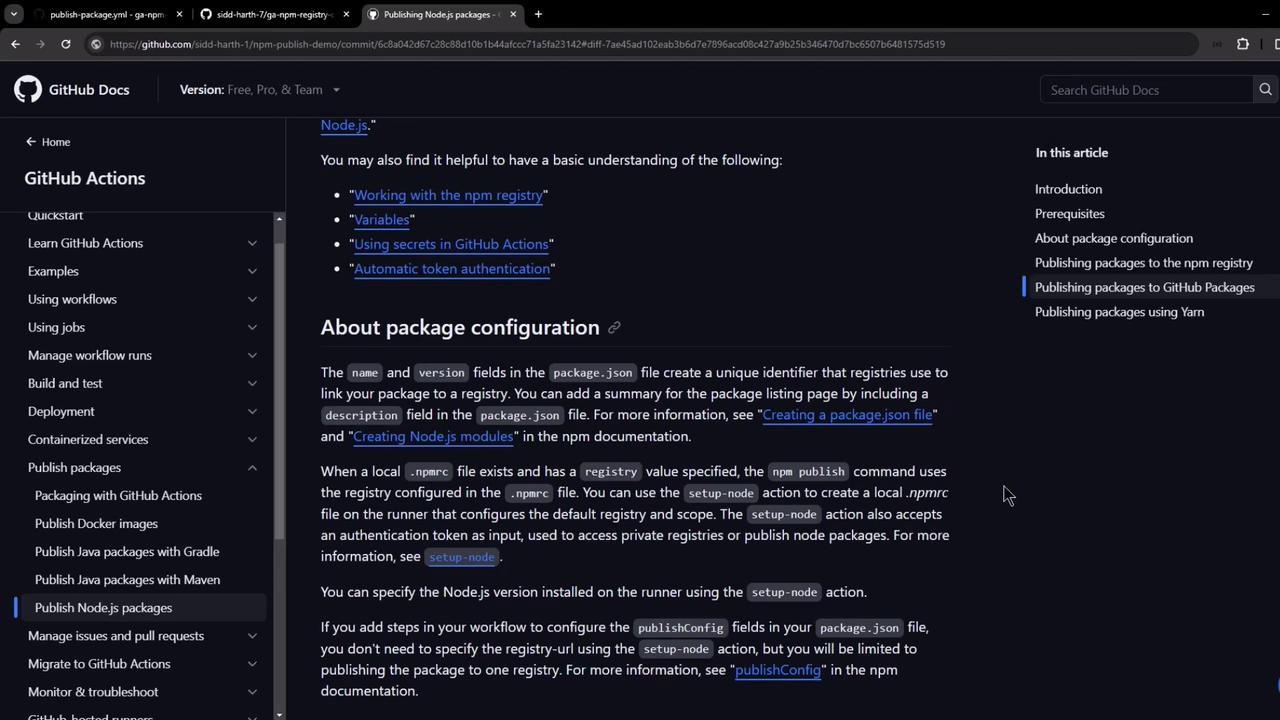
Automate publishing your Node.js package to GitHub Packages using a CI workflow. You can adapt these steps for npm or other registries. First, review the official GitHub documentation on publishing Node.js packages in a workflow:
The image shows a GitHub Docs page about publishing Node.js packages, detailing the process as part of a continuous integration workflow. It includes sections like Introduction and Prerequisites.
The image shows a GitHub Docs page about publishing Node.js packages, with sections on package configuration and related topics. The interface includes a sidebar with navigation links and a main content area with detailed instructions.

Prerequisites

  1. Unique package scope
    In package.json, define a scoped name and version:
    {
      "name": "@octocat/my-package",
      "version": "1.0.0",
      "repository": {
        "type": "git",
        "url": "https://github.com/octocat/my-other-repo.git"
      }
    }
    
The repository field is optional but helps link the package back to this GitHub repo.
  1. .npmrc setup
    The actions/setup-node action auto-generates a local .npmrc on the runner, pointing to your GitHub registry and injecting NODE_AUTH_TOKEN.
  2. Workflow permissions
    Ensure your GITHUB_TOKEN has:
    PermissionAccess LevelPurpose
    contentsreadCheckout repository
    packageswritePublish to registry

Configure the GitHub Actions Workflow

Create .github/workflows/publish-package.yaml:
name: Publish Package to GitHub NPM Registry

on:
  release:
    types: [published]

permissions:
  contents: read
  packages: write

jobs:
  build:
    runs-on: ubuntu-latest

    steps:
      - name: Checkout Repository
        uses: actions/checkout@v4

      - name: Setup Node.js and .npmrc
        uses: actions/setup-node@v4
        with:
          node-version: '20.x'
          registry-url: 'https://npm.pkg.github.com'
          scope: '@octocat'

      - name: Install Dependencies
        run: npm ci

      - name: Publish Package
        run: npm publish
        env:
          NODE_AUTH_TOKEN: ${{ secrets.GITHUB_TOKEN }}
  • Trigger: on release.published.
  • Setup: installs Node.js, configures .npmrc for npm.pkg.github.com with your scope.
  • Publish: uses GITHUB_TOKEN for authentication.

Sample Repository Structure

Before you add the workflow, your repository might look like this:
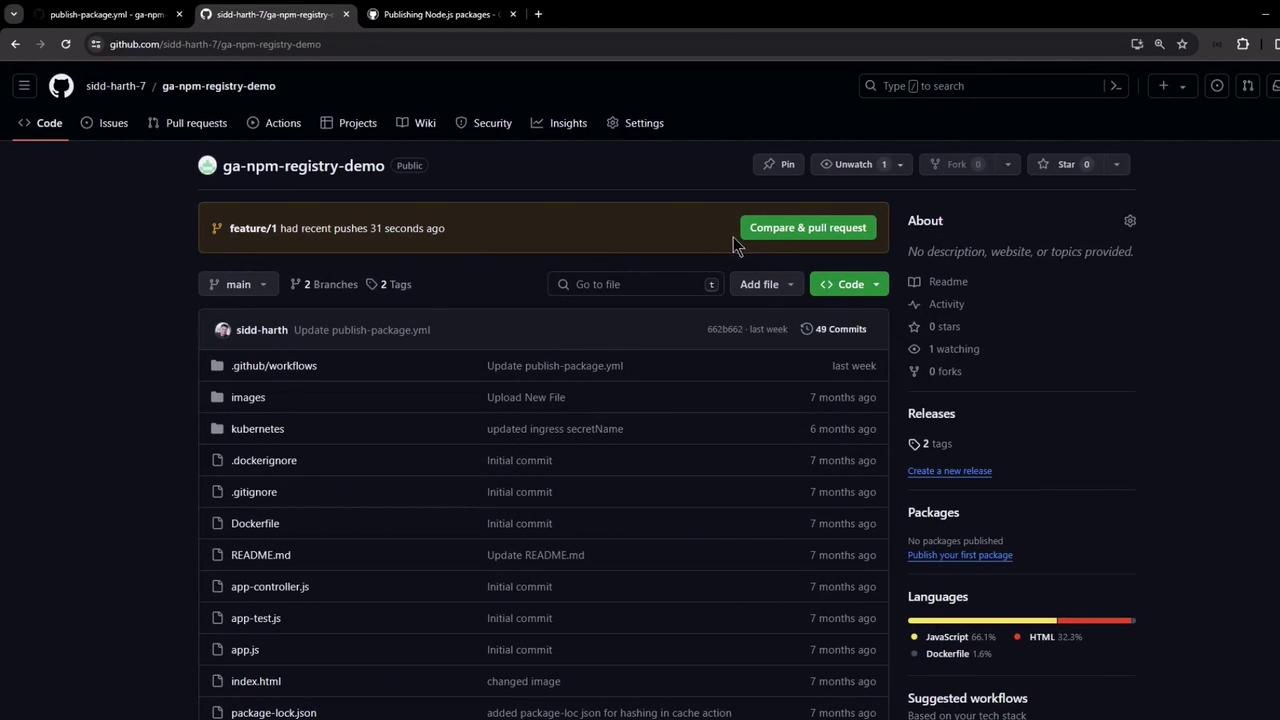
The image shows a GitHub repository page with a list of files and directories, along with options for code management and repository details.
An example package.json:
{
  "name": "@sidd-harth-7/solar-system",
  "version": "6.7.6",
  "author": "Siddharth Barahalikar <[email protected]>",
  "license": "MIT",
  "scripts": {
    "start": "node app.js",
    "test": "mocha app-test.js --timeout 10000 --reporter mocha-junit-reporter --exit",
    "coverage": "nyc --reporter cobertura --reporter lcov --reporter text --reporter json-summary mocha app-test.js --timeout 10000"
  },
  "dependencies": {
    "cors": "2.8.5",
    "express": "^4.18.2",
    "mongoose": "5.13.20",
    "nyc": "^15.1.0",
    "mocha-junit-reporter": "^2.2.1"
  },
  "devDependencies": {
    "chai": "^1.10.0",
    "chai-http": "^4.3.0",
    "mocha": "^8.0.0"
  }
}
Commit these changes; the workflow runs only after you publish a release.

Publishing a Release

  1. Go to Releases → Draft a new release.
  2. Set the tag (e.g., v6.7.6), title, and description.
  3. Click Publish release.
The image shows a GitHub interface for creating a new release in a repository, with a tag being selected and options for release notes and versioning.

Workflow in Action

After you publish the release, the workflow is queued:
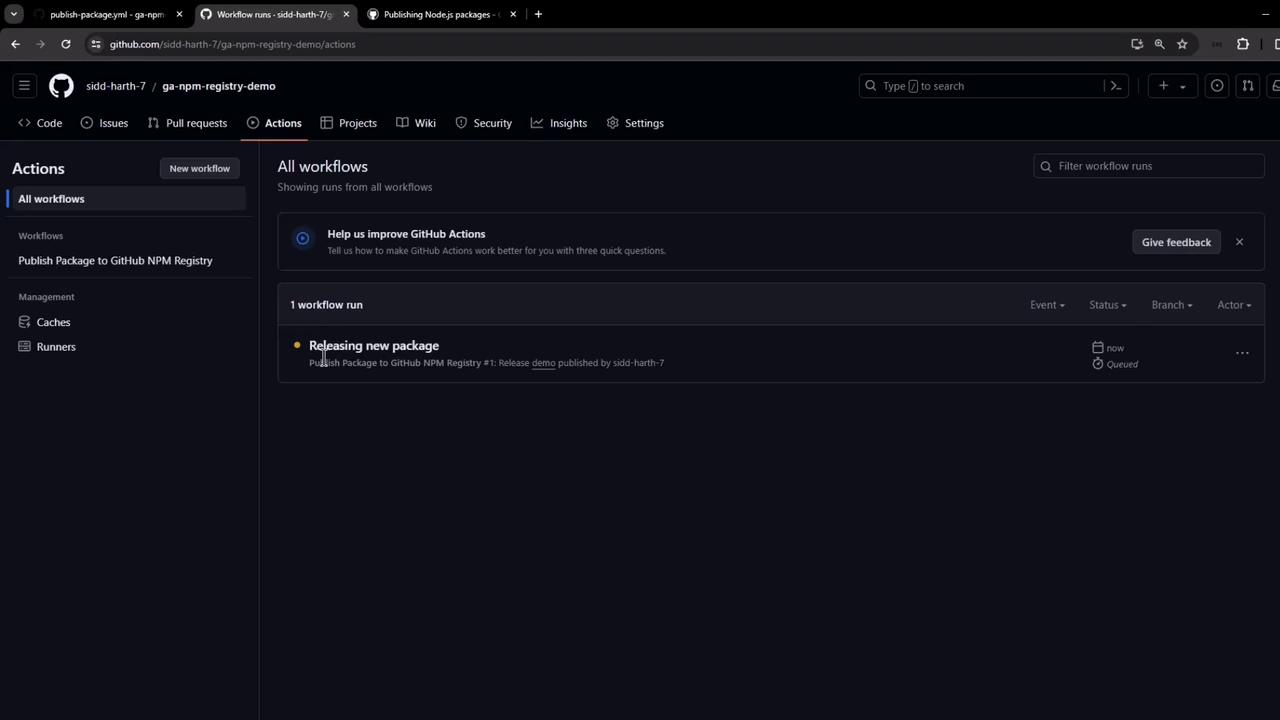
The image shows a GitHub Actions interface with a workflow titled "Releasing new package" that is currently queued. The interface includes options for managing workflows, caches, and runners.
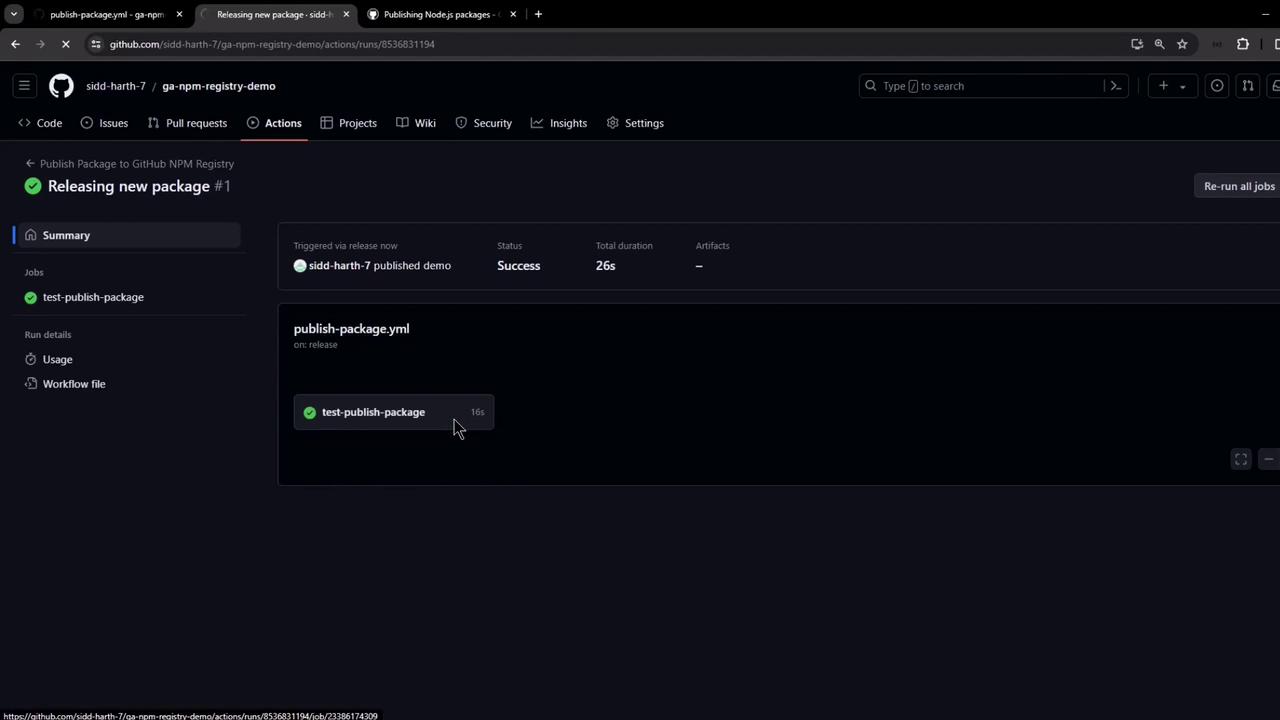
Within seconds, it completes successfully:
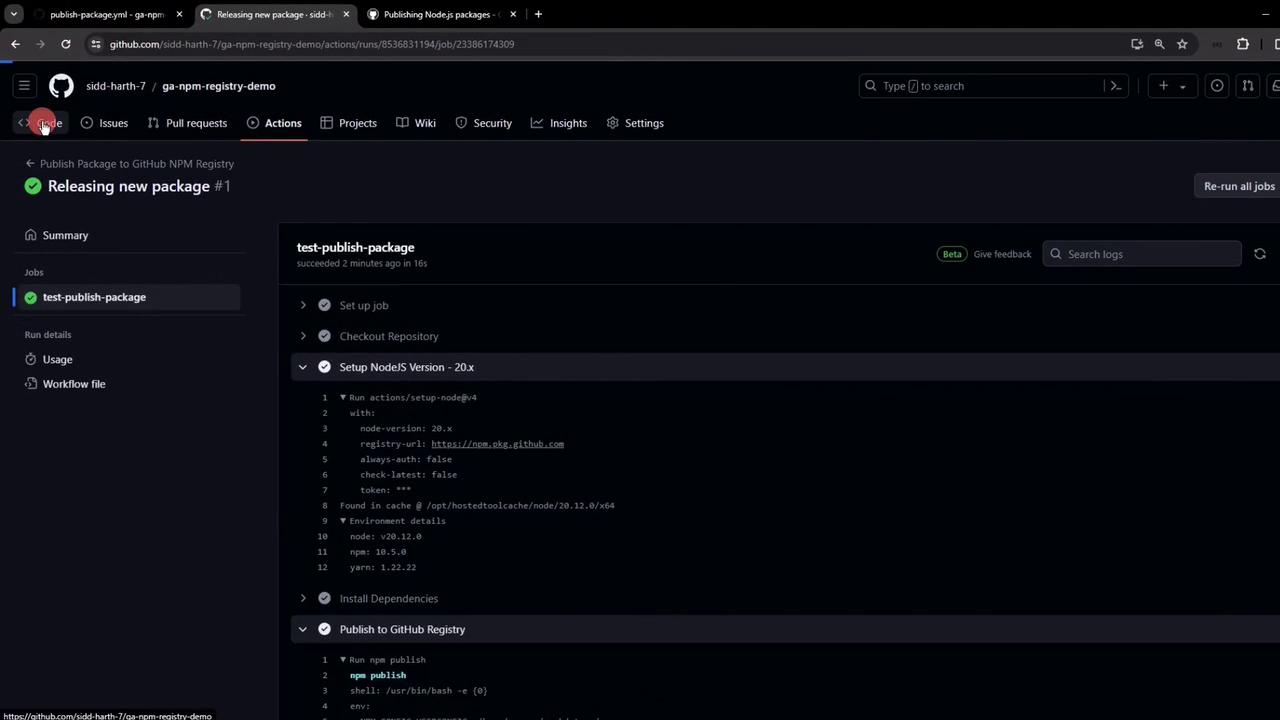
The image shows a GitHub Actions page for a repository, displaying a successful workflow run for releasing a new package. The job "test-publish-package" completed in 16 seconds.
Logs confirm:
  • Node.js setup
  • Dependencies installation
  • .npmrc creation
  • Package publication
The image shows a GitHub Actions interface with a workflow for releasing a new package, including steps like setting up Node.js and publishing to the GitHub registry.

View and Install Your Package

Your package appears under Your GitHub Profile → Packages:
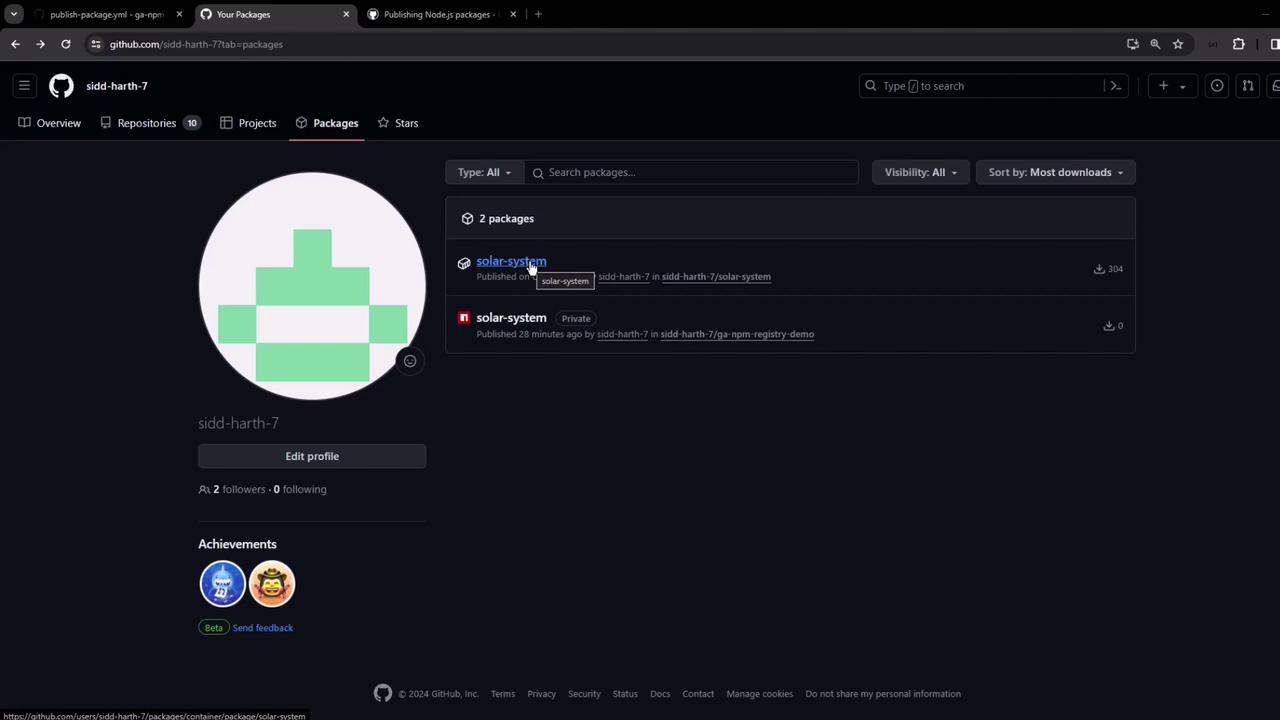
The image shows a GitHub profile page with a focus on the "Packages" section, displaying two packages named "solar-system," one public and one private.
Install via npm:
npm install @sidd-harth-7/[email protected]
Or add to package.json dependencies:
"dependencies": {
  "@sidd-harth-7/solar-system": "6.7.6"
}
Congratulations! You’ve automated publishing a Node.js package to GitHub Packages using GitHub Actions.