

1. Issue Discovery
After completing the first four tasks, Alice was summoned to an urgent meeting. The team noticed that their production MongoDB cluster was intermittently unresponsive and slow ever since they integrated unit-testing and code-coverage into their CI pipeline.1.1 Current Test & Coverage Steps
Both the unit-testing and code-coverage jobs are inadvertently pointing to the production database: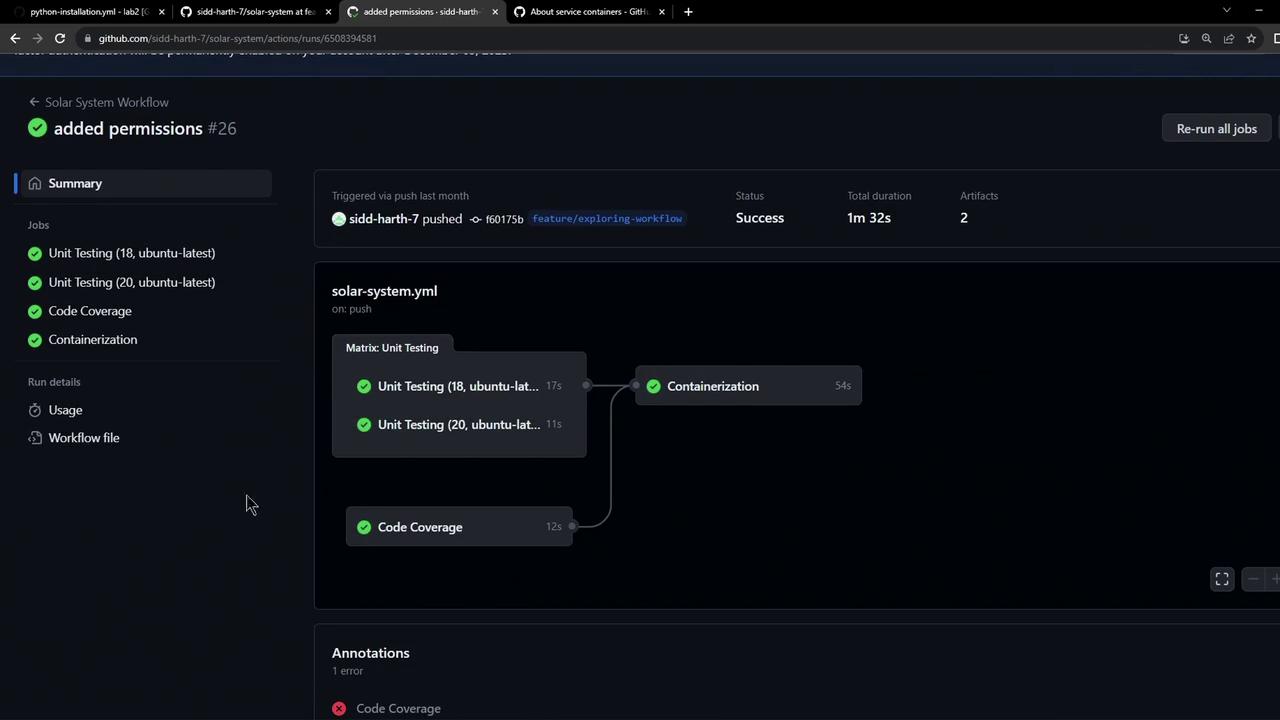
2. Root Cause
The workflow’s globalenv block defines production credentials, causing both testing jobs to connect to the live database:
Never run tests against your production database. Doing so risks data corruption and performance degradation.
3. Refactoring Strategy
To prevent production downtime, Alice proposed spinning up a dedicated MongoDB service container inside the CI job. This gives each job its own ephemeral database instance, fully isolated from production.3.1 Define a MongoDB Service in GitHub Actions
Add aservices section under each job to start a MongoDB Docker container:
Using an isolated service container ensures your CI jobs are reproducible and safe. You can apply the same pattern for integration tests, Redis, PostgreSQL, and more.
4. Project Tasks Overview
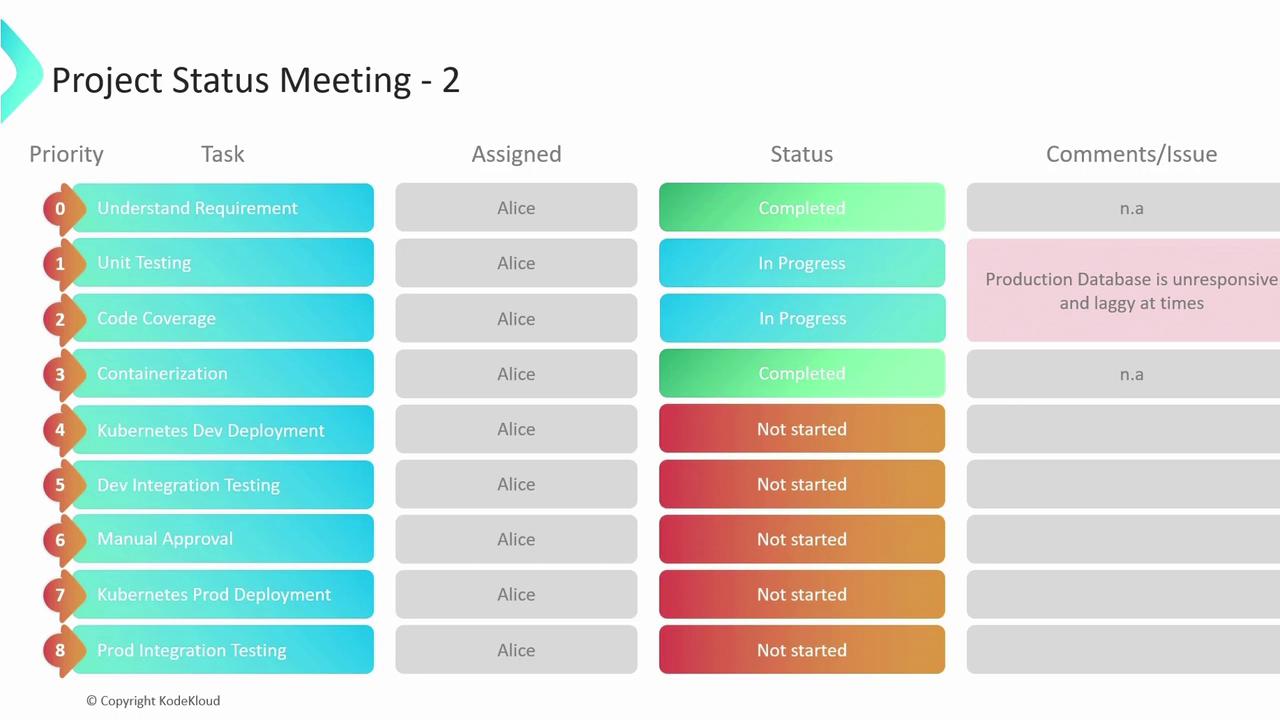
5. Next Steps
- Update all testing and coverage jobs to use in-job MongoDB services.
- Remove production credentials from the global
envscope. - Validate workflow changes on a feature branch before merging to
main.