

What Is CodeQL Code Scanning?
Code scanning is a built-in GitHub feature that uses the CodeQL semantic analysis engine. It runs queries against your codebase, surfaces potential security issues, and helps you track and resolve them before they reach production.Two Ways to Enable CodeQL
1. Enable via Repository Settings
- Navigate to Settings → Security → Code security and analysis.
- Scroll to CodeQL analysis and toggle it on.
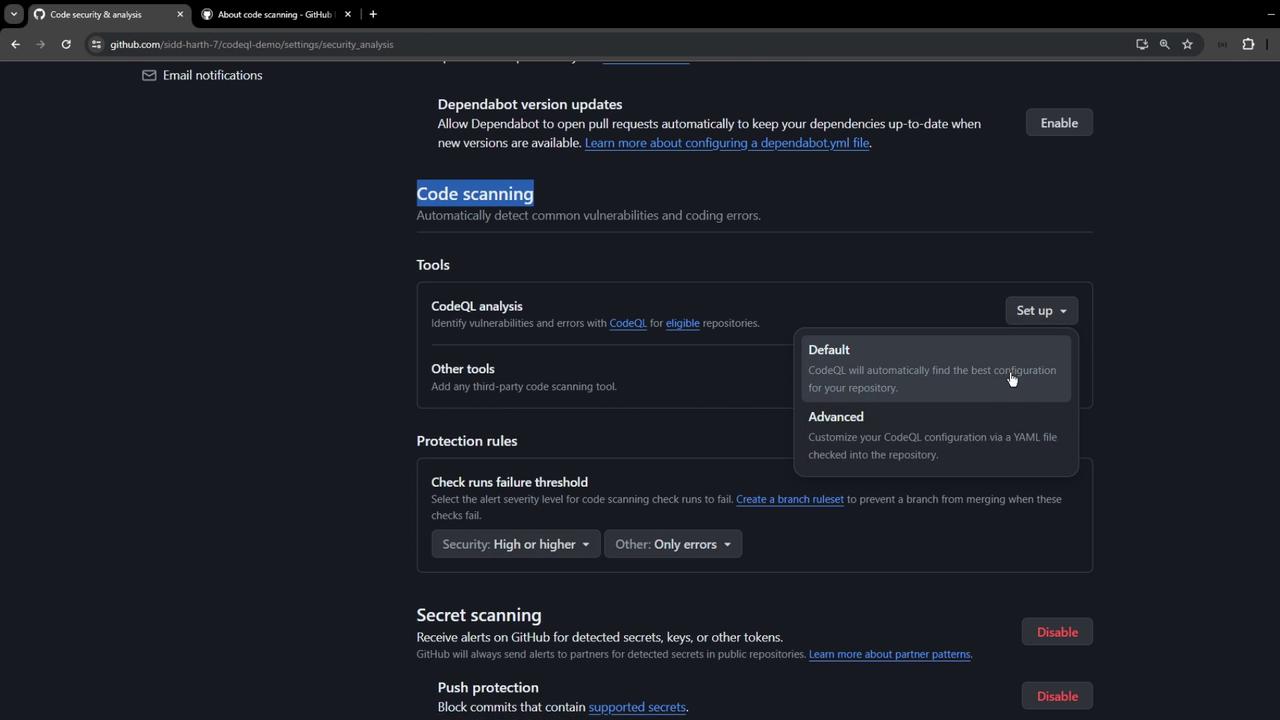
2. Configure a CodeQL Workflow
- Open the Actions tab.
- Search for CodeQL Analysis and select the starter workflow.
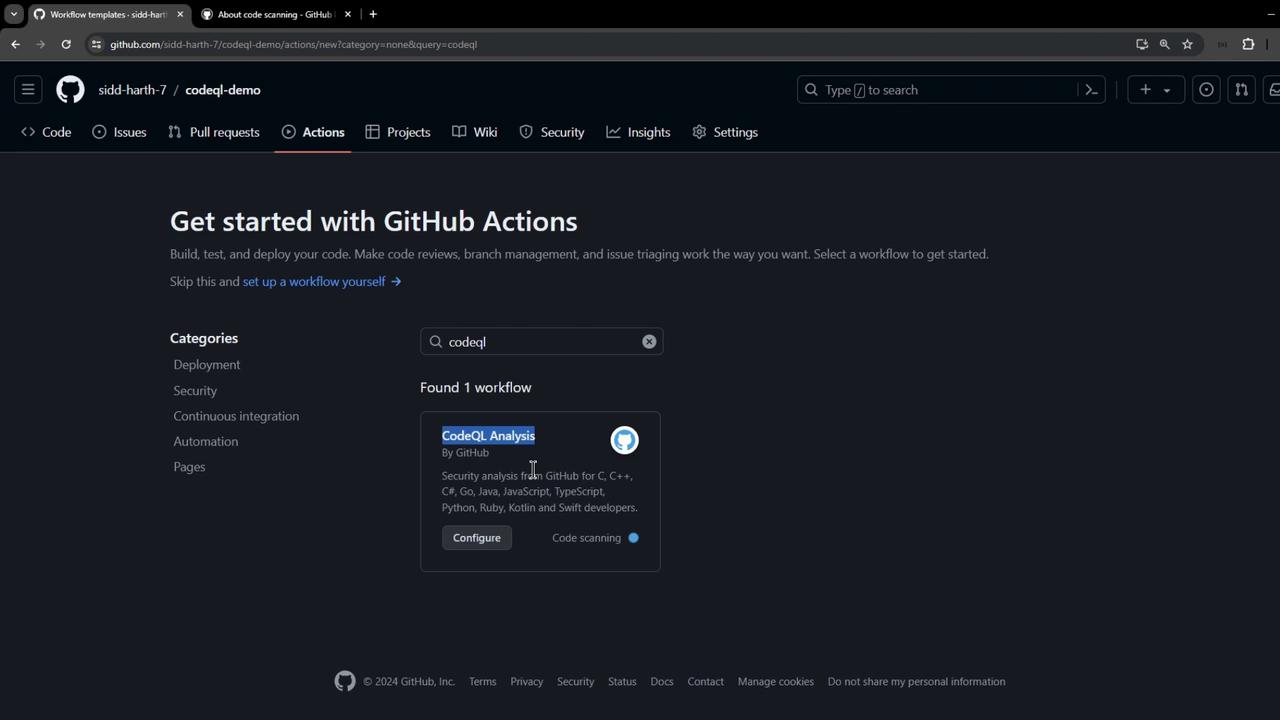
.github/workflows/codeql.yml. Below is a minimal example you can customize:
Adjust the
build-mode and add any custom run commands needed to compile your project before analysis.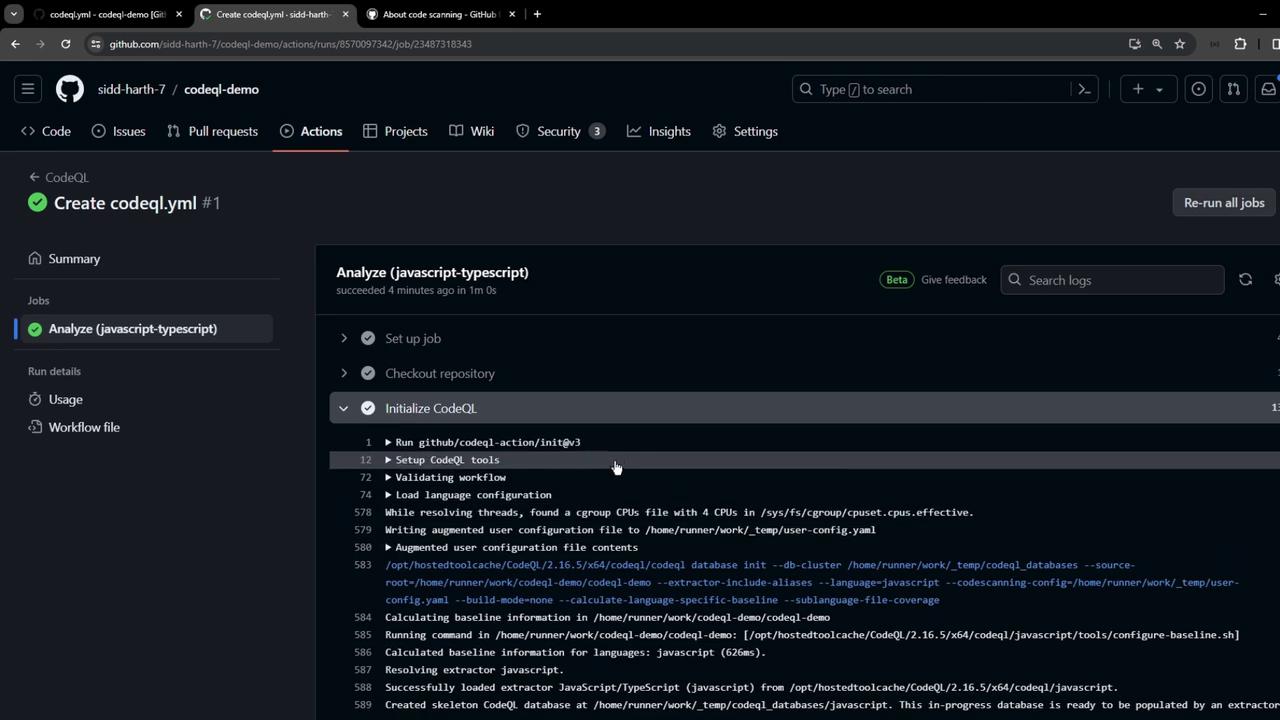
Reviewing CodeQL Results
When the workflow completes, findings are uploaded to GitHub. Go to Security → Code scanning to see alerts: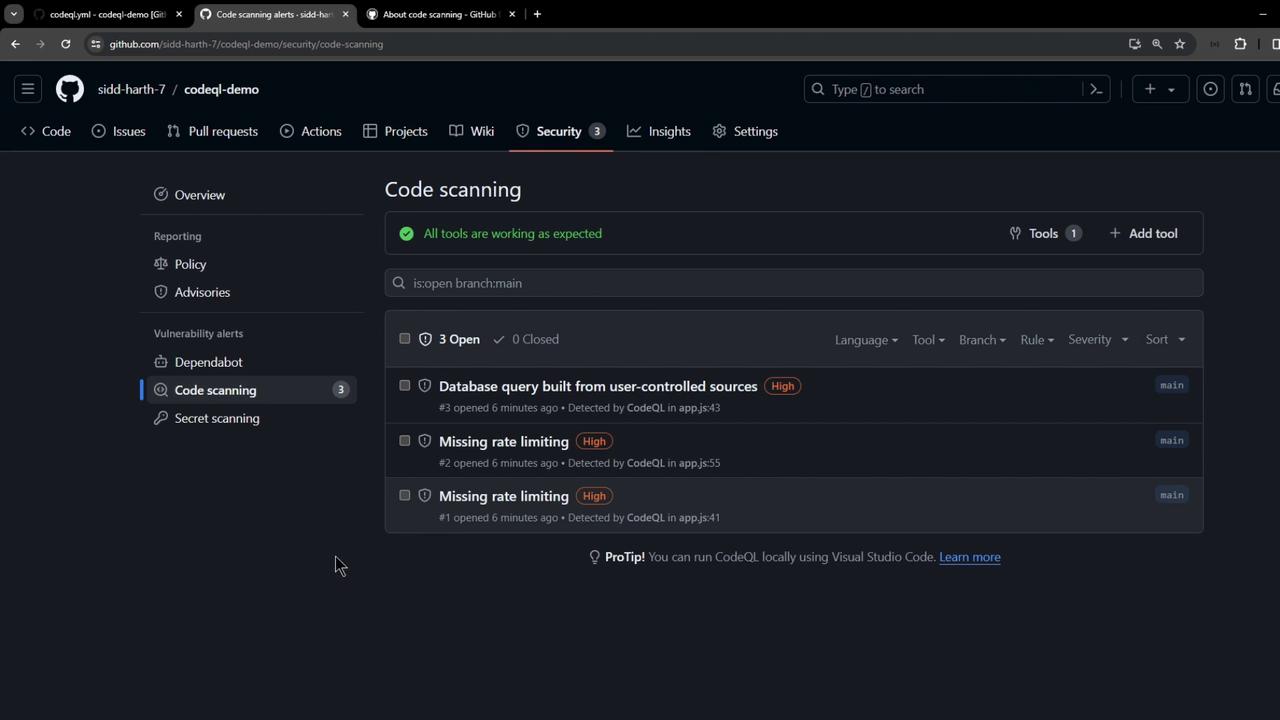
- Rule ID
- Severity level
- CWE identifier
- Vulnerable code snippet
Example: Unsafe Database Query
req.body.id in a query can lead to injection attacks. CodeQL recommends parameterized queries or sanitization, for instance:
Best Practices
- Run CodeQL on every pull request to catch issues early.
- Customize queries via the
queriesinput. - Dismiss false positives or open issues for confirmed vulnerabilities.
- Regularly update the CodeQL Action versions (
init@v3,analyze@v3).