In this guide, you’ll learn how to configure a GitHub Actions workflow to run unit tests across multiple operating systems and Node.js versions by leveraging the matrix strategy. This approach generates a job for every combination of variables—such as nodejs_version and operating_system—while allowing you to exclude specific pairs.

Defining the Matrix

First, we define a matrix with three Node.js versions (18, 19, 20) and two operating systems (ubuntu-latest, macos-latest), excluding the unwanted combination of Node.js 18 on macOS:
At this stage, both runs-on and node-version are hardcoded. In the next section, we’ll update them to use matrix variables.

Matrix Combinations Overview

To visualize which jobs will run, consider this table of all possible combinations:

Referencing the Matrix Variables

Replace the hardcoded values with ${{ matrix.operating_system }} and ${{ matrix.nodejs_version }} so each job picks up the correct OS and Node.js version:
Each job will now automatically run on the specified operating system and install the appropriate Node.js version.

Commit and Observe the Workflow

Commit your changes with a descriptive message like:
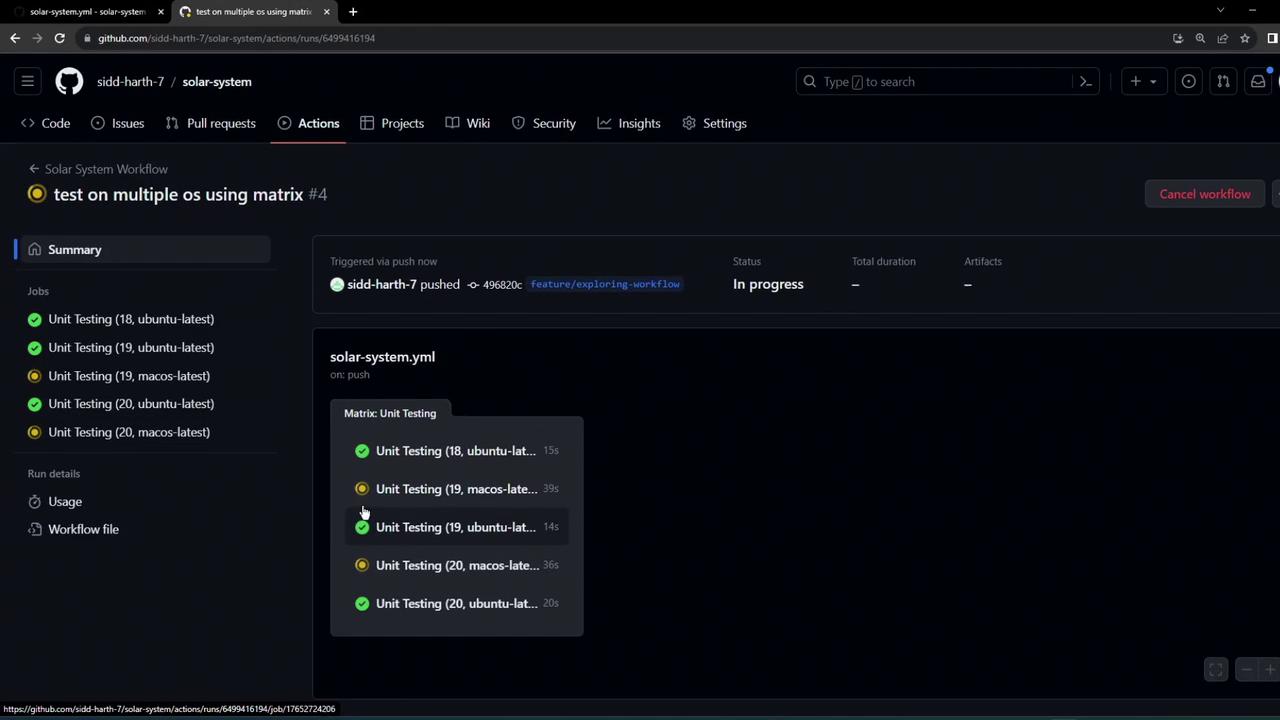
GitHub Actions will queue five parallel jobs, each labeled by OS and Node.js version:
The image shows a GitHub Actions workflow interface with unit testing jobs running on multiple operating systems, including Ubuntu and macOS. The status of the workflow is "In progress."
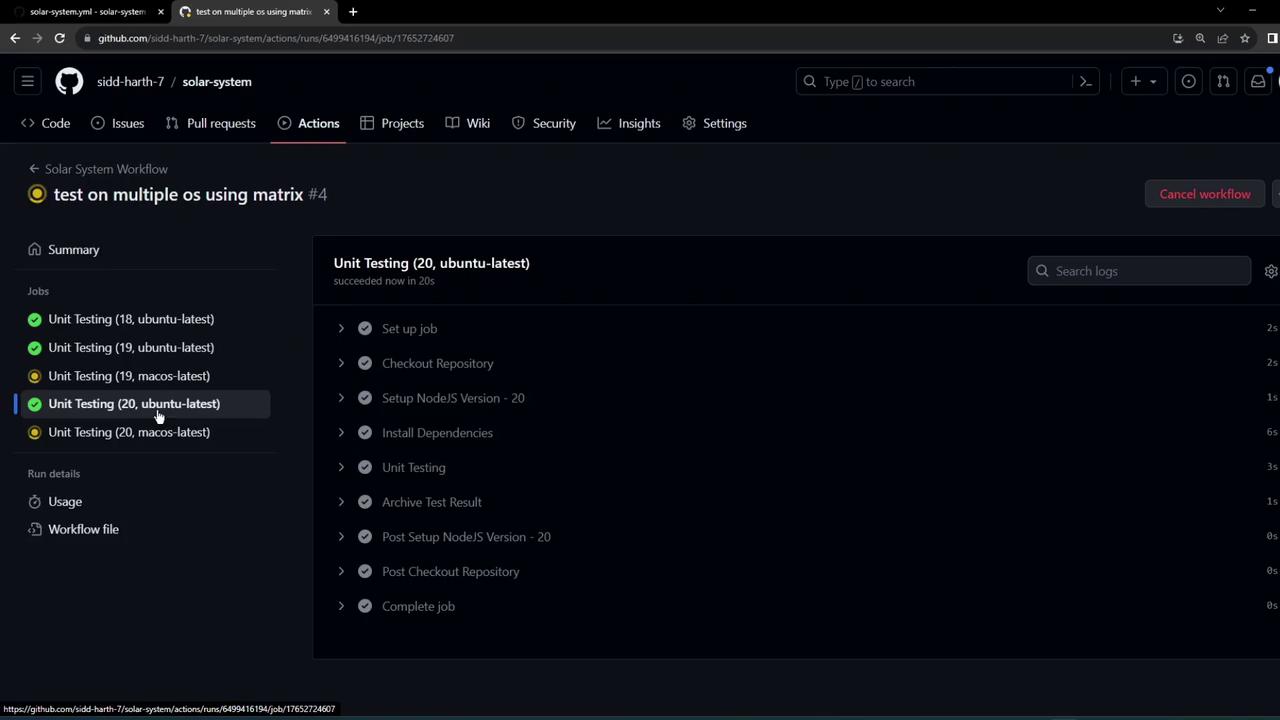
You can drill down into any job—for example, Ubuntu with Node.js 20—to see the step-by-step execution:
The image shows a GitHub Actions workflow interface with unit testing jobs for different operating systems, highlighting a successful test on Ubuntu.
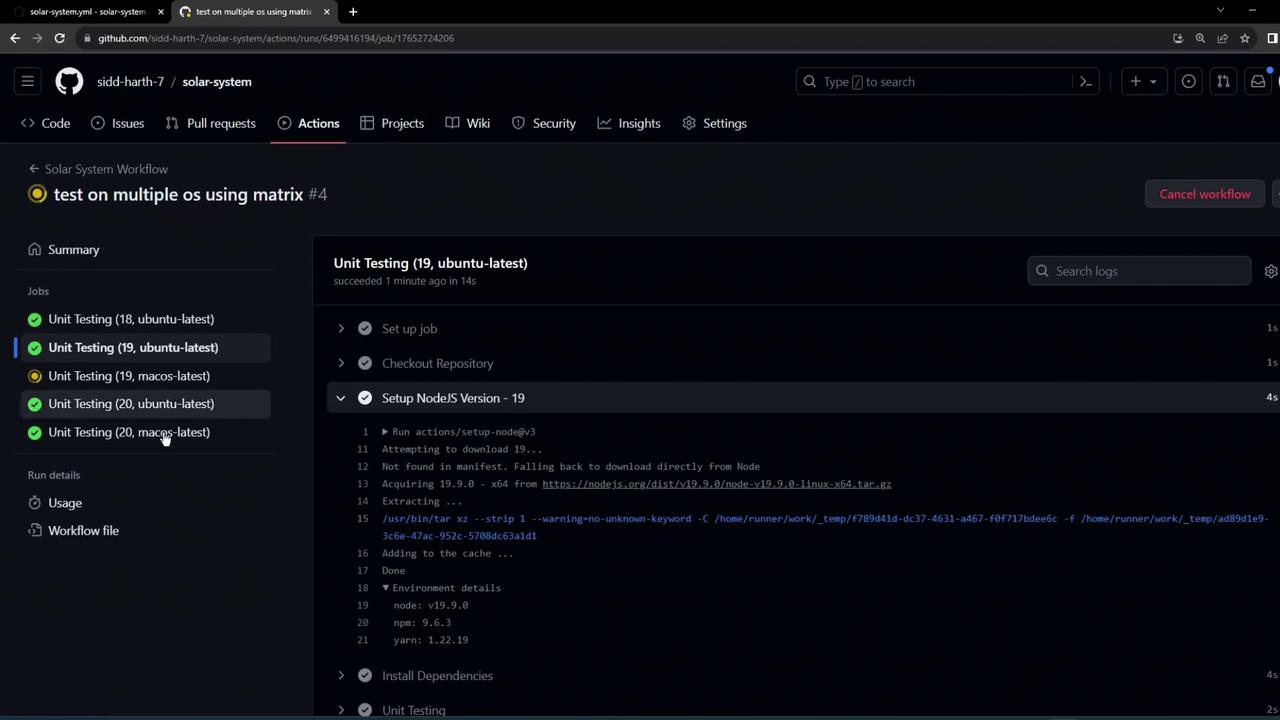
The logs confirm the setup of each Node.js version, including detailed installer output:
The image shows a GitHub Actions workflow interface, displaying unit testing jobs for different Node.js versions on Ubuntu and macOS. The logs detail the setup process for Node.js version 19.
macOS runners often take a bit longer to start. Be patient as those jobs initialize.
With the matrix strategy in place, you’ll efficiently validate your code across multiple environments without duplicating workflow configurations.

Watch Video