

- Project-specific logic not covered by existing Actions
- Integration with internal or legacy services
- Complex orchestration with conditional steps or custom dependencies
- Strict compliance or security policies requiring in-house solutions
Leverage community Actions whenever possible to reduce maintenance overhead. Create a custom Action only when you need functionality that isn’t already available.
- Publishing an npm package when a new Git tag is created
- Sending SMS or Slack alerts upon critical issue creation
- Deploying custom security policies or infrastructure templates
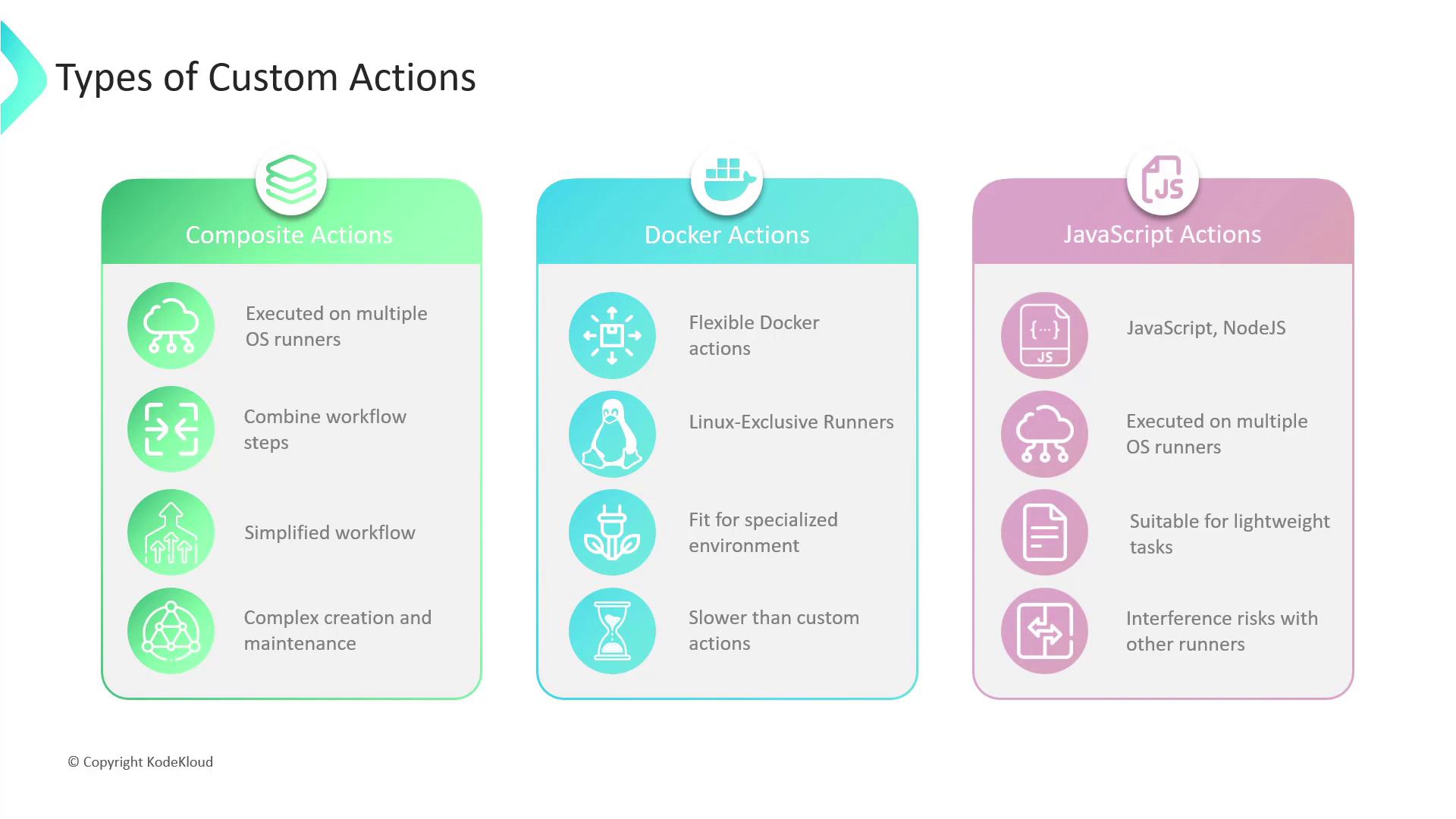
Composite Actions
Composite Actions let you encapsulate multiple workflow steps into a single reusable unit.- Pros: Simplifies workflows, DRY principle, cross-platform
- Cons: Can become hard to maintain if too many steps are bundled
Docker Container Actions
Container Actions run inside a Docker environment defined by you.- Pros: Full OS control, consistent environment, ideal for complex dependencies
- Cons: Linux only, requires Docker knowledge, startup overhead
Docker container Actions run exclusively on Linux runners. Make sure your workflow requirements align with Linux-only execution.
JavaScript Actions
JavaScript Actions execute directly on the runner via Node.js.- Pros: Fast startup, cross-platform, simple scripting
- Cons: Less isolated—be mindful of side effects on the host runner
Select the type that best aligns with your project’s needs—whether you prioritize simplicity, isolation, performance, or cross-platform support.
- GitHub Actions Documentation
- Creating a composite run steps action
- Docker container actions
- JavaScript actions