title: “Using continue-on-error in GitHub Actions” description: “Learn how to apply continue-on-error at step and job level to prevent non-critical failures from stopping your GitHub Actions workflows.”
GitHub Actions provides thecontinue-on-error keyword to help you manage non-critical failures in your CI/CD workflows. By default, a non-zero exit code stops the job and any downstream steps. With continue-on-error, you can:
- Skip failing steps while continuing the job
- Mark jobs as neutral instead of failed
Example Scenario
Imagine a Code Coverage job that runs tests and then validates coverage. If coverage falls below your threshold, the job fails immediately:Step-Level continue-on-error
To allow subsequent steps to execute even when coverage fails, addcontinue-on-error: true to the Check Code Coverage step:
Quick Comparison
Job-Level continue-on-error
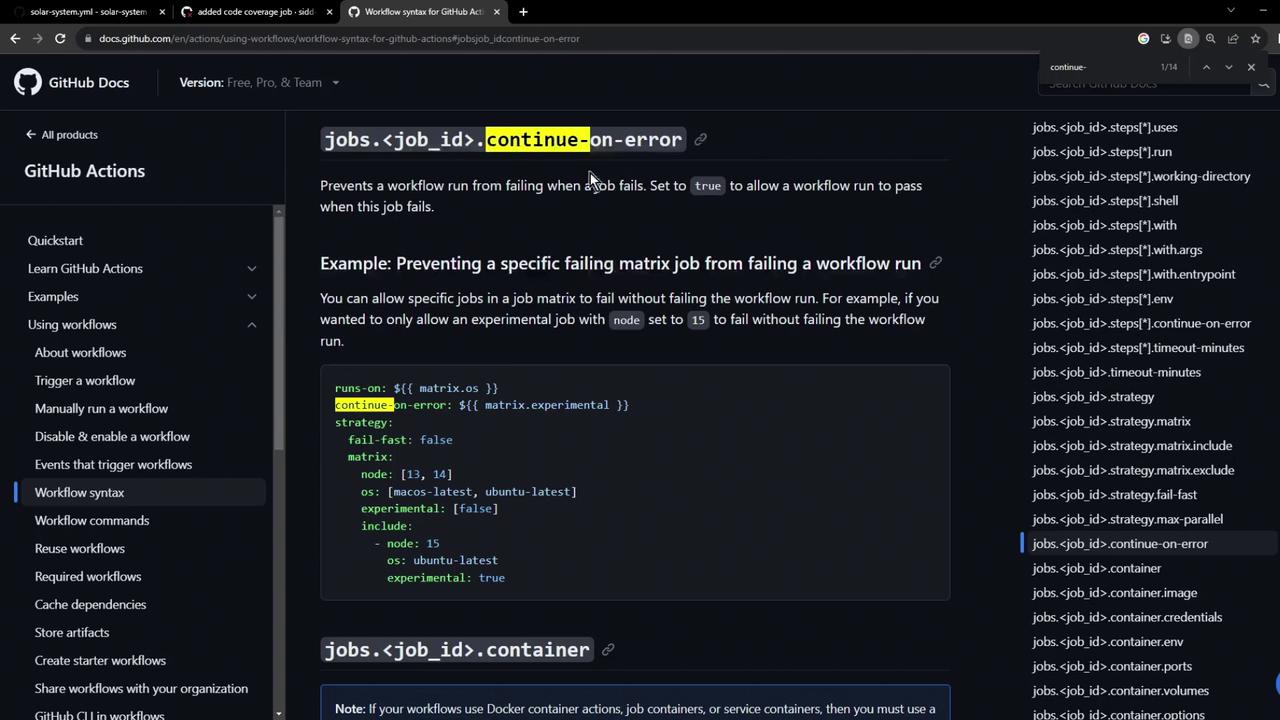
For matrix-based workflows, you can skip failures across all steps by settingcontinue-on-error at the job level:
Setting
fail-fast: false ensures that other matrix runs continue even if one instance fails.matrix.experimental is true, failures in that job are treated as neutral, allowing the workflow to complete.
Workflow Summary
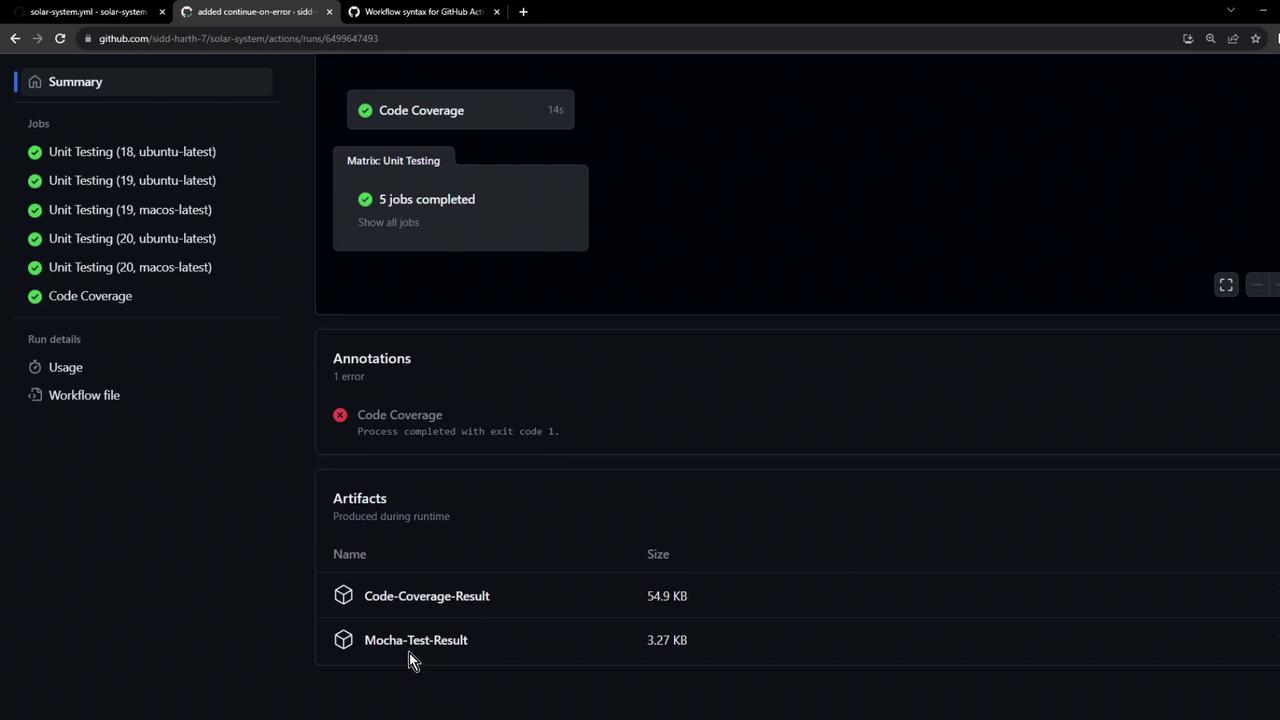
In the summary below, unit tests pass, the code coverage job finishes with an error annotation, and the Code-Coverage-Result artifact is uploaded: