Learn how to debug custom JavaScript GitHub Actions step by step. We’ll use workflow commands and the @actions/core toolkit to inspect annotations, logs, summaries, and properly handle failures. By the end, you’ll be able to:
Read inputs and set outputs
Log at different levels (info, notice, warning, error)
Mask secrets and export environment variables
Generate job summaries
Fail actions with descriptive exit codes
Table of Contents
Importing and Cloning the Repository
Reviewing action.yaml
Examining package.json
Business Logic in index.js
Building the Action
Testing with a Workflow
Enabling Actions and Running the Workflow
7.1 Viewing Annotations
7.2 Inspecting Logs
Error Scenario: Invalid Phone Number
Setting Failure Exit Codes
Conclusion
Links & References
1. Importing and Cloning the Repository
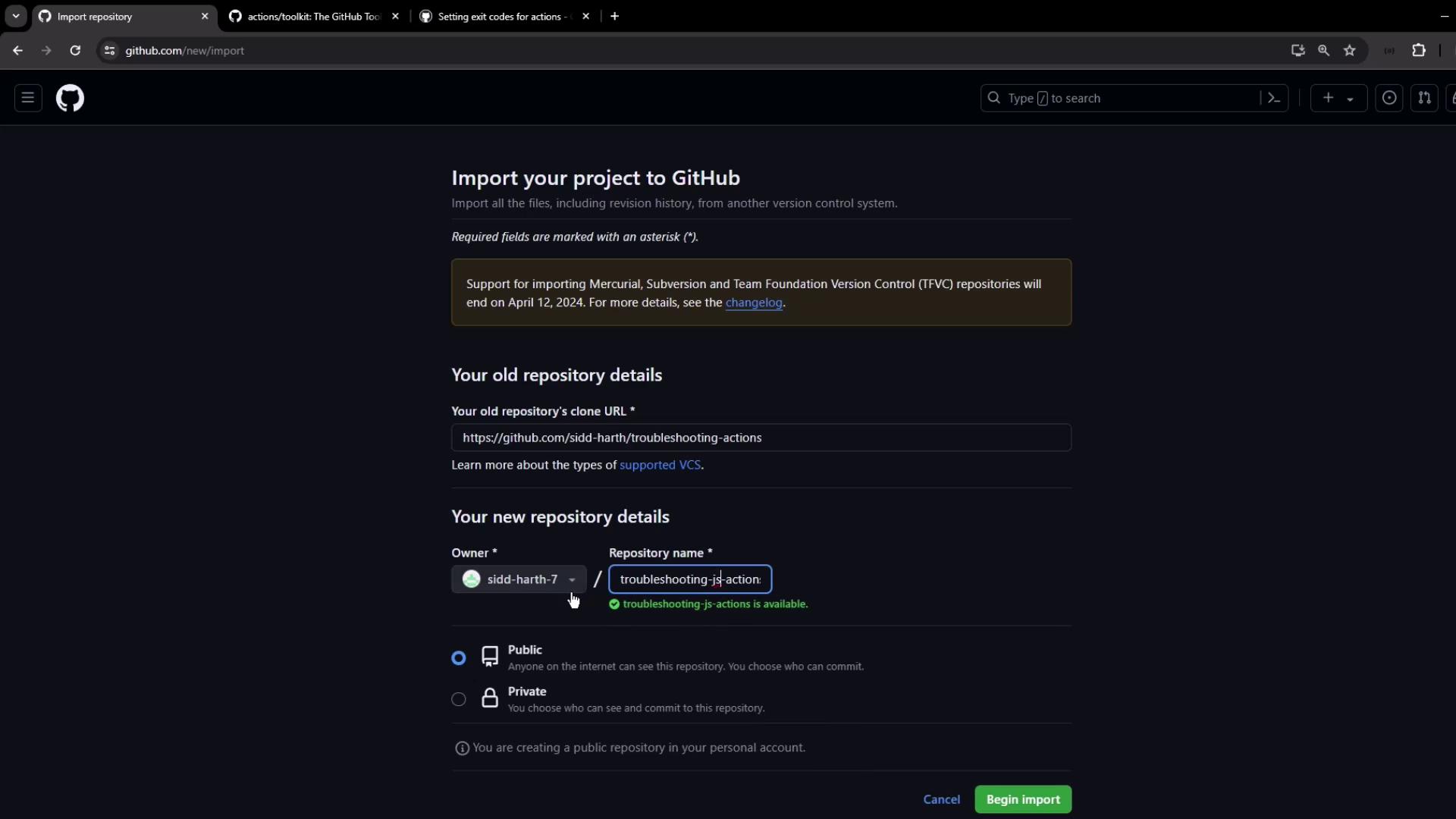
First, import the sample project into your GitHub account. Choose TroubleshootingJS-Actions , set visibility to Public, and click Import .
Then clone it locally:
git clone https://github.com/your-org/TroubleshootingJS-Actions.git
cd TroubleshootingJS-Actions
2. Reviewing action.yaml
Open action.yaml , the manifest that defines inputs, outputs, and runtime:
name : 'Demo - Troubleshooting Custom JavaScript Actions'
description : 'Use @actions/core methods for logging, secrets, and summaries'
inputs :
name :
description : 'User name'
required : true
default : 'Siddharth'
phone :
description : 'User phone number'
required : true
default : '0123456789'
country :
description : 'User country'
required : true
default : 'india'
outputs :
customized_greeting :
description : 'Greeting passed to next steps'
runs :
using : 'node20'
main : 'dist/index.js'
Section Purpose inputs Define user-provided values (name, phone, country) outputs Pass data to downstream steps runs Specify Node.js version and bundled entrypoint
3. Examining package.json
The package.json file lists dependencies for your action bundle:
{
"name" : "troubleshooting-custom-action" ,
"version" : "1.0.0" ,
"main" : "index.js" ,
"scripts" : {
"test" : "echo \" Error: no test specified \" && exit 1"
},
"dependencies" : {
"@actions/core" : "^1.10.0" ,
"@vercel/ncc" : "^0.38.0"
}
}
@actions/core : Toolkit for inputs, outputs, logging, secret masking
@vercel/ncc : Bundles your JavaScript into a single file
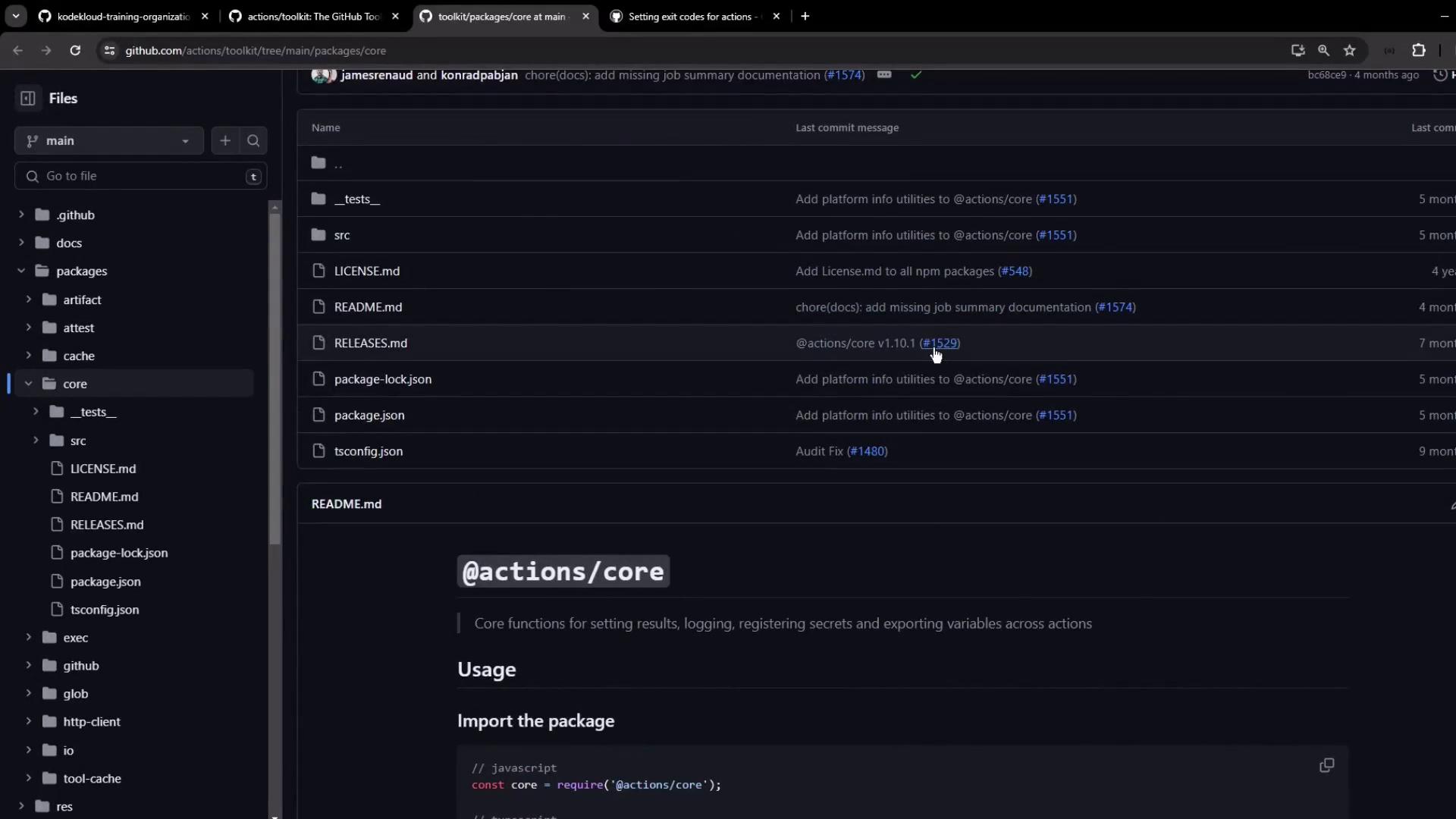
Refer to the actions toolkit documentation for examples such as:
const core = require ( '@actions/core' );
core . getInput ( 'name' , { required: true });
core . setOutput ( 'customized_greeting' , 'Hello World' );
core . exportVariable ( 'ENV_VAR' , 'value' );
4. Business Logic in index.js
The main script reads inputs, logs messages, masks secrets, exports variables, and builds a summary:
const core = require ( '@actions/core' );
try {
// 1. Read inputs
const nameInput = core . getInput ( 'name' , { required: true });
const phoneInput = core . getInput ( 'phone' , { required: true });
const country = core . getInput ( 'country' , { required: true });
// 2. Debug logging
if ( core . isDebug ()) {
core . info ( 'Running in debug mode' );
core . debug ( 'Debug-level message' );
}
core . info ( '---------- START ----------' );
// 3. Prepare greeting
const greeting = `Hello ${ nameInput } , your phone number is ${ phoneInput } ` ;
// 4. Log at different levels
core . info ( `Info: ${ greeting } ` );
core . notice ( `Notice: ${ greeting } ` );
core . warning ( `Warning: ${ greeting } ` );
core . error ( `Error: ${ greeting } ` );
core . info ( '---------- END ------------' );
// 5. Set output
core . setOutput ( 'customized_greeting' , greeting );
// 6. Validate phone and export variable
if ( phoneInput . length !== 10 ) {
core . error ( `Invalid phone number: ${ phoneInput } ` );
// core.setFailed('Invalid phone number provided!');
} else {
const prefix = country . toLowerCase () === 'india' ? '+91'
: country . toLowerCase () === 'canada' ? '+1' : '' ;
core . exportVariable ( 'JS_ACTION_PHONE_VAR' , ` ${ prefix }${ phoneInput } ` );
}
// 7. Mask secret and write summary
core . setSecret ( phoneInput );
core . summary
. addHeading ( 'Action Summary' )
. addCodeBlock ( "const core = require('@actions/core');" , 'js' )
. addTable ([
[{ data: 'Name' , header: true }, { data: 'Country' , header: true }, { data: 'Phone' , header: true }],
[ nameInput , country , phoneInput ]
])
. addQuote ( 'Phone number has been masked' )
. addLink ( 'View Repository' , 'https://github.com/sidd-harth/troubleshooting-actions' )
. write ();
} catch ( error ) {
core . setFailed ( error . message );
}
The core.setSecret() method masks sensitive values in logs. Use it whenever you log or store secrets.
5. Building the Action
Install dependencies and bundle into dist/index.js:
npm install
npx ncc build index.js --license licenses.txt
This creates dist/index.js with all required modules included.
6. Testing with a Workflow
Create .github/workflows/test.yml to trigger the action manually:
on :
workflow_dispatch :
inputs :
name :
description : 'User name'
required : true
default : 'Sid'
phone :
description : 'User phone'
required : true
default : '9876543210'
country :
description : 'User country'
required : true
default : 'india'
type : choice
options : [ india , canada , others ]
jobs :
custom-action :
runs-on : ubuntu-latest
steps :
- uses : actions/checkout@v3
- name : Run Troubleshooting Action
id : action_step
uses : ./
with :
name : ${{ inputs.name }}
phone : ${{ inputs.phone }}
country:${{ inputs.country }}
- name : Display Outputs
run : |
echo "Greeting: ${{ steps.action_step.outputs.customized_greeting }}"
echo "Phone Var: $JS_ACTION_PHONE_VAR"
7. Enabling Actions and Running the Workflow
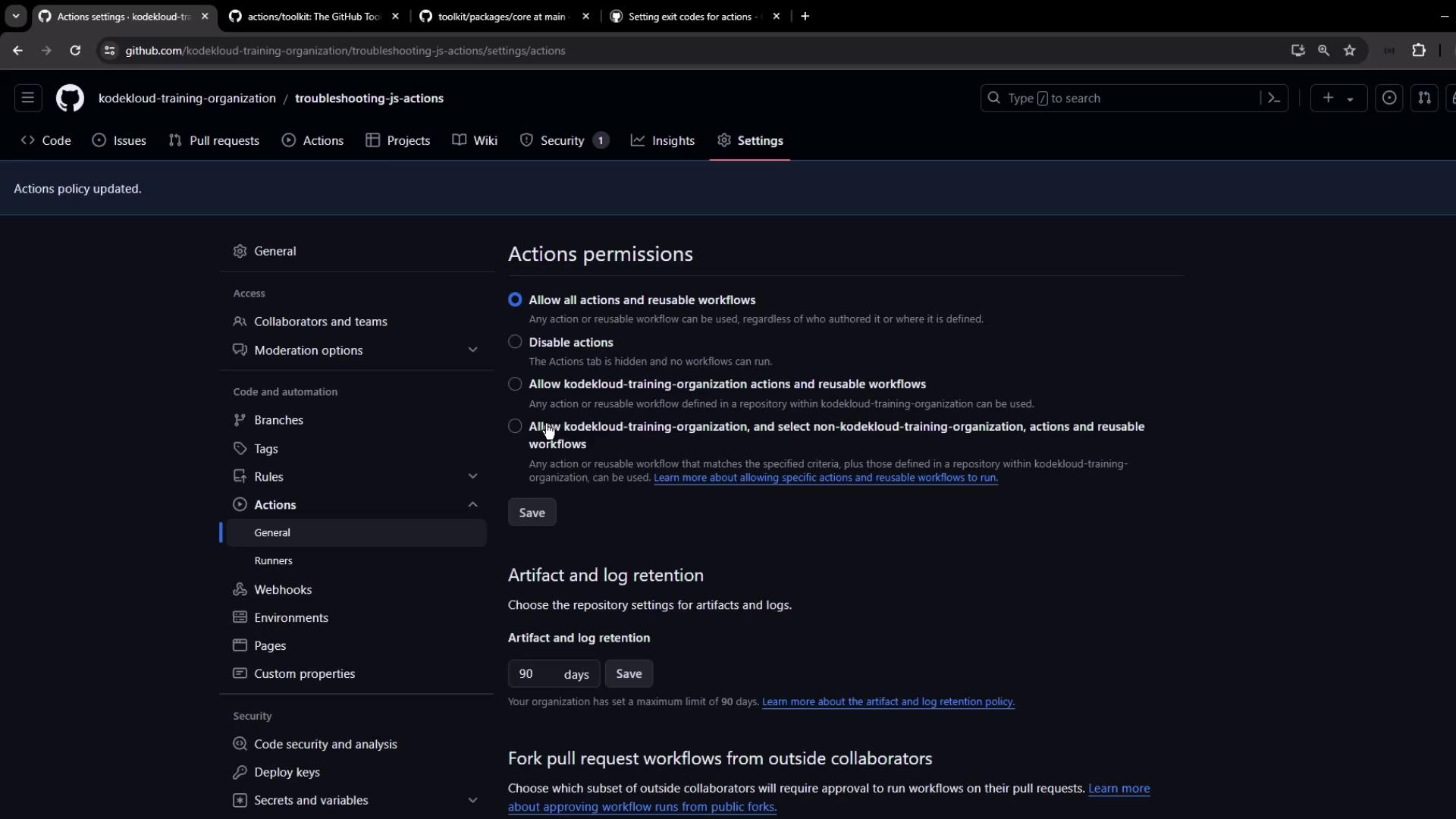
Imported repositories have Actions disabled by default. Enable them before running:
Go to Settings → Actions → General
Under Actions permissions , select Allow all actions and reusable workflows
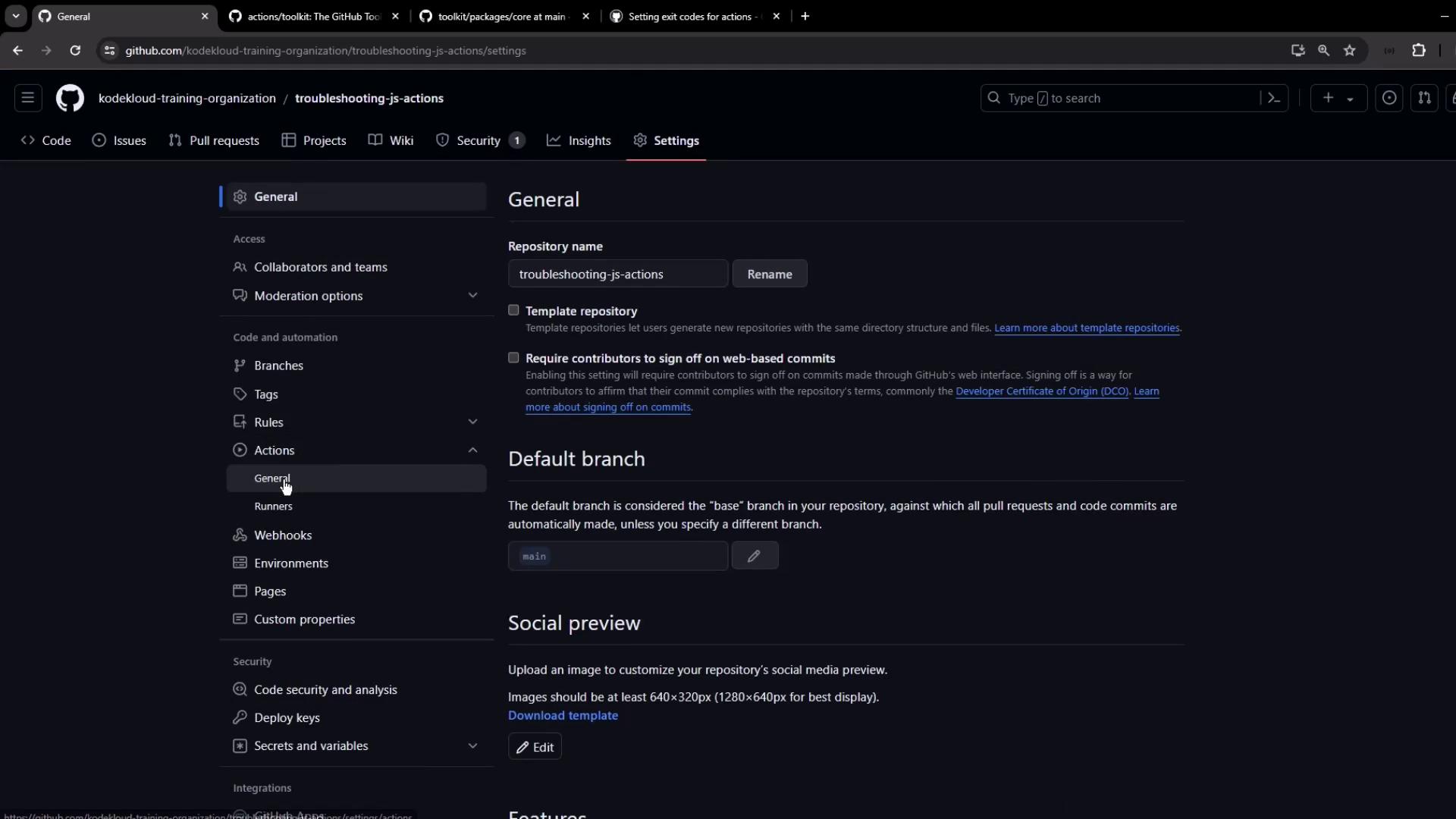
core.error() logs an error but does not fail the step. To stop the job on error, use core.setFailed().
Once enabled, trigger the workflow via Actions → Run workflow with default inputs. The job should succeed.
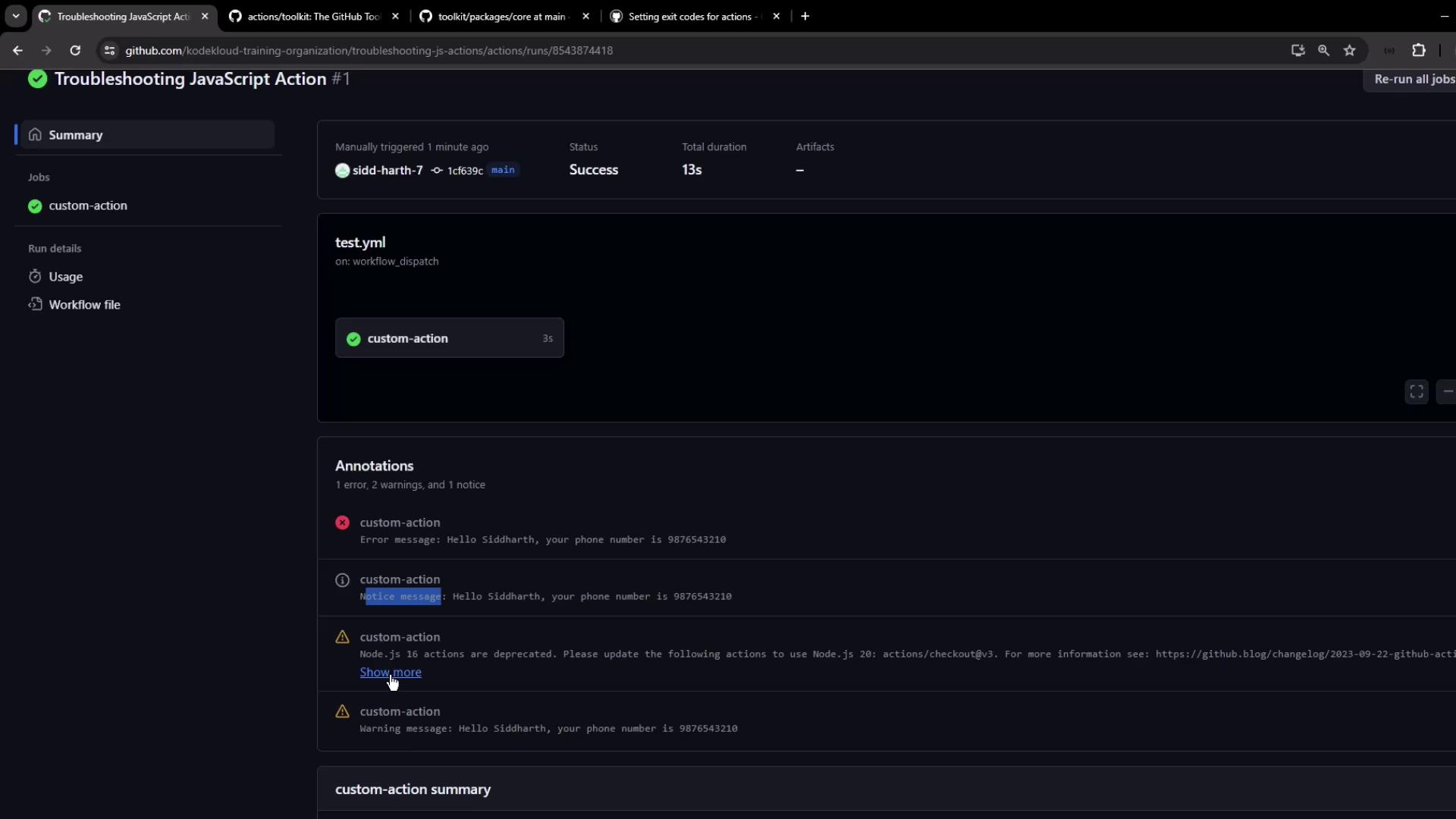
7.1 Viewing Annotations
GitHub UI displays annotations from different logging levels:
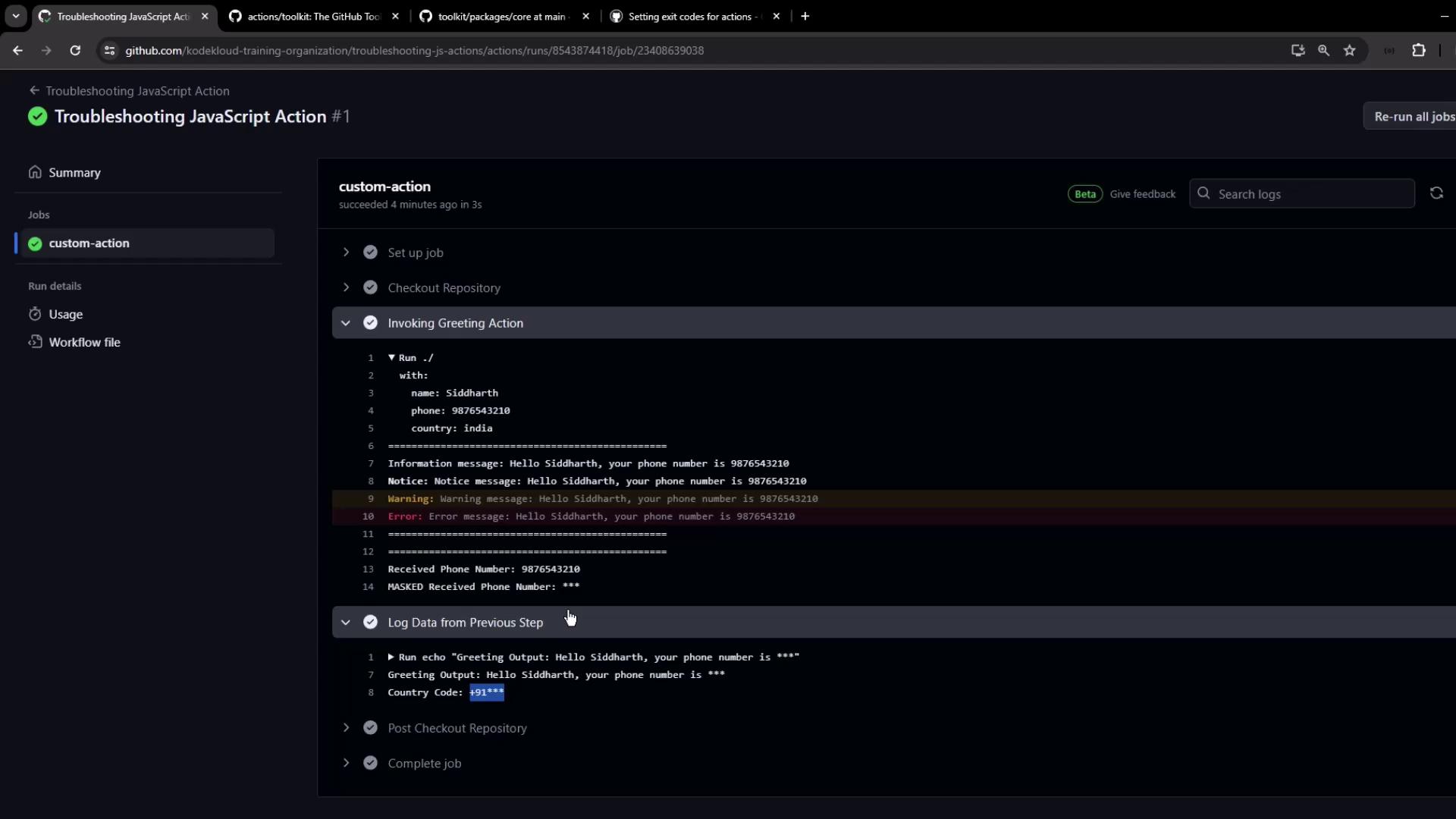
7.2 Inspecting Logs
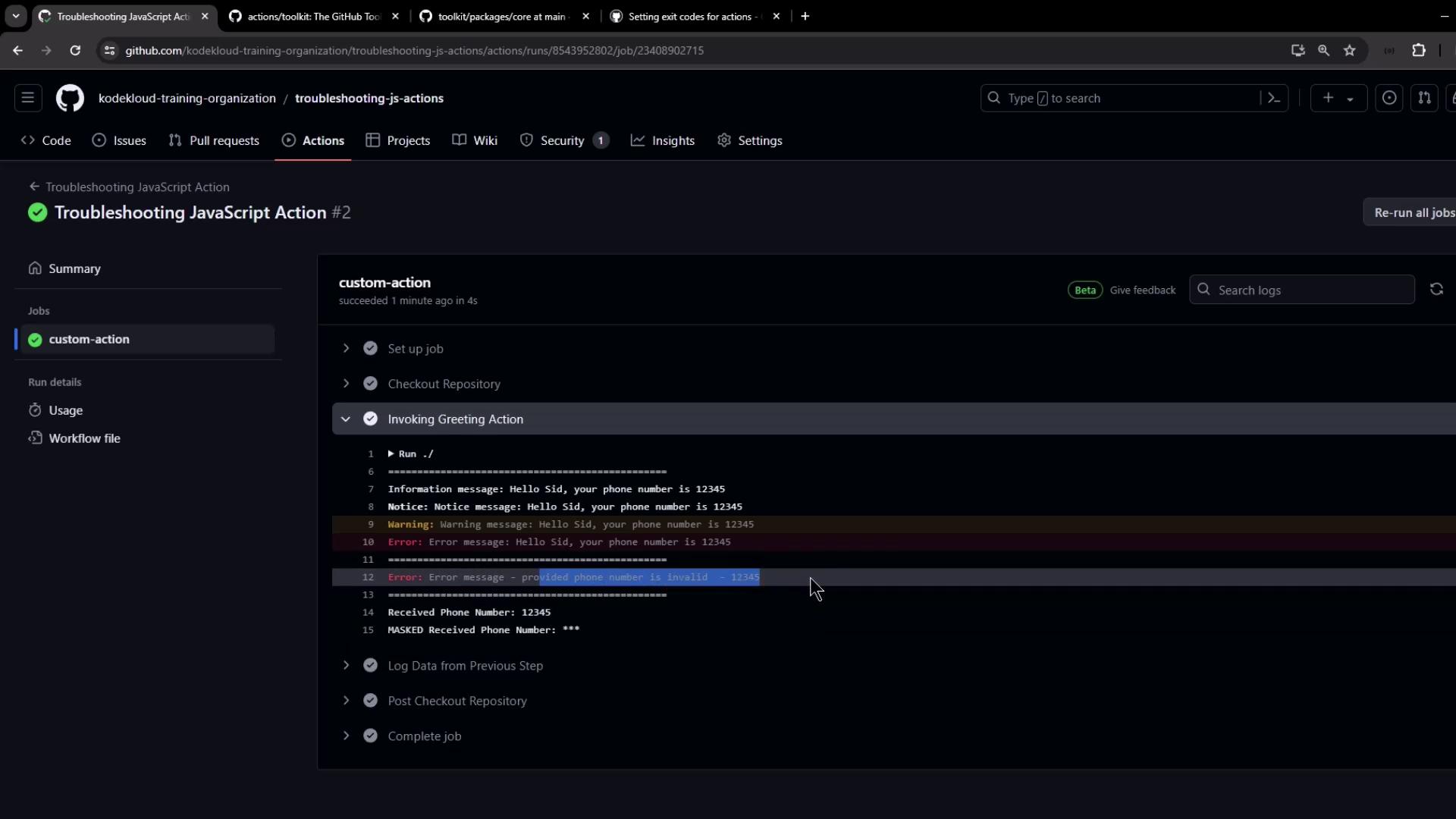
Detailed logs show messages and confirm that secrets are masked:
8. Error Scenario: Invalid Phone Number
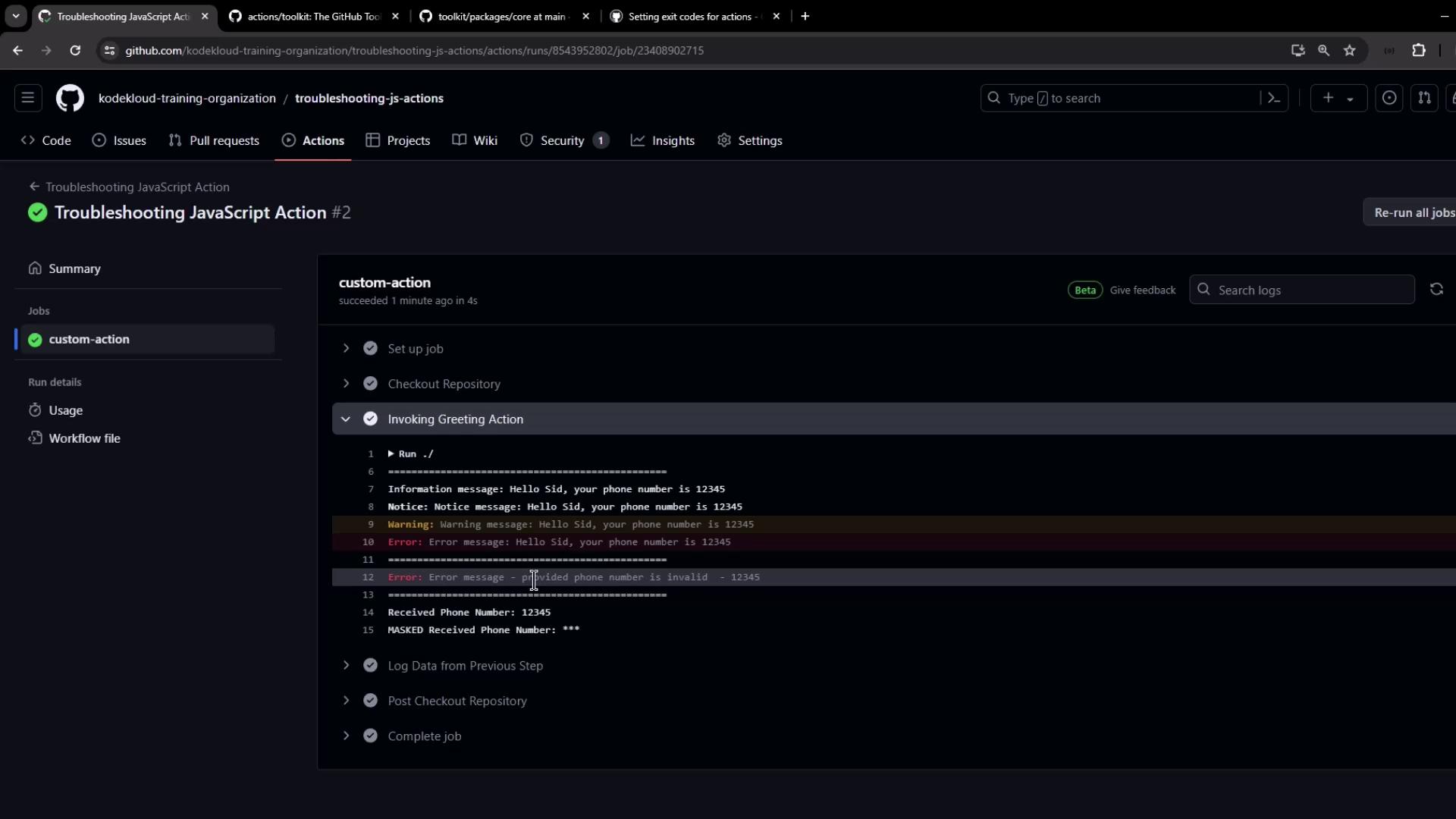
If the phone number is shorter than 10 digits, you’ll see the logged error but the job remains green (until you opt to fail it):
9. Setting Failure Exit Codes
To mark the step as failed and stop downstream jobs, uncomment core.setFailed():
if ( phoneInput . length !== 10 ) {
core . error ( `Invalid phone number: ${ phoneInput } ` );
core . setFailed ( 'Invalid phone number provided!' );
} else {
// Export logic...
}
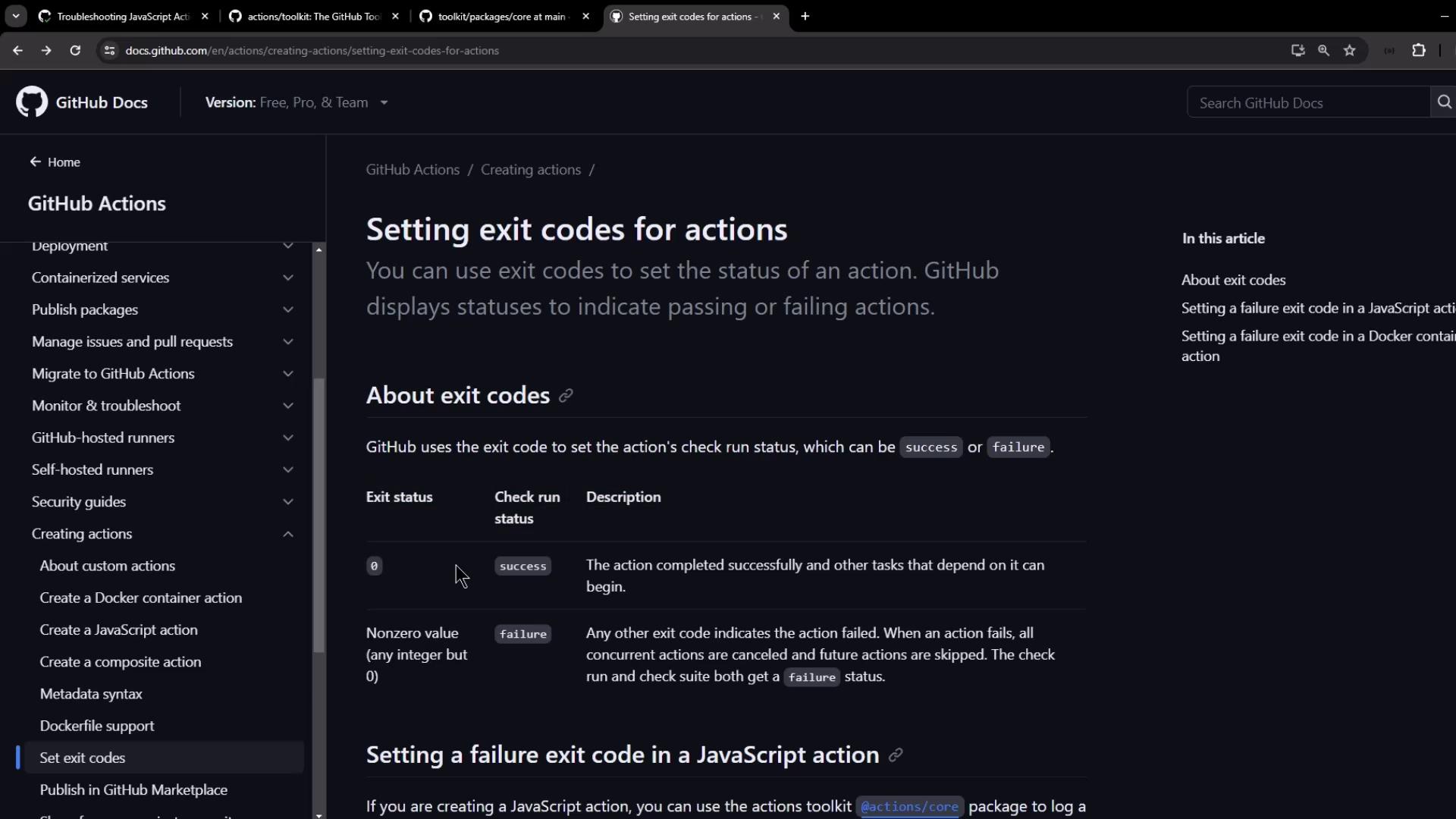
Rebuild and commit, then rerun. A short number now causes the action to fail and skip subsequent steps.
After failure is enabled, the logs will clearly indicate a non-zero exit:
10. Conclusion
You’ve covered essential patterns for debugging JavaScript Actions:
Use @actions/core for inputs, outputs, logs, secrets, and summaries
Bundle with ncc for single-file distribution
Write workflows to validate functionality
View annotations and logs directly in the GitHub UI
Fail actions properly with core.setFailed()
Apply these techniques to create maintainable, self-documented, and debuggable GitHub Actions.
11. Links & References