

Table of Contents
- Job Container Overview
- Adding a MongoDB Service Container
- Defining the Code Coverage Job
- Workflow Execution and Logs
- Links and References
1. Job Container Overview
Specifying acontainer at the job level ensures that all subsequent steps execute inside your chosen Docker image. You no longer need to manually install language runtimes or tools on the runner—the container already includes them.
Basic syntax:
Define additional container properties under the
container key:2. Adding a MongoDB Service Container
Service containers run alongside your job container on a shared network. Each service is reachable by its service name without specifying ports. Example with PostgreSQL:Service containers automatically join a user-defined network. You can ping them by service name (e.g.,
mongo) from within the job container without extra port mappings.3. Defining the Code Coverage Job
Below is a completecode-coverage job that:
- Runs inside the
node:18container - Spins up a MongoDB service container
- Caches and installs dependencies
- Executes the coverage script
- Archives the test reports
4. Workflow Execution and Logs
When this workflow runs, GitHub Actions will:- Pull and start the
node:18job container. - Pull and start the MongoDB service container (
siddharth67/mongo-db:non-prod). - Automatically join both containers on a shared bridge network.
mongodb://mongo:27017/superData using the provided credentials.
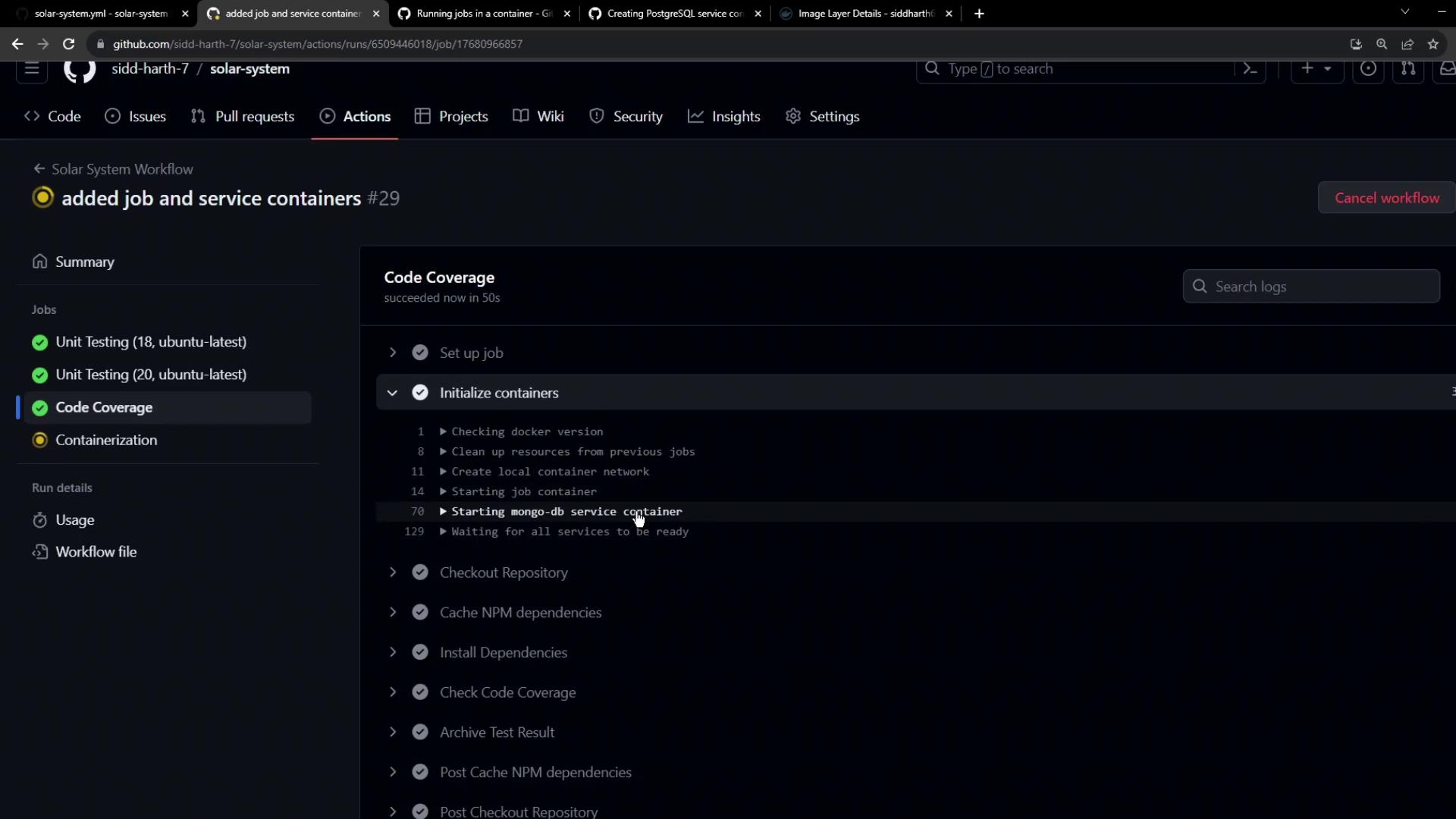
mongo) as the hostname, eliminating explicit port mappings.
5. Links and References
- GitHub Actions Documentation
- Docker Overview
- MongoDB Official Site
- GitHub Actions Cache
- Upload Artifact Action