

cowsay utility in a dedicated GitHub Actions workflow. Isolating this process into its own workflow file keeps your CI/CD pipelines clean and easy to maintain.
1. Create the Workflow File
Under.github/workflows/, create generate-ascii.yaml and add:
Summary of Steps
2. Trigger the Workflow
Commit and push the new workflow to your repository:push event and run all workflows configured for it—including your new ASCII art generator.
3. View and Inspect Runs
Navigate to the Actions tab in your GitHub repository to see the status of each workflow: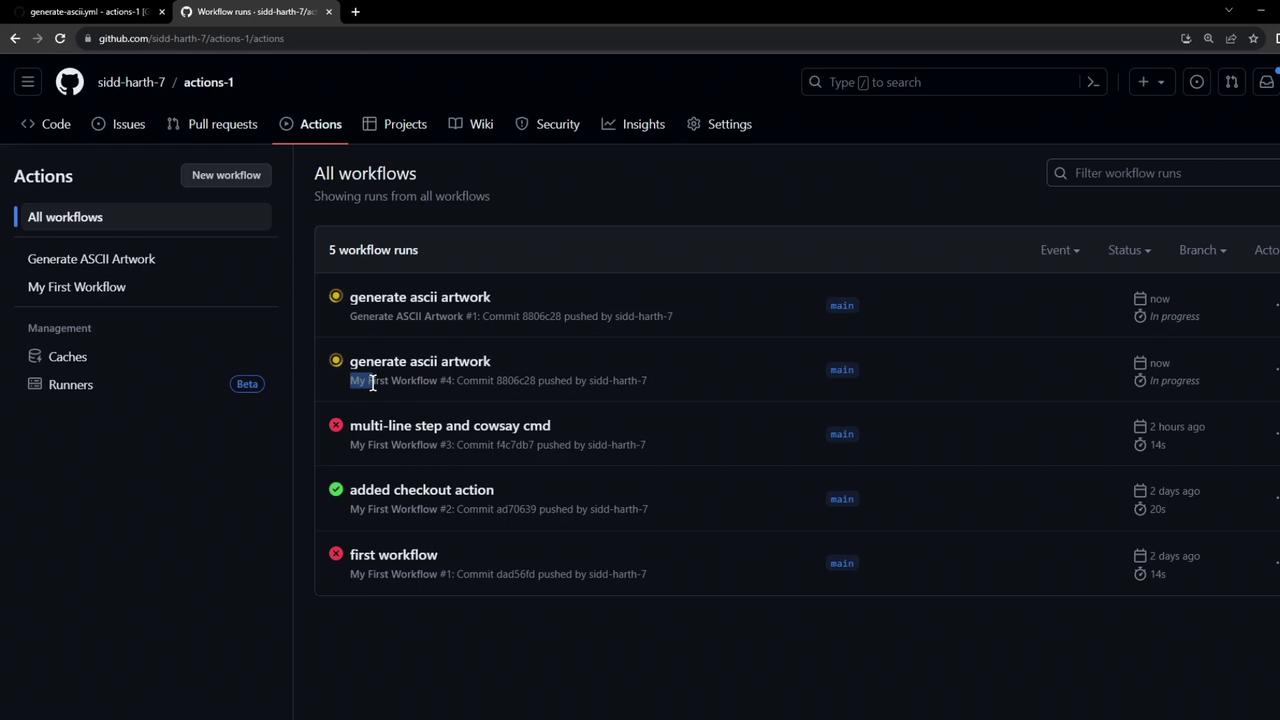
Successful Run Logs
Files created during a workflow run (e.g.,
dragon.txt) exist only on the runner VM. They are removed once the job completes and do not persist in your repository.4. Disable an Outdated Workflow
If you have multiple workflows listening onpush and want to prevent an old one from running:
- Open the Actions tab and select the workflow to disable.
- Click Disable workflow in the sidebar.
Disabling a workflow stops all future runs for that configuration. Ensure you’re disabling the correct workflow.