In this tutorial, you’ll clone, configure, and run a Node.js REST API locally before integrating it into a GitHub Actions workflow. By the end, you’ll have a working Express/Mongoose application, a full test suite, and coverage reports.
Prerequisites
Ensure you have Node.js and npm installed. On Ubuntu/Debian:
sudo apt update
sudo apt install nodejs npm
Verify your installations:
1. Clone the Repository
Fetch the source code from GitLab and navigate into the project folder:
git clone https://gitlab.com/sidd-harth/solar-system
cd solar-system
2. Install Dependencies
Install all production and development packages defined in package.json:
3. Review package.json
Open package.json to understand scripts, coverage settings, and dependencies.
Scripts Overview
Script Description Command startLaunch the Express server npm starttestRun Mocha tests with JUnit reporter npm testcoverageGenerate coverage reports (LCOV, Cobertura, text) npm run coverage
NYC Coverage Configuration
"nyc" : {
"check-coverage" : true ,
"lines" : 90 ,
"reporter" : [ "text" , "json-summary" ]
}
Dependencies
Package Purpose express Web framework mongoose MongoDB ODM cors Cross-Origin Resource Sharing mocha-junit-reporter JUnit test reporting nyc Coverage tool
Dev Dependencies
Package Purpose mocha Test framework chai Assertion library chai-http HTTP integration testing
4. Application Entry Point (app.js)
This file initializes Express, connects to MongoDB via Mongoose, and defines your REST API endpoints.
// app.js
const express = require ( "express" );
const bodyParser = require ( "body-parser" );
const path = require ( "path" );
const cors = require ( "cors" );
const mongoose = require ( "mongoose" );
const app = express ();
app . use ( bodyParser . json ());
app . use ( express . static ( path . join ( __dirname , "/" )));
app . use ( cors ());
mongoose . connect ( process . env . MONGO_URI , {
user: process . env . MONGO_USERNAME ,
pass: process . env . MONGO_PASSWORD ,
useNewUrlParser: true ,
useUnifiedTopology: true
}, err => {
if ( err ) {
console . error ( "MongoDB connection error:" , err );
} else {
console . log ( "MongoDB connected" );
}
});
// Define Mongoose schemas & API routes here...
module . exports = app ;
Never commit real credentials. Use environment variables or a secrets manager.
5. Test Suite (app-test.js)
Uses Mocha, Chai, and Chai HTTP to validate your API endpoints.
// app-test.js
const server = require ( "./app" );
const chai = require ( "chai" );
const chaiHttp = require ( "chai-http" );
chai . should ();
chai . use ( chaiHttp );
describe ( "Planets API Suite" , () => {
describe ( "GET /planets/:id" , () => {
it ( "fetches a planet named Mercury" , done => {
chai
. request ( server )
. get ( "/planets/1" )
. end (( err , res ) => {
res . should . have . status ( 200 );
res . body . name . should . equal ( "Mercury" );
done ();
});
});
// Add more test cases as needed...
});
});
6. Client Logic (client.js)
A simple front-end script that fetches all planets on page load:
// client.js
console . log ( "Initializing client.js" );
window . onload = () => {
console . log ( "Fetching all planets..." );
fetch ( "/planets" )
. then ( res => {
if ( ! res . ok ) throw new Error ( "Network response was not ok" );
return res . json ();
})
. then ( data => console . log ( data ))
. catch ( err => console . error ( err ));
};
7. Dockerfile
Containerize the application for consistent deployment:
FROM node:18-alpine3.17
WORKDIR /usr/app
COPY package*.json ./
RUN npm install
COPY . .
ENV MONGO_URI=uriPlaceholder
ENV MONGO_USERNAME=usernamePlaceholder
ENV MONGO_PASSWORD=passwordPlaceholder
EXPOSE 3000
CMD [ "npm" , "start" ]
8. Kubernetes Service Manifest
Expose the application via a NodePort service:
apiVersion : v1
kind : Service
metadata :
name : solar-system
namespace : { _NAMESPACE_ }
labels :
app : solar-system
spec :
type : NodePort
selector :
app : solar-system
ports :
- protocol : TCP
port : 3000
targetPort : 3000
9. Running Tests Locally
9.1 Without Environment Variables
You’ll encounter:
MongooseError: The `uri` parameter to `openUri()` must be a string, got `undefined`.
9.2 Temporary Hard-Coding (Demo Only)
Replace the mongoose.connect call in app.js:
mongoose . connect ( "mongodb+srv://supercluster.d83jj.mongodb.net/superData" , {
user: "superuser" ,
pass: "SuperPassword" ,
useNewUrlParser: true ,
useUnifiedTopology: true
}, err => {
if ( err ) console . error ( "error!!" , err );
});
Then:
Expected output:
Server successfully running on port - 3000
0
A test_results.xml file will be created for CI consumption.
10. Generating Coverage Reports
If coverage falls below the 90% threshold, you’ll see:
ERROR: Coverage for lines (88.88%) does not meet global threshold (90%)
| File | % Stmts | % Branch | % Funcs | % Lines | Uncovered Line #s |
|--------|---------|----------|---------|---------|-------------------|
| All | 88.88 | 50 | 87.5 | 88.88 | 21,47-48,56 |
Coverage artifacts are saved under coverage/, including:
cobertura-coverage.xml
coverage-summary.json
lcov report
11. Start the Application
Run the server locally:
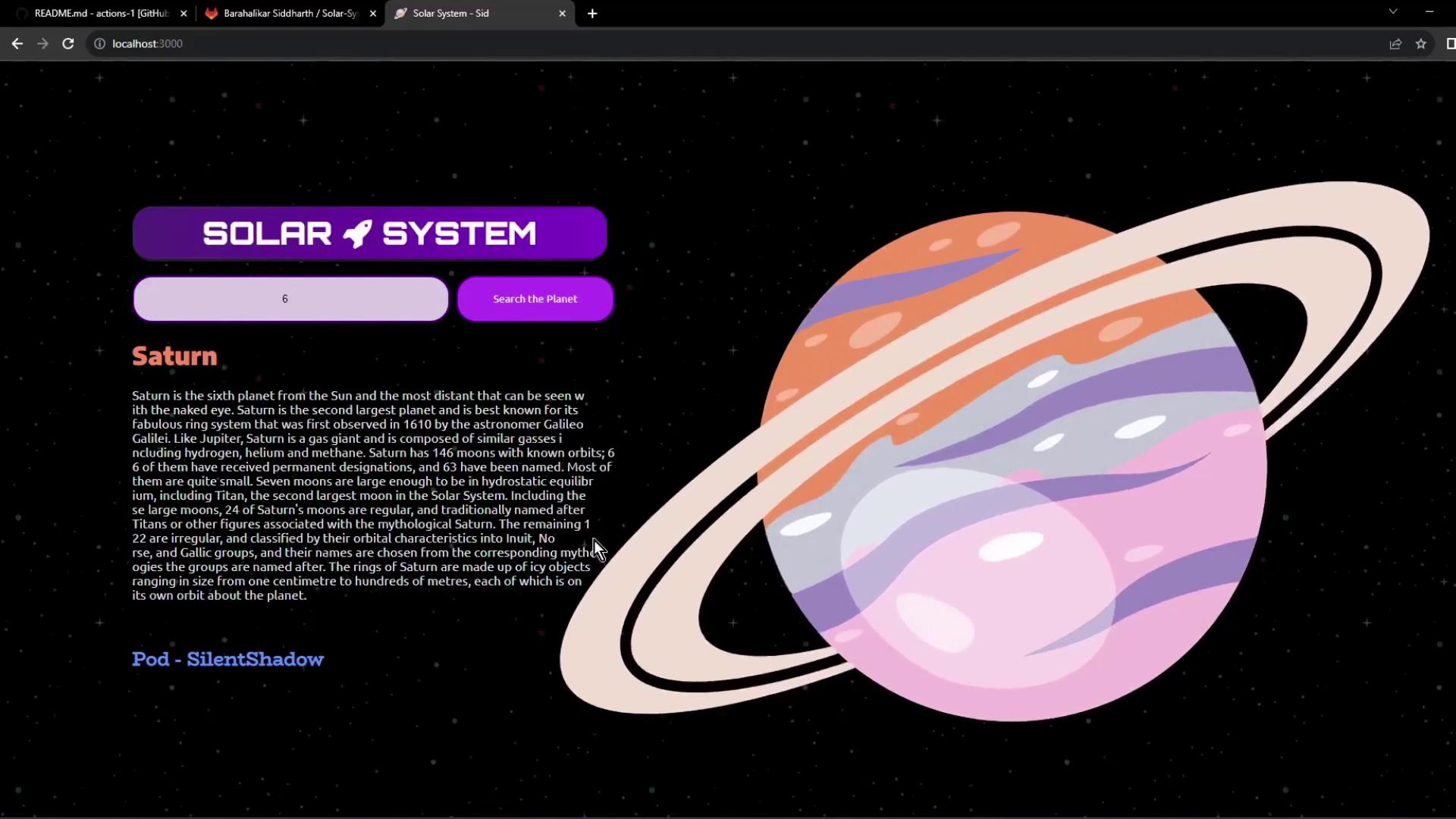
Visit http://localhost:3000 in your browser. Use the search bar to query planets by ID.
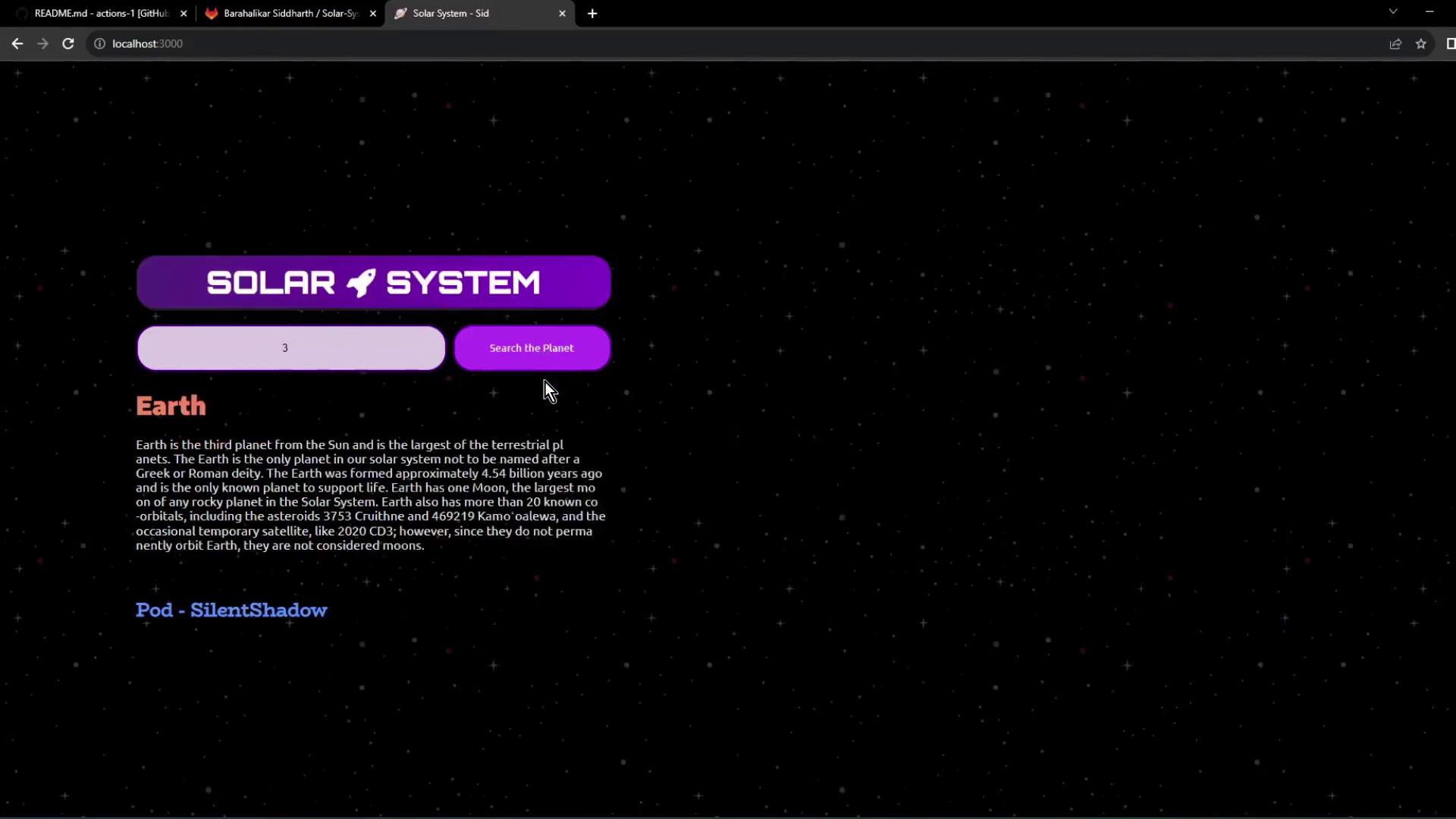
Tip: Search “3” for Earth or “6” for Saturn.
You’re now prepared to integrate this setup into your GitHub Actions workflow for CI/CD automation.
References