

SageMaker is a suite, not a single product
Amazon SageMaker is a collection of integrated tools that support stages of the machine learning lifecycle—data preparation, training, model registry, deployment/inference, and monitoring. Because SageMaker exposes many different services and UI elements, it can feel intimidating if you assume one person must master every feature at once. Different personas typically focus on different subsets of SageMaker:- Data engineers: prepare and transform data at scale.
- Data scientists: explore data, engineer features, and run experiments.
- MLOps engineers: automate deployments, manage endpoints, and monitor models in production.
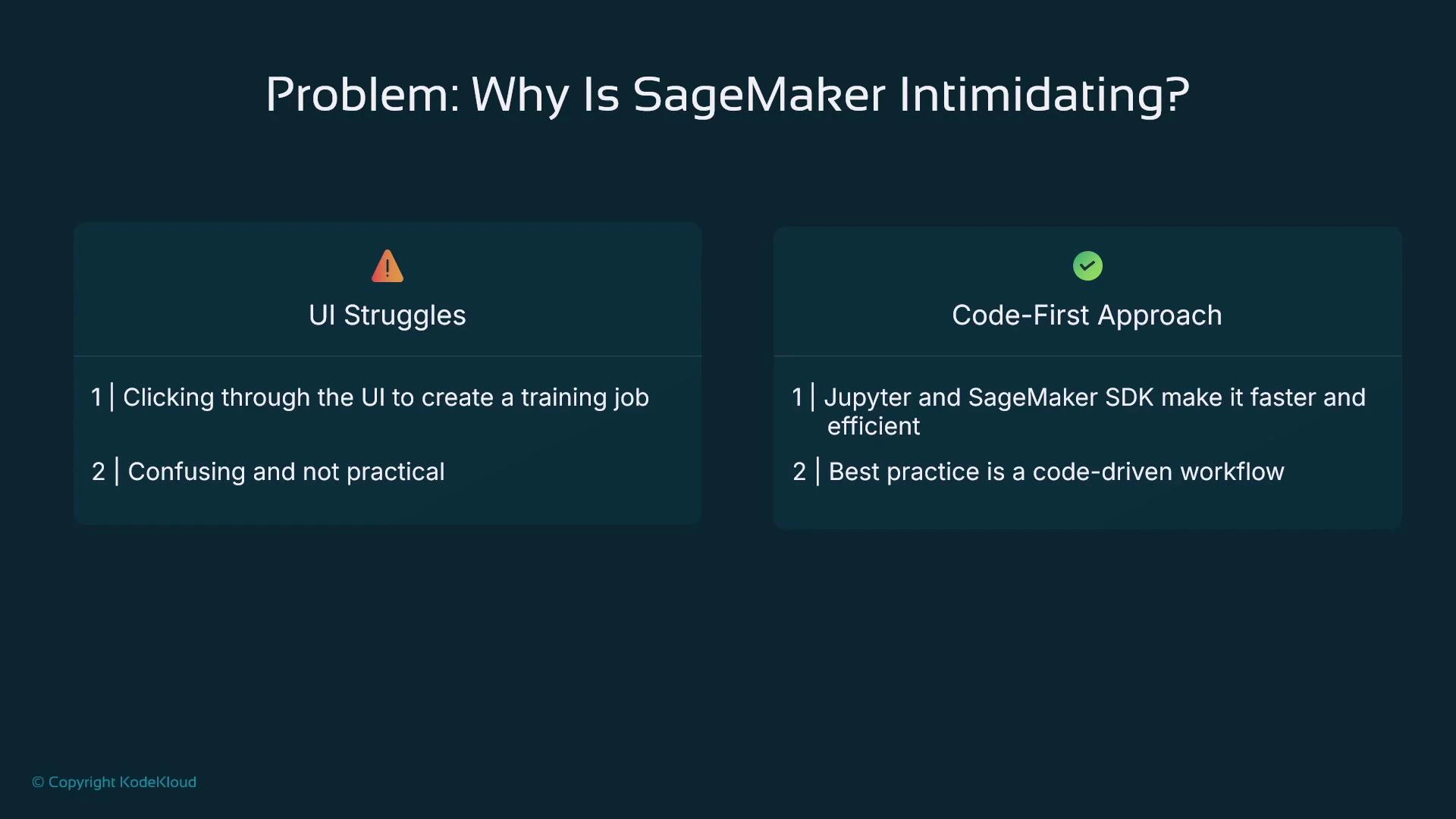
Most production teams adopt a code-first workflow: Jupyter notebooks (SageMaker Studio or local) + the SageMaker Python SDK. The AWS Console is useful for inspection or one-off tasks but is rarely the primary production workflow.
Why a code-first approach is common
The AWS Management Console exposes many actions—Create training job, Create processing job, Create endpoint—that require detailed inputs best understood from code. A code-first approach is preferred because:- Data scientists and engineers work in Python (pandas, scikit-learn, PyTorch, TensorFlow) and iterate in notebooks.
- Code-driven workflows map directly to reproducible experiments and automated CI/CD pipelines.
- The SageMaker Python SDK and boto3 make it straightforward to express processing jobs, training jobs, model registration, and deployments programmatically.
- Data preparation: cleaning, transforming, and feature engineering.
- Training: managed compute for experiments and scale.
- Model registry: version and track model artifacts.
- Deployment & inference: real-time endpoints or batch transform.
- Monitoring: Model Monitor to detect drift and data quality issues.
Production endpoints remain running until you stop or delete them and therefore incur continuous charges. Use autoscaling, staging environments, and cost-aware CI/CD promotion to avoid surprise bills.
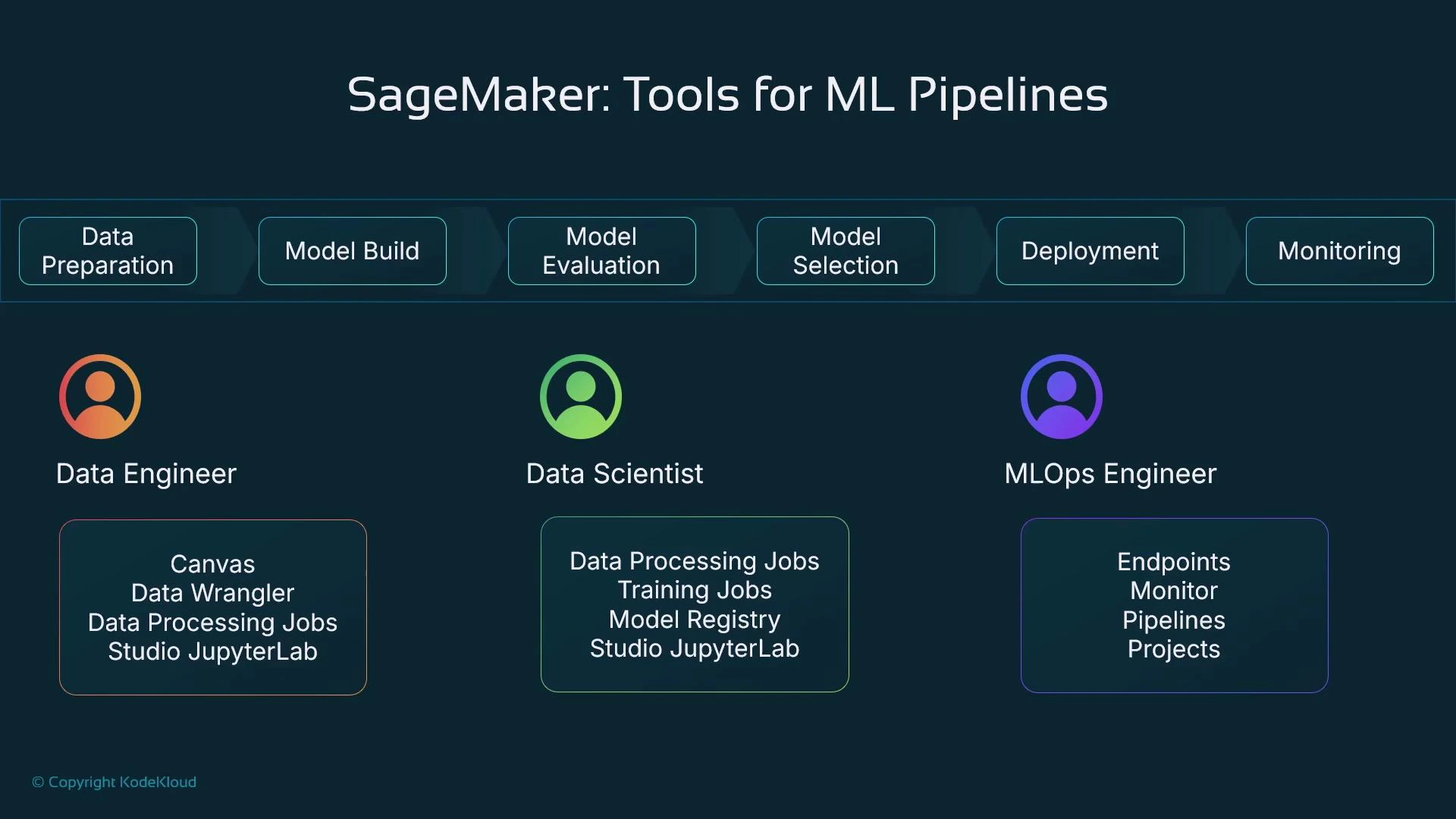
Persona and tooling matrix
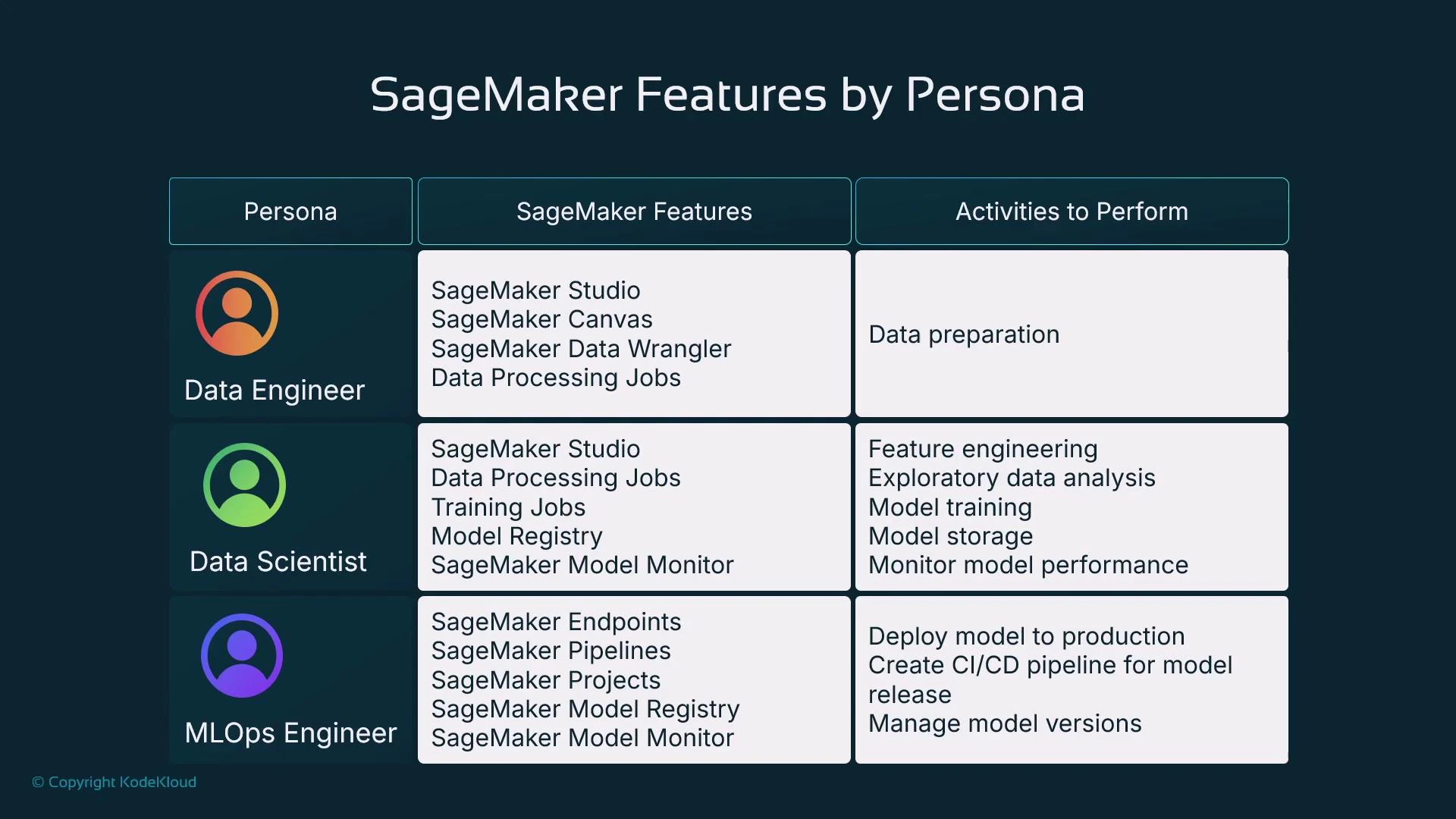
Environments and accounts for production-grade ML
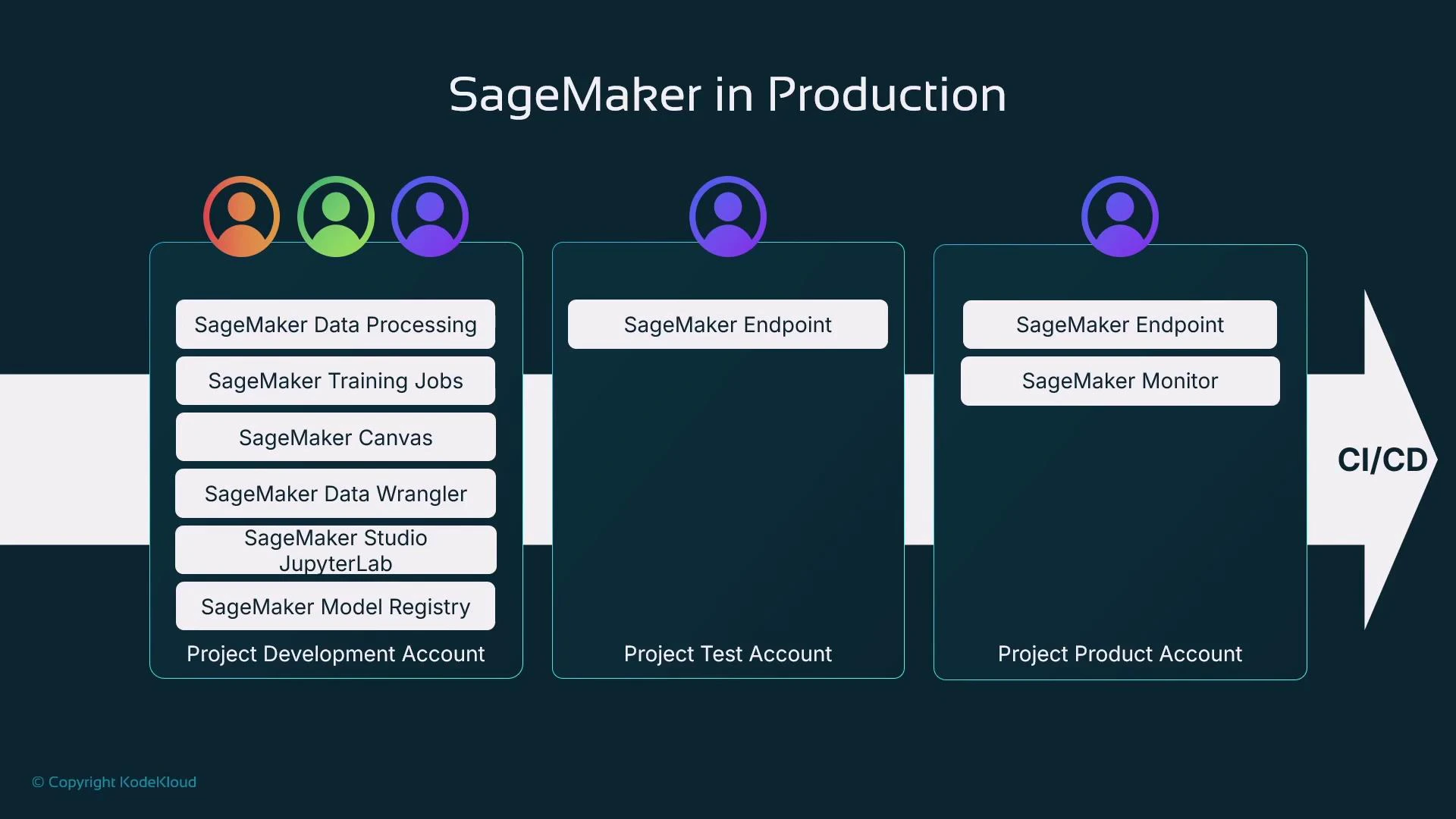
Production teams often separate responsibilities across AWS accounts to improve security, isolation, and governance:- Development account: data processing, experimentation, feature store, and model registration.
- Pre-production / staging: integration tests, validation against representative traffic.
- Production account: serving endpoints, Model Monitor, IAM-scoped access controls.
CI/CD patterns and automation
When integrating SageMaker into CI/CD pipelines, common automation steps include:- Detect new model artifacts in the Model Registry.
- Run validation tests (accuracy, latency, safety, bias checks).
- Require human approval gates where necessary.
- Deploy to staging, run integration tests, then promote to production.
- Wire Model Monitor to trigger alerts or retraining on drift/anomalies.
Key takeaways
- Amazon SageMaker is a suite of specialized tools that together support the full ML lifecycle—data prep, training, registry, deployment, and monitoring—not a single monolithic product.
- The dominant enterprise workflow is code-first: Jupyter notebooks + the SageMaker Python SDK and boto3 let teams reproduce experiments and automate pipelines.
- Learn by solving a concrete ML problem step-by-step: prepare data → train & evaluate → register models → deploy → monitor. Map each step to the appropriate SageMaker tool and role.
- Amazon SageMaker documentation — overview and core concepts
- SageMaker Python SDK — programmatic API for jobs, training, and deployment
- SageMaker Pipelines — CI/CD orchestration for ML
- Model Monitor — drift detection and data quality monitoring