

- Common challenges for ML model training (compute, algorithms, training code, and iteration).
- The SageMaker solution: managed training jobs.
- How to kick off and monitor training from a SageMaker Studio Jupyter notebook using the SageMaker Python SDK.
- How training jobs produce optimized model artifacts and how compute resources are provisioned and released automatically.
This guide assumes you have a prepared dataset in S3 and a SageMaker execution role. If you need setup instructions, see the SageMaker getting started documentation.
Why training is hard (common problems)
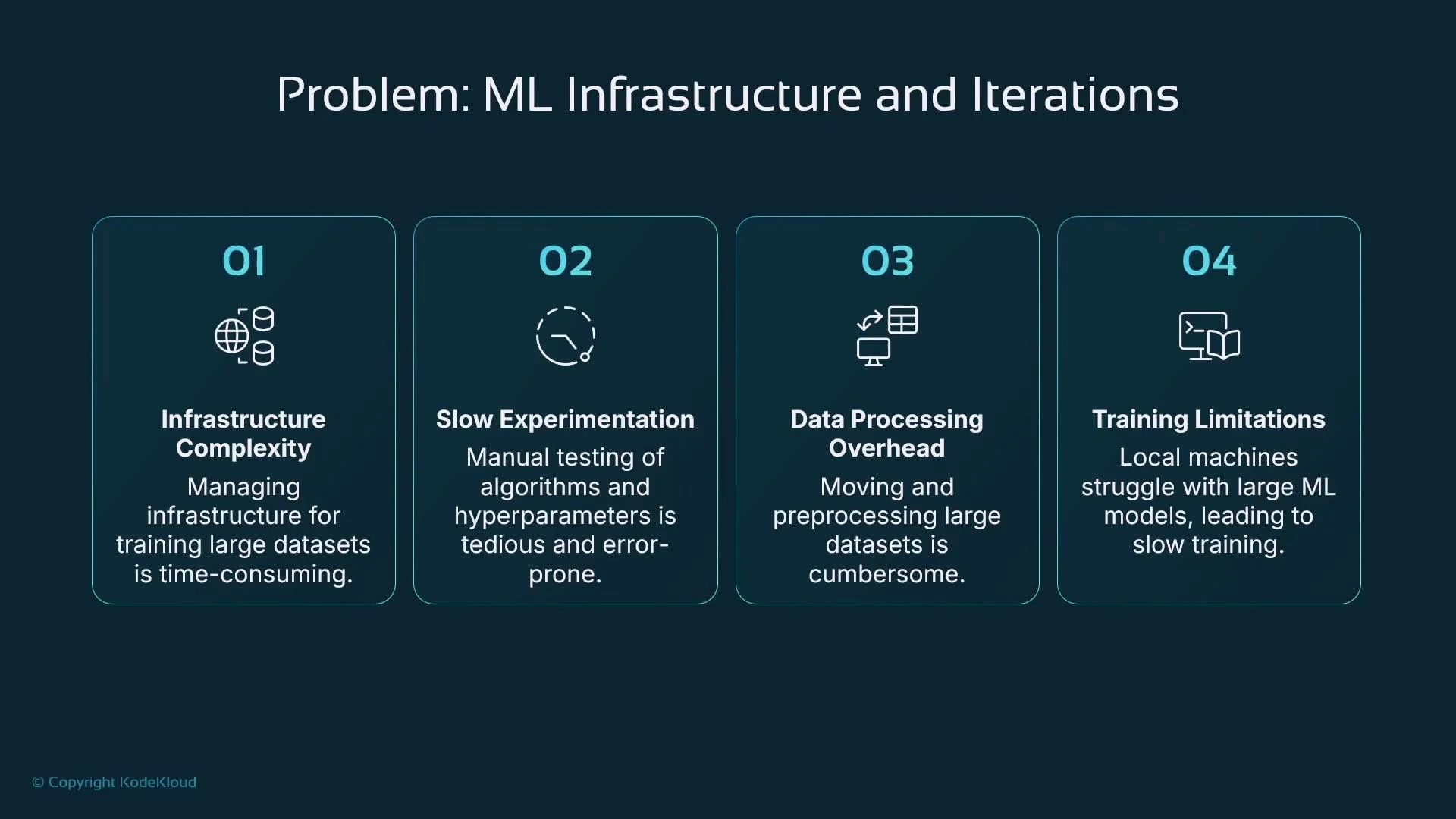
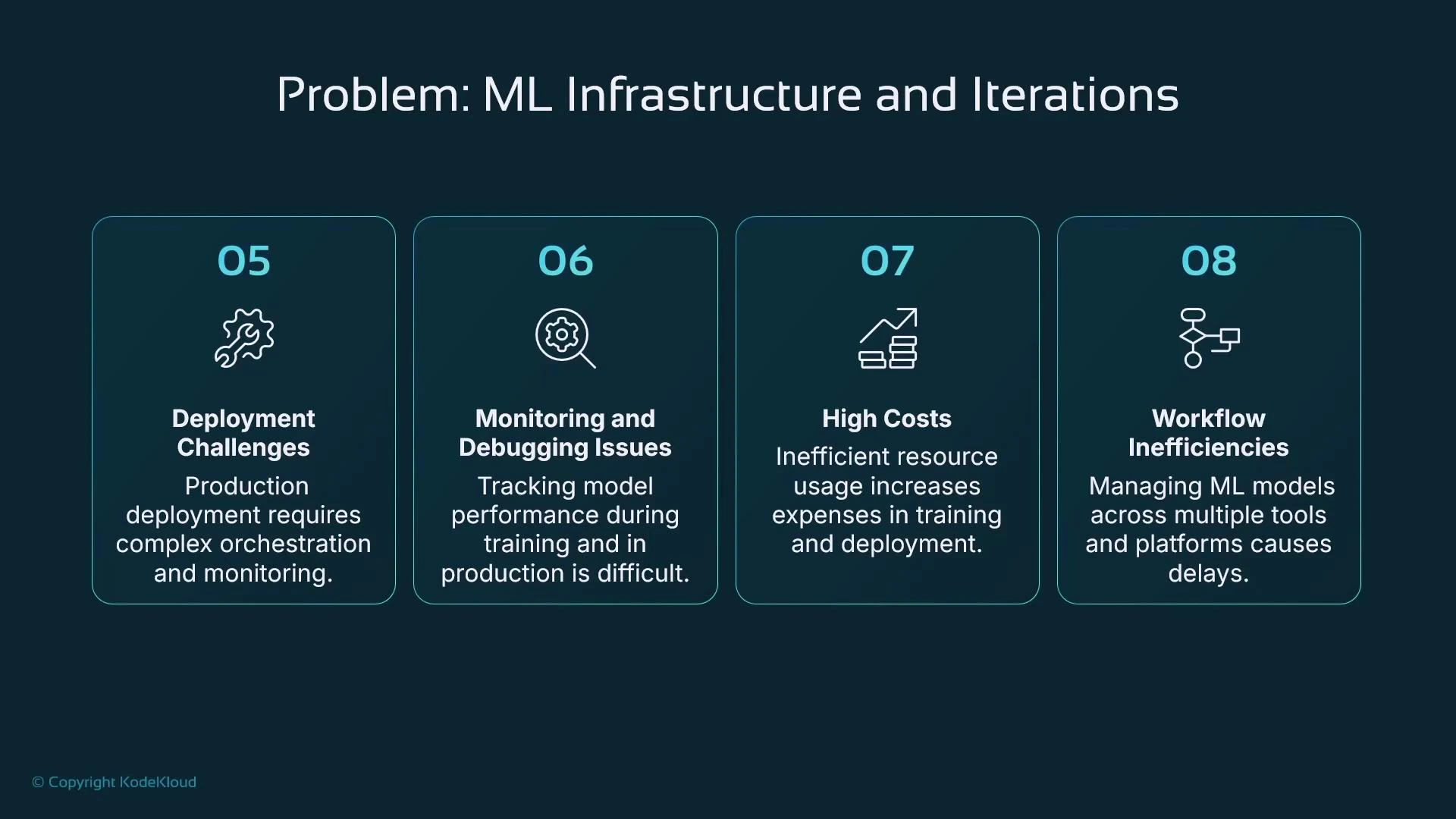
Training at scale introduces operational, cost, and iteration challenges that slow down ML delivery:- Infrastructure: deciding where to store training data and where to run training jobs.
- Experimentation scale: hundreds or thousands of permutations of algorithms, datasets, and hyperparameters.
- Data movement: copying large datasets to local machines is slow, expensive, or restricted by policies.
- Local compute limits: laptops and small workstations are often insufficient for larger models — leading to long training times and limited reproducibility.
SageMaker managed training jobs: concept and benefits
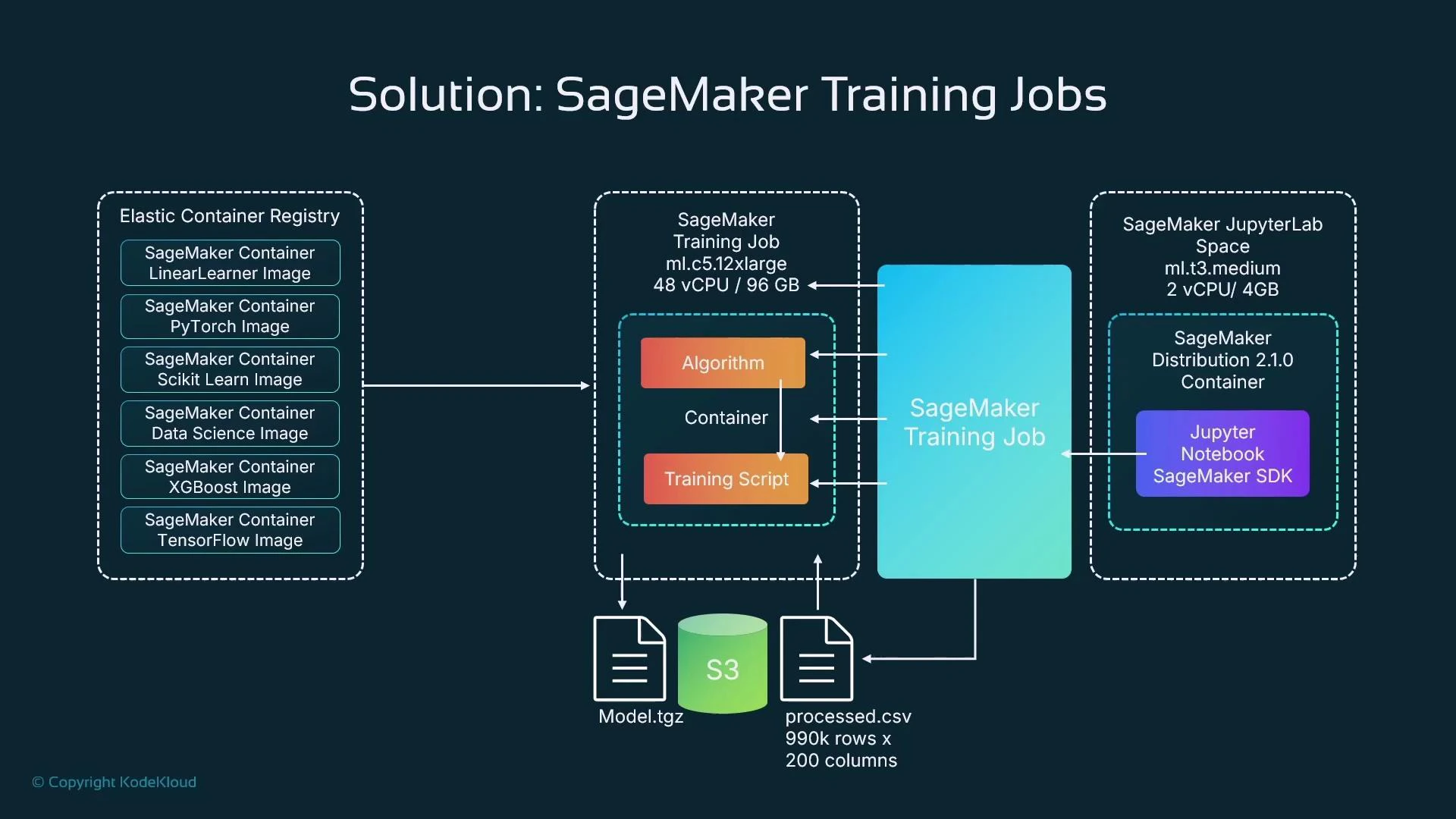
SageMaker simplifies these concerns by encapsulating training in a managed training job. A training job ties together four core ingredients:
A SageMaker training job provisions the compute, pulls the chosen container (or your custom image), runs the training script, stores inputs/outputs in S3, and tears down compute when the job completes. This provides scalability, reproducibility, and cost control.
What is a training job?
- A managed request to run training on temporary, dedicated compute.
- Defined from a notebook or CI pipeline, but the heavy compute runs on managed instances (not on your notebook kernel).
- Configured with instance type/count, algorithm image, S3 input locations, and S3 output for artifacts.
- Right-size compute and pay only for the time used.
- Easily run distributed training across multiple instances.
- Use built-in algorithm containers to reduce boilerplate.
- Support for popular frameworks (TensorFlow, PyTorch, scikit-learn).
- Managed hyperparameter tuning to accelerate experiments.
- Integration with S3 for efficient data access and artifact storage.
- Optionally use Spot instances for cost savings (with trade-offs).
Example: define and run a training job from a SageMaker Studio notebook
Below is a concise Python example using the SageMaker Python SDK (v2). Update the role, bucket, and S3 URIs for your environment.- For framework containers (TensorFlow, PyTorch), you typically provide a training script and use a Framework estimator.
- Increase instance_count and use framework-specific distributed configurations for multi-node training.
Monitoring progress and viewing logs
The SDK integrates with CloudWatch and can stream logs into your notebook session.- estimator.fit() prints logs to the notebook while the job runs (if invoked interactively).
- You can describe a training job via the SageMaker API to poll status.
- Stream logs programmatically or from the notebook:
- Prepare and validate input data in S3 before launching training (for example: processed.csv created by your preprocessing pipeline).
- Model artifacts are written back to S3 (e.g., model.tgz or model.tar.gz). Use the artifact to create a SageMaker model for real-time endpoints or to run Batch Transform jobs for offline inference.
- Use checkpointing and resume strategies for long-running jobs, especially when leveraging Spot instances.
- Enable distributed training by increasing instance_count and configuring distributed strategies for your chosen framework.
Spot instances can provide large cost savings but are interruptible. If you use spot instances for training, ensure your training code or framework supports checkpointing and automatic resumption, or be prepared to retry interrupted jobs.
Quick decision guide
Summary
- Use SageMaker training jobs to offload and scale training, reduce data movement, and manage compute costs.
- Define training jobs from a notebook using the SageMaker SDK; the heavy compute runs on separate managed instances.
- Monitor training via SDK methods, CloudWatch, or the SageMaker console and stream logs into notebooks for debugging.
- Store prepared training data and model artifacts in S3 for reproducible runs, deployment, and model tracking.