

- Limitations of SageMaker Studio Classic
- What changed with the new Studio UI and application model
- How Studio New improves performance, manageability, and cost control
- Architectural contrasts and operational benefits
Problem with SageMaker Studio Classic
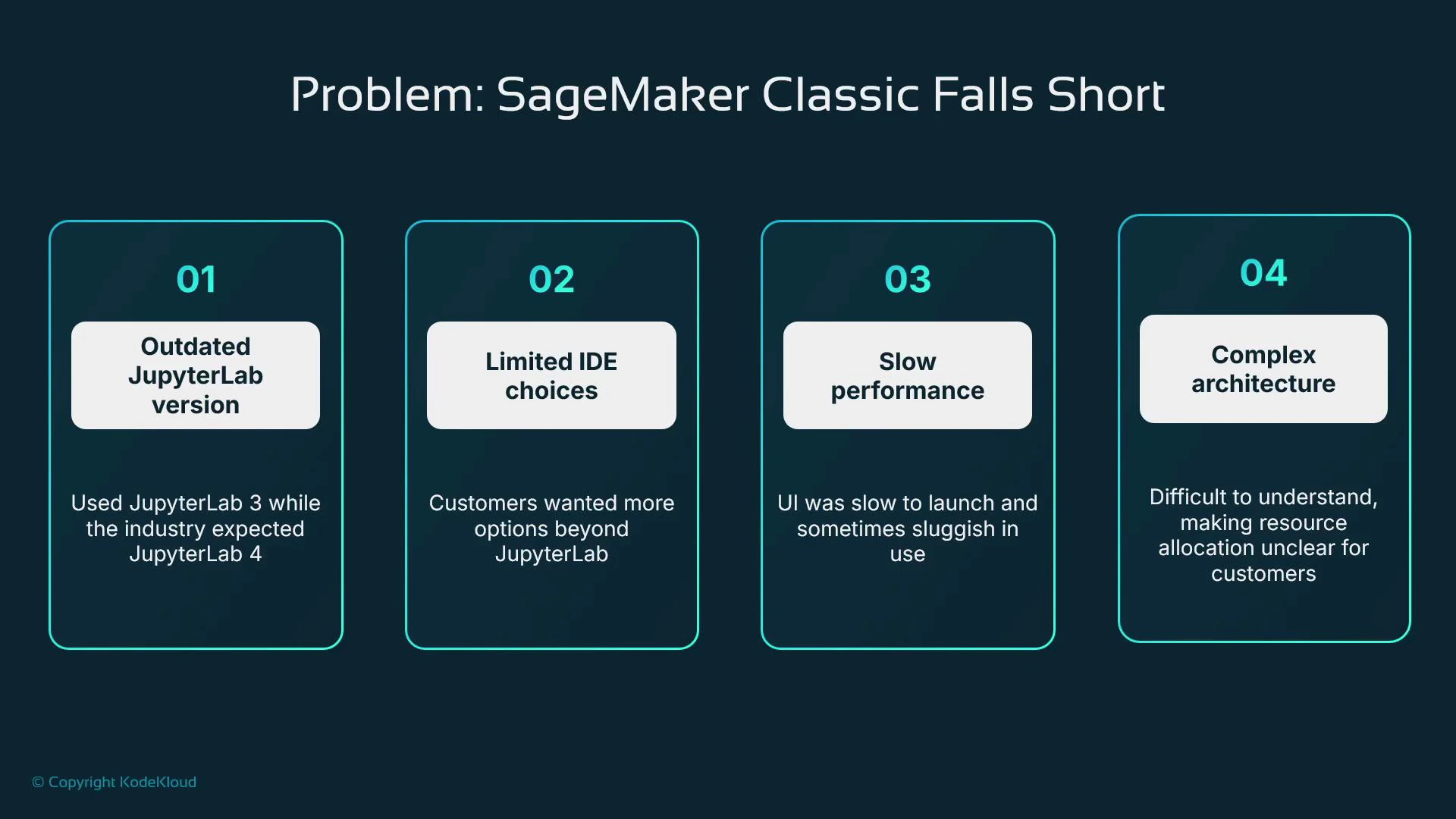
SageMaker Studio Classic was AWS’s first integrated ML IDE, implemented as a heavily customized JupyterLab 3 instance. It combined many features—Data Wrangler, Pipelines, Experiments—but also introduced constraints that affected upgradeability, choice, performance, and clarity about compute usage. Key limitations:- Tight coupling to JupyterLab 3 limited upgrades and feature parity with newer JupyterLab releases.
- Limited IDE choices: users wanting a pure code-editor experience or RStudio had no first-class alternatives.
- Slow startup and runtime responsiveness: Studio Classic could take 5–10 minutes to become productive and sometimes remained sluggish.
- Confusing compute mapping: the UI asked for a container image, kernel, and instance type, but did not clearly map a notebook to a single EC2 instance, producing uncertainty about resource consumption.
How Classic exposed architectural confusion
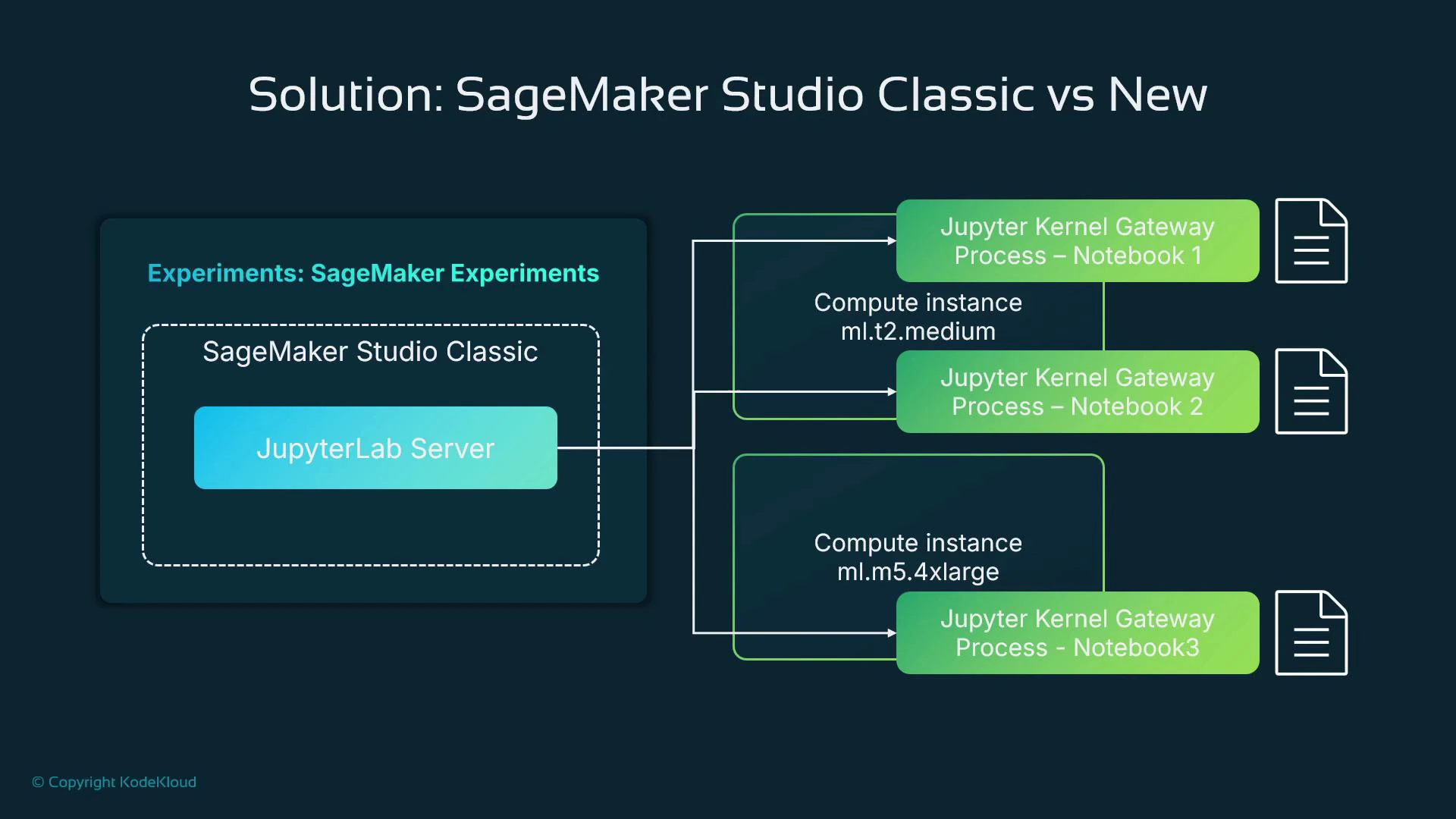
The Classic UI suggested each notebook launched its own EC2 instance because it asked for an instance type. In reality, the mapping was more nuanced:- A single centralized JupyterLab server provided the UI.
- Notebook execution happened in individual kernel gateway processes.
- Multiple kernels could share one EC2 instance. When that instance’s resources were exhausted, SageMaker would spin up another instance of the requested size.
Comparing Classic and New interfaces
Studio Classic used a JupyterLab-style layout with menus like Data, AutoML, Experiments, Notebook Jobs, and Pipelines. Icons on the left exposed file system, running instances, and Git. Studio New adopts an application-first design: the console is a launchpad where each tool is a first-class application (e.g., JupyterLab, RStudio, Canvas, Code Editor, MLflow). That lets teams offer multiple IDEs and tooling experiences side-by-side without reworking a single monolithic UI.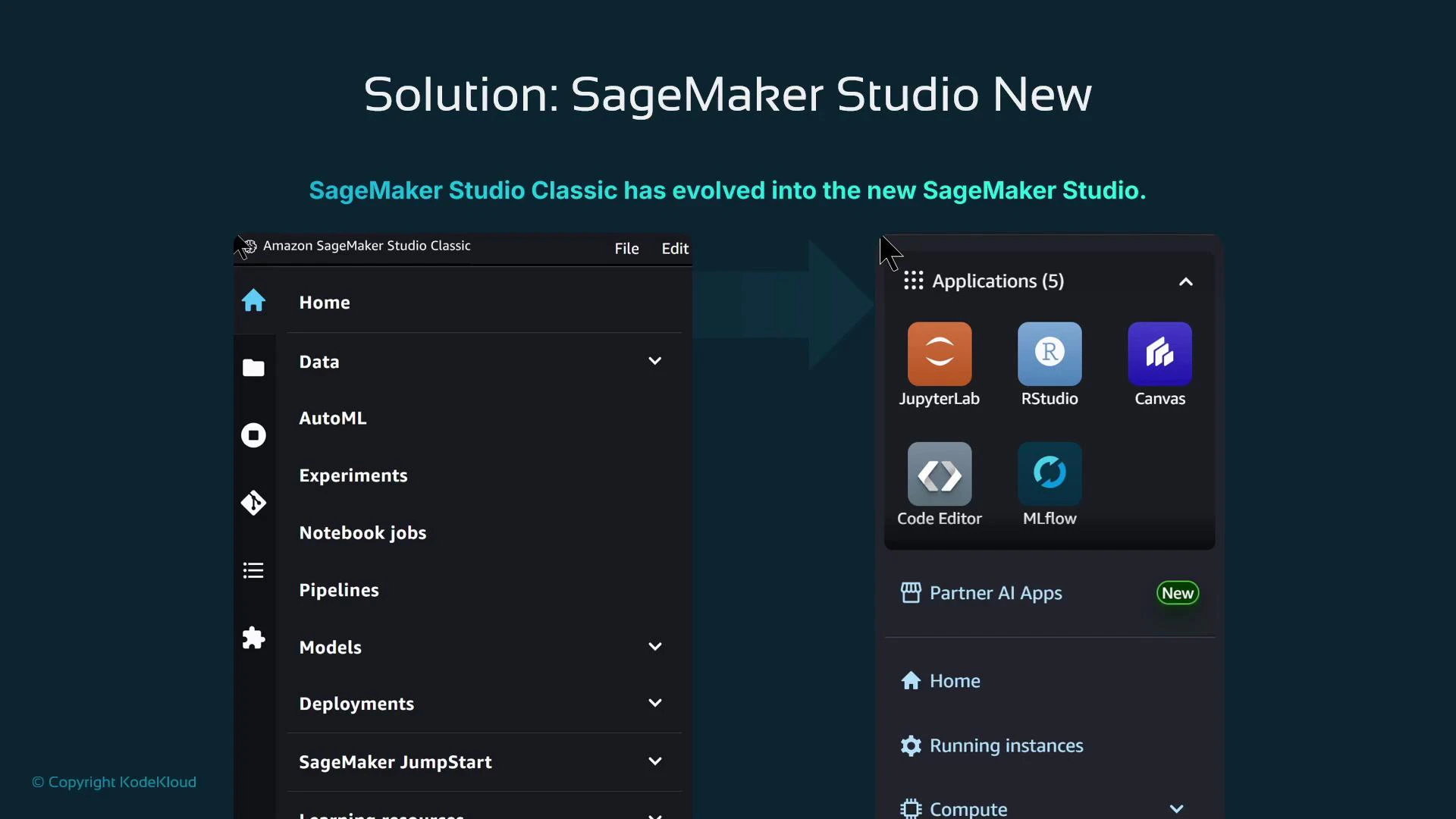
Key differences
- Studio New is a launchpad: choose an application tailored to the task (notebooks vs code editing vs RStudio).
- Navigation and layout are clearer: separate areas for home, running instances, and compute vs. data.
- Applications open as separate app views or browser tabs depending on configuration.
- Studio New decouples IDE upgrades from the platform, enabling new IDE versions or apps without reworking the core console.
Benefits of Studio New
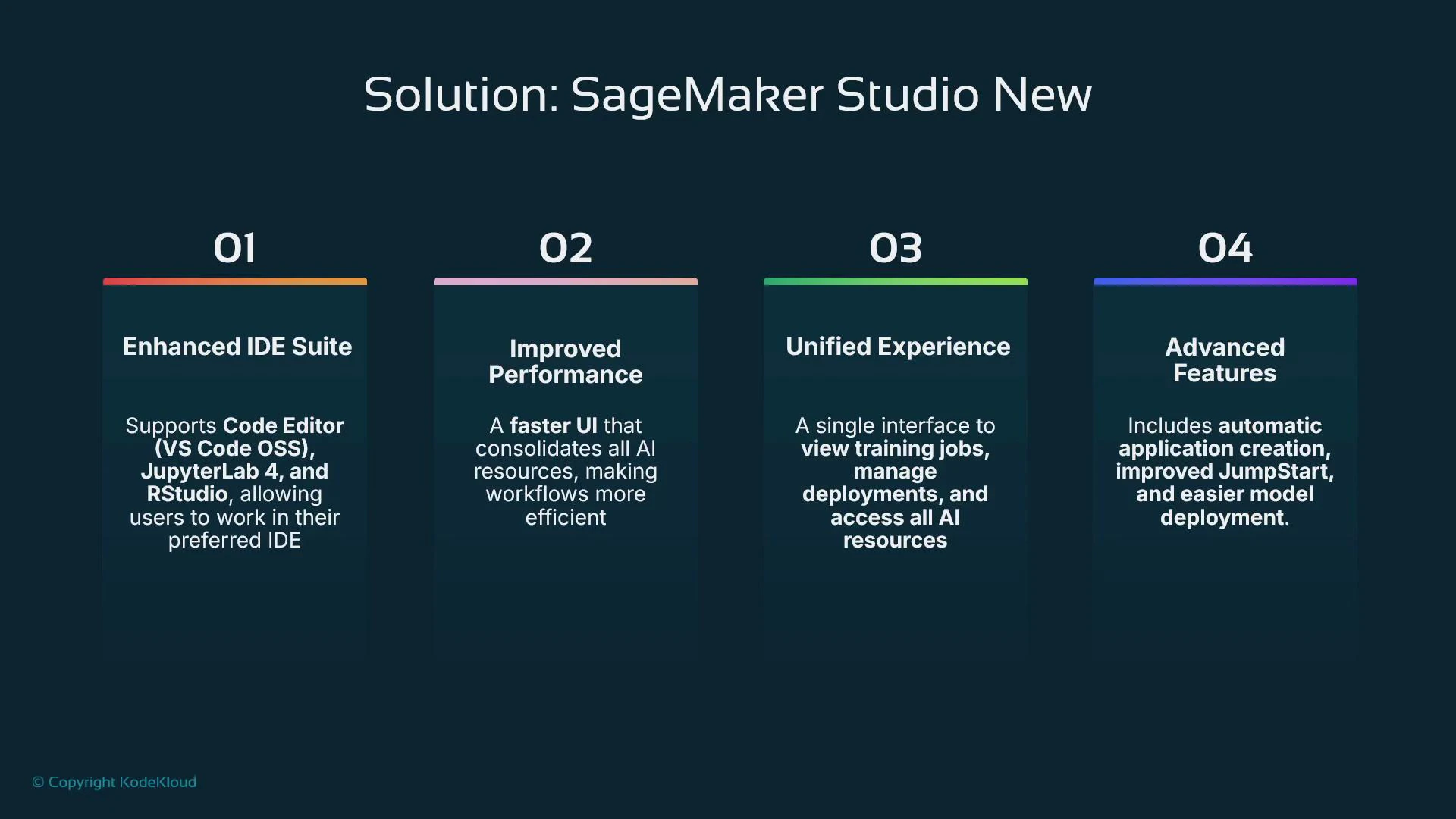
Studio New resolves many Classic pain points and brings operational advantages:- Enhanced IDE suite: choose the best interface for each workflow—Code Editor, JupyterLab, RStudio, MLflow, Canvas, etc.
- Much faster startup: interactive sessions typically start in 20–30 seconds, improving developer productivity.
- Explicit compute model: Spaces are backed by managed EC2 instances you size, making compute and cost attribution clear.
- Unified, extensible experience: first-class apps alongside integrated services like JumpStart for foundation models and prebuilt solutions.
- Easier third-party app hosting: add new apps without modifying a monolithic JupyterLab customization.
If you still run SageMaker Studio Classic, start planning migration to Studio New. AWS has focused active development on Studio New; migrating reduces risk and unlocks faster startup times, clearer compute control, and modern IDE choices.
Studio Classic as an application inside Studio New
To make migration practical, AWS exposes Studio Classic as an application tile inside Studio New. Teams can standardize on Studio New as the primary entry point while preserving access to Classic for workflows that require it during the transition.Architectural contrast: Classic vs. New
Studio Classic (simplified)- Centralized, customized JupyterLab 3 server.
- Kernel gateway processes execute notebook kernels; multiple kernels may run on the same EC2 instance size (e.g., ml.t2.medium, ml.m5.4xlarge).
- The user-facing prompts for image and instance type didn’t guarantee a one-to-one relationship with underlying compute.
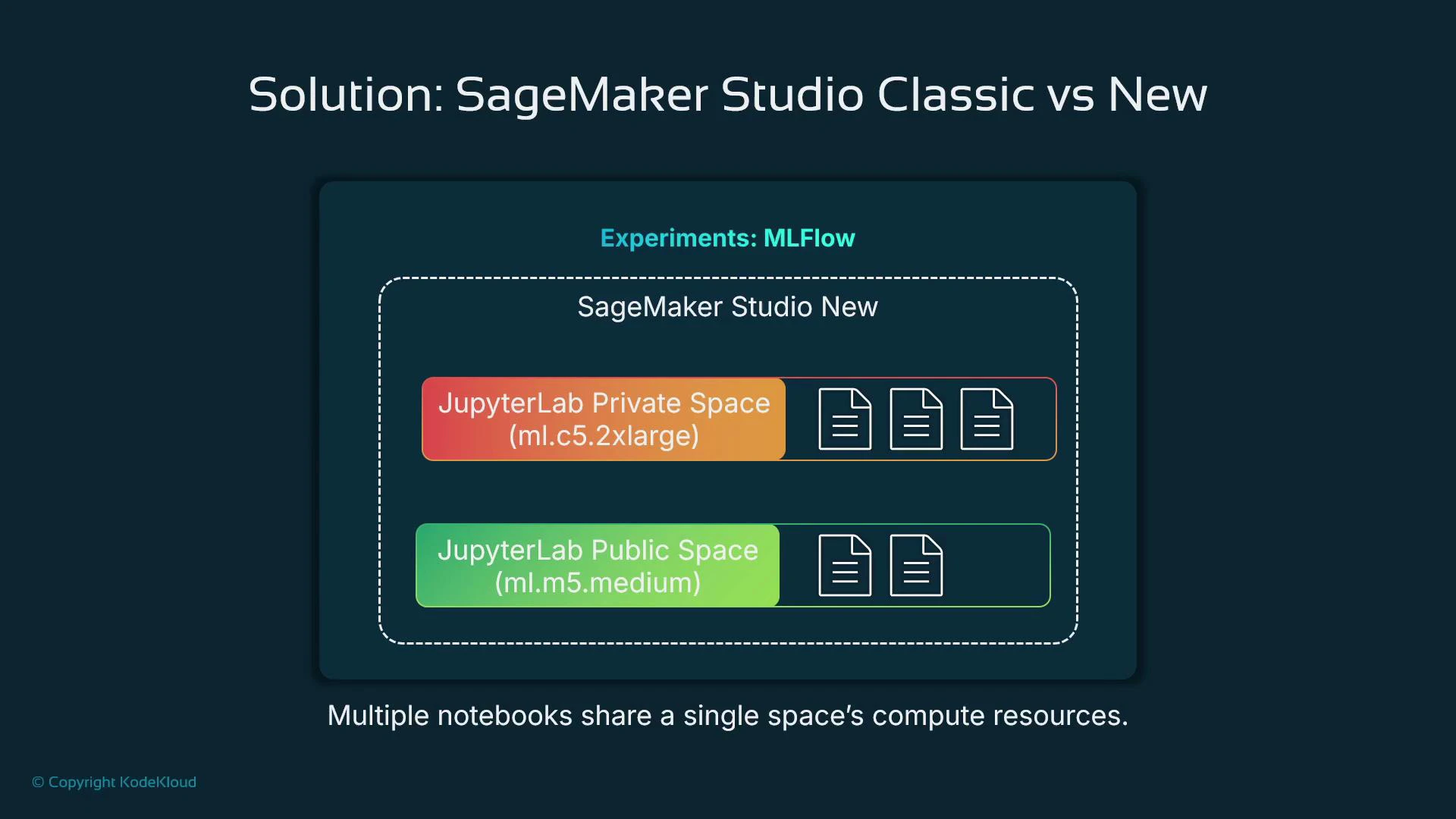
- You provision a “space” per application (for example a JupyterLab Private Space or a Code Editor Space).
- Each space is backed by a managed EC2 instance sized by you (e.g., ml.c5.2xlarge).
- Spaces can be private (single-user) or shared (visible to domain members).
- Multiple notebooks and files in the same space share that space’s compute resources; to scale compute, create a different space with a larger instance type.
Experiment management evolution
- Classic: SageMaker Experiments was tightly integrated into the Classic UI for viewing runs and visualizations.
- New: Studio New surfaces MLflow as the experiments application. MLflow is a widely-adopted tracking and lifecycle tool, now available as a managed experience in Studio New, making experiment tracking, model registry, and reproducibility more standard and portable.
Which interface a user gets
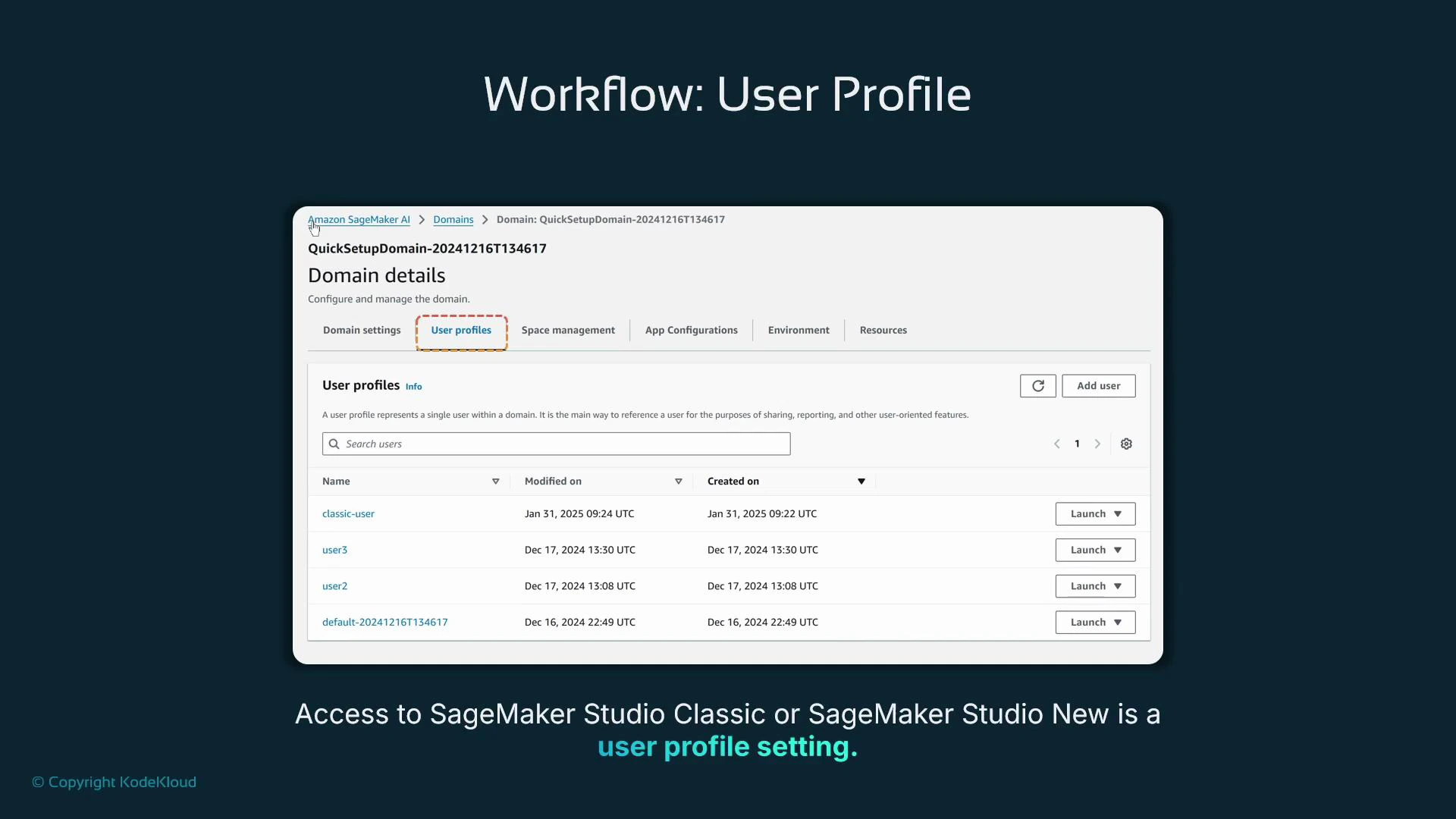
Default interface behavior is controlled at the SageMaker Domain user profile level. Each user profile maps to a single individual and can specify a default launch application.- Use the Domain > User profiles tab to view and manage each user’s default application.
- Administrators can switch a user profile’s default to Studio Classic or a Studio New application as needed.
Resource management and operational differences
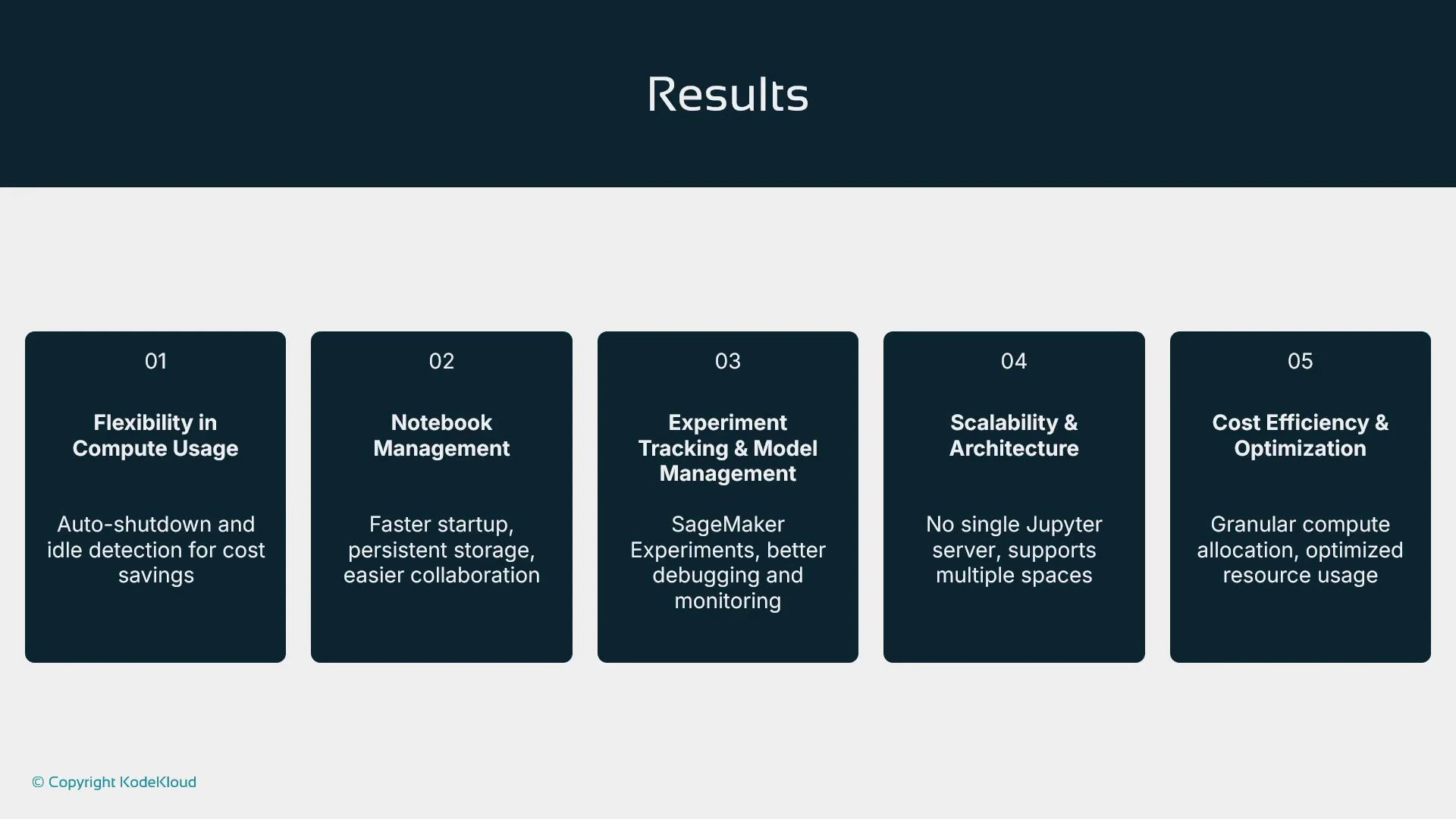
Studio New provides clearer controls for resources and costs:- Spaces: define count, visibility (private/shared), and instance size.
- Idle detection and automatic shutdown: reduces wasted spend by stopping idle spaces.
- Startup times: significantly reduced (20–30s vs 5–10m), improving developer iteration speed.
- Storage model: spaces typically use attached EBS volumes or domain-configured storage—verify your domain’s storage options for persistence, backups, and collaboration.
- Version control: pair spaces with Git repositories so code and artifacts are persisted centrally rather than relying on instance-local storage.
- Integrations: tighter integration with SageMaker Debugger, Model Monitor, and modern ML tools for observability and governance.
- Scalability: provision high-capacity private spaces for heavy workloads and smaller shared spaces for light-weight tasks.
Summary
- SageMaker Studio Classic: AWS’s original integrated ML IDE built on a customized JupyterLab 3. It delivered a complete experience but was constrained by tight coupling to one JupyterLab version, limited IDE choices, slow launches, and ambiguous compute mapping.
- SageMaker Studio New: replaces the monolithic Classic UI with an application-first launchpad and explicit compute spaces. This model is faster, easier to manage, and more extensible.
- Operational advantages of Studio New: explicit spaces and managed instances, faster startup, broader IDE support, better experiment and model management (MLflow), improved cost controls, and easier integration with third-party apps.
- Migration guidance: Studio New is the default and recommended interface. Classic remains accessible as an app tile for transition, but teams should plan migration to Studio New to avoid future deprecation issues.
AWS has shifted active development toward Studio New and reduced focus on Studio Classic. Plan migrations to Studio New to minimize risk of disruption if Studio Classic is deprecated.
- Amazon SageMaker Studio documentation: https://docs.aws.amazon.com/sagemaker/latest/dg/studio.html
- SageMaker Studio Spaces and user profiles: https://docs.aws.amazon.com/sagemaker/latest/dg/studio-spaces.html
- MLflow: https://mlflow.org/
- AWS JumpStart: https://aws.amazon.com/sagemaker/jumpstart/