In this lesson we introduce Amazon SageMaker Pipelines — a native SageMaker feature that automates and orchestrates activities across an entire ML pipeline. What you’ll learn:
  • Why automation matters for ML workflows
  • How SageMaker Pipelines fits into an enterprise deployment lifecycle
  • Options for running notebook code inside pipelines (notebooks vs. scripts)
  • A concise SDK example showing how to build and run a pipeline

Why automate ML workflows?

Manual notebook-driven experimentation (running cells by hand) is error-prone and difficult to reproduce. Automation provides:
  • Reproducibility and lineage: with the same inputs (data version, algorithm version, scripts) you should reproduce the same model artifact.
  • Scalability: automation enables large-scale experiments and workloads.
  • Integration: pipelines connect natively with AWS services like S3, Lambda, Step Functions, and the SageMaker Model Registry.
Links and references:
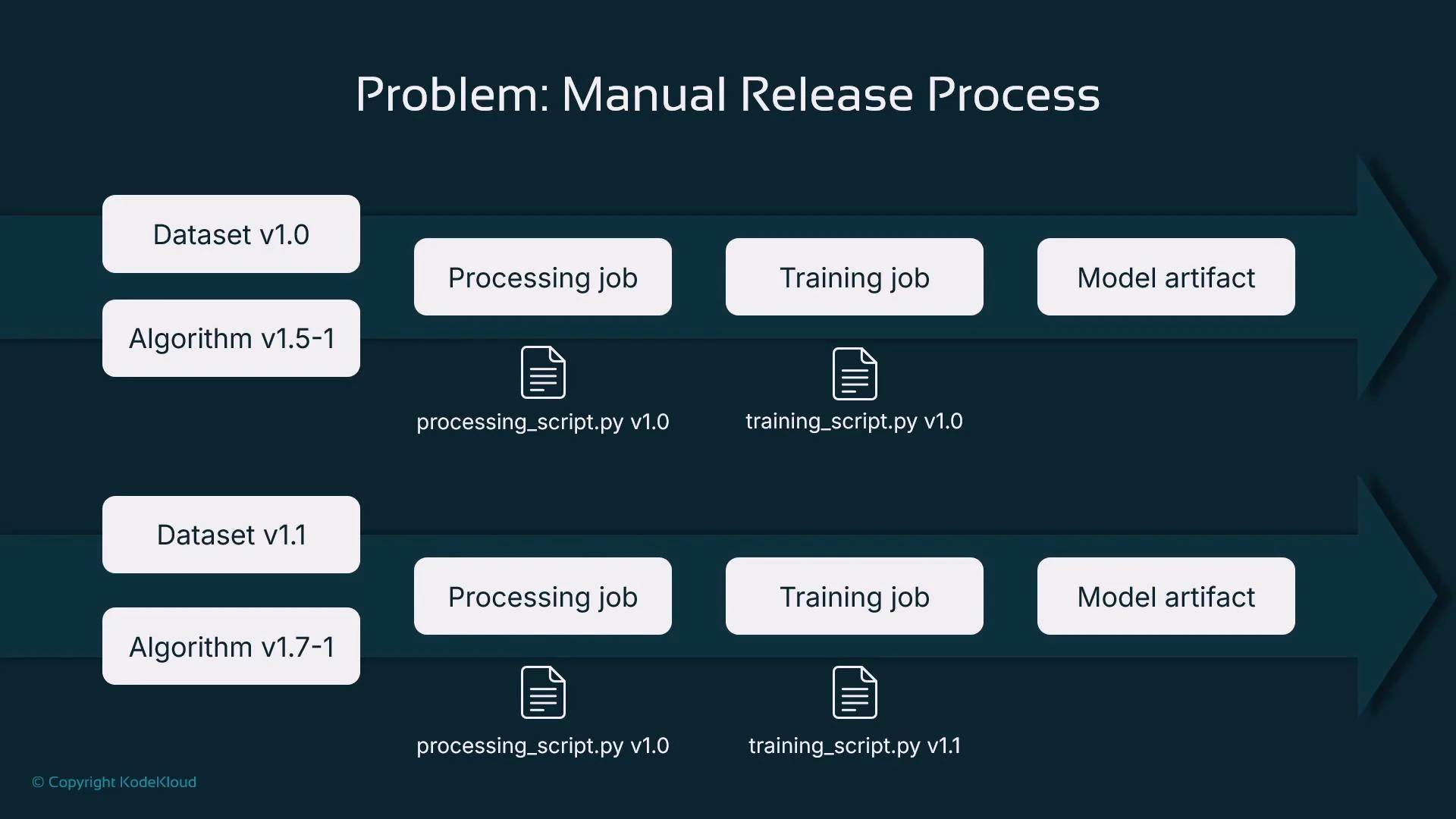
A slide titled "Problem: Manual Release Process" showing two parallel ML release pipelines with dataset and algorithm versions feeding processing jobs, training jobs, and resulting model artifacts. Script files and their version numbers (e.g., processing_script.py v1.0, training_script.py v1.0/v1.1) are shown under the jobs.
Typical manual flow:
  • Choose a dataset (versioned)
  • Pick an algorithm and its version
  • Run data processing (scaling, encoding, imputation)
  • Run a training job (possibly hyperparameter tuning)
  • Store and register model artifacts
  • Repeat when code, data, or algorithm versions change
Each component should be versioned to track model lineage and enable reproducibility. However, manually invoking these steps (for example, by running notebook cells) makes consistent, repeatable runs and scale-out difficult.

Solution: SageMaker Pipelines

SageMaker Pipelines lets you declare a sequence of steps and run them deterministically:
  • Define processing, training, evaluation, registration, and (optionally) deployment steps.
  • Provide inputs such as dataset S3 paths, script locations, algorithm versions, and hyperparameters.
  • Execute the pipeline programmatically or via orchestration systems (CI/CD, Step Functions, Airflow).
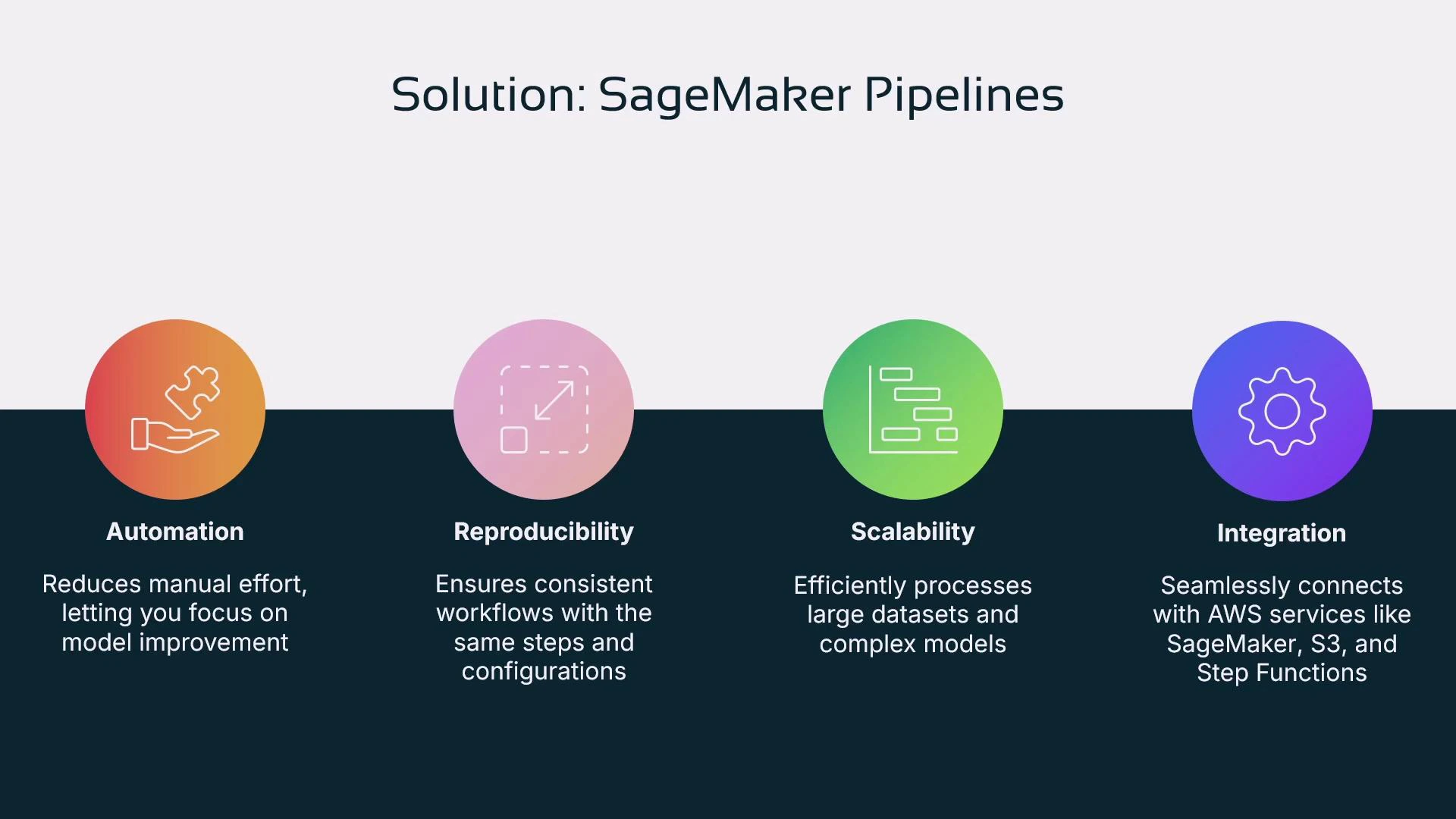
Benefits include automation, reproducibility, scalability, and native AWS integrations.
A presentation slide titled "Solution: SageMaker Pipelines" showing four colored icons and headings: Automation, Reproducibility, Scalability, and Integration, each with a short description. The slide highlights benefits like reduced manual effort, consistent workflows, efficient large‑scale processing, and integration with AWS services.

How pipelines fit into an enterprise lifecycle

  • Development: data scientists iterate interactively in notebooks (exploration, prototyping).
  • Beta / Pre-production: start productionizing by replacing manual steps with automated pipelines for retraining, evaluation, and model registration in staging.
  • Production: approved model versions in the Model Registry are promoted and deployed automatically. The registry approval can trigger a deployment pipeline.
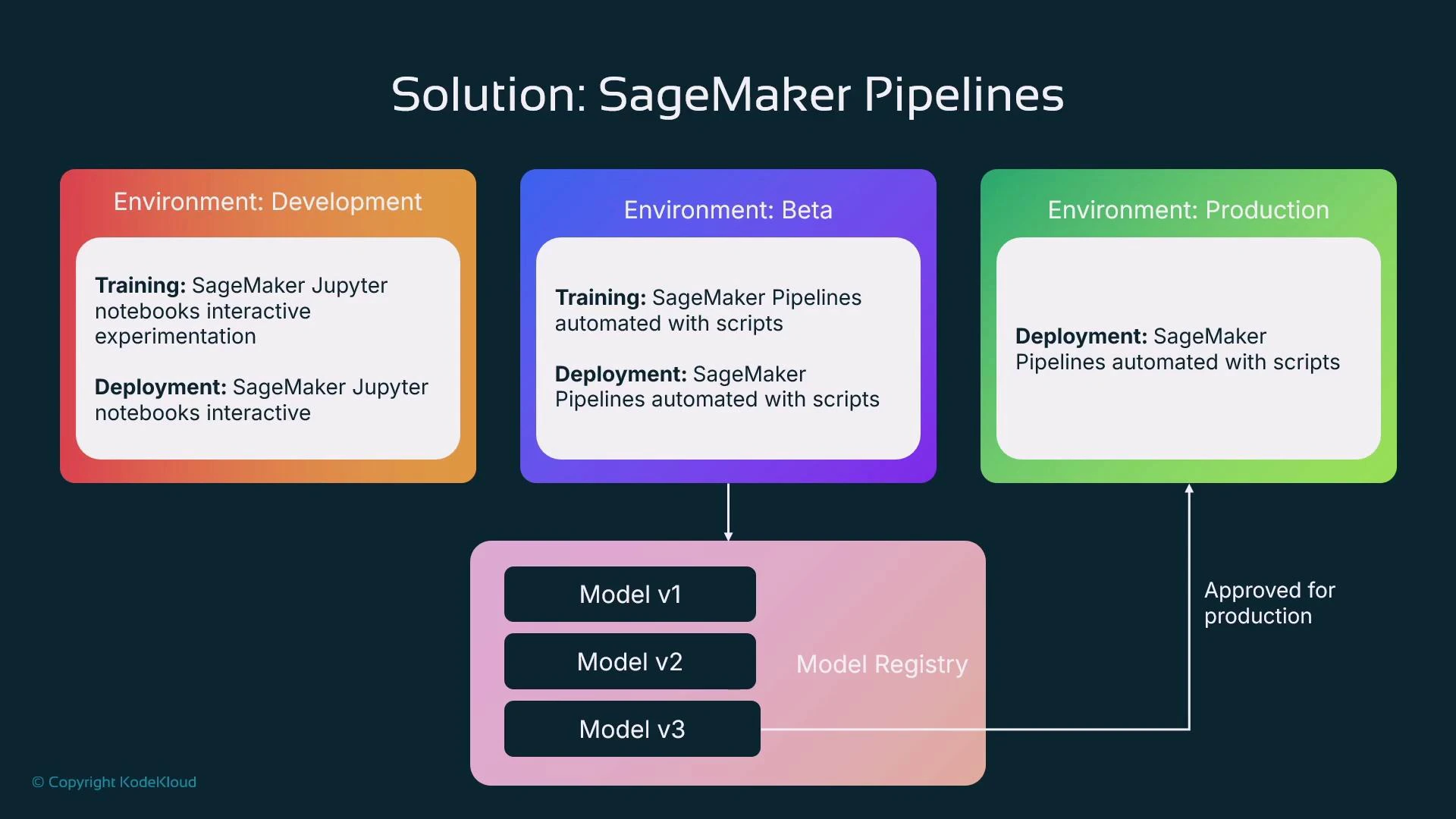
Use separate pipelines for training and deployment for clearer responsibilities: training pipelines produce registered model versions; a deployment pipeline consumes approved versions.
A slide titled "Solution: SageMaker Pipelines" showing three colored environment boxes — Development, Beta, and Production — each describing training and deployment approaches. Below is a Model Registry with Model v1/v2/v3 and arrows indicating automated pipelines feeding the registry and an approval step promoting a model to production.

Why use scripts (not notebooks) as pipeline steps?

Each pipeline step usually maps to a standalone Python script, not an interactive notebook. Scripts are preferred because:
  • Deterministic execution (no interactive prompts)
  • Easier to add error handling, logging, and retries
  • More robust for automation and production debugging
  • Better suited for CI/CD and version control
Refactoring notebook code into well-defined Python scripts improves maintainability. Use an IDE like SageMaker Studio Code Editor or VS Code for development and debugging before integrating into pipelines.
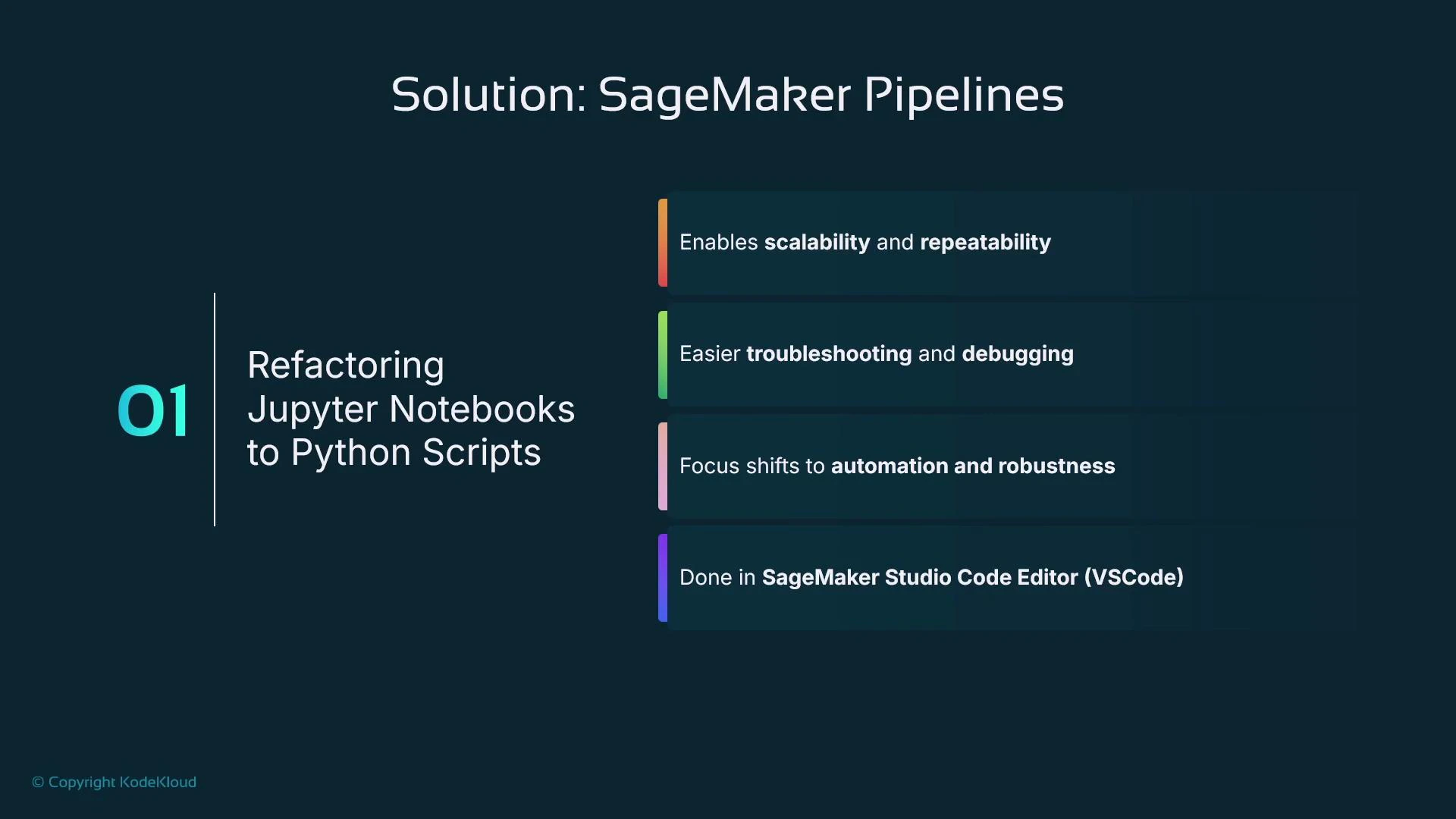
A presentation slide titled "Solution: SageMaker Pipelines" about refactoring Jupyter Notebooks to Python scripts. It lists benefits—scalability and repeatability, easier troubleshooting and debugging, a shift to automation and robustness—and notes this is done in SageMaker Studio Code Editor (VSCode).
Alternative approaches for using notebook code inside pipelines:
  • Run notebooks via processing jobs with papermill (an orchestration workaround that still carries notebook limitations).
  • Newer native support: SageMaker Pipelines can run Jupyter notebooks as steps in some regions — convenient but not always available and notebook code commonly lacks production-grade error handling.
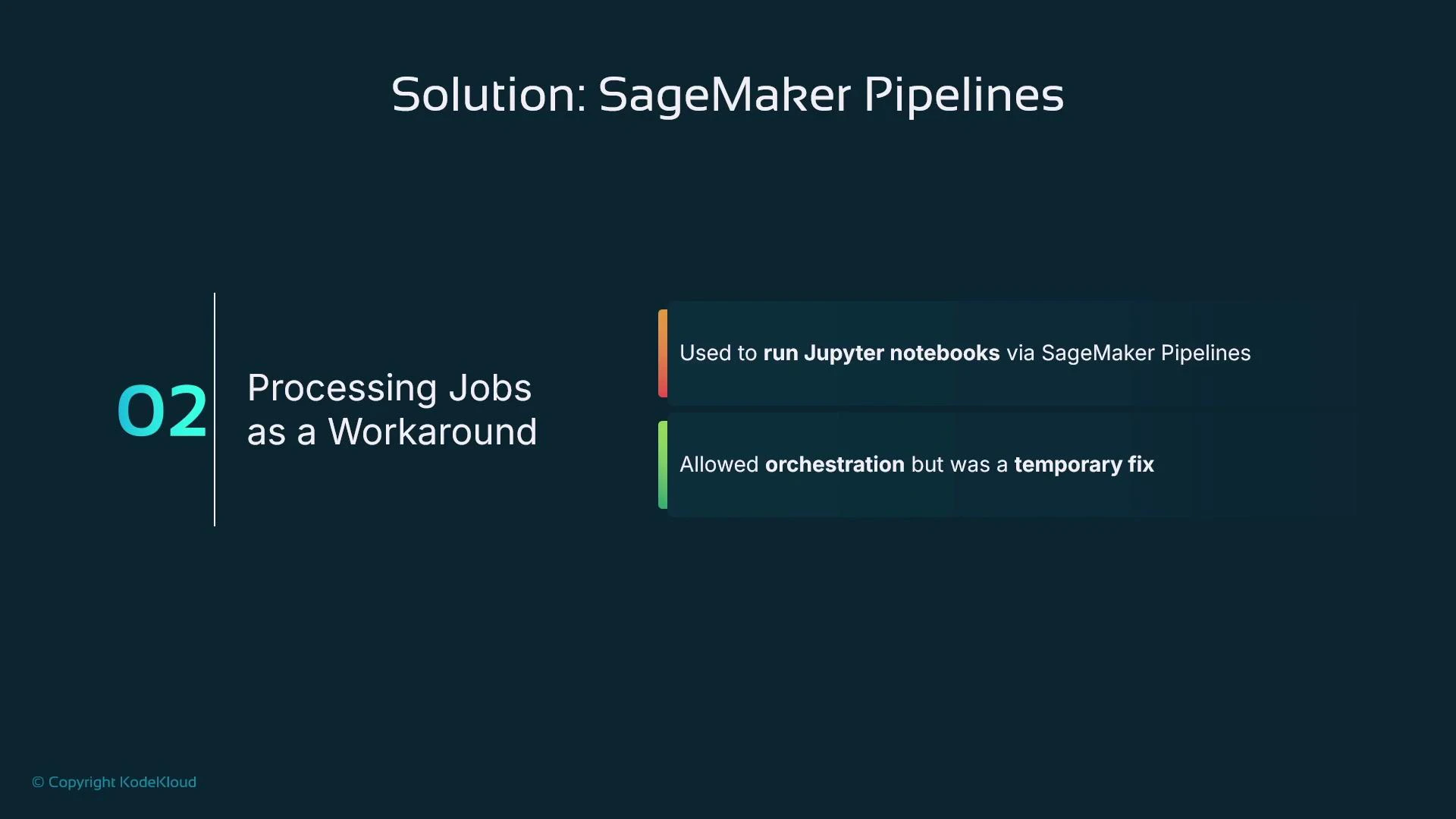
A presentation slide titled "Solution: SageMaker Pipelines" showing item "02 Processing Jobs as a Workaround" with two notes: it was used to run Jupyter notebooks via SageMaker Pipelines and allowed orchestration but was a temporary fix. The slide has a dark teal background and a KodeKloud copyright mark.
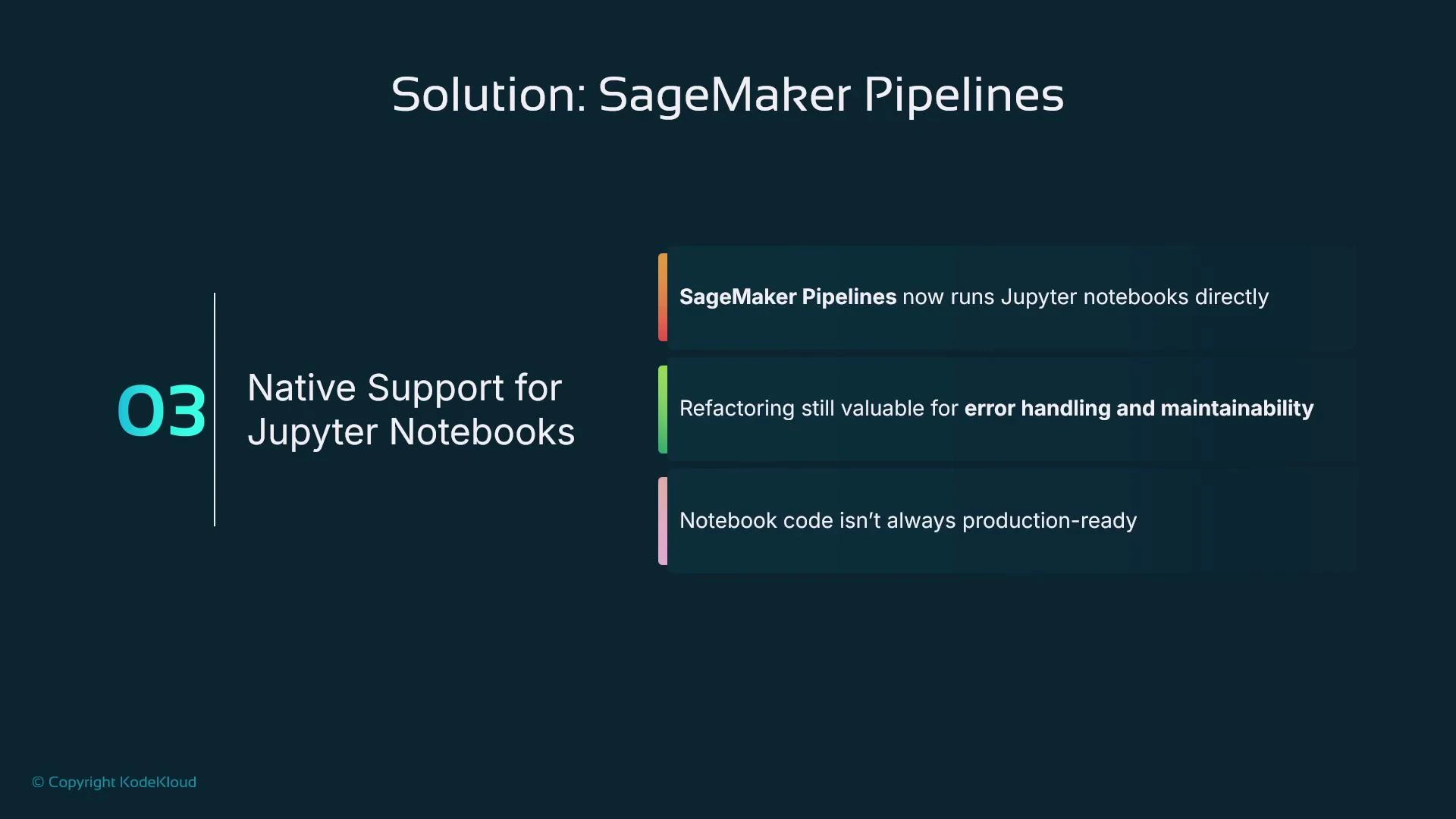
A presentation slide titled "Solution: SageMaker Pipelines" highlighting "03 Native Support for Jupyter Notebooks." It notes that SageMaker Pipelines can run Jupyter notebooks directly, but refactoring is still useful for error handling/maintainability and notebooks aren’t always production-ready.
Notebooks can be executed by pipelines in some regions, but they often lack structured error handling and are less portable. For production pipelines, prefer dedicated scripts stored in a Git repository.

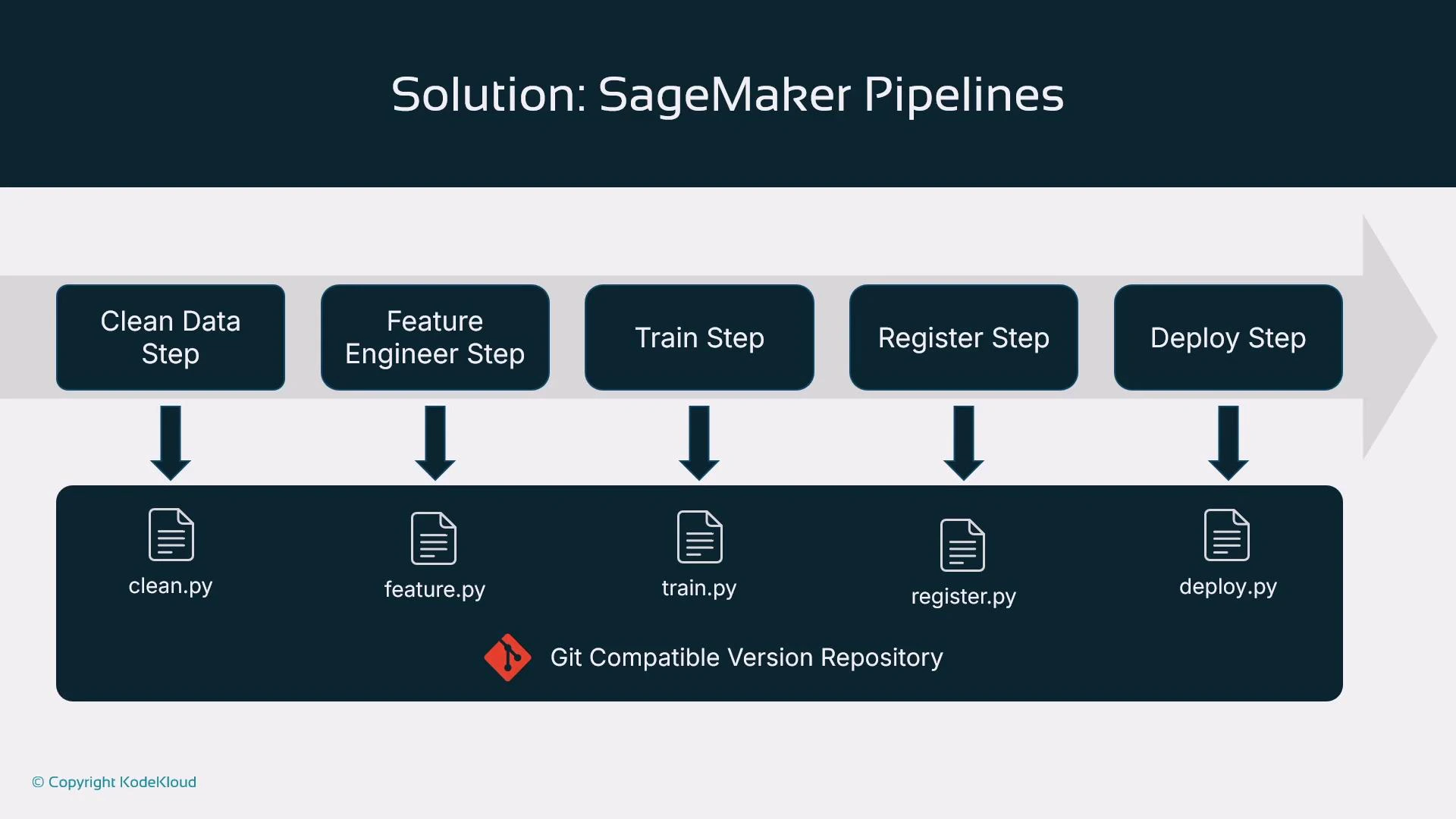
Store scripts in a Git repo and invoke them from pipeline steps. Example mapping:
Pipeline StepTypical Script FilenamePurpose
Data cleaningclean.pyData validation and cleaning
Feature engineeringfeature.pyFeature transforms and feature store writes
Trainingtrain.pyEstimator creation and training logic
Evaluationevaluation.pyModel scoring, metrics, and validation
Model registrationregister.pyRegister model in the Model Registry
Deploymentdeploy.pyDeploy model to an endpoint (optional)
A slide titled "Solution: SageMaker Pipelines" showing a linear workflow of steps — Clean Data, Feature Engineer, Train, Register, and Deploy — with arrows pointing down. Each step maps to a corresponding Python script (clean.py, feature.py, train.py, register.py, deploy.py) stored in a Git-compatible version repository.

Creating pipelines: Visual Editor vs. SDK

  • Studio Visual Editor: drag-and-drop, low-code, quick visualization. Good for simple pipelines but limited customization and binding arbitrary scripts to arbitrary step types.
  • SageMaker Python SDK (recommended): define ProcessingStep, TrainingStep, RegisterModel, etc., in code. This gives full control, versioning in code, parameterization, and reuse.
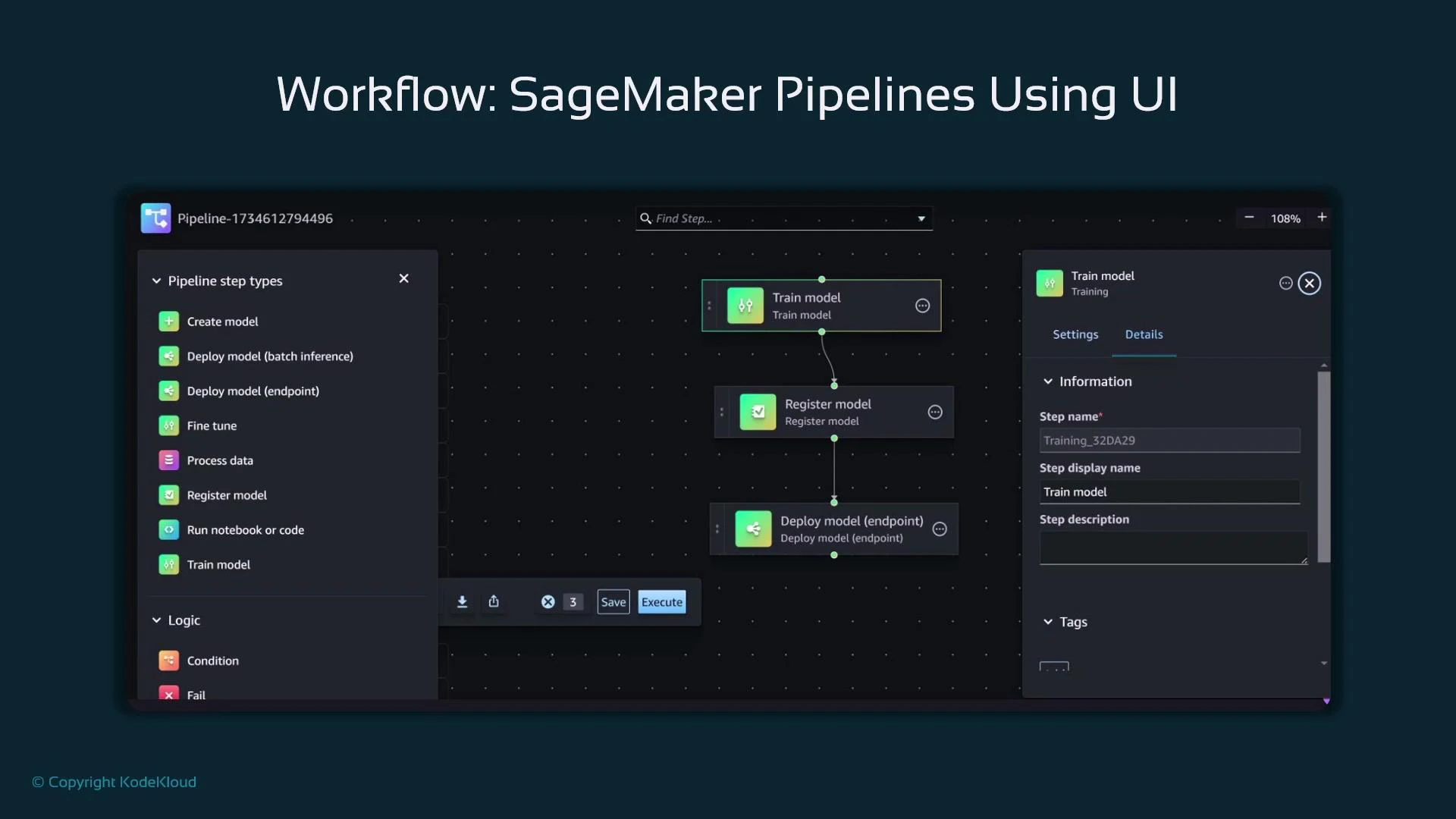
A screenshot of the SageMaker Pipelines visual UI showing pipeline step types on the left and a workflow diagram in the center. The diagram connects steps labeled "Train model", "Register model", and "Deploy model (endpoint)", with a settings/details pane visible on the right.

Example: Build a SageMaker Pipeline using the SDK

Below is a concise, complete example that defines a data preprocessing ProcessingStep, a TrainingStep, a model evaluation ProcessingStep, and a RegisterModel step. Finally, these steps are assembled into a Pipeline object and executed. Assumptions:
  • SDK imports, role, pipeline_session, bucket, input_data, train_instance_type, and train_instance_count are already defined and configured.
# Processing Step: Data Preprocessing
sklearn_processor = SKLearnProcessor(
    framework_version="1.0-1",
    role=role,
    instance_type="ml.m5.xlarge",
    instance_count=1,
    sagemaker_session=pipeline_session,
)

processing_step = ProcessingStep(
    name="DataPreprocessing",
    processor=sklearn_processor,
    inputs=[],     # e.g., ProcessingInput(source=input_data, destination="/opt/ml/processing/input")
    outputs=[],    # e.g., ProcessingOutput(source="/opt/ml/processing/output", destination=f"s3://{bucket}/processed")
    code="preprocessing.py",
)

# Training Step: Model Training
xgb_estimator = Estimator(
    image_uri=sagemaker.image_uris.retrieve(
        framework="xgboost",
        region=boto3.Session().region_name,
        version="1.5-1",
    ),
    role=role,
    instance_count=train_instance_count,
    instance_type=train_instance_type,
    output_path=f"s3://{bucket}/output",
    sagemaker_session=pipeline_session,
)

training_step = TrainingStep(
    name="ModelTraining",
    estimator=xgb_estimator,
    inputs={"train": TrainingInput(input_data, content_type="text/csv")},
)

# Model Evaluation Step (Processing job running evaluation.py)
evaluation_processor = ScriptProcessor(
    image_uri="763104351884.dkr.ecr.us-west-2.amazonaws.com/sklearn-processing:1.0-1",
    role=role,
    instance_count=1,
    instance_type="ml.m5.large",
    command=["python3"],
    sagemaker_session=pipeline_session,
)

evaluation_step = ProcessingStep(
    name="ModelEvaluation",
    processor=evaluation_processor,
    inputs=[],   # e.g., use training_step.outputs for model artifacts
    outputs=[],
    code="evaluation.py",
)

# Register Model Step
register_model_step = RegisterModel(
    name="RegisterModel",
    estimator=xgb_estimator,
    model_data=training_step.properties.ModelArtifacts.S3ModelArtifacts,
    content_types=["text/csv"],
    response_types=["text/csv"],
)

# Create Pipeline (order defines execution sequence)
pipeline = Pipeline(
    name="MySageMakerPipeline",
    parameters=[input_data, train_instance_type, train_instance_count],
    steps=[processing_step, training_step, evaluation_step, register_model_step],
)

# Create or update and start execution
pipeline.upsert(role_arn=role)
execution = pipeline.start()
print(execution.describe())
Key notes:
  • Define steps first; the pipeline’s step list dictates execution order.
  • pipeline.upsert(…) creates or updates the pipeline resource in SageMaker.
  • pipeline.start() launches an execution; use execution.describe() to inspect status.
  • Parameterize S3 paths, instance types, and instance counts for flexible reuse.
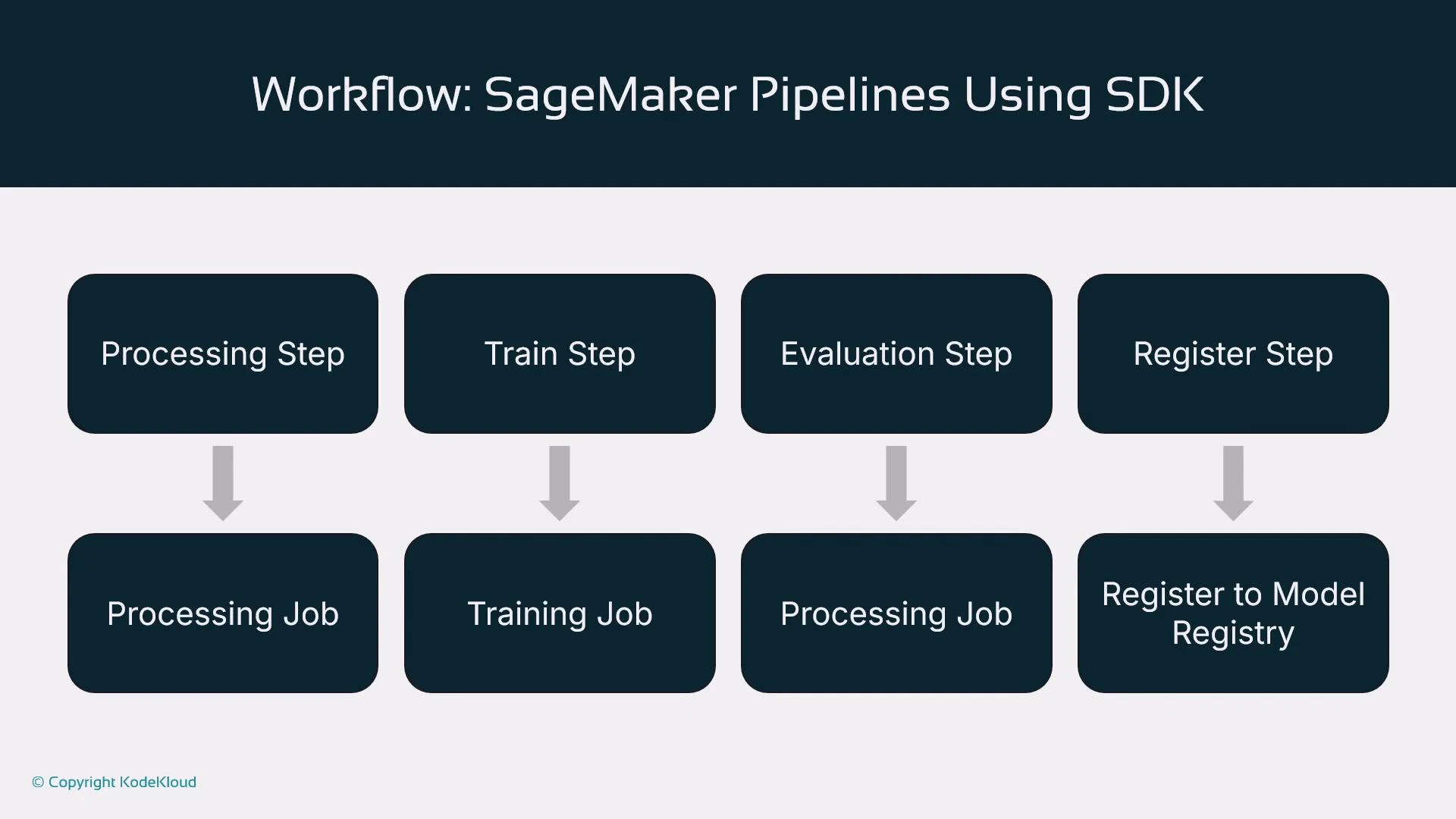
A slide titled "Workflow: SageMaker Pipelines Using SDK" showing a four-step pipeline: Processing Step, Train Step, Evaluation Step, and Register Step. Each step maps downward to its corresponding job: Processing Job, Training Job, Processing Job, and Register to Model Registry.

Triggers: how pipeline executions start

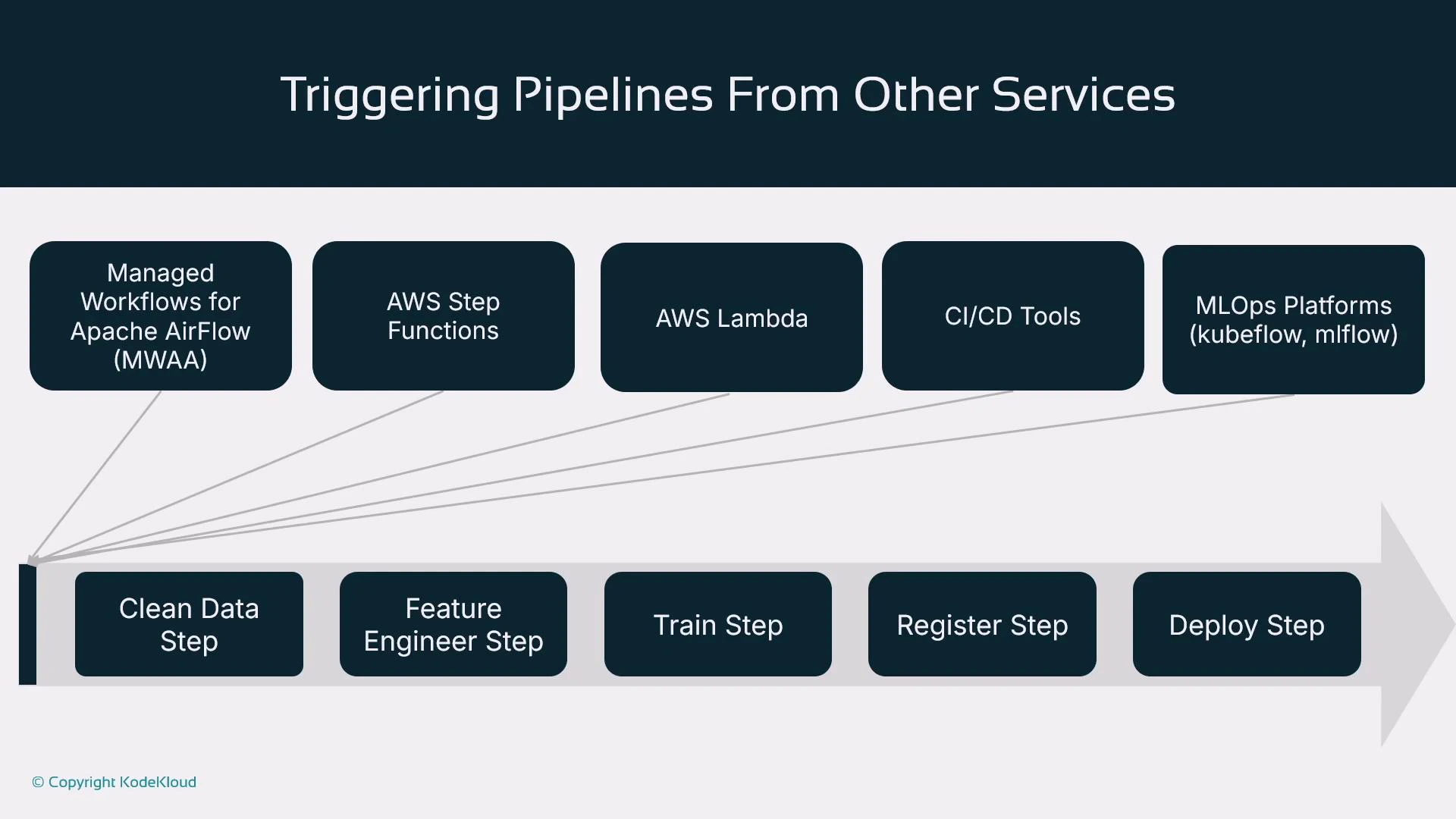
You can start a pipeline directly with pipeline.start(), but production pipelines are usually triggered by external systems:
Trigger TypeUse Case / Notes
Managed Workflows for Apache Airflow (MWAA) / AirflowOrchestrate complex DAGs across environments
AWS Step FunctionsServerless orchestration and long-running workflows
AWS LambdaEvent-driven triggers (e.g., S3 object creation)
CI/CD systems (Jenkins, CodePipeline, GitHub Actions)Commit/push → CI checks → start SageMaker pipeline
MLOps platforms (MLflow, Kubeflow)Integrate pipeline runs with model tracking and lifecycle tools
References:
A slide titled "Triggering Pipelines From Other Services" that shows services like Managed Workflows for Apache Airflow (MWAA), AWS Step Functions, AWS Lambda, CI/CD tools, and MLOps platforms triggering a pipeline. The pipeline (shown as a right-pointing arrow) lists steps: Clean Data, Feature Engineer, Train, Register, and Deploy.

Summary

  • SageMaker Pipelines orchestrates ML workflows and moves teams from manual notebook-driven experimentation to automated, reproducible pipelines.
  • You can author pipelines via the Studio Visual Editor (low-code) or, preferably, via the SageMaker Python SDK for full control and version-in-code.
  • Common steps include processing, training, evaluation, model registration, and deployment.
  • Pipelines are typically triggered by external orchestrators (CI/CD, Step Functions, Airflow, MLOps platforms).
  • The objective is repeatability: given the same inputs, pipelines produce consistent outputs and provide traceable lineage.
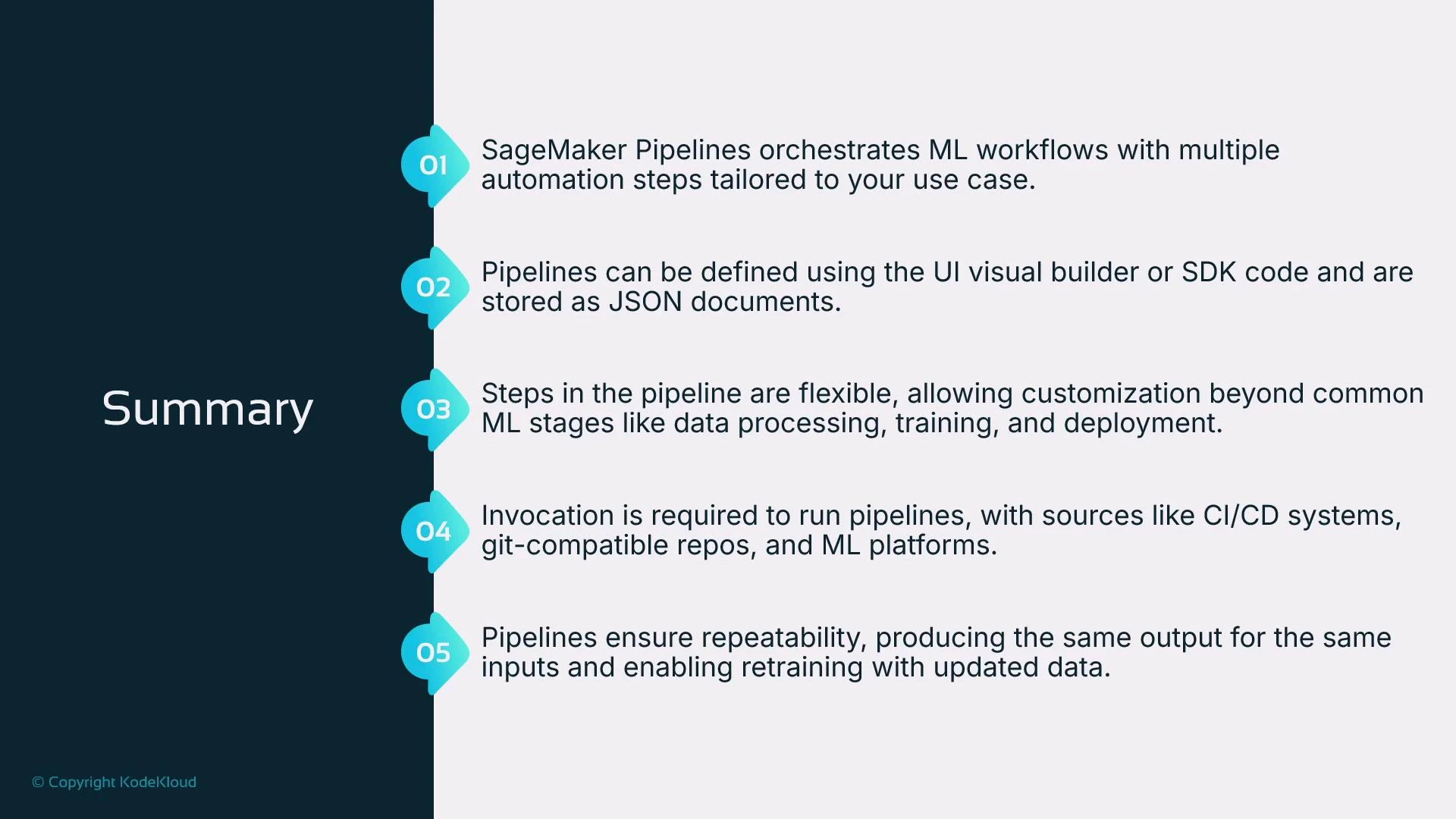
A presentation slide titled "Summary" with five numbered items describing SageMaker Pipelines. The points cover orchestration of ML workflows, pipeline definitions via UI/SDK stored as JSON, flexible/customizable steps, invocation sources (CI/CD, git, ML platforms), and repeatability for retraining.

Next steps

Continue learning by exploring how to bootstrap new ML projects with predefined SageMaker pipelines that provide a reproducible starting point for experimentation and productionization. Consider creating a Git-backed project template that includes:
  • Standardized scripts (clean.py, feature.py, train.py, evaluation.py, register.py)
  • CI/CD pipeline definitions to validate and trigger SageMaker pipelines
  • Terraform or CloudFormation templates for infrastructure reproducibility
For further reading and tutorials, refer to the official SageMaker documentation and AWS orchestration guides.

Watch Video