In this lesson we’ll explore AWS SageMaker data processing jobs and how they help offload heavy data preparation from your interactive notebook environment. Processing jobs allow you to run preprocessing at scale in dedicated compute, improving speed, reproducibility, and maintainability. What we’ll cover:
  • Why running heavy preprocessing inside Jupyter notebooks is a problem
  • How SageMaker processing jobs offload work to appropriately sized compute
  • An end-to-end SKLearn example using the SageMaker Python SDK
  • Processor classes and when to use each
  • How to monitor processing jobs and their benefits

Problem context

Running data preparation inside a managed notebook (SageMaker Studio or Notebook Instances) ties the work to a fixed, often underpowered, instance type (for example, ml.t3.medium). Large datasets — for example, a CSV with 1,000,000 rows and 500 columns — frequently require far more CPU, memory, or distributed processing than a notebook kernel can provide. Common heavy preprocessing tasks include:
  • Missing-value imputation
  • Numeric scaling (StandardScaler, MinMaxScaler)
  • One-hot encoding categorical variables
  • Feature engineering (arithmetic combinations, time differences)
  • Train/validation splits with class balancing
  • Sampling, SMOTE, or other resampling approaches
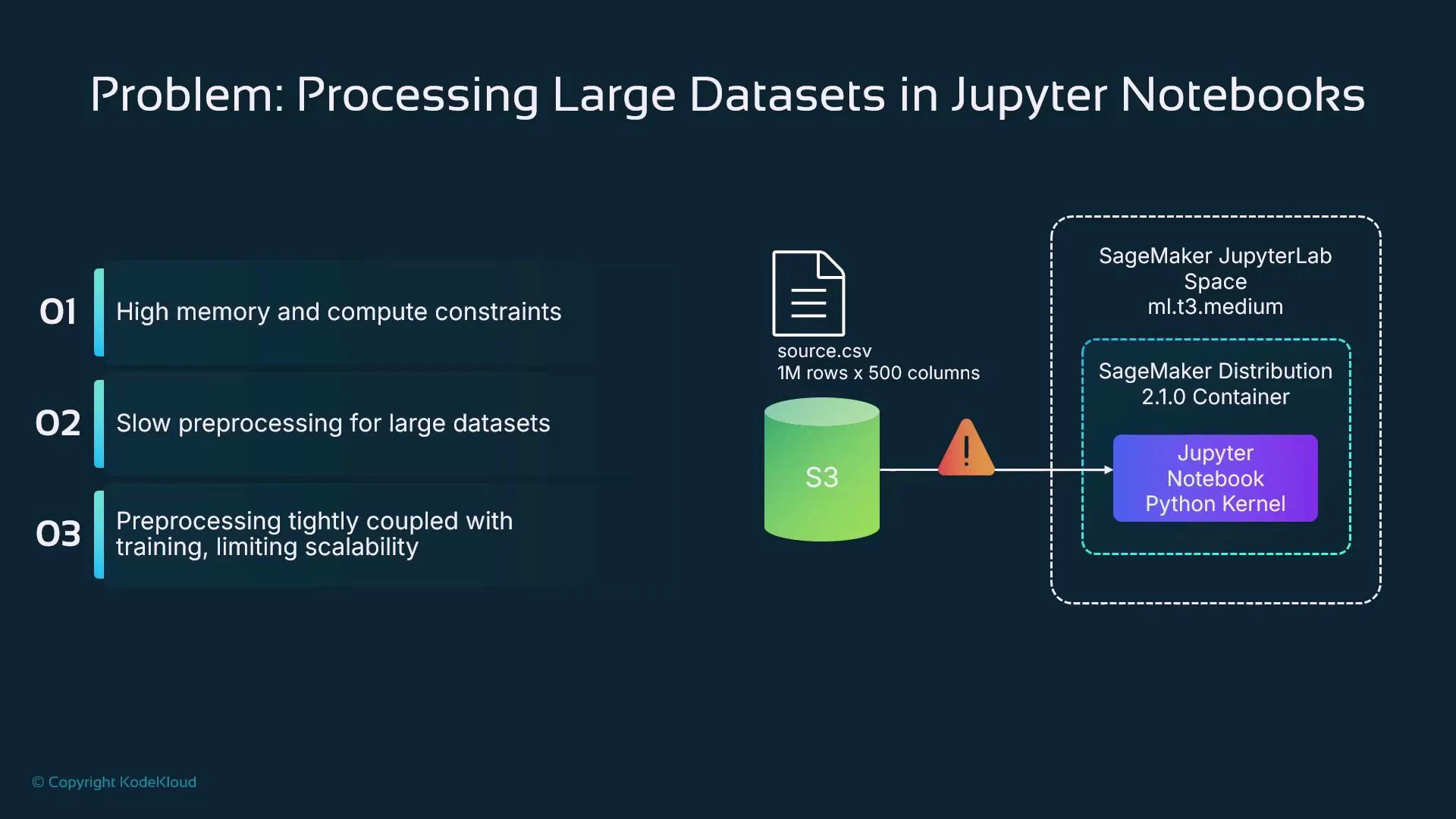
If you run these steps inside a constrained notebook instance, the workload will be slow and tightly coupled to that environment, making it hard to scale, reproduce, and automate.
A slide titled "Problem: Processing Large Datasets in Jupyter Notebooks" listing three issues: high memory/compute constraints, slow preprocessing, and preprocessing tightly coupled with training. To the right is a diagram showing a large source.csv (1M rows × 500 columns) on S3 triggering a warning when accessed by a SageMaker JupyterLab (ml.t3.medium) Python notebook.

Solution: Offload preprocessing to SageMaker processing jobs

SageMaker processing jobs run the provided script inside managed containers on dedicated instances or clusters you request. From a notebook, you submit a processing job (via the SageMaker Python SDK or APIs) and SageMaker provisions the requested compute, pulls the container, executes the script, and writes outputs to S3. Typical options:
  • Single large instance (e.g., ml.c5.12xlarge) for CPU-bound tasks
  • Multi-node clusters with PySpark for distributed workloads
  • GPU instances for GPU-accelerated preprocessing (image feature extraction, large model-based transforms)
  • Managed framework containers (SKLearn, PySpark, PyTorch, TensorFlow) or a custom container via ScriptProcessor
High-level flow:
  1. Notebook defines processing job: code, inputs, outputs, compute resources.
  2. Notebook submits the job using the SageMaker SDK.
  3. SageMaker provisions instance(s), pulls the container image, runs the code, and writes outputs to S3.
  4. Notebook (or pipeline) consumes processed artifacts (S3, Feature Store, or downstream training).
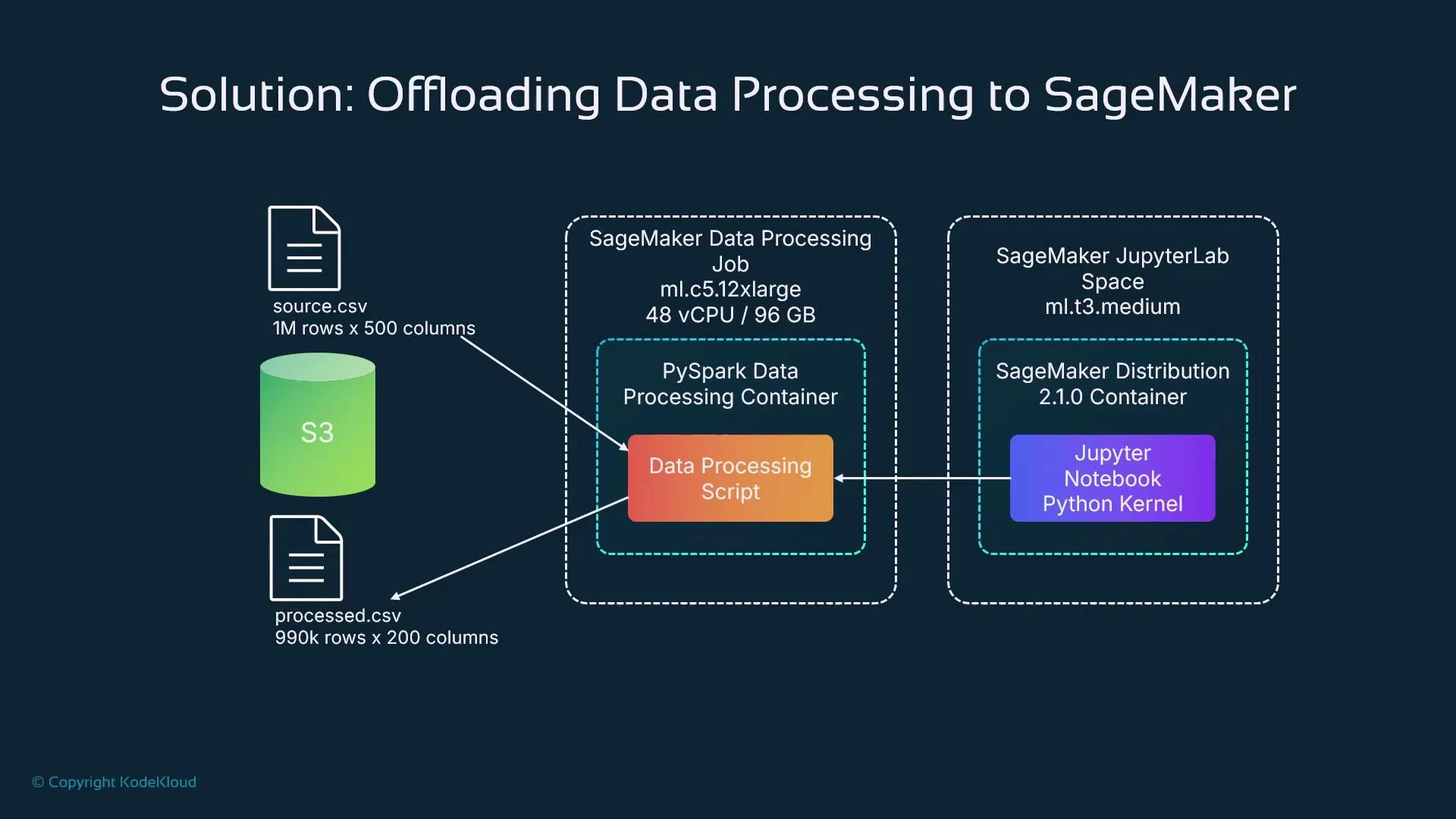
A diagram titled "Solution: Offloading Data Processing to SageMaker" showing data flowing from S3 (source.csv, 1M rows x 500 columns) into a SageMaker Data Processing Job (ml.c5.12xlarge) running a PySpark container with a data processing script, then writing processed.csv (990k rows x 200 columns) back to S3. It also shows a SageMaker JupyterLab space (ml.t3.medium) with a Jupyter notebook/Python kernel connected to the processing container.
Why offload?
  • Decouple preprocessing compute from interactive development sessions
  • Right-size compute for each job (single large instance vs. multi-node clusters)
  • Reuse managed framework containers when available (scikit-learn, PySpark, PyTorch, TensorFlow)
  • Bring your own container for custom dependencies and runtime control (ScriptProcessor)
  • Integrate with S3, SageMaker Feature Store, and SageMaker Pipelines for reproducible workflows
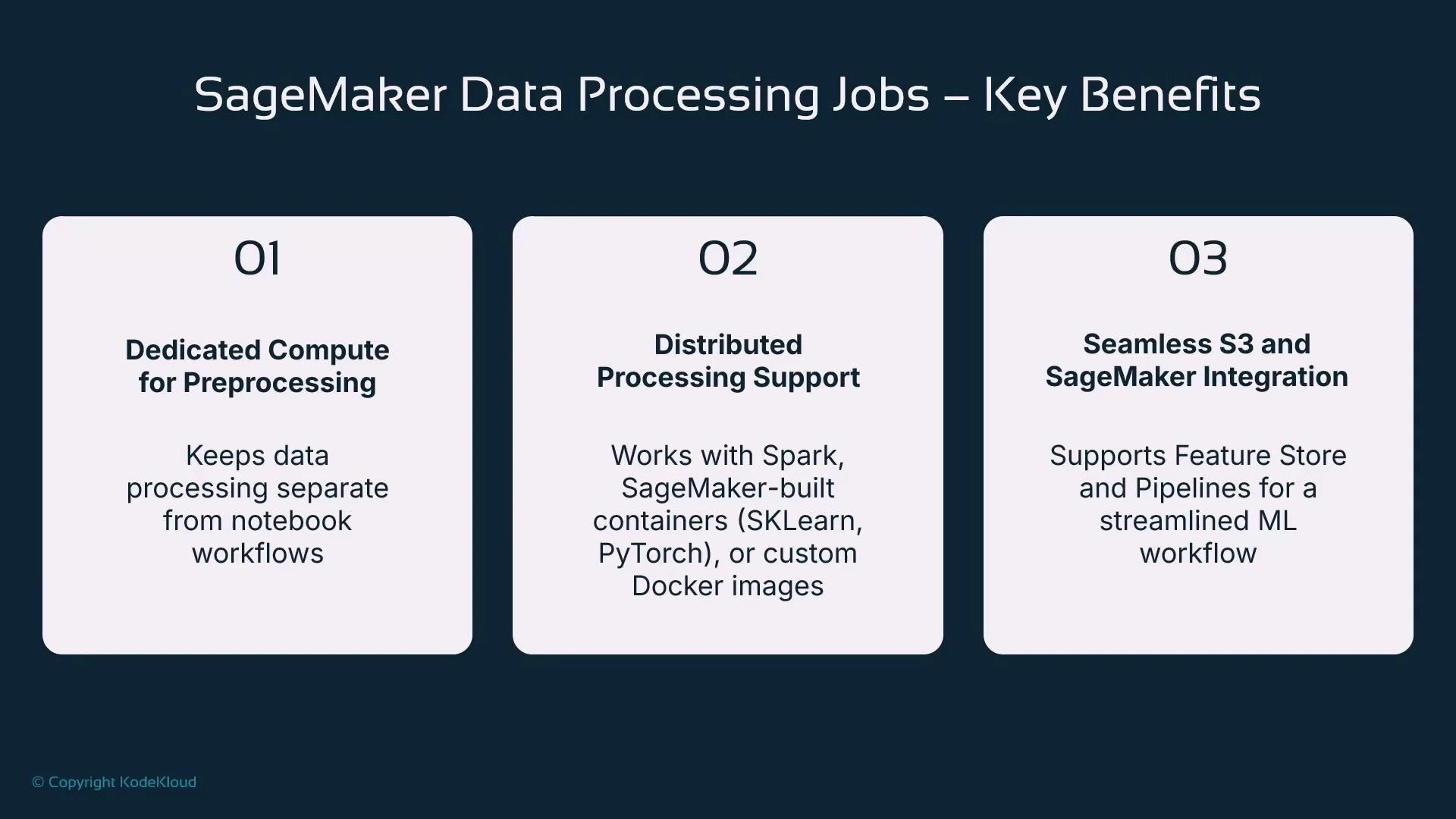
Slide titled "SageMaker Data Processing Jobs – Key Benefits" showing three numbered panels: dedicated compute for preprocessing, distributed processing support (Spark, SageMaker containers like SKLearn/PyTorch or custom Docker), and seamless S3/SageMaker integration (Feature Store and Pipelines).

Right-sizing and scaling guidance

  • Choose instance type and count based on CPU, memory, and I/O needs (single large vs. multi-node).
  • Use PySparkProcessor for scale-out and parallelism across nodes.
  • Prefer a powerful instance for a short duration rather than a weak instance for a long run to reduce elapsed time and often cost.
  • Modularize preprocessing into discrete jobs so they can be versioned, retried, and reused independently by teams.
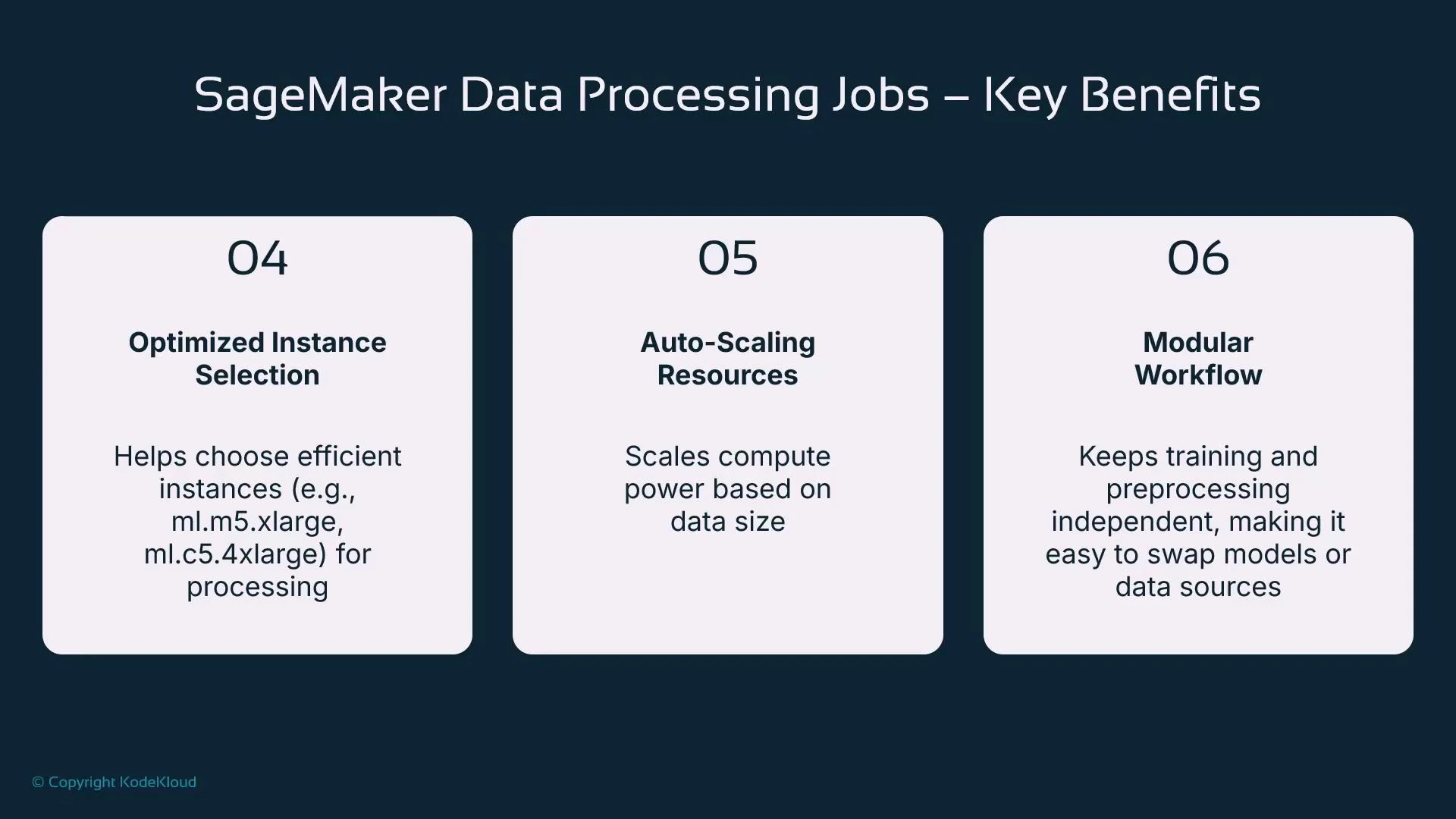
A slide titled "SageMaker Data Processing Jobs – Key Benefits" showing three boxes: 04 Optimized Instance Selection (helps pick efficient instance types), 05 Auto-Scaling Resources (scales compute by data size), and 06 Modular Workflow (keeps training and preprocessing independent).

Example: SKLearn processing job (inline script)

This concise SKLearn example demonstrates writing a small preprocessing script, configuring an SKLearnProcessor, and submitting a processing job. Adjust S3 URIs, roles, instance types, and framework versions for your environment.
# python
from sagemaker.sklearn.processing import SKLearnProcessor
from sagemaker.processing import ProcessingInput, ProcessingOutput
import sagemaker

# Initialize session and role (works in SageMaker notebook environment)
sagemaker_session = sagemaker.Session()
role = sagemaker.get_execution_role()

# Define input/output S3 locations
input_s3_uri = "s3://your-bucket/raw-data/source.csv"
output_s3_uri = "s3://your-bucket/processed-data/"

# Small example processing script: read CSV, sample 70%, scale numeric columns, write CSV
processing_script = """
import os
import pandas as pd
from sklearn.preprocessing import StandardScaler

input_dir = "/opt/ml/processing/input"
output_dir = "/opt/ml/processing/output"

os.makedirs(output_dir, exist_ok=True)
df = pd.read_csv(os.path.join(input_dir, "source.csv"))

# Random sample 70% for training
df_sample = df.sample(frac=0.7, random_state=42)

# Apply StandardScaler to numeric columns
num_cols = df_sample.select_dtypes(include=['int64', 'float64']).columns
scaler = StandardScaler()
df_sample[num_cols] = scaler.fit_transform(df_sample[num_cols])

# Write processed CSV
df_sample.to_csv(os.path.join(output_dir, "processed.csv"), index=False)
"""

# Save the script locally
with open("processing_script.py", "w") as f:
    f.write(processing_script)

# Create an SKLearnProcessor
sklearn_processor = SKLearnProcessor(
    framework_version="1.2-1",    # adjust to available SDK/framework versions
    instance_type="ml.m5.large",
    instance_count=1,
    role=role,
    sagemaker_session=sagemaker_session
)

# Run the processing job
sklearn_processor.run(
    code="processing_script.py",
    inputs=[ProcessingInput(source=input_s3_uri, destination="/opt/ml/processing/input/")],
    outputs=[ProcessingOutput(source="/opt/ml/processing/output/", destination=output_s3_uri)]
)

print("SKLearn processing job submitted.")
Key notes:
  • The script runs inside the managed container on the provisioned instance.
  • Processing containers expect input/output under /opt/ml/processing/input and /opt/ml/processing/output.
  • SKLearnProcessor chooses a managed scikit-learn image that matches the framework_version.

Processor classes — when to use each

The SageMaker SDK exposes processor classes that map to common use cases. This table helps choose the right processor:
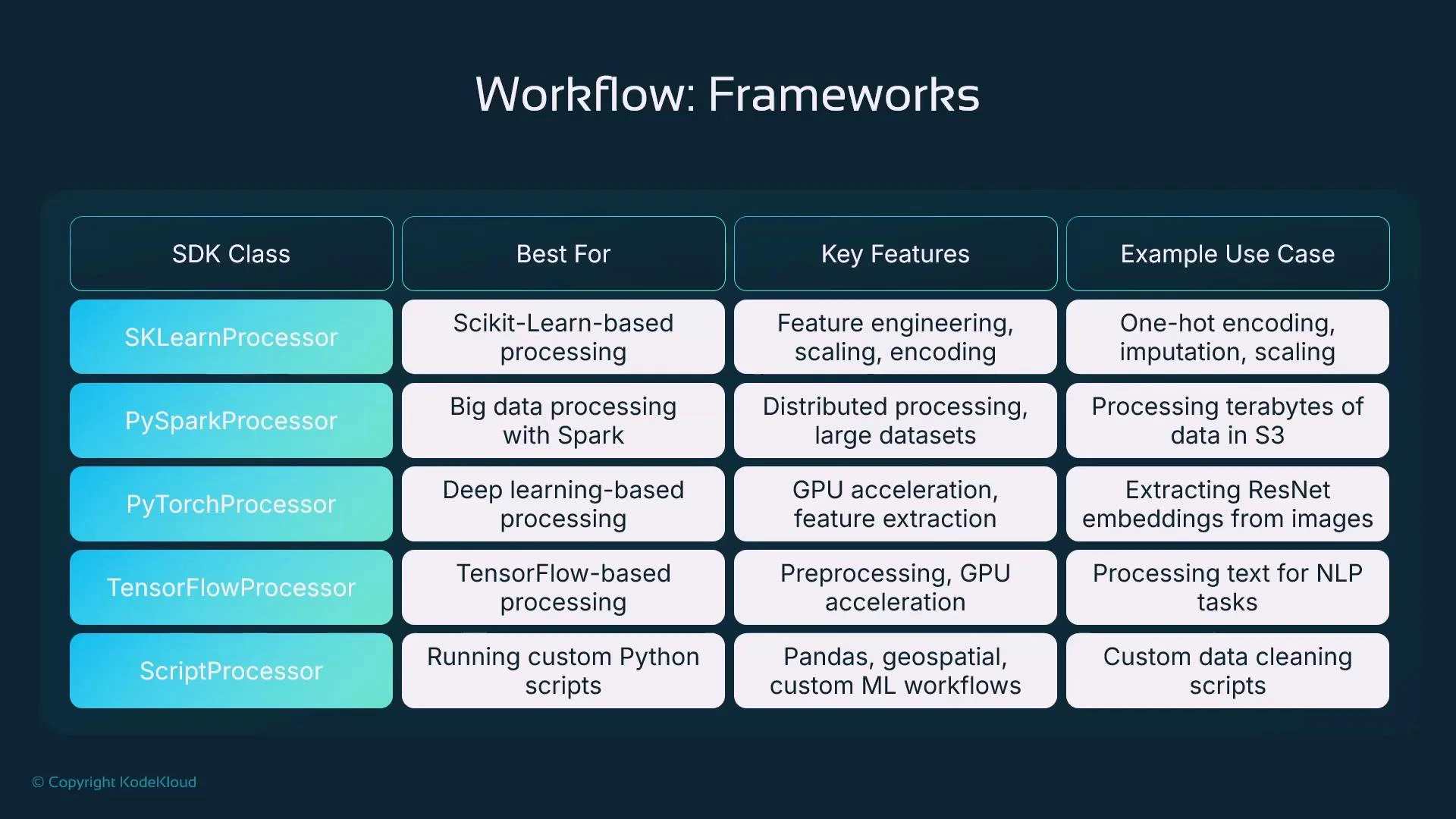
Processor classUse caseExample
SKLearnProcessorTabular preprocessing, feature engineering, scaling, imputationUse for pandas + scikit-learn transforms
PySparkProcessorLarge-scale distributed ETL using SparkMulti-node transformations, aggregations, joins
PyTorchProcessorGPU-accelerated preprocessing for images or model-based transformsImage feature extraction with pretrained models
TensorFlowProcessorTensorFlow-based preprocessing or GPU tasksText sequence transforms or TF-based feature ops
ScriptProcessorCustom dependencies or runtime — provide an ECR imageBring-your-own Docker image for specialized libs
A slide titled "Workflow: Frameworks" showing a table that maps SDK classes to their best use cases, key features, and example use cases. Rows list SKLearnProcessor, PySparkProcessor, PyTorchProcessor, TensorFlowProcessor, and ScriptProcessor with short descriptions.

ScriptProcessor (custom container) example

Use ScriptProcessor when you require a custom image in ECR.
# python
from sagemaker.processing import ScriptProcessor, ProcessingInput, ProcessingOutput
import sagemaker

sagemaker_session = sagemaker.Session()
role = sagemaker.get_execution_role()

input_s3_uri = "s3://your-bucket/raw-data/"
output_s3_uri = "s3://your-bucket/processed-data/"

# Custom ECR container URI (replace with your account and region)
custom_container_uri = "123456789012.dkr.ecr.us-east-1.amazonaws.com/my-processing-container:latest"

script_processor = ScriptProcessor(
    image_uri=custom_container_uri,
    instance_type="ml.m5.large",
    instance_count=1,
    role=role,
    sagemaker_session=sagemaker_session
)

script_processor.run(
    code="processing_script.py",  # your script that expects /opt/ml/processing input/output paths
    inputs=[ProcessingInput(source=input_s3_uri, destination="/opt/ml/processing/input/")],
    outputs=[ProcessingOutput(source="/opt/ml/processing/output/", destination=output_s3_uri)]
)

print("Custom container processing job submitted!")
When using ScriptProcessor with a custom ECR image, ensure the execution role has permission to pull from ECR and that the image is compatible with SageMaker’s processing lifecycle. Also review instance costs for large or GPU-powered instances.

PyTorch processor (GPU) example

Use for GPU-accelerated preprocessing like image feature extraction:
# python
from sagemaker.pytorch.processing import PyTorchProcessor
from sagemaker.processing import ProcessingInput, ProcessingOutput
import sagemaker

sagemaker_session = sagemaker.Session()
role = sagemaker.get_execution_role()

input_s3_uri = "s3://your-bucket/images/"
output_s3_uri = "s3://your-bucket/image-features/"

pytorch_processor = PyTorchProcessor(
    framework_version="2.0.0",
    py_version="py310",
    instance_type="ml.g4dn.xlarge",  # GPU instance for fast processing
    instance_count=1,
    role=role,
    sagemaker_session=sagemaker_session
)

pytorch_processor.run(
    code="processing_pytorch.py",
    inputs=[ProcessingInput(source=input_s3_uri, destination="/opt/ml/processing/input/")],
    outputs=[ProcessingOutput(source="/opt/ml/processing/output/", destination=output_s3_uri)]
)

print("PyTorch processing job submitted!")

PySpark processor (multi-node) example

Use for distributed ETL and scale-out across nodes:
# python
from sagemaker.spark.processing import PySparkProcessor
from sagemaker.processing import ProcessingInput, ProcessingOutput
import sagemaker

sagemaker_session = sagemaker.Session()
role = sagemaker.get_execution_role()

input_s3_uri = "s3://your-bucket/raw-data/"
output_s3_uri = "s3://your-bucket/processed-data/"

spark_processor = PySparkProcessor(
    base_job_name="spark-processing-job",
    framework_version="3.3",
    instance_count=2,           # leverage multiple instances for distributed processing
    instance_type="ml.m5.xlarge",
    role=role,
    sagemaker_session=sagemaker_session
)

# Ensure you have a processing_pyspark.py that Spark can submit
spark_processor.run(
    submit_app="processing_pyspark.py",
    inputs=[ProcessingInput(source=input_s3_uri, destination="/opt/ml/processing/input/")],
    outputs=[ProcessingOutput(source="/opt/ml/processing/output/", destination=output_s3_uri)]
)

print("PySpark processing job submitted!")

Monitoring processing jobs

You can monitor jobs in the AWS Console (SageMaker > Processing) to view job status, container image, role, entry point script, timestamps, and logs. Logs are available via CloudWatch — streaming them during runs is helpful for debugging.
You can stream processing job logs via CloudWatch Logs. Open the Processing job details in the console to find the CloudWatch log group and observe real-time output for troubleshooting.
Example console output you may see for a job:
sagemaker-scikit-learn-2025-02-05-17-44-36-577
arn:aws:sagemaker:eu-central-1:485186561655:processing-job/sagemaker-scikit-learn-2025-02-05-17-44-36-577
arn:aws:iam::485186561655:role/service-role/AmazonSageMaker-ExecutionRole-20241216T134619
492215442770.dkr.ecr.eu-central-1.amazonaws.com/sagemaker-scikit-learn:1.2-1-cpu-py3
ml.m5.large
python3
/opt/ml/processing/input/code/processing_script.py
Status: InProgress
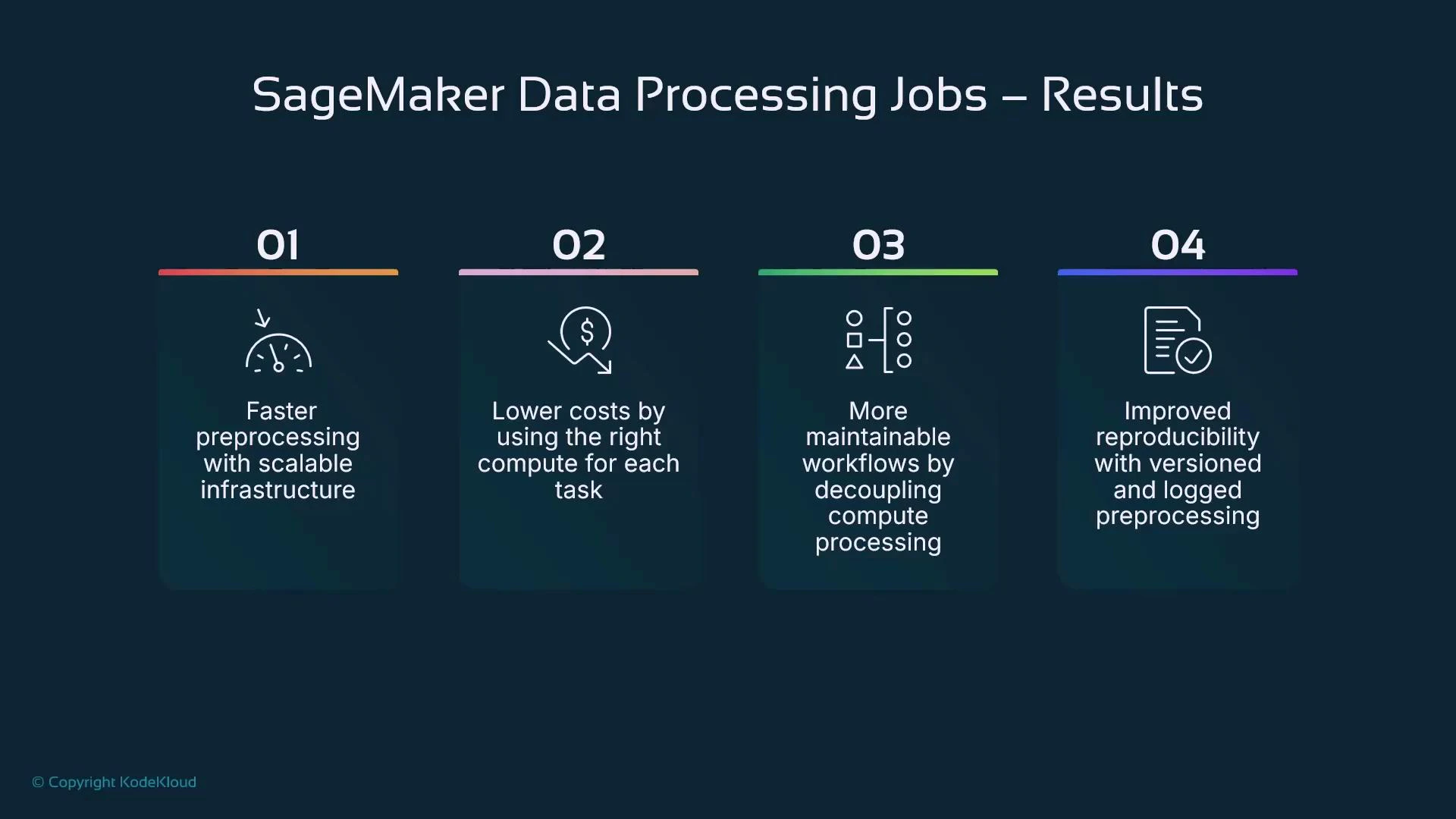
A presentation slide titled "SageMaker Data Processing Jobs — Results" showing four numbered benefit panels. They list: faster preprocessing with scalable infrastructure; lower costs by using the right compute per task; more maintainable workflows by decoupling compute; and improved reproducibility with versioned and logged preprocessing.

Benefits recap

  • Faster preprocessing using scalable, dedicated compute
  • Lower operational cost by right-sizing compute for each task
  • More maintainable workflows by decoupling preprocessing from interactive sessions
  • Improved reproducibility via versioned scripts, container images, and logged runs
Key takeaways:
  • Use processing jobs to delegate heavy preprocessing to managed containers and appropriately sized compute.
  • Choose SKLearn/PySpark/PyTorch/TensorFlow processors for common frameworks; choose ScriptProcessor when you need a custom container.
  • Scale out using PySparkProcessor (instance_count > 1) for distributed workloads.
  • Inside containers use /opt/ml/processing/input and /opt/ml/processing/output; inputs and outputs are typically S3 URIs.
  • Monitor jobs in SageMaker console and CloudWatch for auditing and debugging.
  • Modular, version-controlled preprocessing improves reproducibility across teams.
Next steps A hands-on lab walks through creating and running SageMaker data processing jobs end-to-end.

Watch Video

Practice Lab