Now that your endpoint shows as InService, the next step is to send a real-time inference request from your Jupyter notebook. This guide shows two common ways to call a SageMaker real-time endpoint:
  • Using boto3 with the SageMaker Runtime client (low-level).
  • Using the SageMaker Python SDK and the Predictor abstraction (higher-level).
We’ll test the endpoint with a sample CSV-style feature row (latitude, longitude, bathrooms, bedrooms, floor area, living rooms, plus engineered features). The sample describes a multi-bedroom house in London, so we expect a comparatively high predicted price. Important distinction between AWS clients:
  • boto3.client('sagemaker') — used to create, configure, and delete SageMaker Models, EndpointConfigurations, and Endpoints.
  • boto3.client('sagemaker-runtime') — used to invoke real-time endpoints.
When invoking a real-time endpoint from code, always use the SageMaker Runtime client ('sagemaker-runtime'). Calling invoke_endpoint on the SageMaker service client will not work for real-time inference requests.

Test the endpoint using boto3 (SageMaker Runtime)

This example shows how to call the endpoint directly using the SageMaker Runtime API. Ensure the variable endpoint_name matches the endpoint you created earlier.
# boto3-based inference invocation using SageMaker runtime
import boto3
import json

# endpoint_name should match the endpoint you created earlier
# e.g., endpoint_name = 'my-endpoint-using-boto3'
# Example CSV input (features expected by the model)
input_data = (
    '51.6215527,-0.2466031,2.0,6.0,517.0,3.0,289000.0,27.393364928999096,'
    '1055000.0,37.01298701298701,285000.0,1354000.0,1.0,0.0,0.1,0.0,0.0,0.0,'
    '0.0,0.0,0.0,0.0,0.0,0.0,0.0,0.0,0.0,0.0,0.0,0.0,0.0,0.0,0.0,0.0'
)

# Create the SageMaker runtime client for real-time invocation
sagemaker_runtime_client = boto3.client('sagemaker-runtime')

response = sagemaker_runtime_client.invoke_endpoint(
    EndpointName=endpoint_name,
    ContentType='text/csv',
    Body=input_data
)

# Decode and print the response
prediction_payload = response['Body'].read().decode('utf-8')
print(f'Predicted house price: {prediction_payload}')
Example console output:
Predicted house price: {"predictions": [{"score": 1789161.25}]}
The response above is a JSON payload containing a numeric score (approx. 1,789,161.25). In this demo, the model is a linear regression predictor that returns a predictions array with a score field.

Use the SageMaker Python SDK (Model.deploy + Predictor)

The SageMaker Python SDK provides a higher-level API to create and deploy models. Model.deploy(...) will create the EndpointConfiguration and Endpoint in one call. Behavior varies by the Model class used:
  • Framework-specific model classes (e.g., sagemaker.xgboost.XGBoostModel, sagemaker.sklearn.SKLearnModel, sagemaker.pytorch.PyTorchModel, sagemaker.tensorflow.TensorFlowModel) — model.deploy(...) returns a Predictor instance.
  • The base sagemaker.model.Model class — model.deploy(...) returns None; you must instantiate a Predictor and attach it to the created endpoint name.
Quick reference table
MethodUse caseReturns
boto3 + sagemaker-runtimeLow-level control / direct invocationRaw response stream; you decode bytes
sagemaker.model.*.Model.deploy()Quick deployment for framework-specific modelsPredictor (if framework-specific) or None (base Model)
sagemaker.predictor.PredictorExplicit client for requestspredict() returns bytes or str (decode if bytes)
Example that handles both deploy return cases:
# Using the SageMaker SDK to deploy and call an endpoint
from sagemaker.predictor import Predictor

# Deploy the model (creates endpoint config + endpoint)
# If 'model' is framework-specific, this returns a Predictor; otherwise returns None.
predictor_return = model.deploy(
    initial_instance_count=1,
    instance_type='ml.m5.large',
    endpoint_name='my-endpoint-using-sagemaker-sdk'
)

print(f"Return type from model.deploy(): {type(predictor_return)}")

# If deploy returned None (base Model class), create a Predictor manually:
predictor = predictor_return
if predictor is None:
    predictor = Predictor(endpoint_name='my-endpoint-using-sagemaker-sdk')

print(f"Predictor type: {type(predictor)}")

# Set content type as required by the model
predictor.content_type = 'text/csv'

# Reuse the same input_data from the boto3 example
response = predictor.predict(input_data)

# predictor.predict may return bytes; decode if necessary
if isinstance(response, (bytes, bytearray)):
    response_text = response.decode('utf-8')
else:
    response_text = response

print(f"Prediction result: {response_text}")
Example console output:
Return type from model.deploy(): <class 'NoneType'>
Predictor type: <class 'sagemaker.base_predictor.Predictor'>
Prediction result: b'{"predictions": [{"score": 1789161.25}]}'
If the SDK returns bytes, decode as shown to parse it as JSON and extract the numeric score.

Visual confirmation in the SageMaker console

Once your SDK-created endpoint starts provisioning, check the SageMaker console to confirm status. The screenshot below shows one endpoint InService and another Creating while the SDK-created endpoint is provisioning.
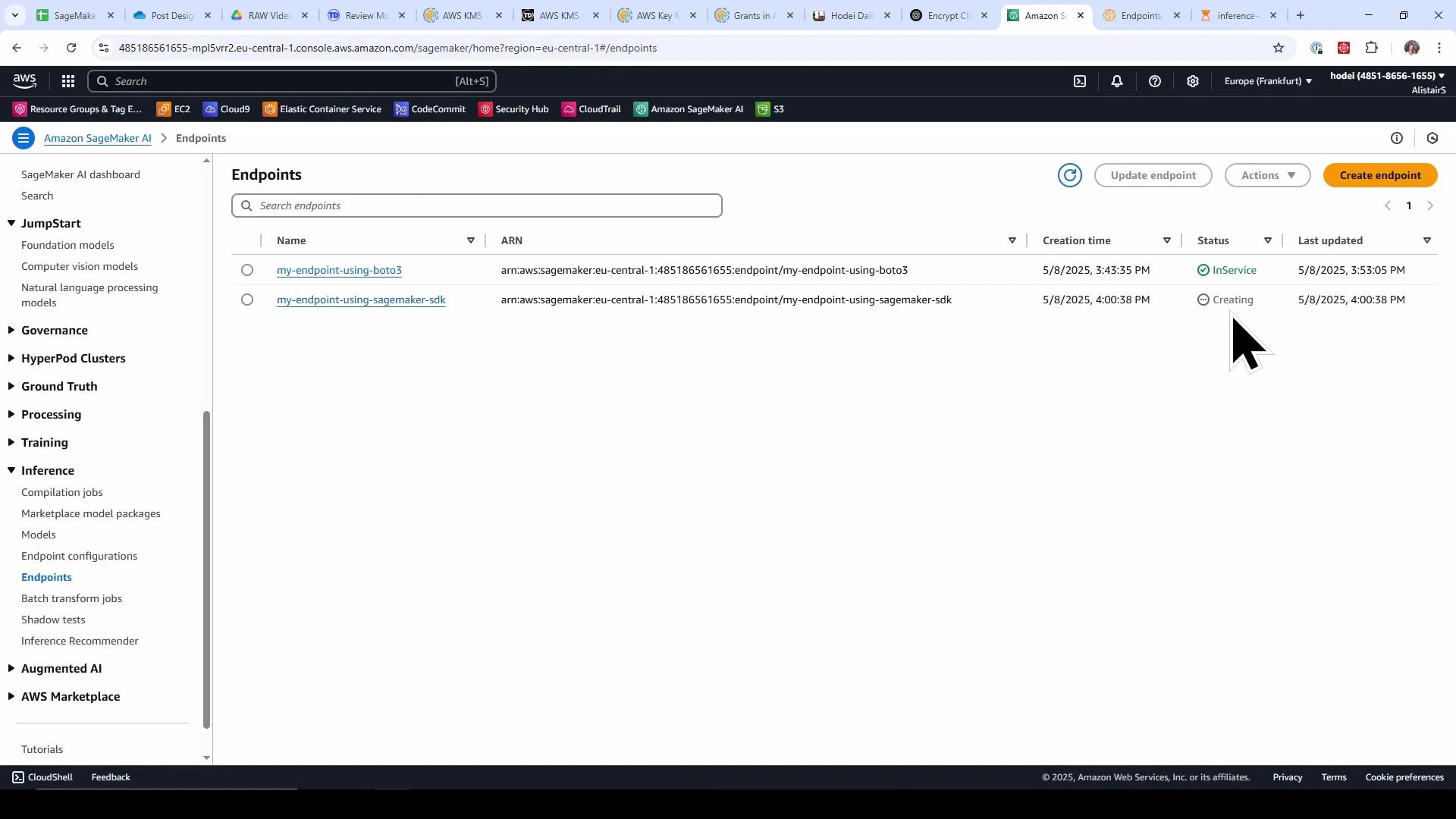
A screenshot of the Amazon SageMaker "Endpoints" console showing two endpoints named "my-endpoint-using-boto3" and "my-endpoint-using-sagemaker-sdk." The first endpoint is marked InService and the second is marked Creating, with a large mouse pointer visible.
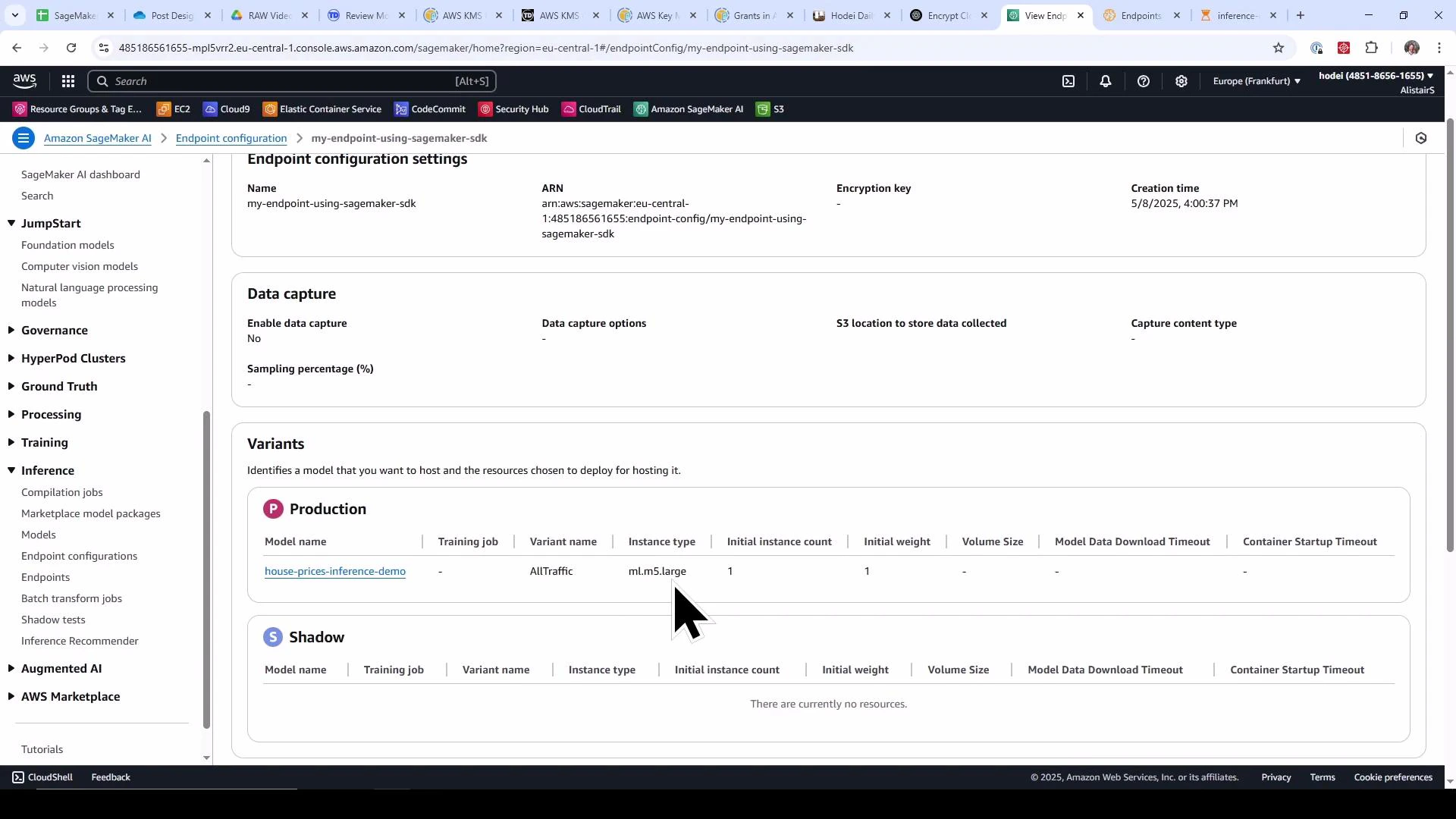
Inspecting the endpoint configuration created by the SDK reveals the production variant using your model and the selected instance type (for example, ml.m5.large).
Screenshot of the Amazon SageMaker console showing an endpoint configuration for "my-endpoint-using-sagemaker-sdk." It shows a Production variant hosting the model "house-prices-inference-demo" on an ml.m5.large instance and data capture set to No.

Cleanup — remove endpoints and endpoint configurations

Running endpoints incurs charges. Use the snippet below to enumerate endpoints and delete each endpoint and its EndpointConfiguration. Confirm you want to remove these resources in the current AWS account/region before running it.
Deleting an endpoint is asynchronous. After calling delete_endpoint, the endpoint transitions to Deleting and may take time to reach Deleted. If you attempt to delete the endpoint configuration while the endpoint is still deleting, delete_endpoint_config may fail because the configuration is still in use. Poll describe_endpoint (or use a waiter) and wait for the endpoint to reach a terminal Deleted state before deleting the endpoint configuration.
# Cleanup endpoints and their configurations
endpoints = sagemaker_client.list_endpoints(MaxResults=100)['Endpoints']

for ep in endpoints:
    endpoint_name = ep['EndpointName']
    print(f"Deleting endpoint: {endpoint_name}")

    # Get the endpoint config name
    endpoint_desc = sagemaker_client.describe_endpoint(EndpointName=endpoint_name)
    endpoint_config_name = endpoint_desc['EndpointConfigName']

    # Delete endpoint
    sagemaker_client.delete_endpoint(EndpointName=endpoint_name)

    # Delete endpoint config
    print(f"Deleting endpoint config: {endpoint_config_name}")
    sagemaker_client.delete_endpoint_config(EndpointConfigName=endpoint_config_name)

print("Cleanup complete.")
Example console output:
Deleting endpoint: my-endpoint-using-sagemaker-sdk
Deleting endpoint config: my-endpoint-using-sagemaker-sdk
Deleting endpoint: my-endpoint-using-boto3
Deleting endpoint config: my-endpoint-config-using-boto3
Cleanup complete.

Summary

  • Use the SageMaker Runtime client (boto3.client('sagemaker-runtime')) to invoke real-time endpoints with invoke_endpoint(...).
  • The SageMaker Python SDK (Model.deploy(...)) simplifies endpoint creation by creating both the EndpointConfiguration and Endpoint in one step.
  • If you deployed with a framework-specific Model class, deploy() returns a Predictor. If you used the base Model class, deploy() returns None and you must construct a Predictor bound to the endpoint name before calling predict.
  • Always delete endpoints and endpoint configurations after demos or tests to avoid ongoing charges.
A lab exercise is available that walks through creating SageMaker endpoints hands-on.

Watch Video

Practice Lab