

- SageMaker AI — the traditional product focused on model development, training, and deployment (this article concentrates on this product and its continuity).
- SageMaker platform — the broader platform now presented in the AWS Management Console simply as “SageMaker.” It extends SageMaker AI with data management, governance, SQL analytics, and integrated analytics/Bedrock access.
- “SageMaker AI” = the model-focused product for building, training, and deploying models.
- “SageMaker” or “SageMaker platform” = the new, broader platform that includes SageMaker AI plus lakehouse, governance, and analytics features.
The SageMaker platform is in technical preview at the time of this article. Rely on the official AWS documentation as the single source of truth for feature availability and behavior.
Quick comparison: SageMaker AI vs SageMaker platform
Use the table below for a compact comparison of each product’s focus and when to choose one over the other.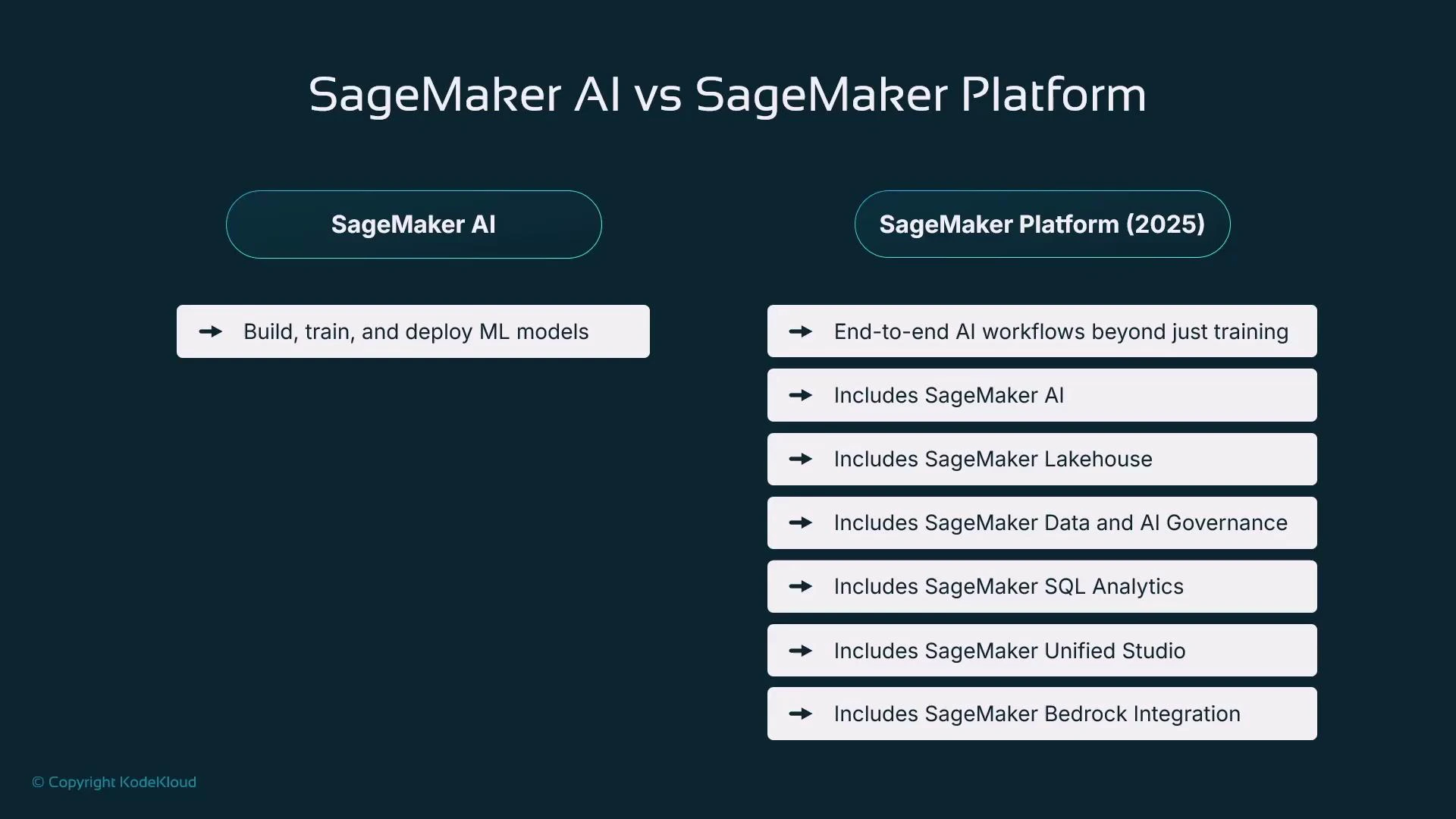
- SageMaker AI remains the core model development and deployment environment.
- SageMaker platform is a superset that adds lakehouse metadata, governance, SQL analytics, and direct generative-AI (Bedrock) integrations.
When to use each product
- Use SageMaker AI when your primary needs are model customization, experiments, training, and deployment with fine-grained control.
- Use the SageMaker platform when you require end-to-end workflows tightly integrated with data sources (data lakes, warehouses), governance, analytics, or collaborative workspaces.
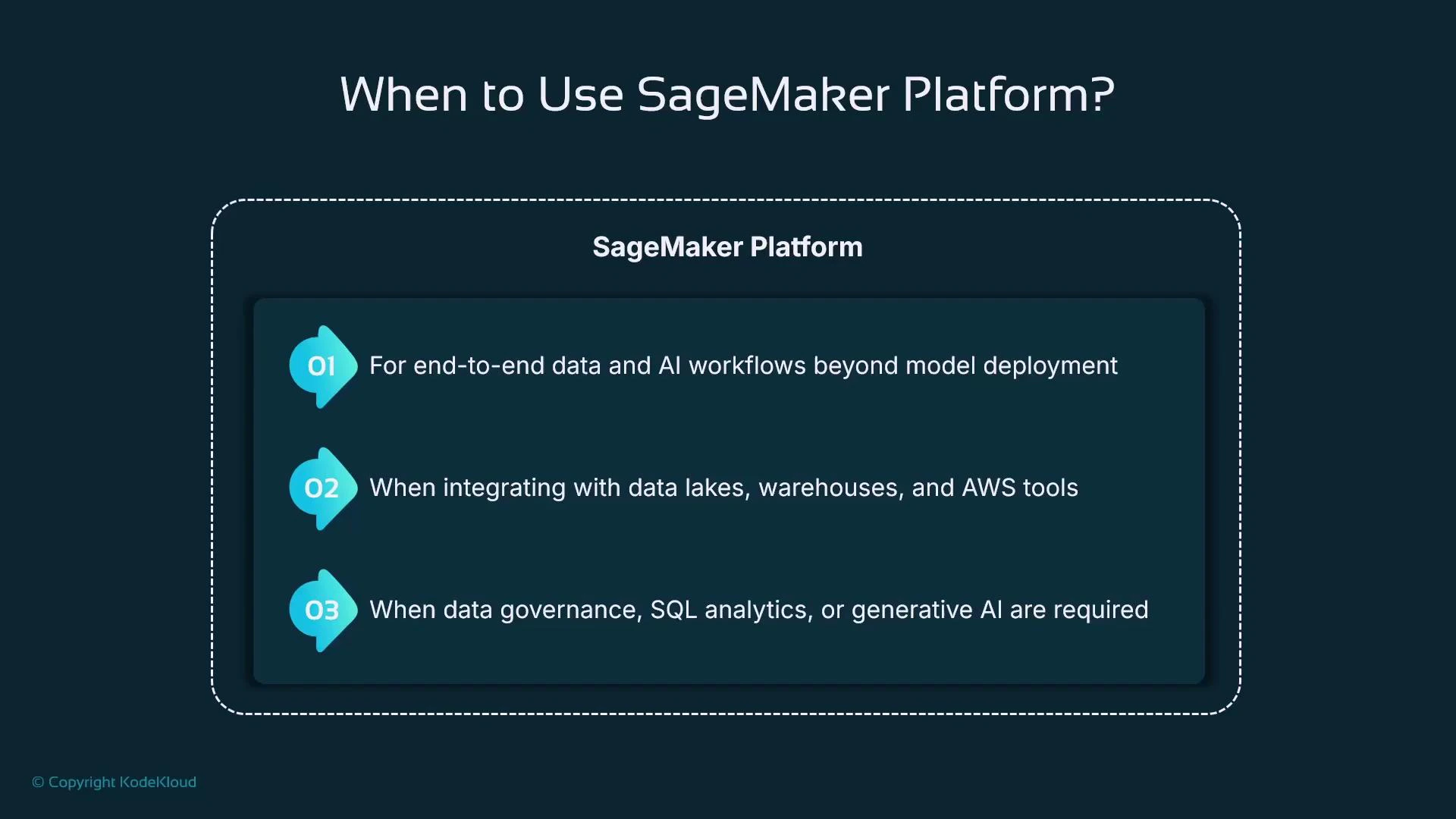
- Tighter connectivity to Athena, Glue, and Redshift.
- Built-in data and AI governance (auditability, lineage).
- SQL-driven analytics and metadata discovery inside the project lifecycle.
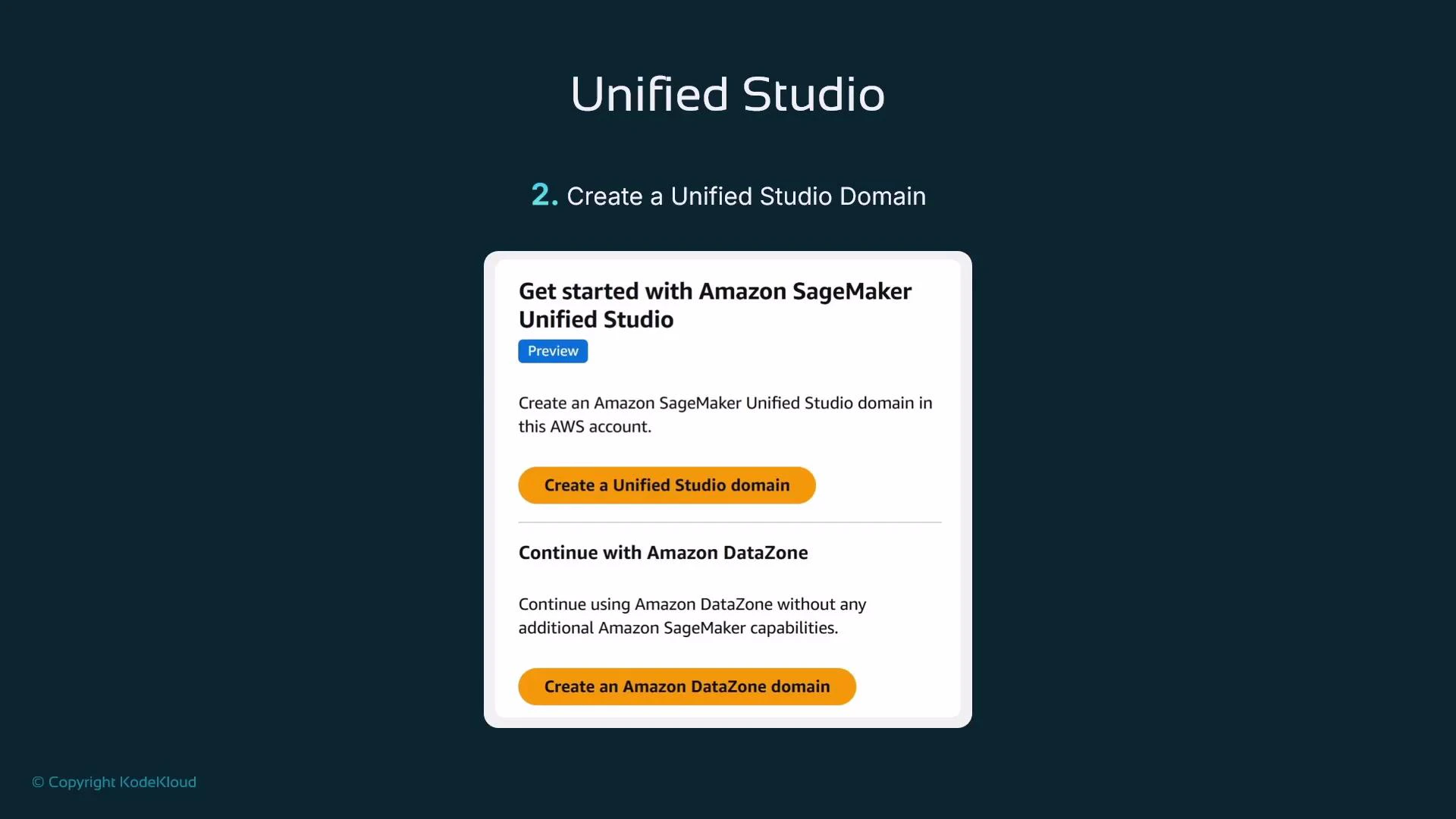
Getting started with the SageMaker platform: Unified Studio
To adopt the SageMaker platform you create a Unified Studio domain. The console will prompt you to create either:- an Amazon SageMaker Unified Studio domain, or
- an Amazon DataZone domain.
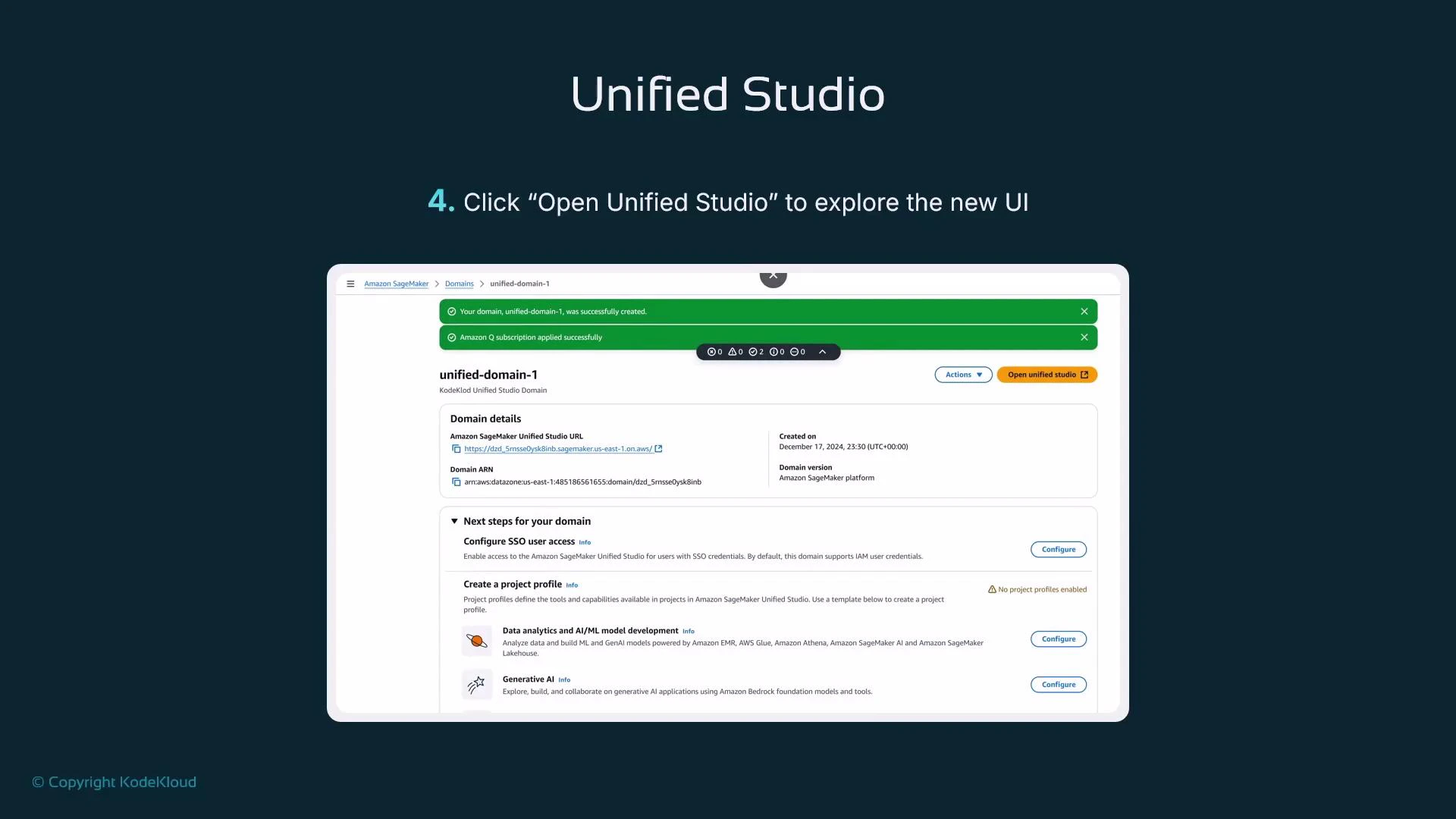
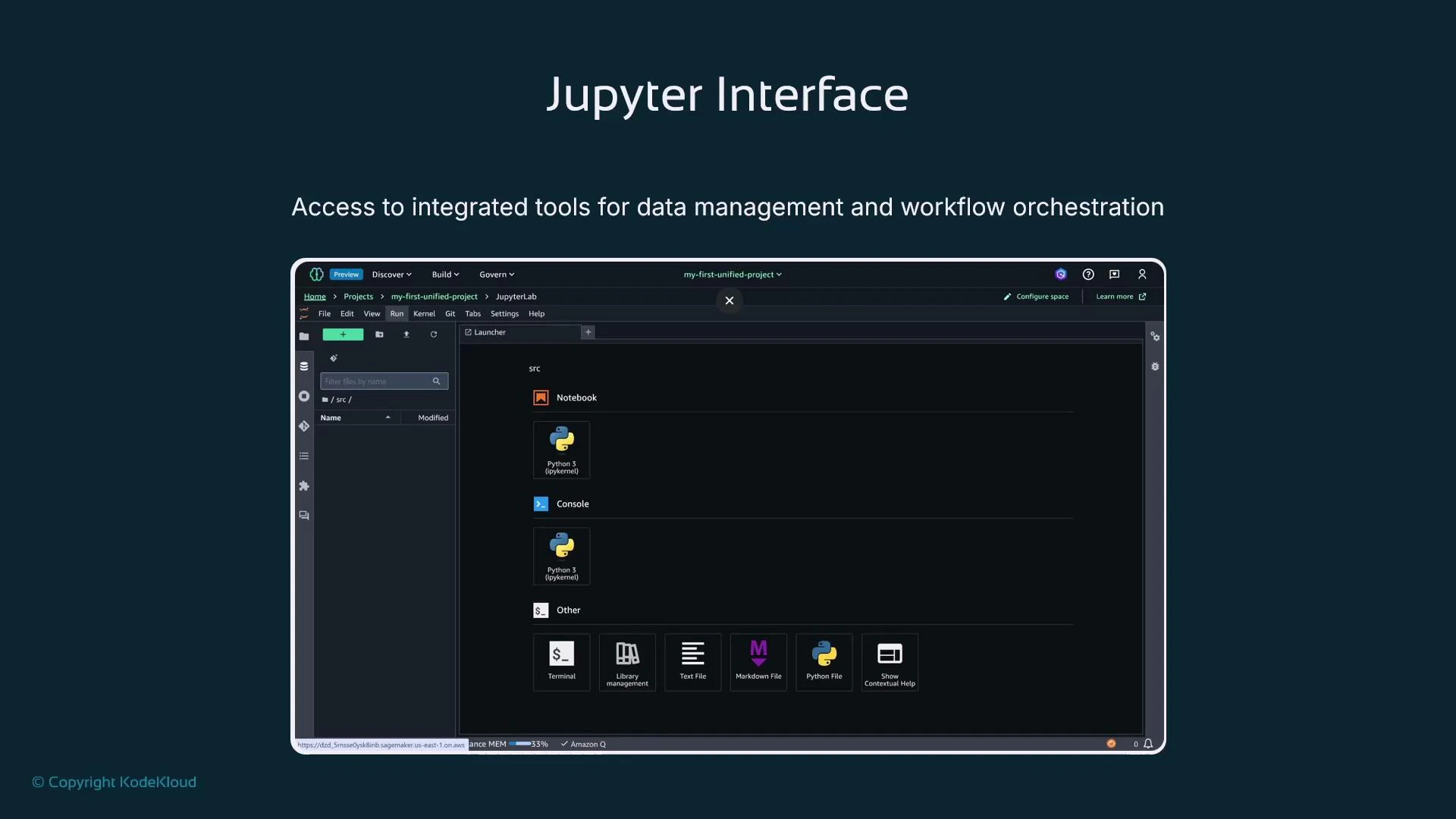
Projects and Spaces are the primary collaboration constructs in Unified Studio. Projects group resources and governance settings; Spaces provide managed compute sessions (JupyterLab) for teams.
Projects — collaboration and toolchain integration
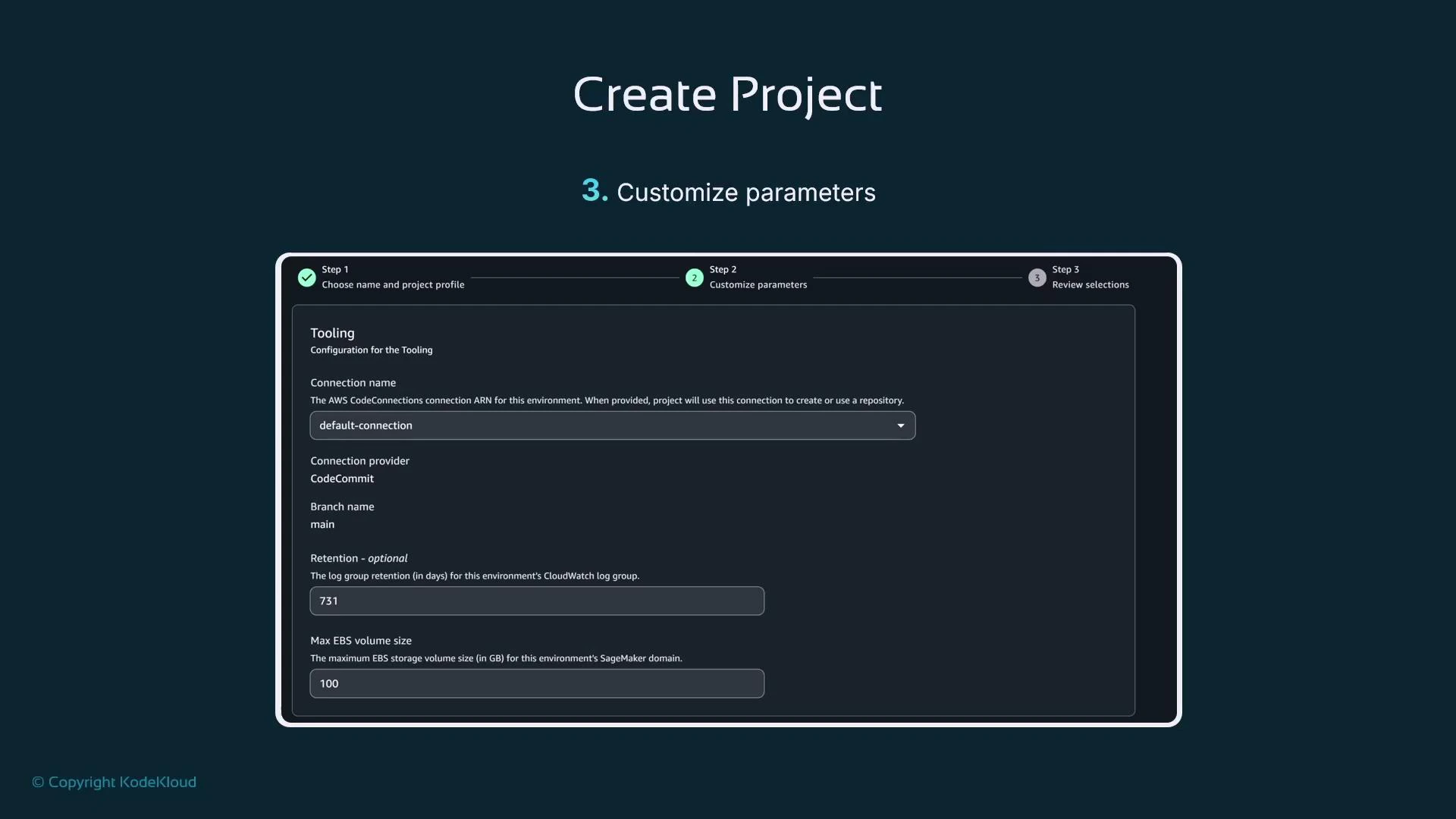
A Project groups all resources for an initiative: compute, repository links, lakehouse artifacts, governance settings, and CI/CD connections. Projects are designed as the collaboration unit for data engineers, data scientists, and MLOps. When creating a Project you specify:- Project name
- Tooling and connections — including a CodeStar connection to your Git provider (GitHub, Bitbucket, CodeCommit, etc.). Note: the CodeStar connection must exist before you select it in the Project form.
Spaces — managed compute for collaboration
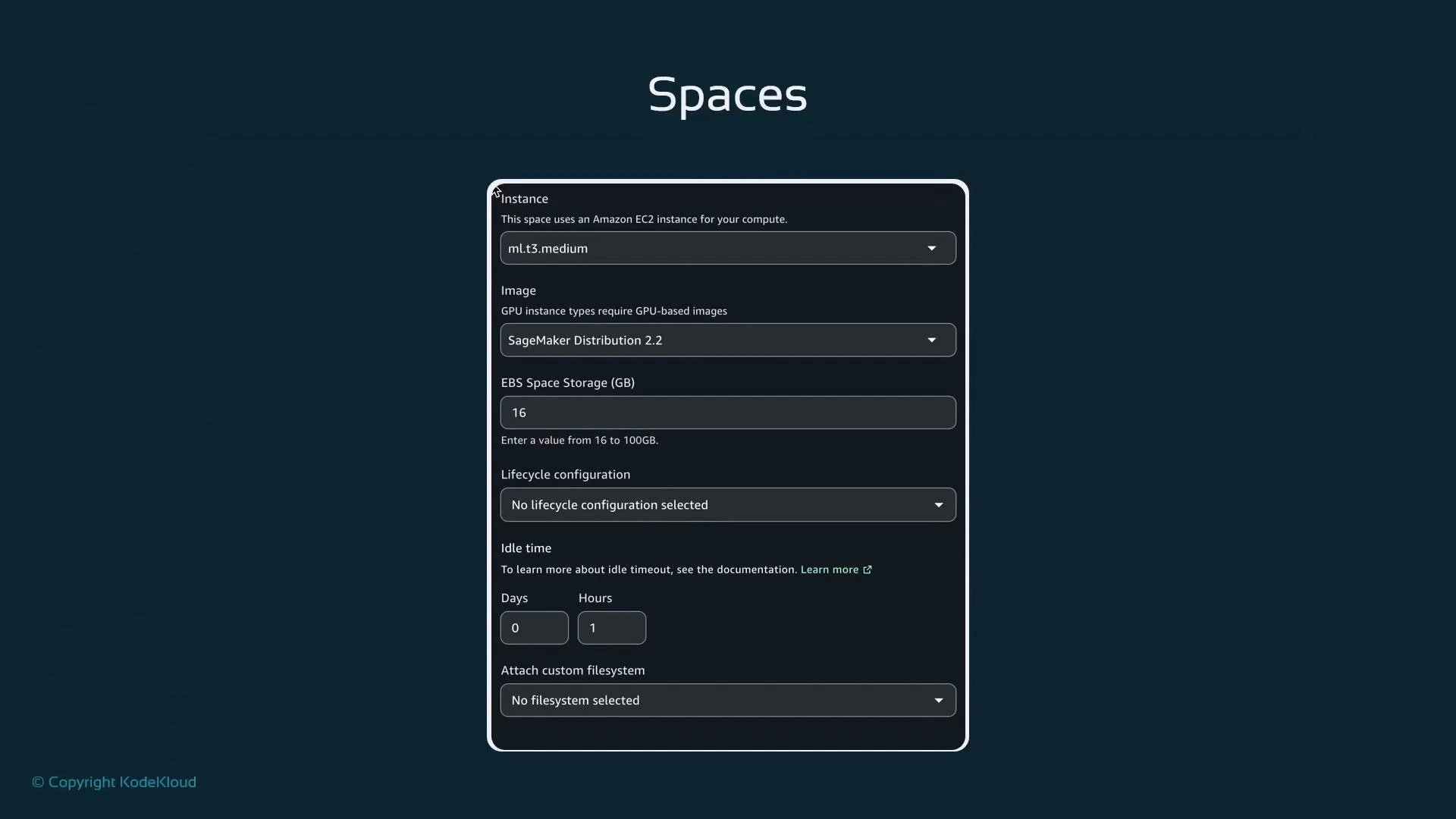
Inside a Project you create Spaces. Spaces are managed compute environments (often JupyterLab) that host user sessions and interactive applications. Typical Space settings include:- Instance size (e.g., ml.t3.medium)
- Container image (SageMaker Distribution image or a custom image)
- EBS storage and lifecycle configuration
- Idle timeout and privacy (private or shared)
Compatibility: existing SageMaker AI notebooks and SDKs
The SageMaker platform extends—not replaces—SageMaker AI. Your existing notebooks and SageMaker SDK code should continue to run as before. Typical imports remain the same:Practical checklist: adopt the SageMaker platform (recommended approach)
- Decide if you need end-to-end data + AI workflows, governance, or SQL analytics. If so, use the SageMaker platform.
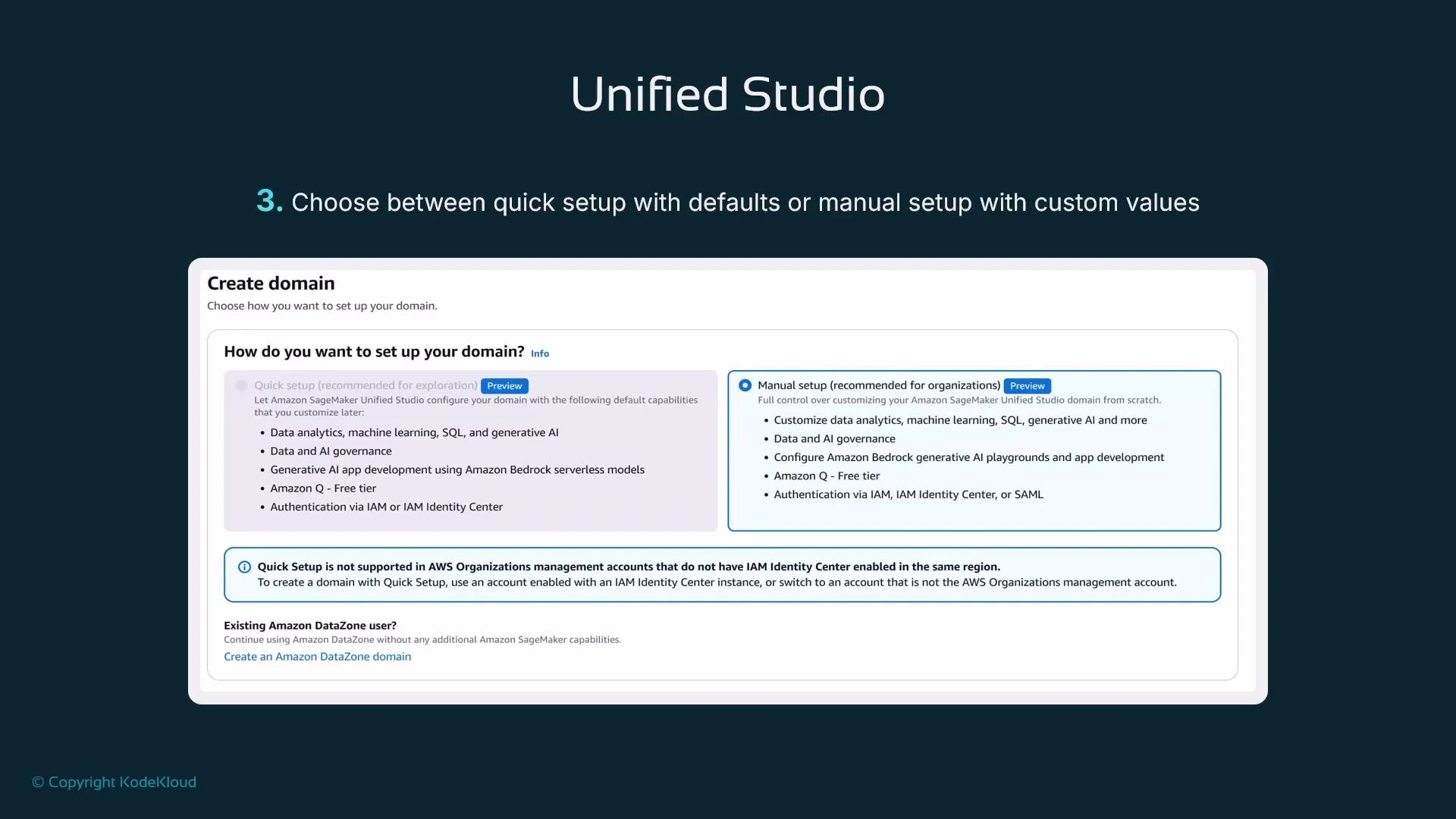
- Create a Unified Studio domain (manual setup for production).
- Pre-create any CodeStar connections to integrate your Git provider with Projects.
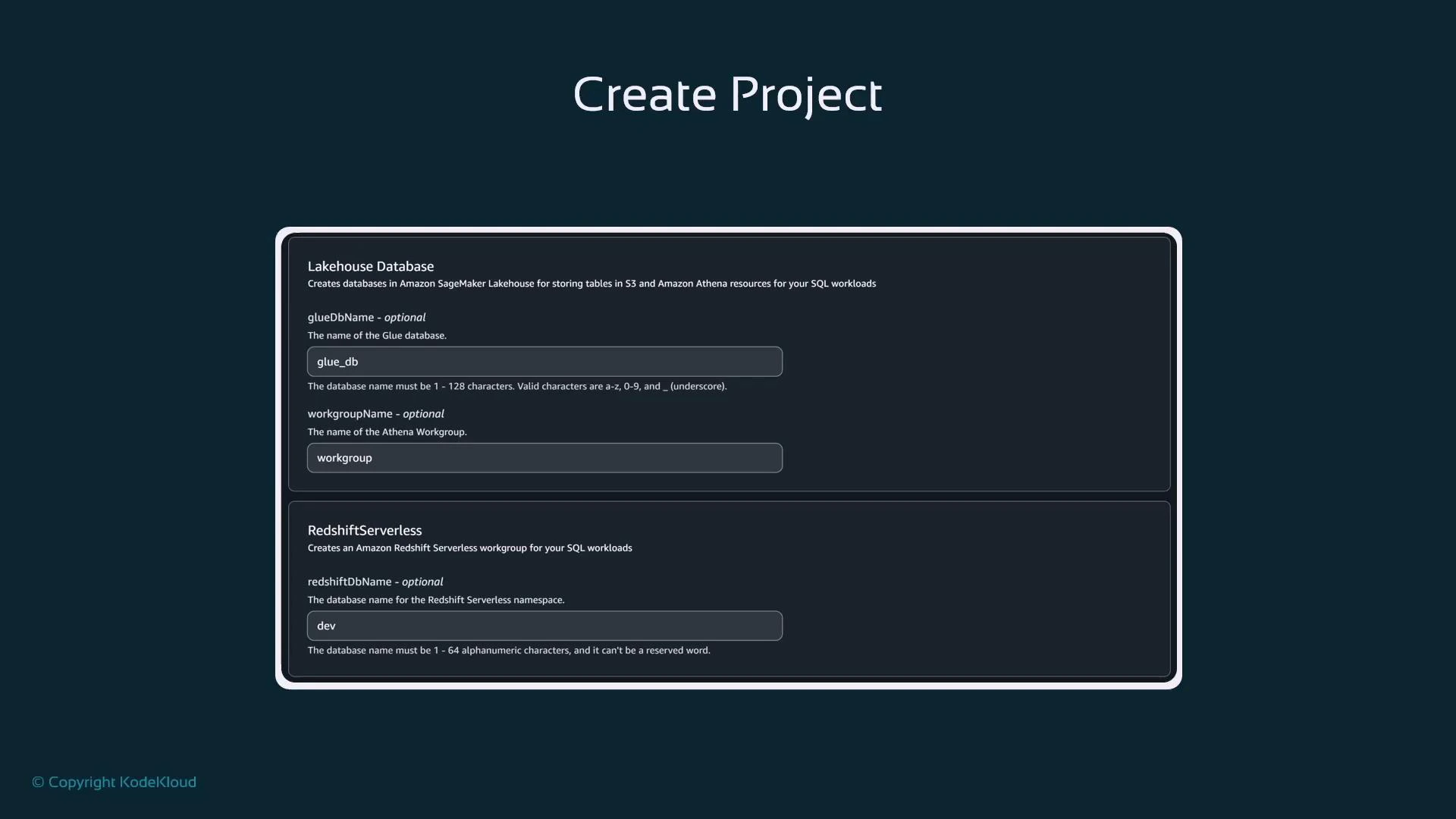
- Configure Project lakehouse settings (Glue DB, Athena workgroup) and observability options.
- Provision Spaces with appropriate instance types and images, and choose shared vs private depending on collaboration needs.
- Validate that existing SageMaker AI notebooks and SDK workflows run unchanged inside the new Unified Studio Spaces.
Summary
- AWS split SageMaker into two offerings: SageMaker AI (model-focused) and the SageMaker platform (broader, console-facing “SageMaker”).
- SageMaker platform is a superset that adds lakehouse metadata, governance, SQL analytics, and tight data-source integration.
- To use the SageMaker platform create a Unified Studio domain, then create Projects (resource + governance containers) and Spaces (managed compute sessions).
- Existing SageMaker AI notebooks and SDK calls continue to work in the SageMaker platform; the platform adds integrated data governance and analytics to support end-to-end workflows.