This lesson walks through building a complete CI/CD workflow that integrates SageMaker Pipelines with AWS developer tools. Using a SageMaker Project template, we provision the infrastructure, trigger model builds, register models in the Model Registry, and deploy them across staging and production with a manual approval gate. Core steps:
  • Review built‑in SageMaker Project templates.
  • Use a template that provisions a Git‑compatible repository (AWS CodeCommit in this demo).
  • Inspect the CloudFormation template that the SageMaker Project uses and follow the resulting CI/CD flow (CodeCommit → CodePipeline → CodeBuild → SageMaker Pipelines → Model Registry → deployment).
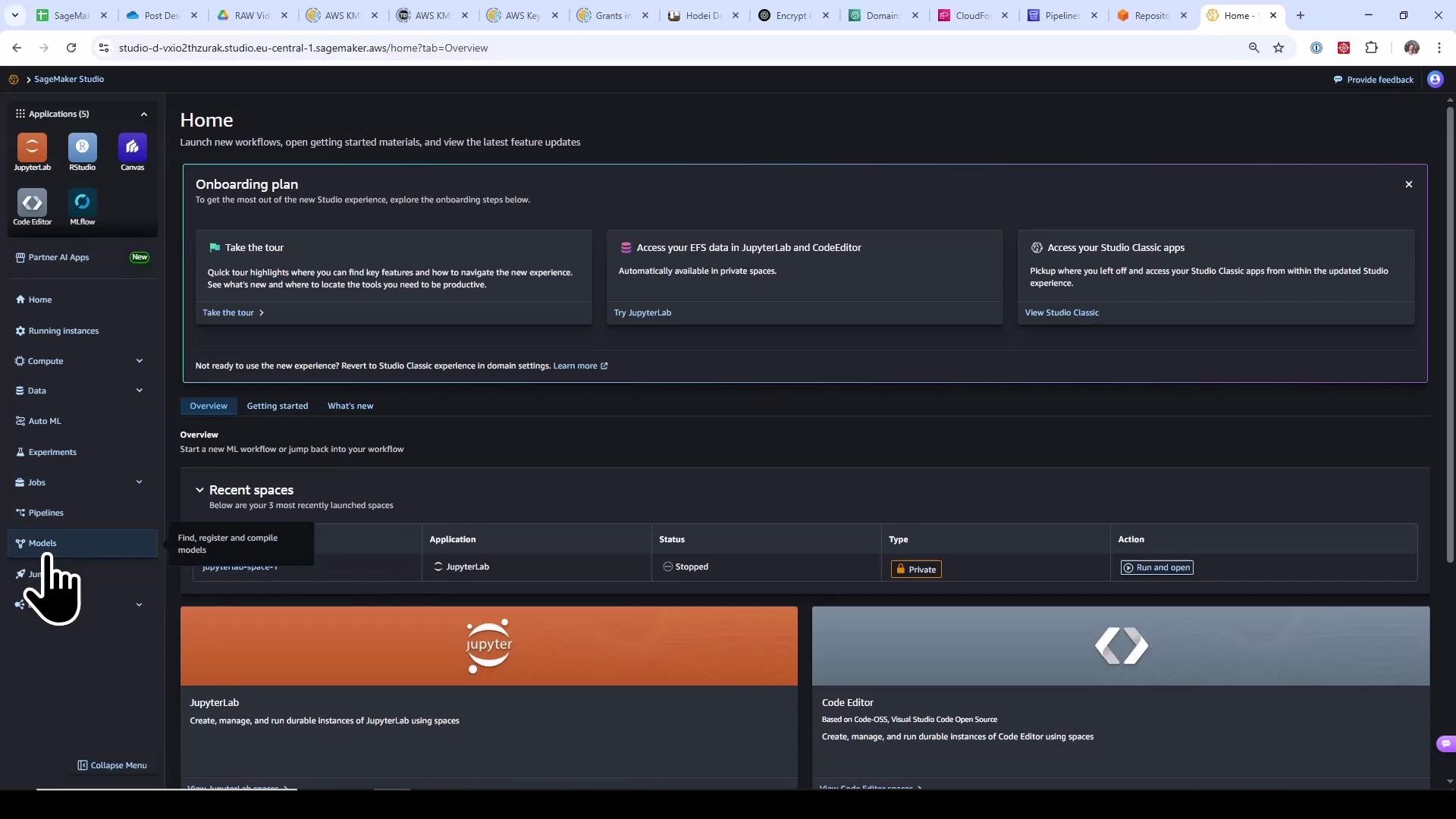
Start in SageMaker Studio and confirm a clean environment (no model packages, no endpoints).
A dark-themed screenshot of the AWS SageMaker Studio Home dashboard showing onboarding panels, navigation sidebar (JupyterLab, RStudio, Code Editor, etc.), and a "Recent spaces" section. A large pointer/cursor is clicking the "Models" item in the left sidebar.
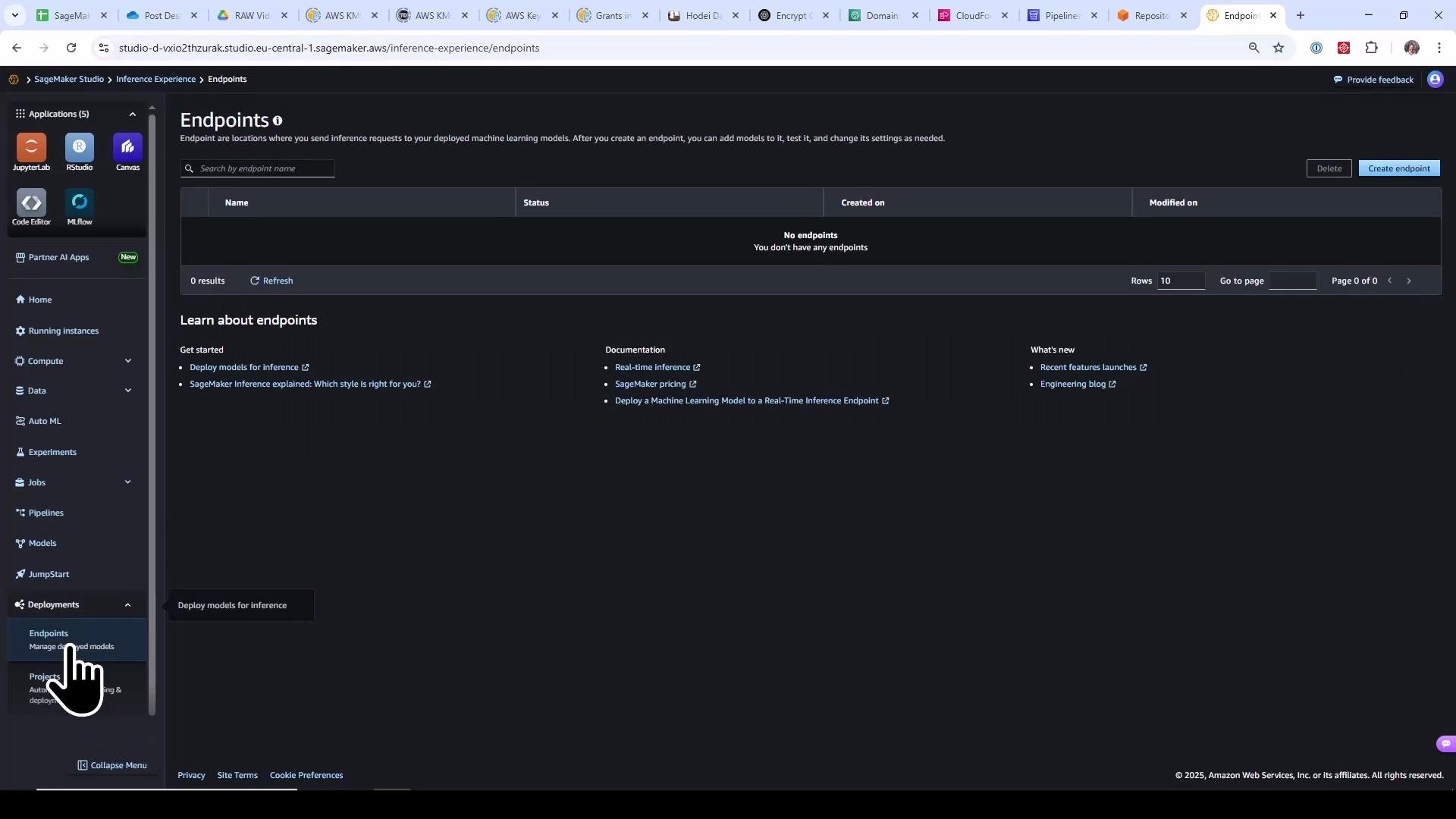
At the start of the lesson there are no model packages or endpoints in the account.
A screenshot of the Amazon SageMaker Studio "Endpoints" page in dark mode showing no deployed endpoints. The left navigation pane with apps and deployment options is visible and there's a "Create endpoint" button at the top right.
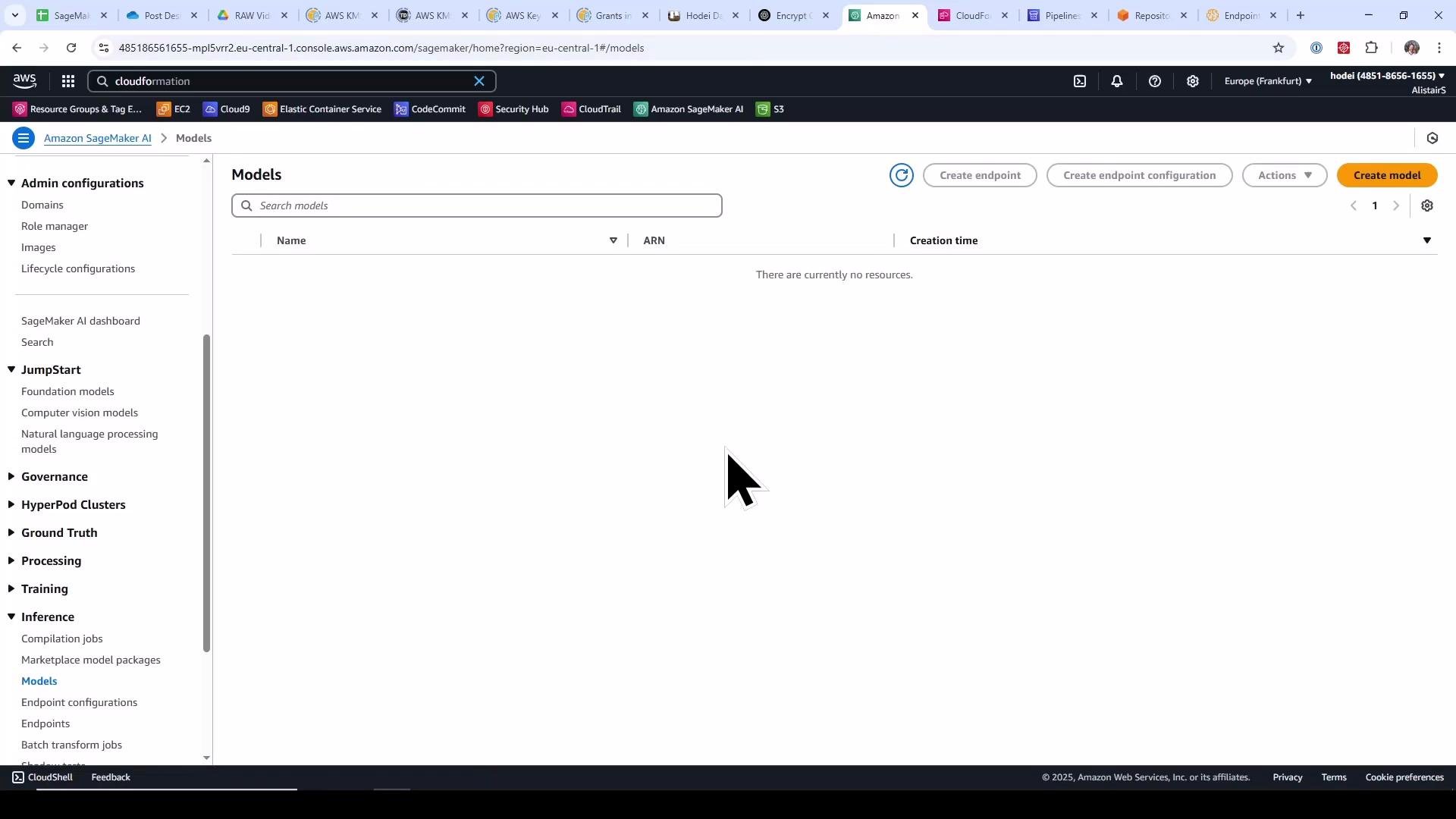
The Models view is empty as well.
A screenshot of the Amazon SageMaker "Models" page in the AWS console showing an empty models list. The left navigation menu (Admin configurations, JumpStart, Inference, etc.) and browser tabs are visible, with a large mouse cursor near the center.

Create a SageMaker Project from a Template

From SageMaker Studio navigate to Deployments → Projects and choose a project template. Templates are blueprints that create all required CI/CD and ML infra (for example: CodeCommit repos, CodeBuild projects, CodePipeline pipelines, S3 artifacts buckets, SageMaker Pipelines, IAM roles) using a CloudFormation stack.
Effective September 9, 2024, SageMaker project templates that create AWS CodeCommit repositories are deprecated. This demo uses a CodeCommit template to show the in-console experience, but for production consider third‑party Git providers (e.g., GitHub) with a CodeStar connection or equivalent.
Choose a template that creates both:
  • a model‑build pipeline (trains and registers models), and
  • a model‑deploy pipeline (staging → production with a manual approval gate).
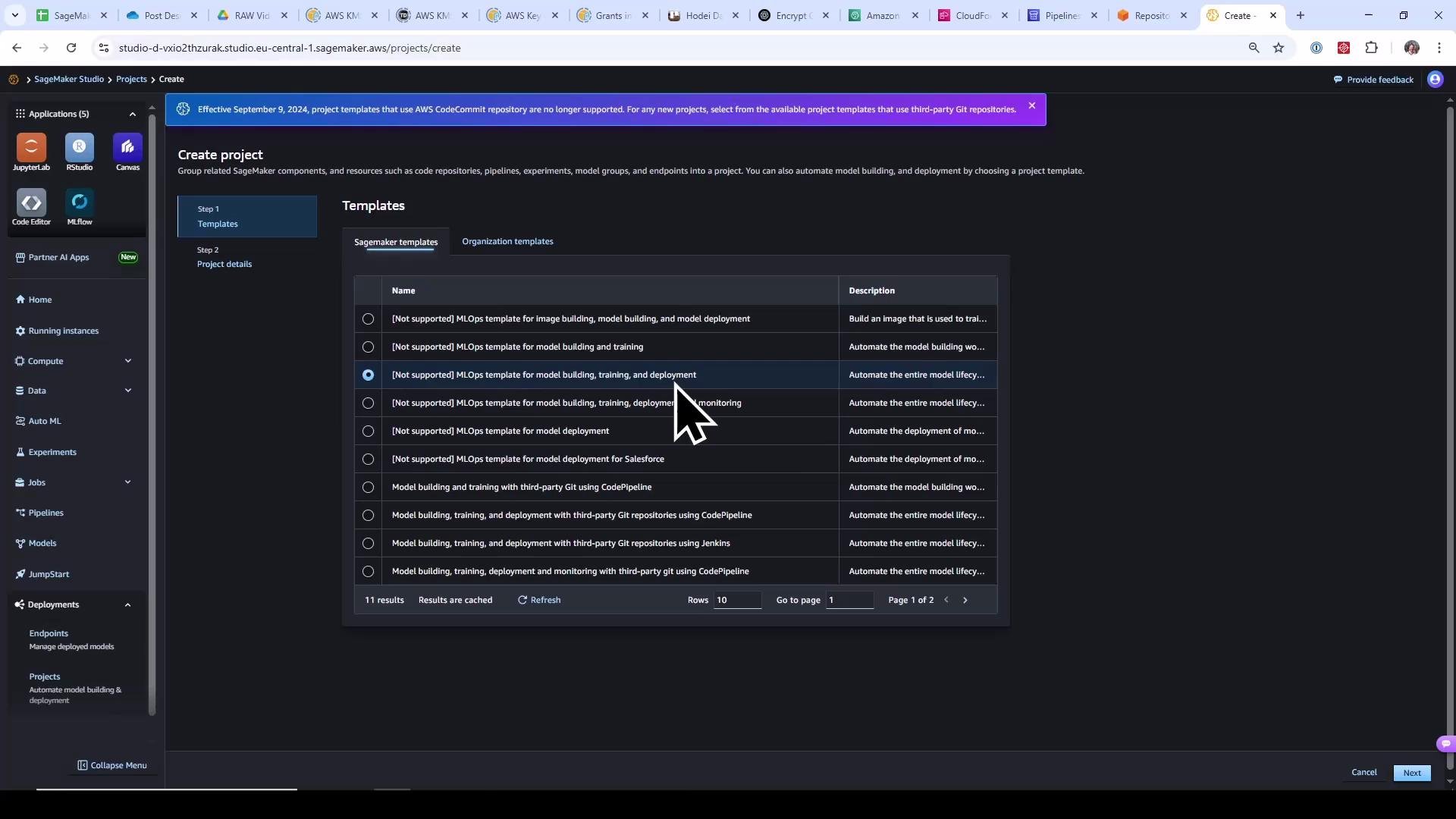
Templates that integrate with third‑party Git providers will prompt for repo URLs and branches instead of creating CodeCommit repos.
A screenshot of the AWS SageMaker Studio "Create project" page showing a list of MLOps project templates (one highlighted) and a large left navigation sidebar with tools like JupyterLab and RStudio. A cursor is visible over the selected template.
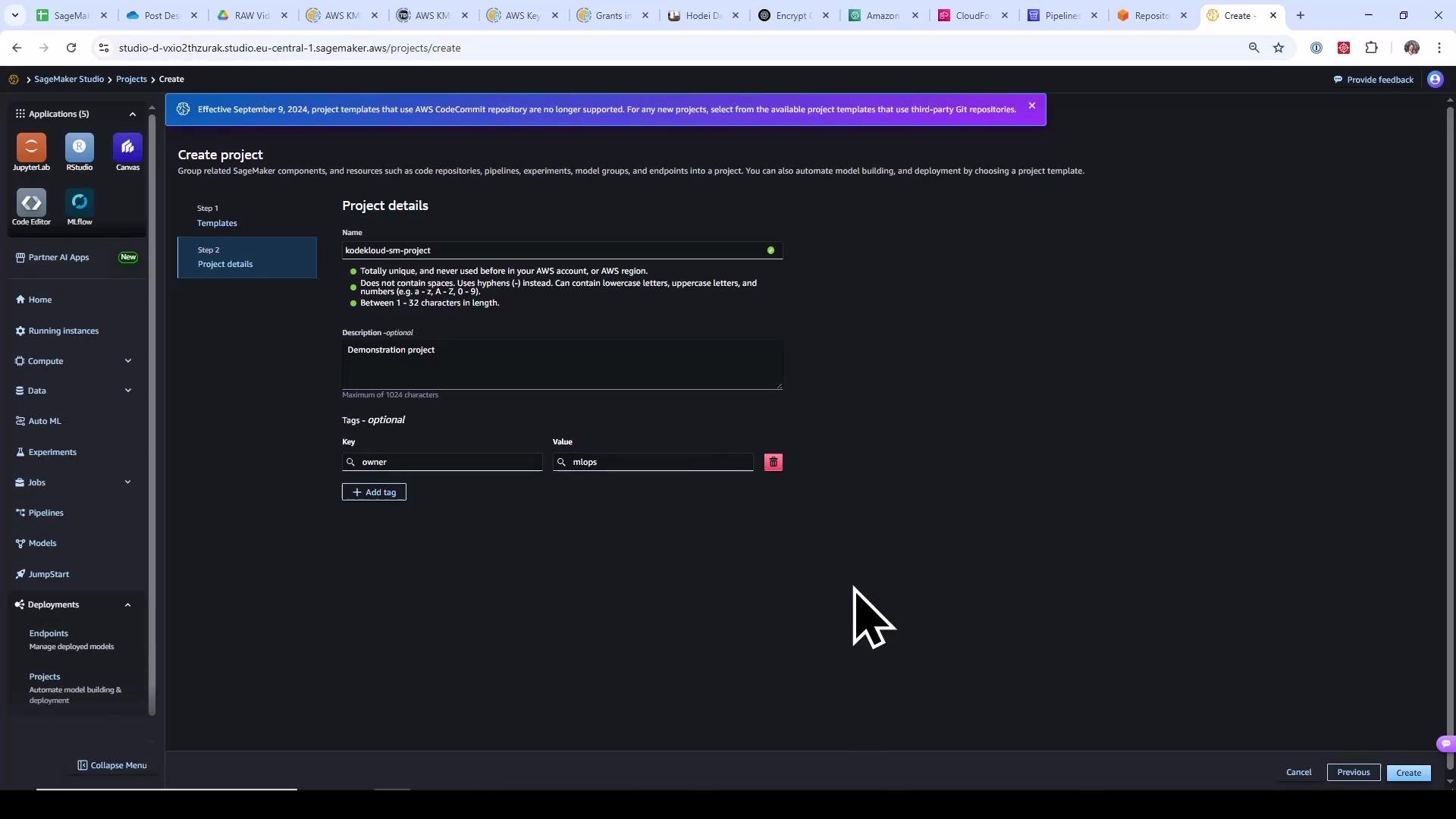
Supply a project name, description, and tags that fit your org conventions.
Screenshot of the AWS SageMaker Studio "Create project" page in dark mode, showing a left navigation sidebar and a central form. The form is filled with project name "kodekloud-sm-project", description "Demonstration project", and a tag owner=mlops.
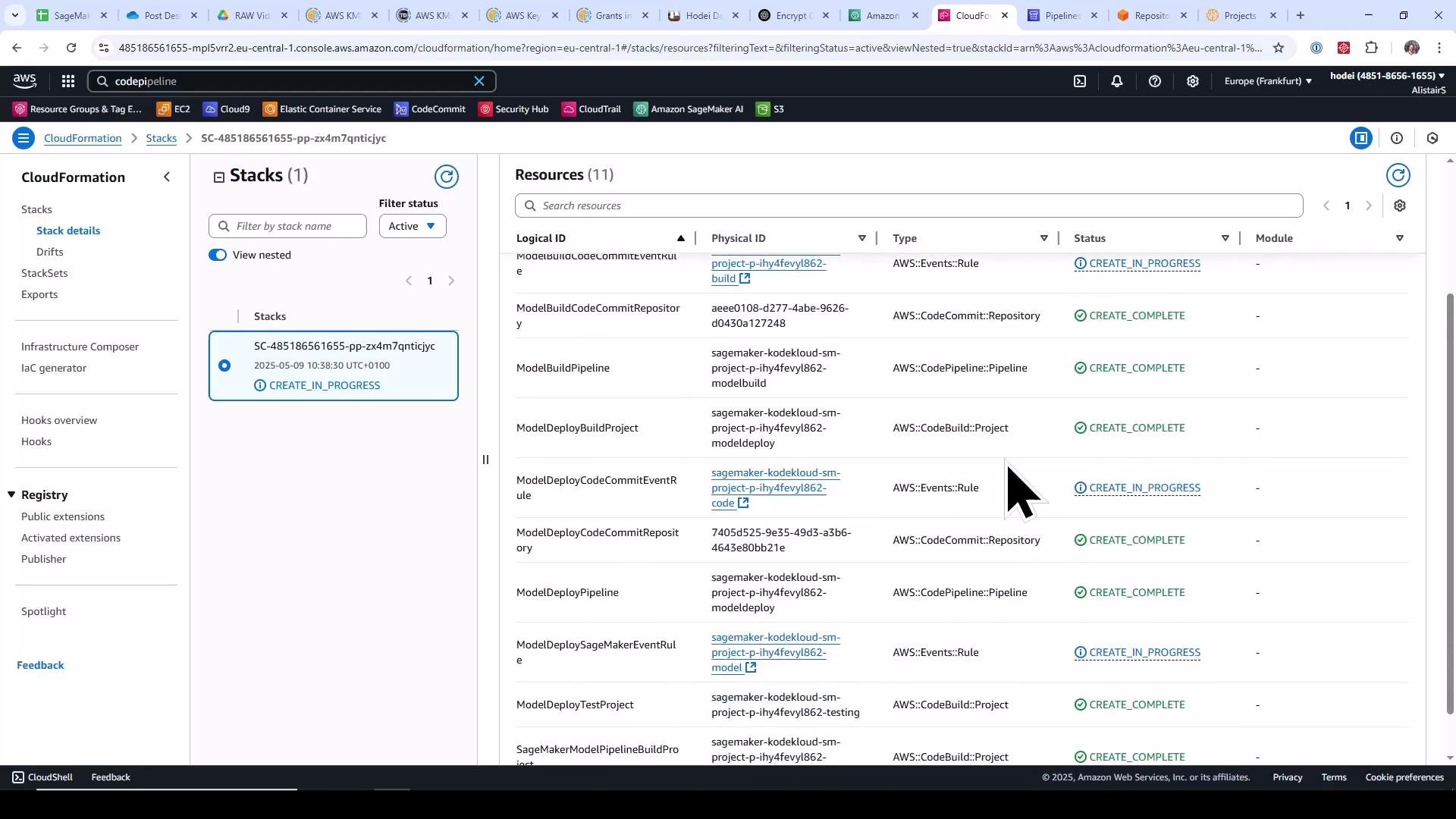
When the project is created, SageMaker launches a CloudFormation stack that provisions the resources described by the template. Open the CloudFormation console to monitor stack events and inspect created resources (S3 buckets, CodeCommit repos, CodeBuild projects, CodePipeline pipelines, SageMaker Pipelines, IAM roles, etc.).
A screenshot of the AWS CloudFormation console showing a stack named "SC-485186561655-..." on the left and a list of resources (CodeCommit repositories, CodePipeline, CodeBuild projects, Event rules) with statuses like CREATE_IN_PROGRESS and CREATE_COMPLETE on the right. The browser tabs and AWS service icons are visible across the top.
You can inspect the CloudFormation template (a declarative YAML manifest) used by the project. The template declares parameters for the SageMaker project and resources such as an artifacts S3 bucket, EventBridge rules, CodeCommit repositories, CodeBuild projects, and CodePipeline pipelines. Example excerpt from the template:
Description: >
  Toolchain template which provides the resources needed to represent
  infrastructure as code. This template specifically creates a CI/CD pipeline
  to build a model using a SageMaker Pipeline and deploy the resulting trained
  ML Model from Model Registry to two stages in CD -- staging and production.

Parameters:
  SageMakerProjectName:
    Type: String
    Description: Name of the project
    MinLength: 1
    MaxLength: 32
    AllowedPattern: '^[a-zA-Z](-*[a-zA-Z0-9])*'
  SageMakerProjectId:
    Type: String
    Description: Service generated Id of the project.

Resources:
  MLOpsArtifactsBucket:
    Type: AWS::S3::Bucket
    DeletionPolicy: Retain
    Properties:
      BucketName:
        Fn::Sub: sagemaker-project-${SageMakerProjectId}

  ModelBuildCodeCommitRepository:
    Type: AWS::CodeCommit::Repository
    Properties:
      RepositoryName:
        Fn::Sub: sagemaker-${SageMakerProjectName}-${SageMakerProjectId}-modelbuild
      RepositoryDescription:
        Fn::Sub: 'SageMaker Model building workflow infra-as-code for Project ${SageMakerProjectName}'
      Code:
        S3:
          Bucket: sagemaker-servicecatalog-seedcode-eu-central-1
          Key: toolchain/model-building-workflow-v1.0.zip
      BranchName: main

  SageMakerModelPipelineBuildProject:
    Type: AWS::CodeBuild::Project
    Properties:
      Name:
        Fn::Sub: sagemaker-${SageMakerProjectName}-${SageMakerProjectId}-modelbuild
      Description: 'Builds the model building workflow code repository, creates the SageMaker Pipeline and executes it'
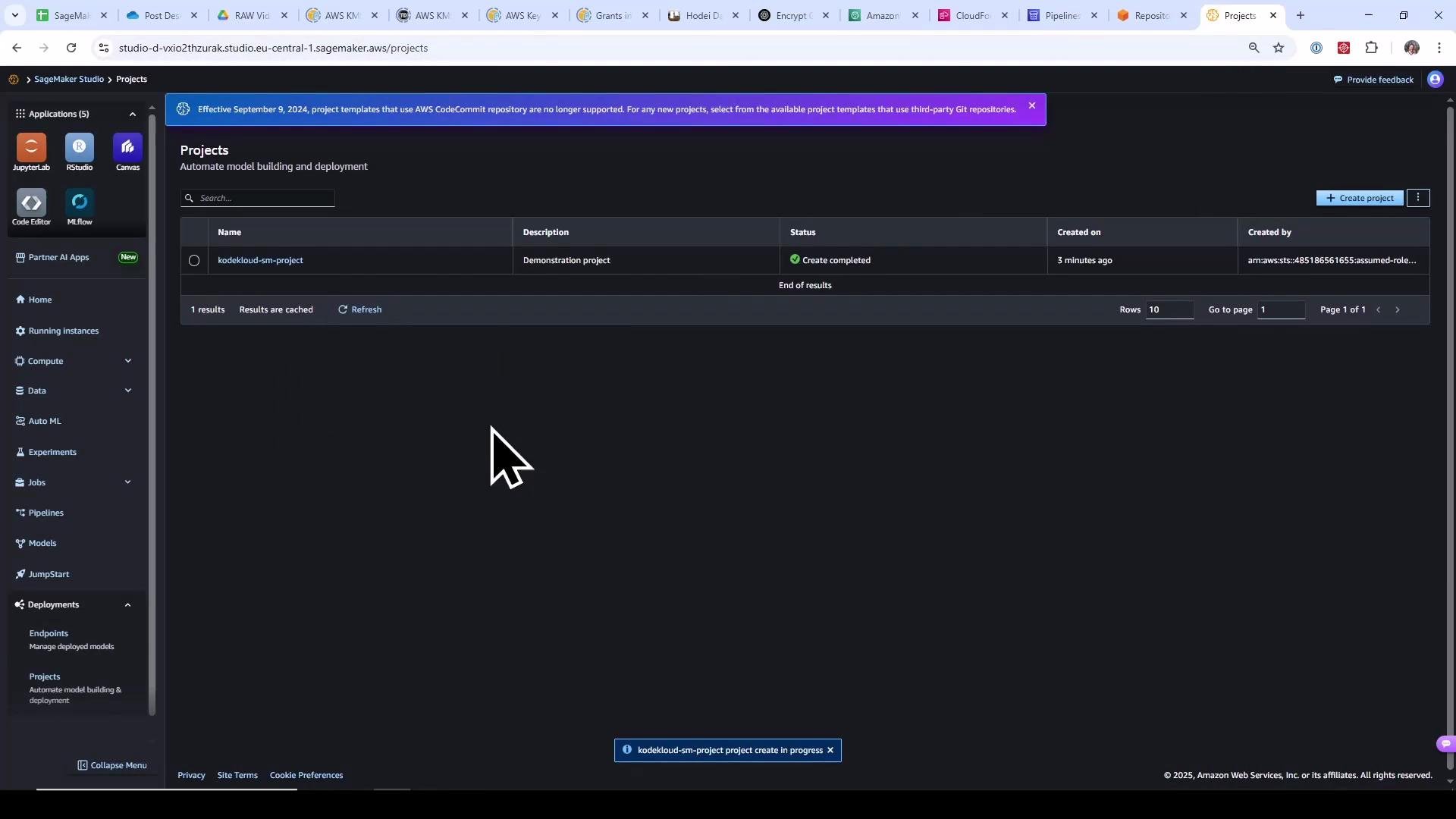
When the stack completes, the new SageMaker Project appears in Studio.
A screenshot of the AWS SageMaker Studio "Projects" page showing a project named "kodekloud-sm-project" with status "Create completed." The dark-themed interface includes a left navigation pane (JupyterLab, RStudio, etc.) and a large mouse cursor visible over the workspace.

Inspect the Generated Code Repositories

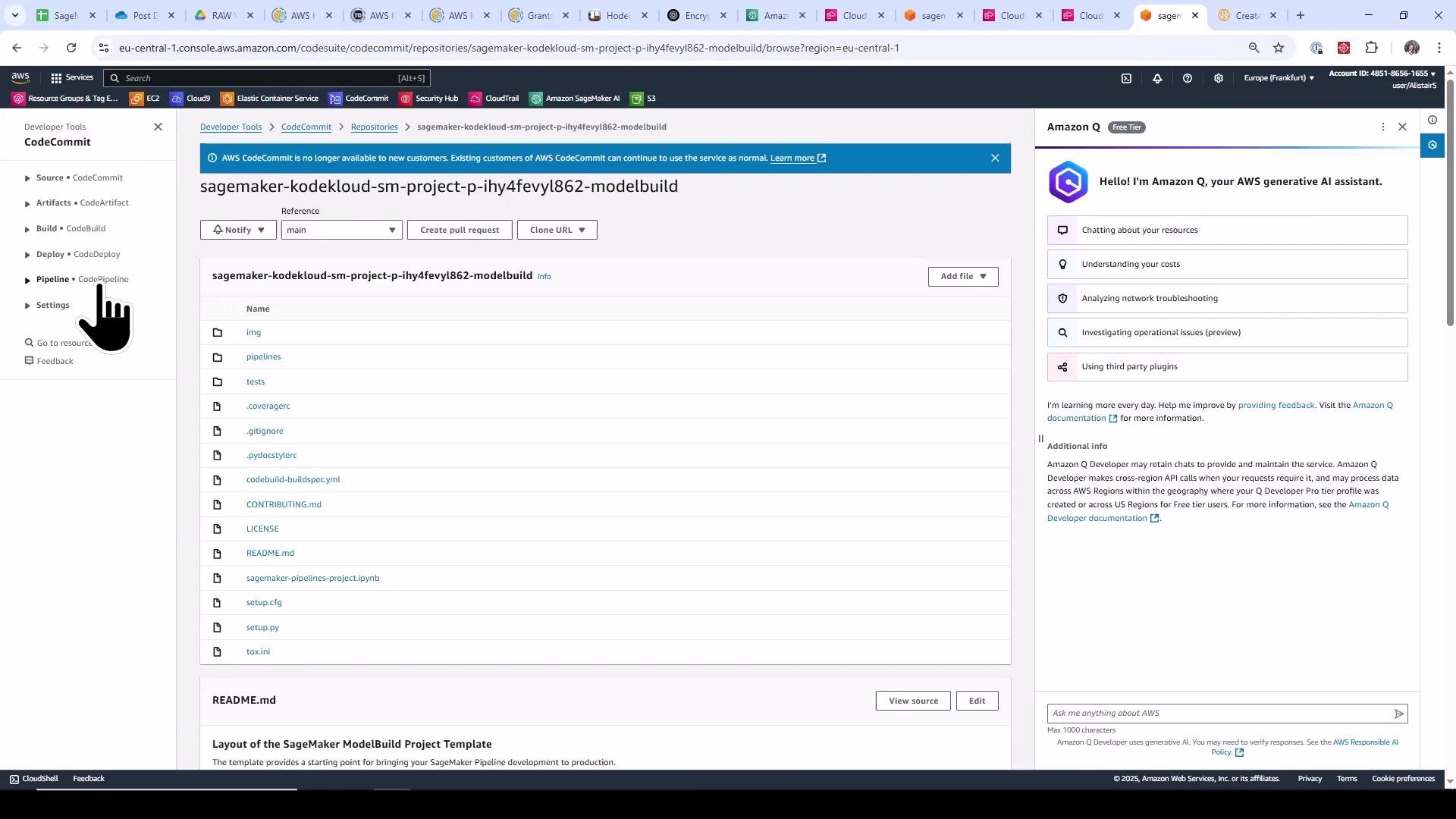
The CloudFormation stack created two source repositories (model‑build and model‑deploy). Open CodeCommit to review the seed code: buildspecs, helper scripts, CloudFormation templates, and the sample SageMaker pipeline code that the build runs.
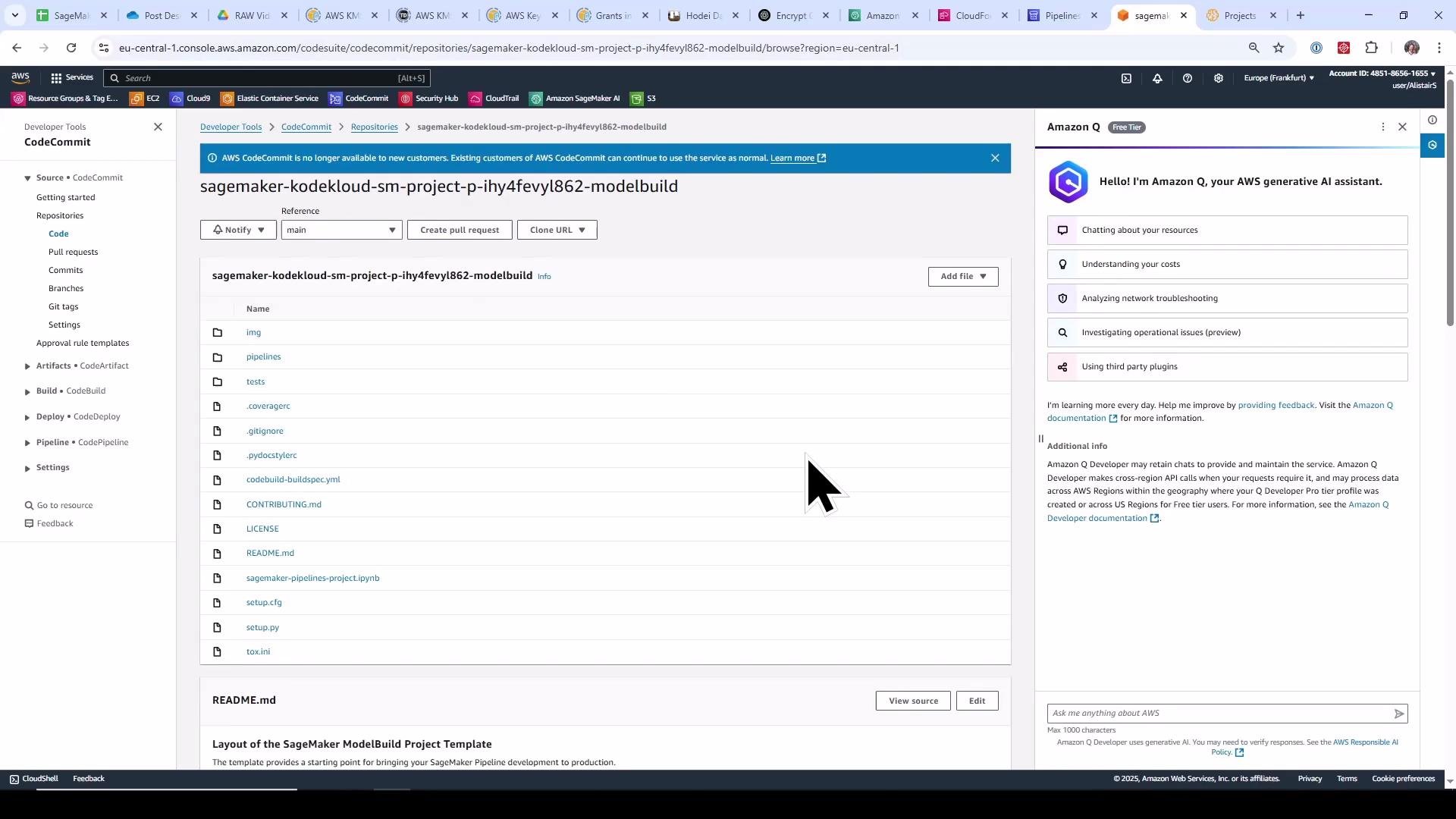
A screenshot of the AWS CodeCommit web console showing the "sagemaker-kodekloud-sm-project-..." repository file listing and README preview. The Amazon Q generative assistant panel is visible on the right and a large black mouse cursor is over the file list.

CodePipeline: CI/CD Orchestration

The project provisions two CodePipeline pipelines:
  • Model build pipeline — triggers on commits to the model‑build repo, runs CodeBuild to create and execute a SageMaker Pipeline that preprocesses, trains, evaluates, and registers a model.
  • Model deploy pipeline — triggers on commits to the model‑deploy repo or on model approval events; packages CloudFormation templates and deploys staging and production endpoints. A manual approval action gates production.
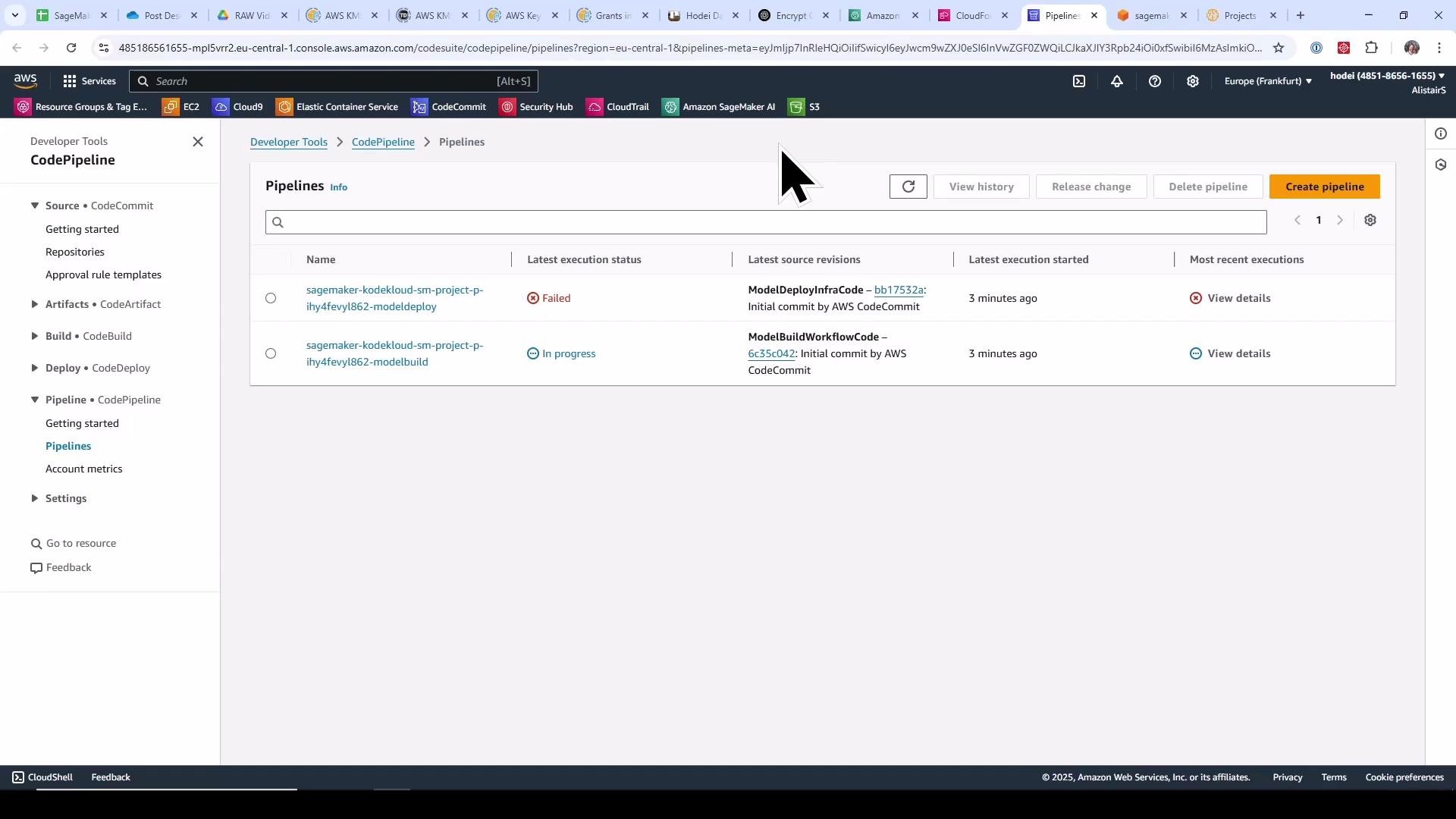
Open CodePipeline to view pipeline stages and their status.
A screenshot of the AWS Management Console showing the CodePipeline Pipelines page with two pipelines listed — one marked Failed and the other In progress. The left sidebar shows developer tools navigation (Source, Artifacts, Build, Deploy, Pipeline) and there's a "Create pipeline" button in the top-right.
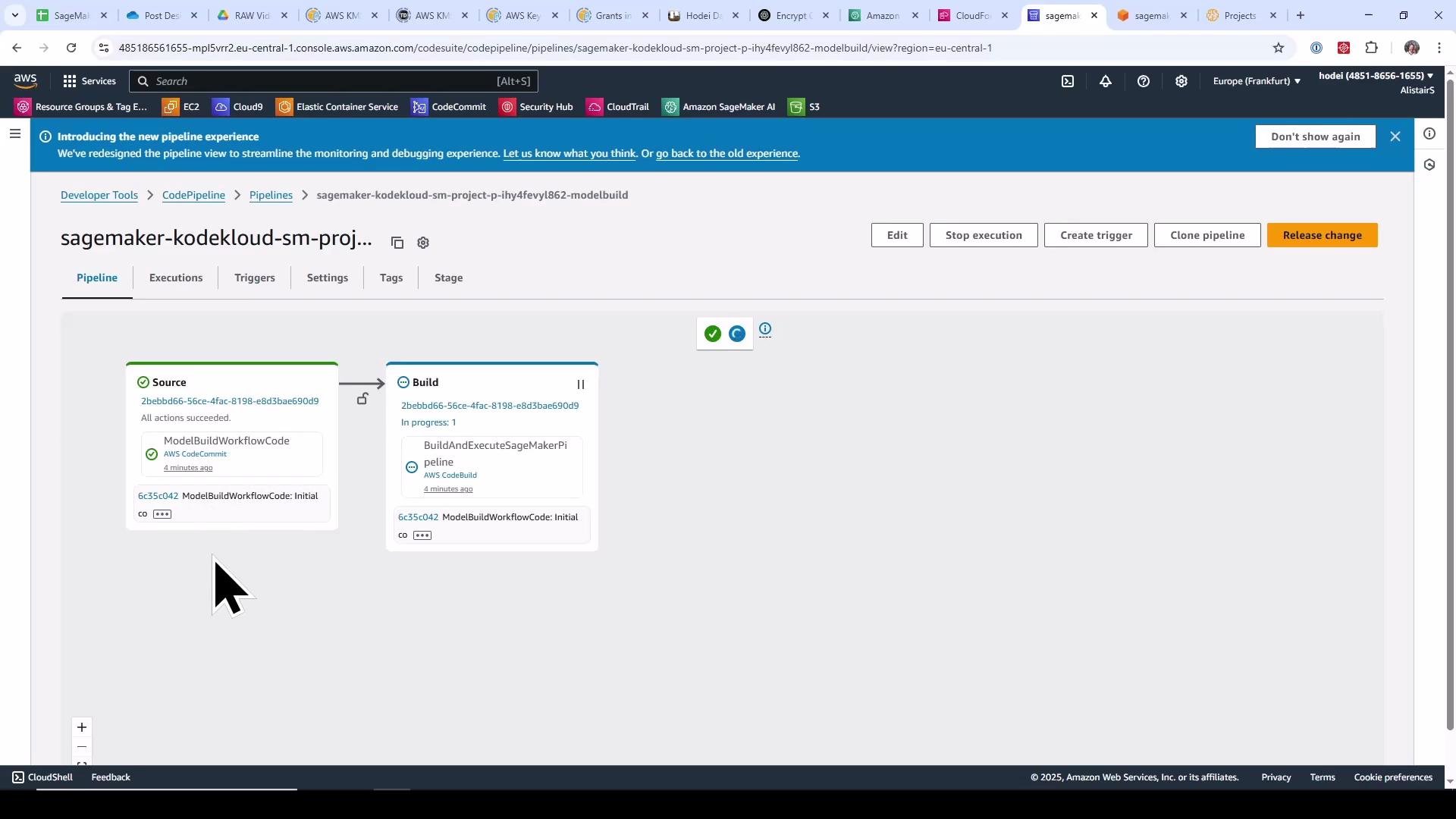
When CodeCommit is seeded by the template, CodePipeline detects commits and starts the model build pipeline automatically.
A screenshot of the AWS CodePipeline console showing a pipeline named "sagemaker-kodekloud-sm-proj..." with Source and Build stages (Source succeeded, Build in progress). The browser window shows the AWS navigation bar and multiple open tabs.

CodeBuild: How the Pipeline Invokes a SageMaker Pipeline

During the build stage, CodePipeline invokes a CodeBuild project. CodeBuild executes the repository’s buildspec.yml which installs dependencies and runs a helper that programmatically creates and executes the SageMaker Pipeline. Representative buildspec from the model‑build repository:
# model-build/codebuild-buildspec.yml
version: 0.2

phases:
  install:
    runtime-versions:
      python: 3.11
    commands:
      - pip install --upgrade --force-reinstall . "awscli==1.20.30"

  build:
    commands:
      - export PYTHONUNBUFFERED=TRUE
      - export SAGEMAKER_PROJECT_NAME_ID="${SAGEMAKER_PROJECT_NAME}-${SAGEMAKER_PROJECT_ID}"
      - |
        run-pipeline --module-name pipelines.abalone.pipeline \
          --role-arn ${SAGEMAKER_PIPELINE_ROLE_ARN} \
          --tags "[{\"Key\":\"sagemaker:project-name\", \"Value\":\"${SAGEMAKER_PROJECT_NAME}\"}, {\"Key\":\"sagemaker:project-id\", \"Value\":\"${SAGEMAKER_PROJECT_ID}\"}]" \
          --kwargs "{\"region\":\"${AWS_REGION}\",\"role\":\"${SAGEMAKER_PIPELINE_ROLE_ARN}\",\"default_bucket\":\"${ARTIFACT_BUCKET}\",\"pipeline_name\":\"${SAGEMAKER_PROJECT_NAME_ID}\",\"model_package_group_name\":\"${SAGEMAKER_PROJECT_NAME_ID}\",\"base_job_prefix\":\"${SAGEMAKER_PROJECT_NAME_ID}\",\"sagemaker_project_name\":\"${SAGEMAKER_PROJECT_NAME}\"}"
      - echo "Create/Update of the SageMaker Pipeline and execution completed."
CodeBuild logs show the dependency installation and the run-pipeline invocation which creates and starts the SageMaker Pipeline:
[Container] 2025/05/09 09:39:05.763546 Running command pip install --upgrade --force-reinstall . "awscli==1.20.30"
...
[Container] 2025/05/09 09:39:45.956346 Running command export PYTHONUNBUFFERED=TRUE
[Container] 2025/05/09 09:39:45.964010 Running command export SAGEMAKER_PROJECT_NAME_ID="${SAGEMAKER_PROJECT_NAME}-${SAGEMAKER_PROJECT_ID}"
[Container] 2025/05/09 09:39:45.971495 Running command run-pipeline --module-name pipelines.abalone.pipeline \
  --role-arn ${SAGEMAKER_PIPELINE_ROLE_ARN} \
  --tags ...
/root/.pyenv/versions/3.11.11/lib/python3.11/site-packages/sagemaker/workflow/pipeline_context.py:194: UserWarning: Running within a PipelineSession, there will be No Wait, No Logs, and No Job being started.
warnings.warn(
Job Name: kodekloud-sm-project-p-ihy4fevyl862/skl-2025-05-09-09-39-47-116
Inputs: [...]
Outputs: [...]
The run-pipeline call builds the SageMaker Pipeline in the same account/region. That pipeline orchestrates Processing, Training, and Evaluation jobs.

SageMaker Pipelines: Processing → Training → Evaluation → Model Registry

Open SageMaker Pipelines in the console to inspect the generated pipeline and its execution. A typical pipeline graph includes nodes for Preprocess, Train, Evaluate, a model‑quality check (e.g., CheckMSE), and RegisterModel.
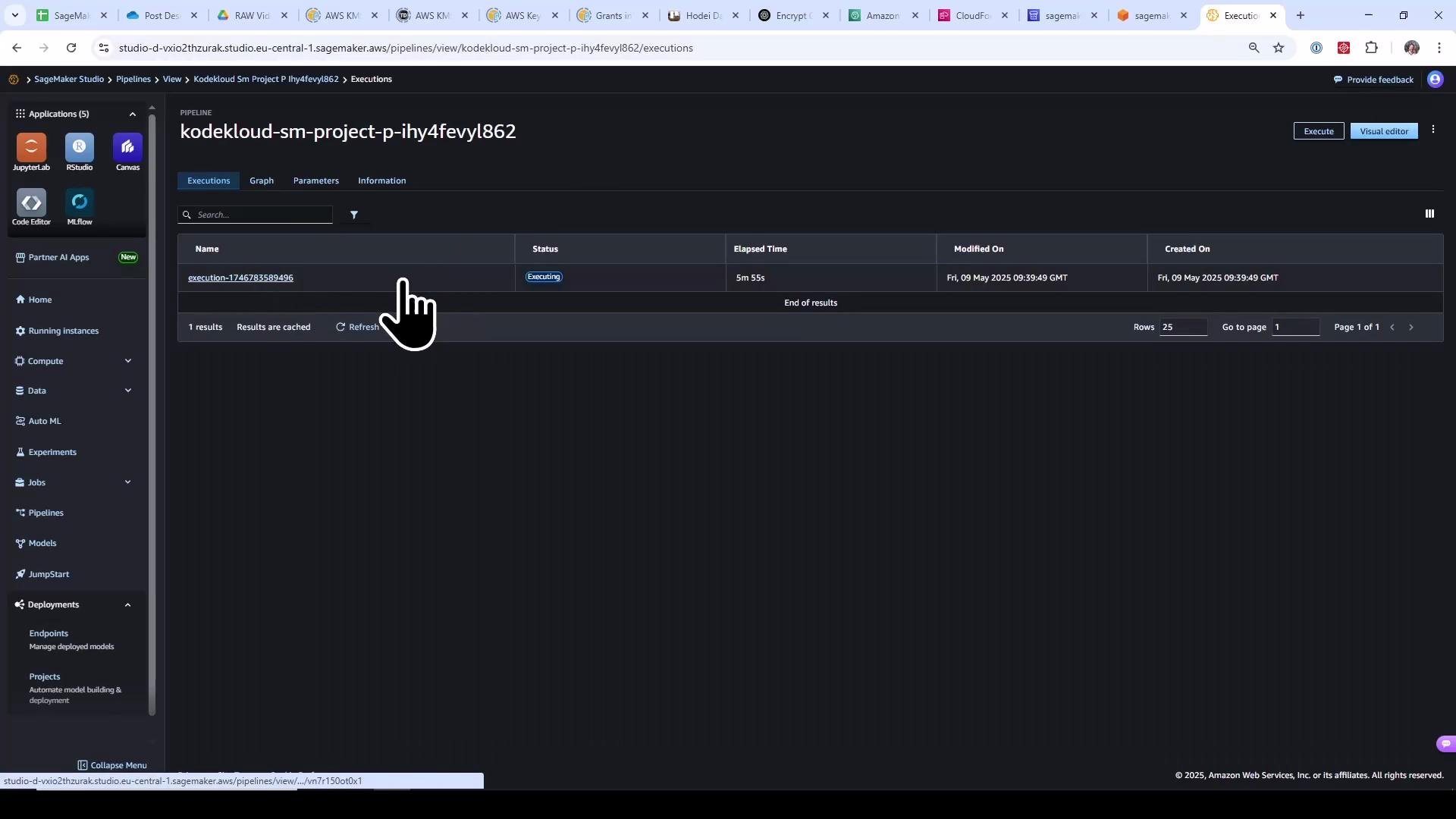
A screenshot of Amazon SageMaker Studio showing the Pipelines "Executions" view for a project named "kodekloud-sm-project-p-ihy4fevyl862," listing a single pipeline execution currently marked "Executing" with elapsed time and timestamps. The left sidebar shows SageMaker apps and navigation items.
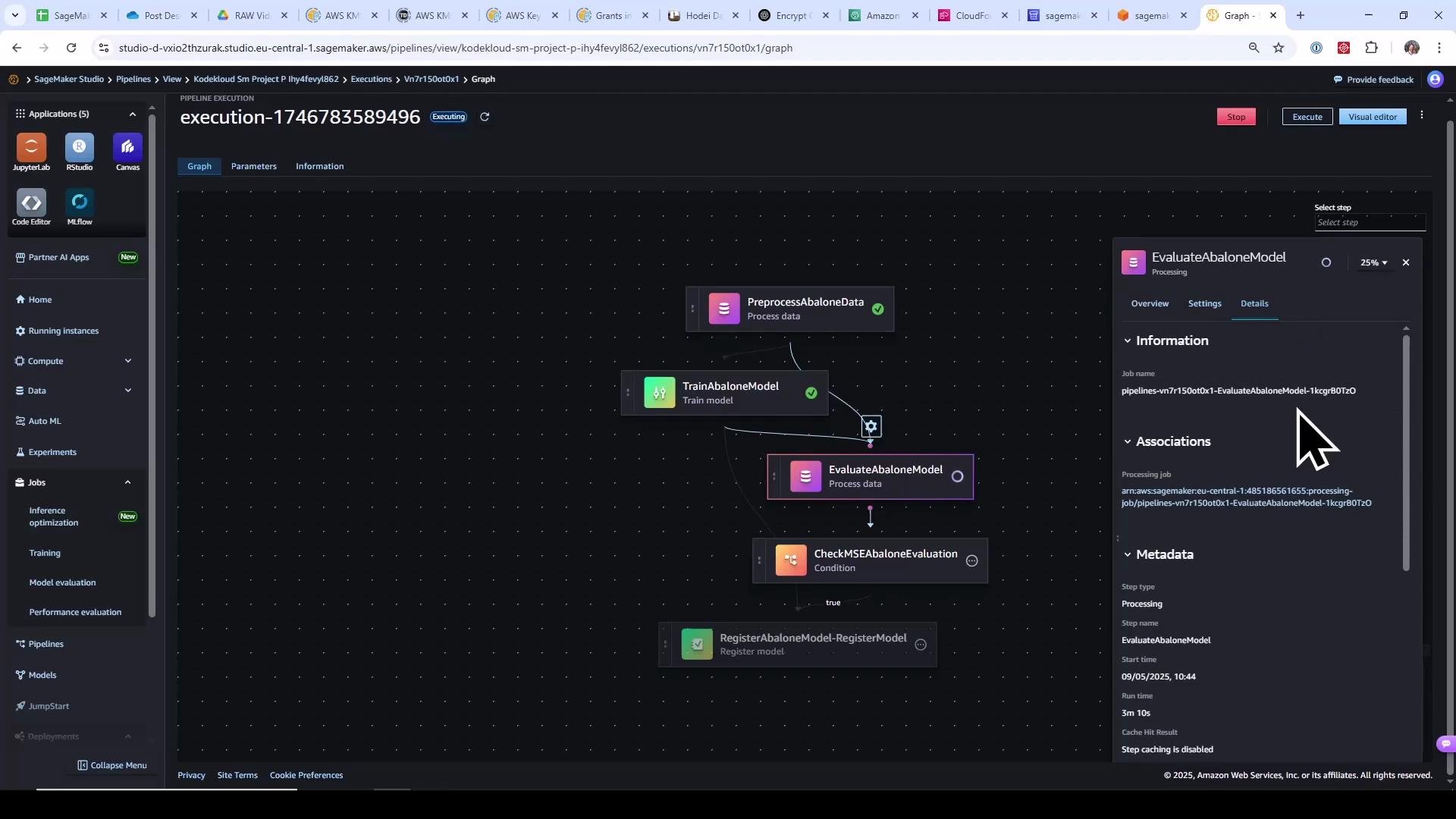
Click into Processing and Training jobs from the execution view to inspect logs, instance types, role ARNs, and S3 artifact locations. Example pipeline graph and evaluation details:
A screenshot of Amazon SageMaker Studio showing a pipeline execution graph for an "Abalone" ML workflow with nodes like PreprocessAbaloneData, TrainAbaloneModel, EvaluateAbaloneModel, CheckMSEAbaloneEvaluation, and RegisterAbaloneModel. The right-hand pane displays detailed information for the EvaluateAbaloneModel step.
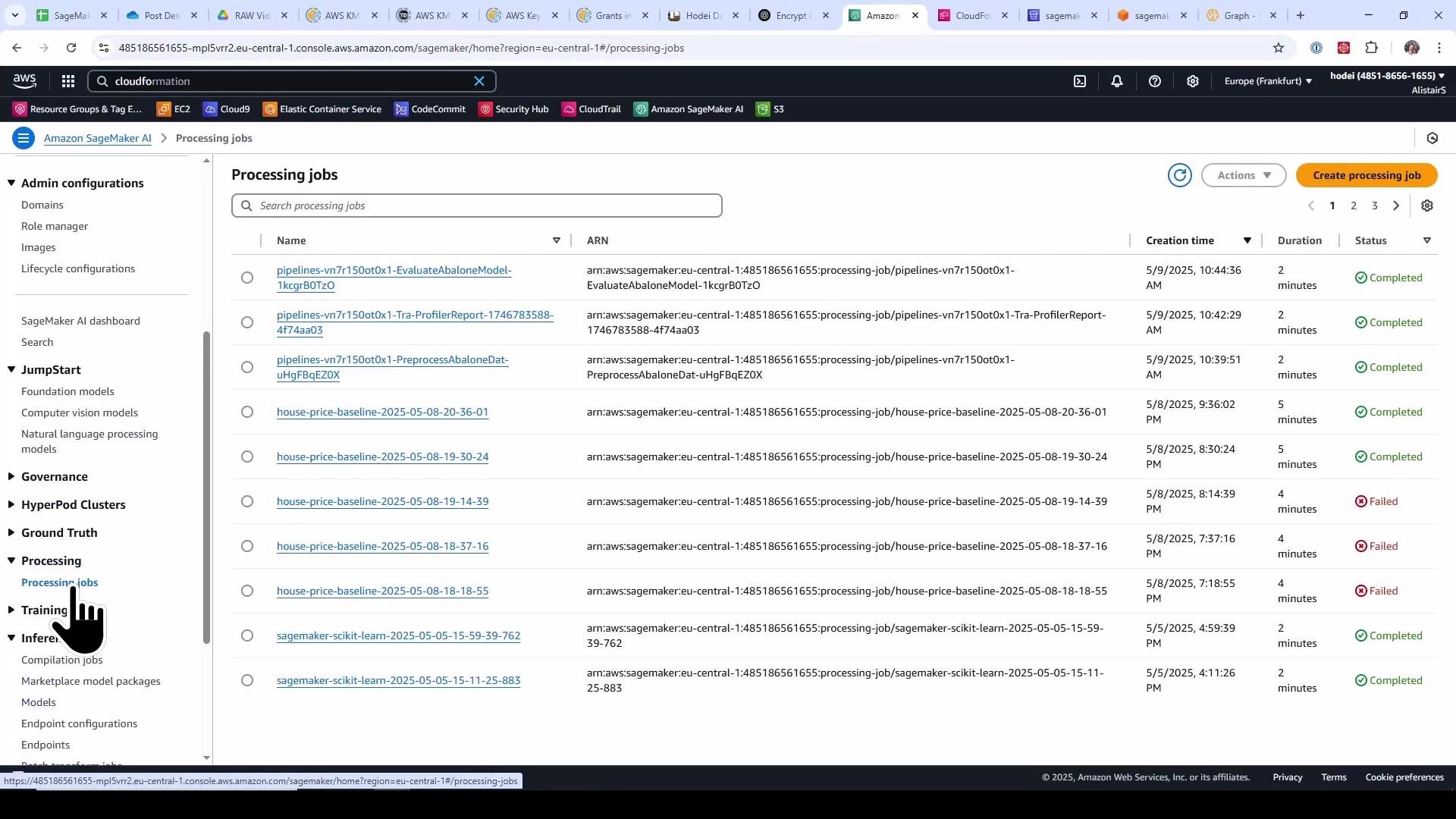
When complete, Processing jobs appear in the Processing Jobs list.
A screenshot of the Amazon SageMaker console showing a list of processing jobs with columns for name, ARN, creation time, duration, and status (Completed/Failed). The left sidebar displays SageMaker navigation options with the "Processing jobs" entry highlighted.
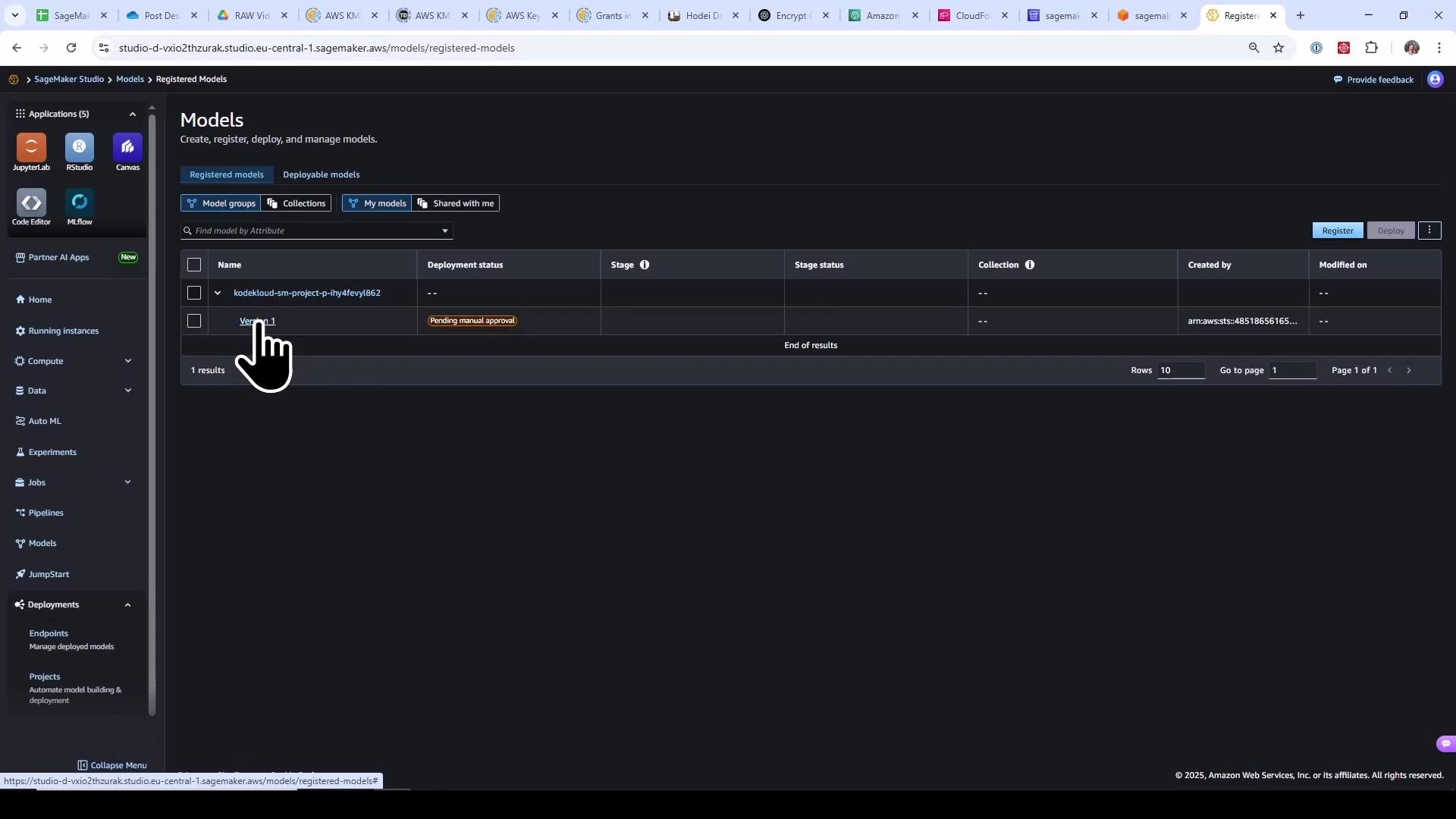
If evaluation conditions meet the template thresholds (for example, MSE below the configured limit), the pipeline registers a model package in the SageMaker Model Registry. By default (in this template), new model packages enter the registry in a “Pending manual approval” state.
Screenshot of the AWS SageMaker Studio "Models" page showing a registered model (kodekloud-sm-project-...) with a "Pending manual approval" deployment status. The left navigation pane and a hand-cursor icon pointing at the model entry are also visible.
At this point the model build pipeline has executed end‑to‑end: Source → CodeBuild → run‑pipeline (SageMaker Pipeline) → Processing/Training/Eval → Model Registry.

Approve the Model; Trigger the Model Deploy Pipeline

Approving the model package in the Model Registry will trigger the deploy pipeline if an EventBridge rule or pipeline trigger is configured. Approve the model in the SageMaker console by changing the model package status from pending to approved and adding an optional comment.
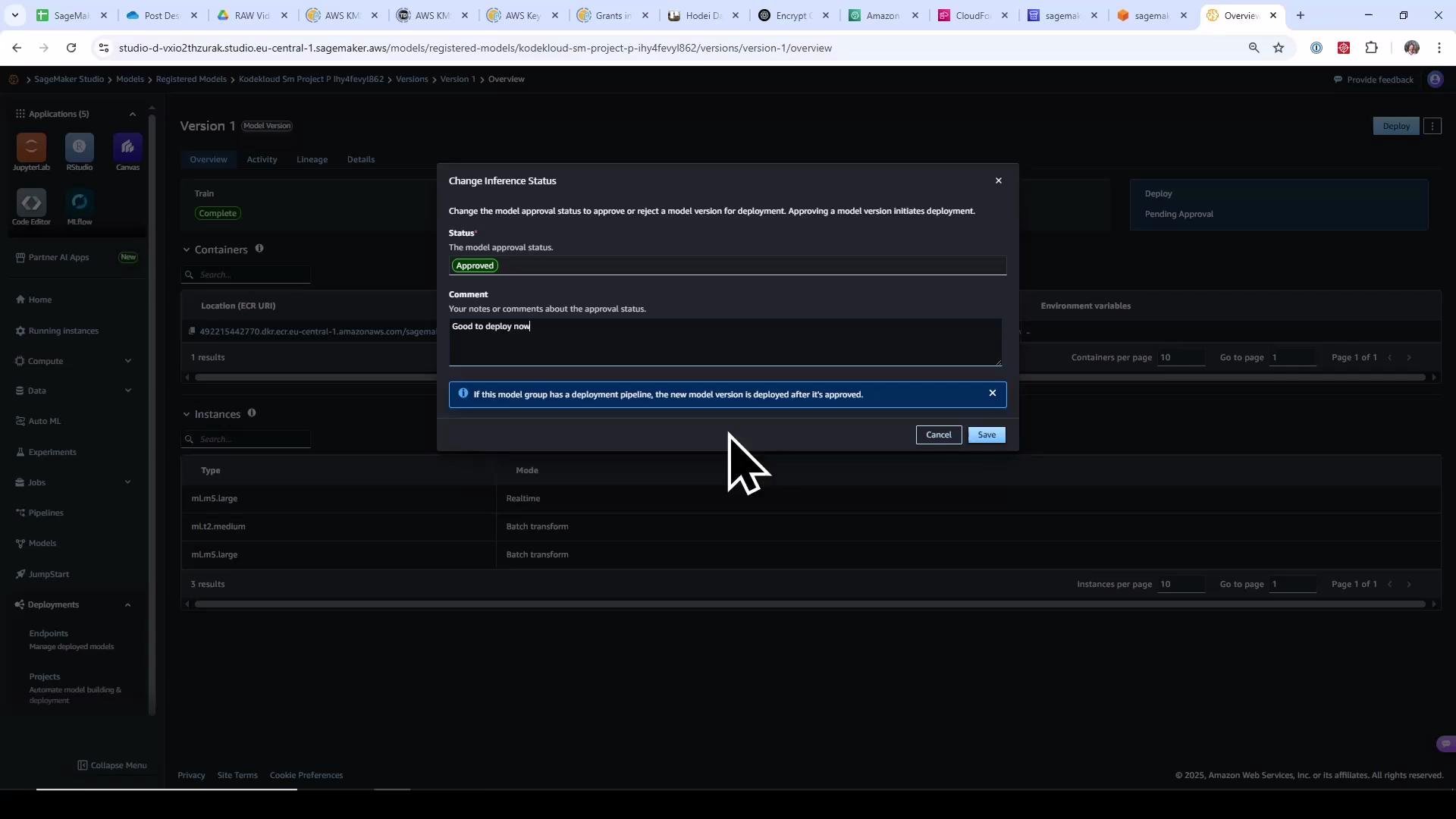
A screenshot of AWS SageMaker Studio showing a "Change Inference Status" dialog with the model status set to "Approved" and the comment "Good to deploy now." A large mouse cursor is hovering over the Save button.
Approving the model triggers the model‑deploy CodePipeline which runs a CodeBuild project. That build prepares CloudFormation templates for staging and production, packages artifacts, and emits deployable artifacts consumed by CloudFormation in later pipeline stages. Typical tasks in the model‑deploy buildspec:
  • Run a helper (e.g., build.py) to generate endpoint configuration CloudFormation templates for staging and prod.
  • Package templates with aws cloudformation package and upload artifacts to the project S3 bucket.
  • Emit packaged template files as pipeline artifacts.
A cleaned, representative deploy buildspec:
# model-deploy/codebuild-buildspec.yml
version: 0.2

phases:
  install:
    runtime-versions:
      python: 3.11
    commands:
      - pip install --upgrade --force-reinstall "botocore==1.21.30" "boto3==1.18.30" "awscli==1.20.30"

  build:
    commands:
      - python build.py \
          --model-execution-role "$MODEL_EXECUTION_ROLE_ARN" \
          --model-package-group-name "$SOURCE_MODEL_PACKAGE_GROUP_NAME" \
          --sagemaker-project-id "$SAGEMAKER_PROJECT_ID" \
          --sagemaker-project-name "$SAGEMAKER_PROJECT_NAME" \
          --s3-bucket "$ARTIFACT_BUCKET" \
          --export-staging-config $EXPORT_TEMPLATE_STAGING_CONFIG \
          --export-prod-config $EXPORT_TEMPLATE_PROD_CONFIG

      - aws cloudformation package \
          --template-file endpoint-config-template.yml \
          --s3-bucket $ARTIFACT_BUCKET \
          --output-template-file $EXPORT_TEMPLATE_NAME

      - cat $EXPORT_TEMPLATE_STAGING_CONFIG
      - cat $EXPORT_TEMPLATE_PROD_CONFIG

artifacts:
  files:
    - $EXPORT_TEMPLATE_NAME
    - $EXPORT_TEMPLATE_STAGING_CONFIG
    - $EXPORT_TEMPLATE_PROD_CONFIG
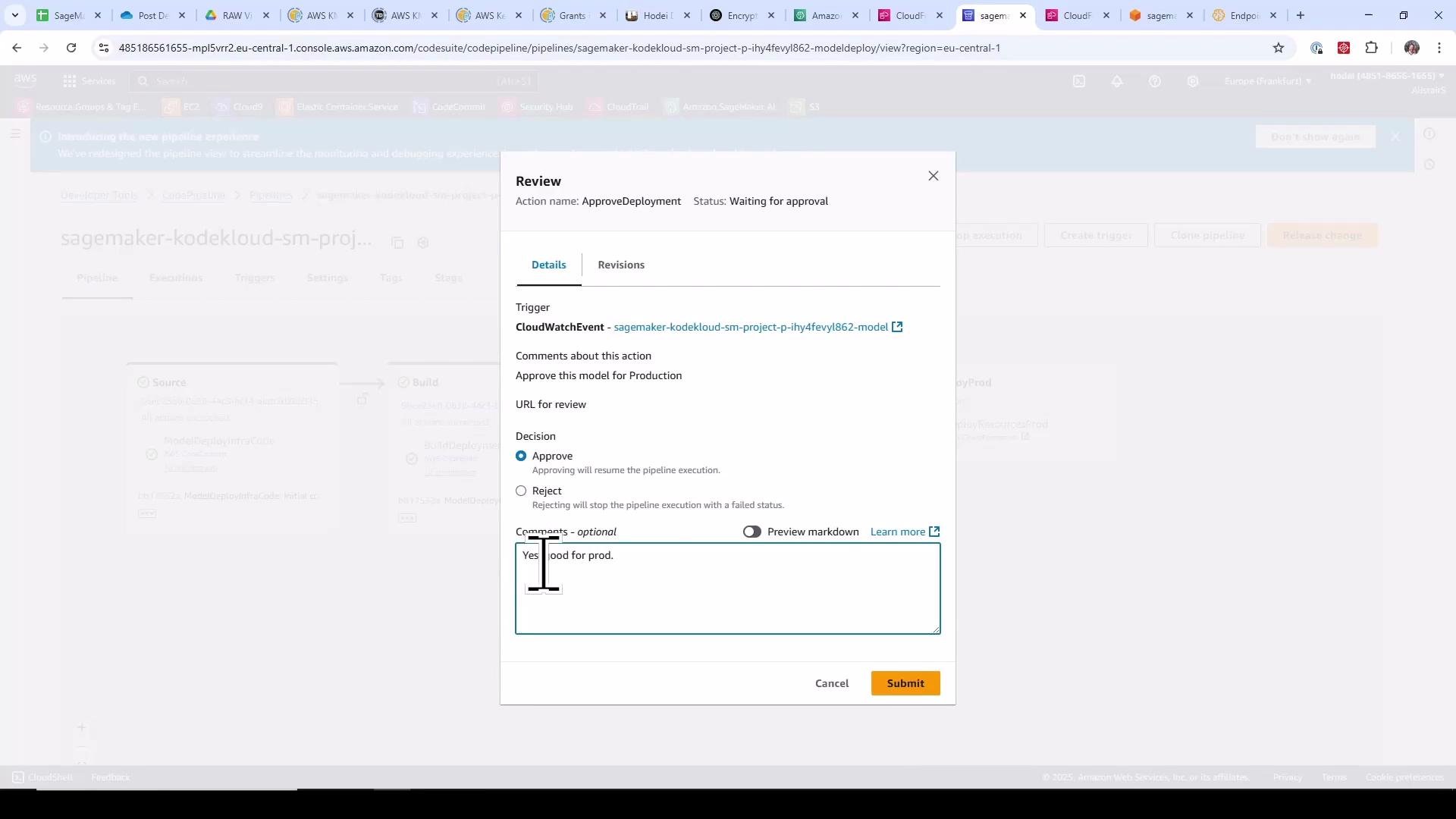
When the deploy stage runs, CodePipeline starts CloudFormation stacks that create the SageMaker Model, EndpointConfiguration, and Endpoint resources. The pipeline deploys staging first, executes tests (often a CodeBuild smoke test), and then pauses for a manual approval before creating the production stack. You can approve the pipeline deployment from the CodePipeline console (Review & Approve).
A screenshot of an AWS CodePipeline "Review" dialog for an ApproveDeployment action in a SageMaker pipeline, showing the decision options with "Approve" selected. The comments box contains "Yes good for prod." and there's a highlighted Submit button.
After approval, CodePipeline proceeds to create the production CloudFormation stack and production endpoint. Monitor CloudFormation events and the SageMaker Endpoints page while the endpoint warms up (this can take several minutes).

Inspect CodeBuild Projects

Both pipelines use CodeBuild. In the CodeBuild console you can open each build project to examine its environment, source settings, and buildspec.
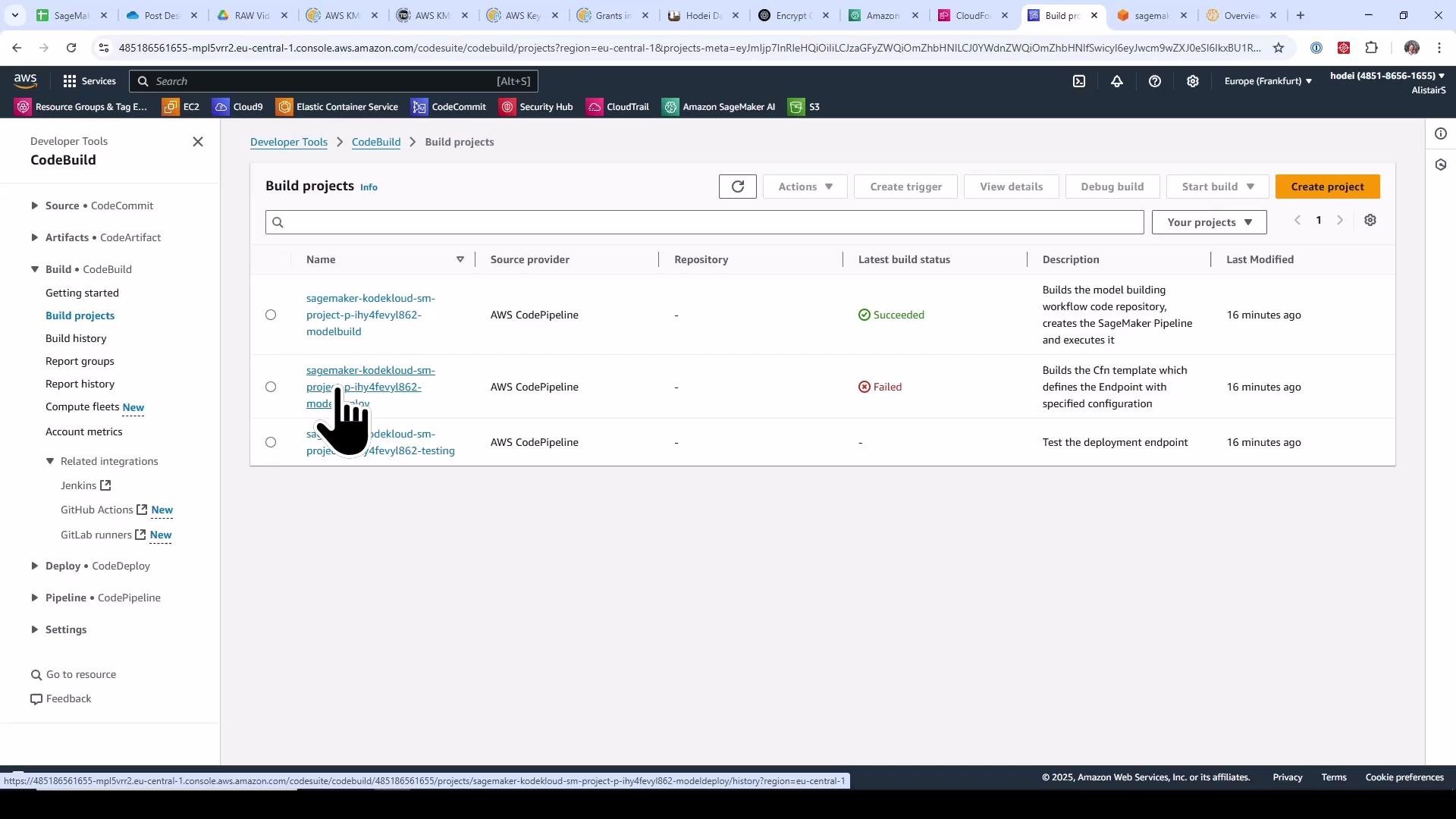
A screenshot of the AWS CodeBuild "Build projects" page showing a list of build projects, their source provider (AWS CodePipeline), and latest build statuses (one Succeeded, one Failed). A pointer/hand cursor is hovering over one of the project names.
Buildspecs are the authoritative instructions for CodeBuild: they install dependencies, run helper scripts or run-pipeline, and package or deploy CloudFormation templates.

Third‑Party Git Integration (Optional)

If you prefer to use GitHub, GitLab, Bitbucket, or GitHub Enterprise, choose a template that supports third‑party Git. You must first create a CodeStar connection between your AWS account and the Git provider (Developer Tools → Settings → Connections). The project creation dialog will then request repository URLs and branch names instead of creating CodeCommit repos.
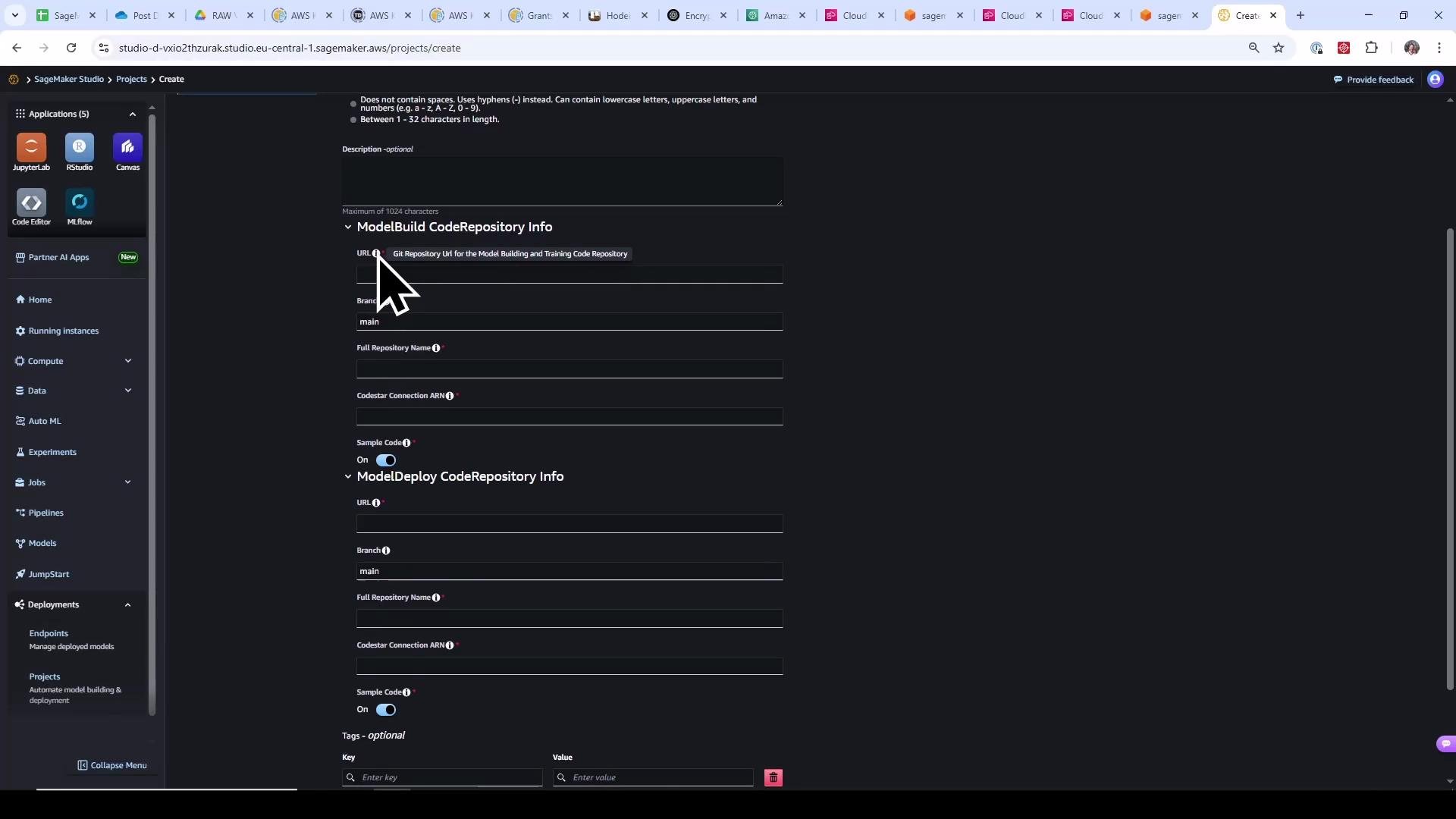
A screenshot of the AWS SageMaker Studio "Create Project" page showing form fields for ModelBuild and ModelDeploy code repository info, with a large cursor icon over the URL field. The left sidebar shows navigation items and app icons like JupyterLab and RStudio.
Manage or create CodeStar connections in the AWS console to link your Git provider; the connection name is referenced in the SageMaker Project dialog.
A browser screenshot of the AWS Management Console displaying a CodeCommit repository named "sagemaker-kodekloud-sm-project-..." with a file/folder list and README section. The right side shows the Amazon Q generative AI assistant panel, and the left shows the Developer Tools navigation.

Resources Created by the Template

Resource TypeUse CaseExample / Notes
S3 BucketArtifacts and packaged CloudFormation templatessagemaker-project-<project-id>
CodeCommit / Third‑party GitSource code for model build & deployseed code includes pipelines, buildspecs, CFN templates
CodeBuildExecutes buildspecs: installs deps, runs run-pipeline, packages templatesmodel-build & model-deploy projects
CodePipelineOrchestrates CI/CD stages (Source → Build → Deploy)build triggers SageMaker Pipeline creation
SageMaker PipelinesEnd‑to‑end ML workflow: Processing → Training → Evaluation → RegisterModelregisters model packages into Model Registry
CloudFormationDeclarative infra provisioning (models, endpoints, event rules)used by templates produced by build

Summary

What we accomplished:
  1. Reviewed SageMaker Project templates and selected one that provisions both model build and model deploy CI/CD pipelines.
  2. Created a SageMaker Project, which launched a CloudFormation stack to provision S3, source repos, CodeBuild projects, CodePipeline pipelines, SageMaker Pipelines, and IAM roles.
  3. Followed the CI/CD flow: CodeCommit → CodePipeline → CodeBuild → run‑pipeline (SageMaker Pipeline) → Processing/Training/Evaluation → Model Registry.
  4. Approved a registered model to trigger the deploy pipeline; observed staging deployment, automated tests, and a manual approval gate before production.
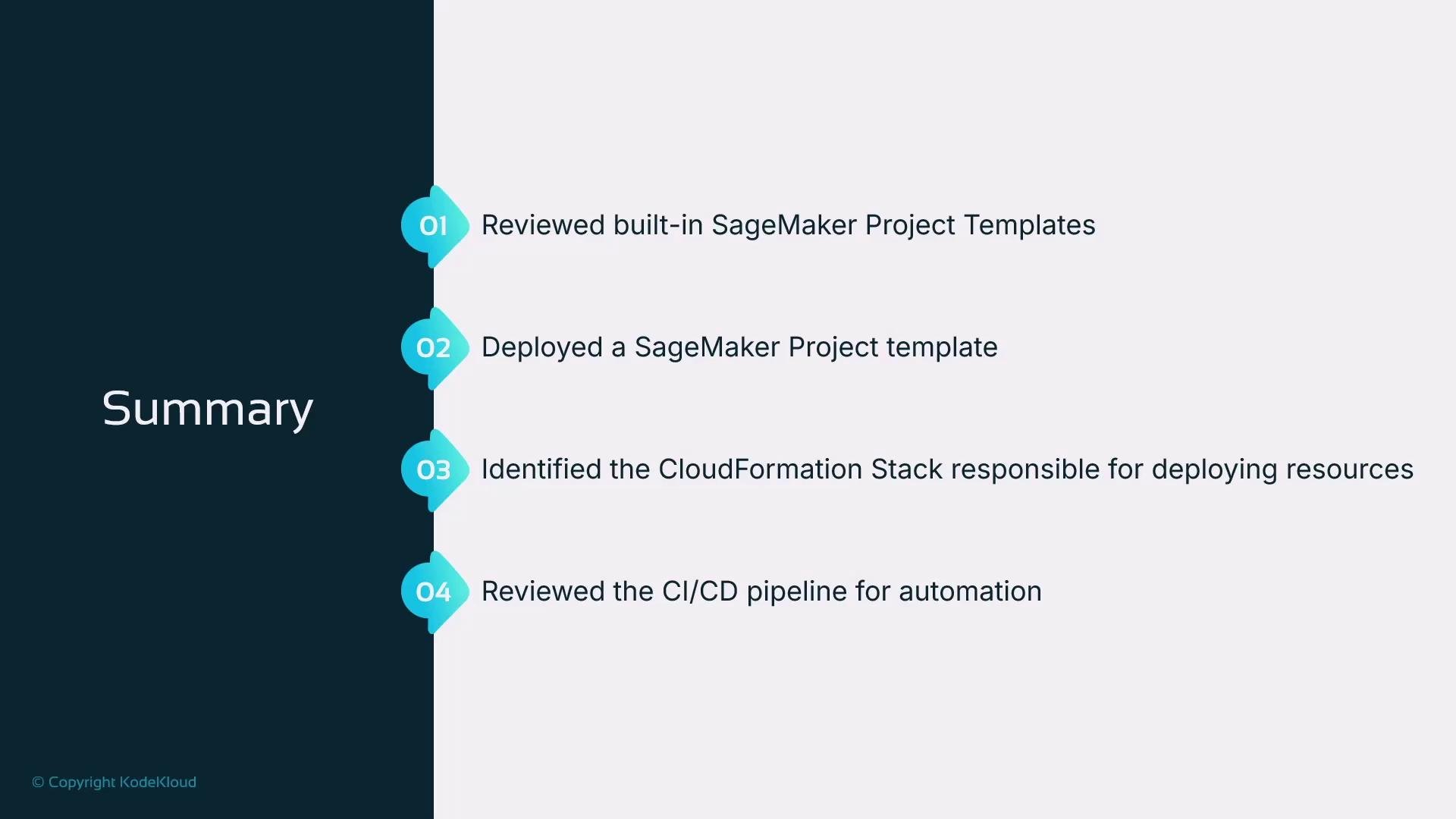
A presentation slide titled "Summary" listing four numbered items: reviewed built-in SageMaker project templates, deployed a SageMaker project template, identified the CloudFormation stack deploying resources, and reviewed the CI/CD pipeline for automation. The slide uses teal numbered badges on a vertical timeline against a dark left panel.
This project template provides a fully integrated CI/CD workflow for ML on AWS. For production systems:
  • Prefer third‑party Git hosts and CodeStar connections,
  • Define branching and approval policies,
  • Consider cross‑account deployments and more robust testing (canaries, blue/green),
  • Add monitoring and Model Monitor checks for production model behavior.
Links and references

Watch Video