You now have a trained model artifact registered in a model registry with tracked metadata and lineage. The next step is hosting that model so it can accept requests and return predictions. This guide explains the hosting problem, common hosting choices, and why Amazon SageMaker Endpoints are a production-ready managed hosting option on AWS. At a high level, hosting a model requires:
  • Compute to run the model (VM, container, or managed instance).
  • An inference handler: code that accepts requests, pre-processes input, calls the model, then post-processes output.
  • A transport layer for clients to access the handler (HTTP API, message queue, batch jobs, etc.).
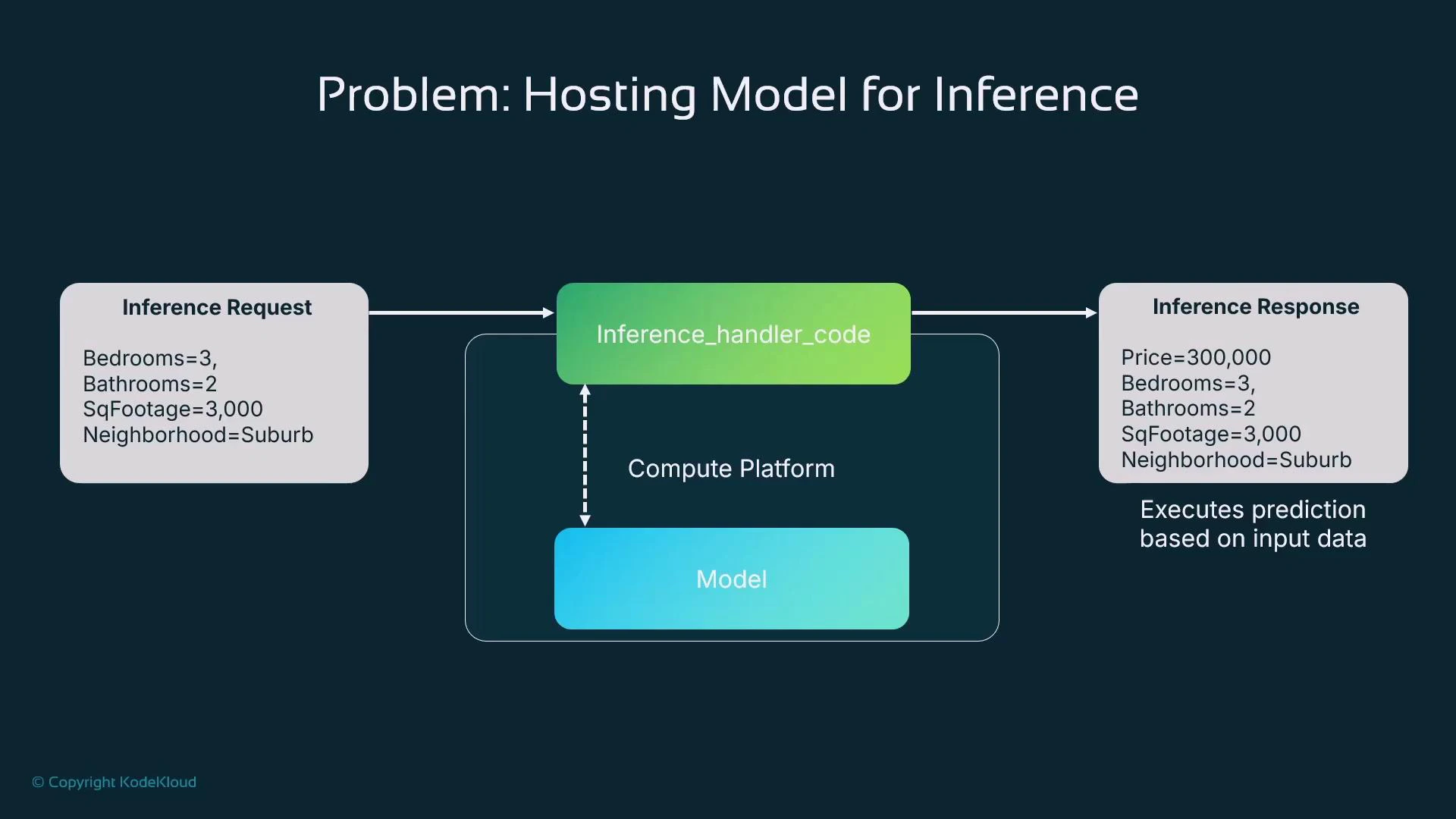
The inference handler acts as the bridge between a caller and the model: deserialize incoming data, format it for the model, invoke the model, then serialize the response back to the client.
A diagram titled "Problem: Hosting Model for Inference" showing an inference request (house features like bedrooms, bathrooms, square footage, neighborhood) flow into an inference handler and compute platform/model, producing an inference response with a predicted price and the same input features.
The diagram above illustrates a typical request flow: a client submits features (e.g., bedrooms: 3, bathrooms: 2, square footage: 3,000, neighborhood: suburban) to the inference handler running on your compute platform. The handler prepares model inputs, runs inference, and returns a predicted price (e.g., $300,000) plus any metadata. Where to host the model and inference handler? Options include on-premises servers, other cloud providers, or several AWS compute services. Each choice has trade-offs in cost, operational complexity, latency, scalability, and integration with your CI/CD pipeline.
Hosting OptionBest forExample / Notes
On-PremisesOrganizations with data residency or strict complianceFull control, higher ops burden
Other Cloud ProvidersMulti-cloud strategies or vendor preferenceDepends on provider-managed services
AWS EC2Custom, long-running VMsFlexible but requires OS/container management
AWS ECS / EKSContainerized deployments with orchestrationBetter automation; still manage nodes or use Fargate
SageMaker EndpointsManaged ML inference with minimal infra opsLow-latency, autoscaling, versioning support
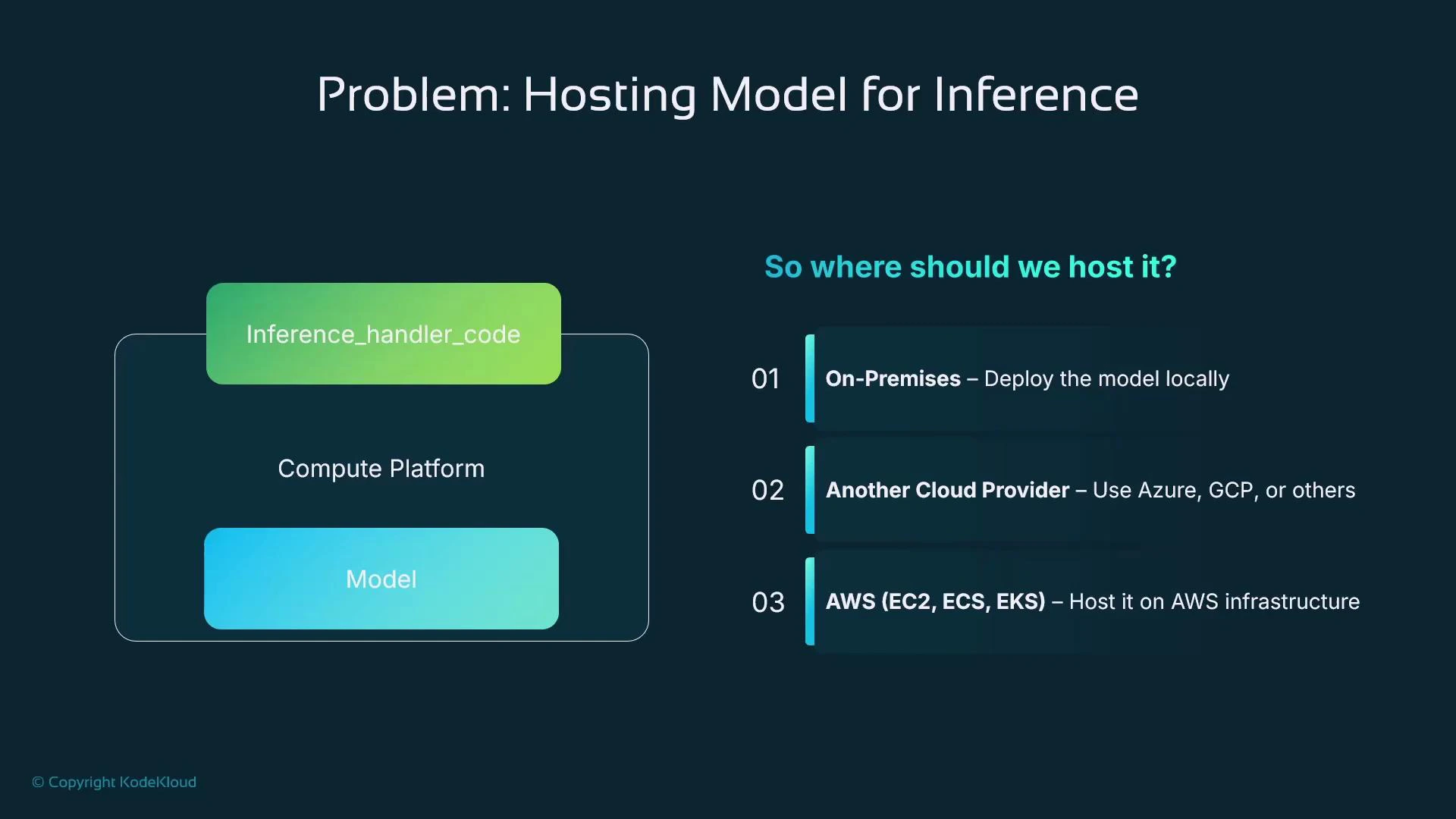
A presentation slide titled "Problem: Hosting Model for Inference" showing an inference_handler_code and model inside a compute platform. The right side lists three hosting options: On‑Premises, Another Cloud Provider, and AWS (EC2, ECS, EKS).
If you’re starting on AWS, SageMaker Endpoints are a great place to begin. SageMaker provides a managed hosting option that reduces operational overhead: you supply the compute and container image (or use a built-in container), and SageMaker provisions and manages instances and containers for you.
If you are new to ML production on AWS, start with a SageMaker Endpoint to minimize infrastructure work and get predictable, low-latency inference quickly.
Key benefits of SageMaker Endpoints:
  • Fully managed hosting: SageMaker provisions instances and containers and manages lifecycle, OS, and patching.
  • Low-latency, real-time predictions for synchronous workflows (e.g., fraud detection, personalization).
  • Autoscaling: scale instance count automatically in response to traffic.
  • Safe updates: built-in mechanisms to roll out new model versions (supporting blue/green, canary, or A/B strategies).
  • Flexible pricing: pay-as-you-go for instances; use serverless/async/batch options for cost-efficient non-real-time use cases.
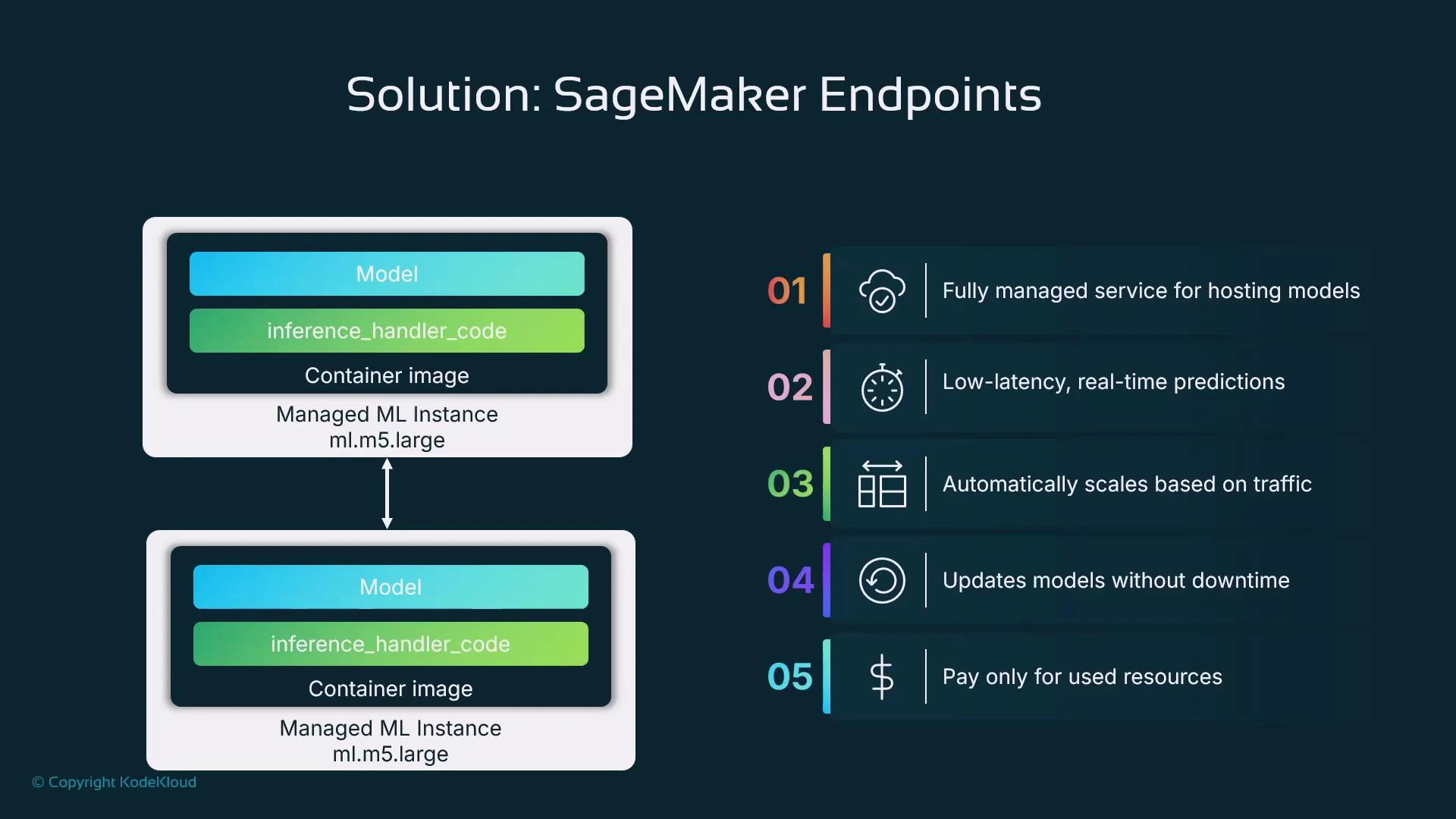
SageMaker follows the same managed pattern used for training and processing jobs: you declare resources and the container image, and SageMaker creates managed compute, runs the workload, and exposes endpoints. For inference, SageMaker deploys containers that host the model artifact and your inference handler (or a SageMaker-provided serving stack). You do not need to manage the underlying OS or instances.
The slide titled "Solution: SageMaker Endpoints" shows two managed ML instances (ml.m5.large) running container images that include a Model and inference_handler_code. To the right is a five-point list of benefits: fully managed hosting, low-latency real-time predictions, automatic scaling, updates without downtime, and pay-only-for-used-resources.
Additional SageMaker capabilities and common serving patterns:
  • Real-time endpoints: synchronous, low-latency responses with instance-backed hosting.
  • Serverless inference: run model code without provisioning instances (good for low or spiky traffic).
  • Asynchronous endpoints: submit requests and retrieve results later (useful for long-running or variable-latency inference).
  • Batch Transform jobs: high-throughput offline inference over large datasets.
  • Multi-Model Endpoints (MME): host many small models on the same endpoint and load them on-demand to reduce cost.
Autoscaling and cost-control considerations:
  • Choose instance type and initial count (e.g., ml.m5.large) based on latency and memory/CPU requirements.
  • Use SageMaker autoscaling to adjust instance count to traffic.
  • For workloads that are infrequent or bursty, evaluate serverless or asynchronous endpoints to avoid always-on instance costs.
Updating endpoints and model rotation:
  • SageMaker supports programmatic endpoint updates for rolling new model versions into production.
  • Typical flow: create a new model resource (pointing to the new model artifact and container), create a new endpoint configuration, then call UpdateEndpoint to switch traffic.
  • This supports deployment strategies used in DevOps: canary releases, blue/green swaps, and A/B tests.
Example: Creating and updating a SageMaker endpoint using boto3
  • Steps:
    1. Create a Model resource that references your model artifact and container image.
    2. Create an Endpoint Configuration specifying instance type and count.
    3. Create the Endpoint from that configuration.
    4. To deploy a new model, create a new Model + Endpoint Configuration and call UpdateEndpoint.
import boto3

sagemaker = boto3.client("sagemaker")
role_arn = "arn:aws:iam::123456789012:role/SageMakerExecutionRole"
model_name = "house-price-model-v1"
container_image = "123456789012.dkr.ecr.us-west-2.amazonaws.com/my-serving-image:latest"
model_artifact_s3 = "s3://my-bucket/models/house-price/model.tar.gz"

# 1) Create model resource
sagemaker.create_model(
    ModelName=model_name,
    PrimaryContainer={
        "Image": container_image,
        "ModelDataUrl": model_artifact_s3,
    },
    ExecutionRoleArn=role_arn,
)

# 2) Create endpoint configuration
endpoint_config_name = "house-price-endpoint-config-v1"
sagemaker.create_endpoint_config(
    EndpointConfigName=endpoint_config_name,
    ProductionVariants=[
        {
            "VariantName": "AllTraffic",
            "ModelName": model_name,
            "InitialInstanceCount": 1,
            "InstanceType": "ml.m5.large",
        }
    ],
)

# 3) Create endpoint
endpoint_name = "house-price-endpoint"
sagemaker.create_endpoint(
    EndpointName=endpoint_name,
    EndpointConfigName=endpoint_config_name,
)

# Later: to deploy a new model, create a new Model + EndpointConfig then:
# sagemaker.update_endpoint(EndpointName=endpoint_name, EndpointConfigName="house-price-endpoint-config-v2")
Be mindful of costs: real-time endpoints incur charges while instances are running. For low-traffic or batch workloads, evaluate serverless, async, or Batch Transform to reduce costs.
Tip: The SageMaker Python SDK (sagemaker) provides higher-level abstractions (Model.deploy(), Pipeline deployments, etc.) that simplify many of the steps above and integrate well with CI/CD pipelines. Final considerations and decision criteria
  • Match hosting to requirements: latency, throughput, availability, cost, and operational capacity.
  • Start simple with SageMaker Endpoints for predictable, low-latency inference on AWS; evolve to serverless or async patterns when appropriate.
  • Design for model updates and automated deployment from the start — models drift and will require retraining and rotation into production.
  • Monitor model performance, latency, and cost after deployment; automate rollback or traffic-shifting when necessary.
Further reading and references

Watch Video