

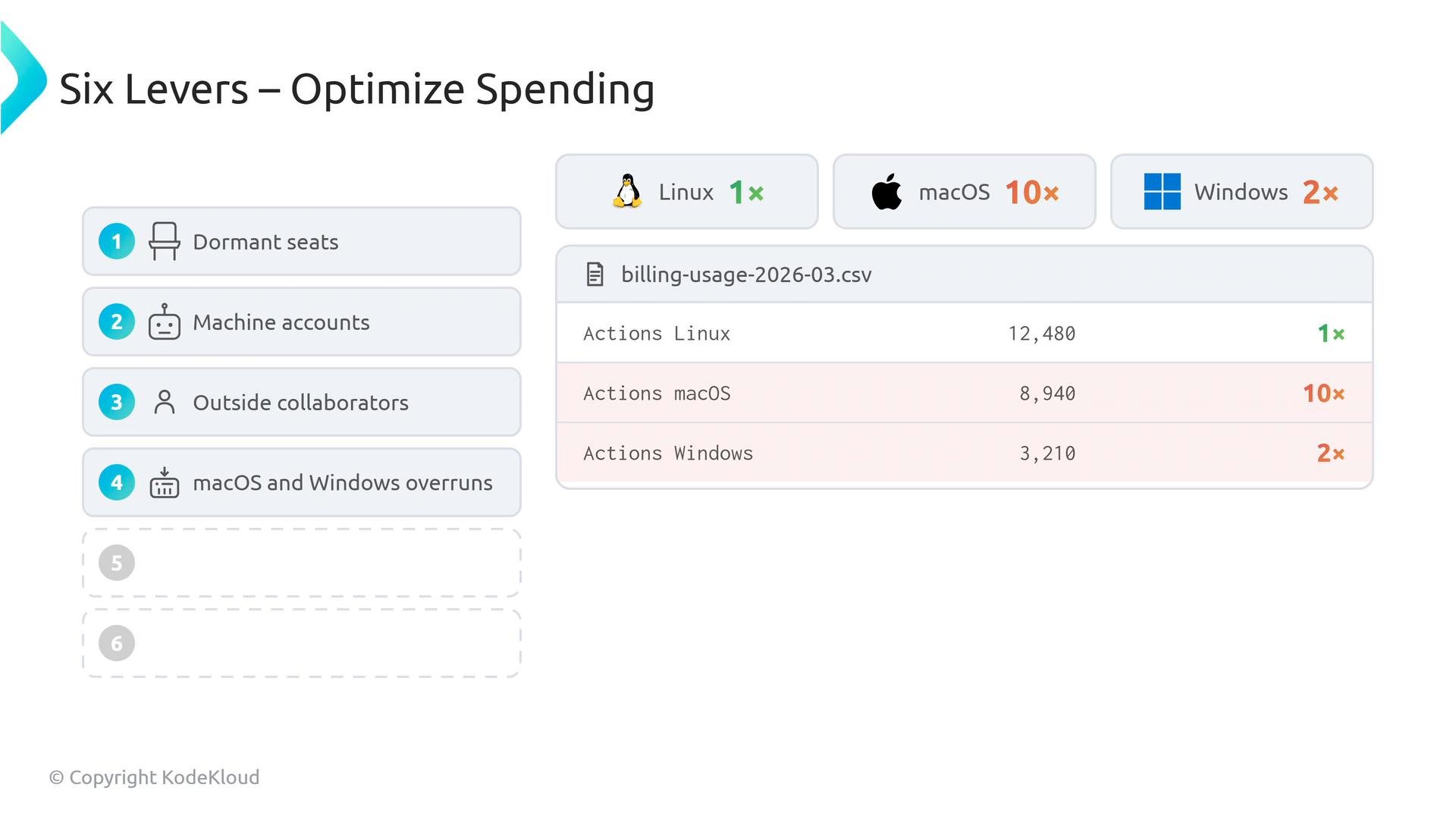
organization, repository_slug, date, product, sku, quantity, and price_per_unit. The sku column is the single most important diagnostic field because it identifies the resource consuming budget (for example: Actions Linux, Actions Windows, Actions macOS, Packages Storage, or Codespaces Linux). The quantity shows minutes or storage used; price_per_unit shows whether you’ve exceeded free tiers and are paying overage rates.
Example billing export (sample rows):
The
sku column is your primary troubleshooting tool. Use it to locate expensive runners (macOS/Windows), storage usage, or Codespaces consumption quickly.- Dormant seats
- Export the active license list from your GitHub billing dashboard and compare it to your identity provider’s active employees list. A simple script or spreadsheet VLOOKUP will reveal mismatches — these are likely seats assigned to departed employees and represent recurring waste. Remove or reassign those licenses.
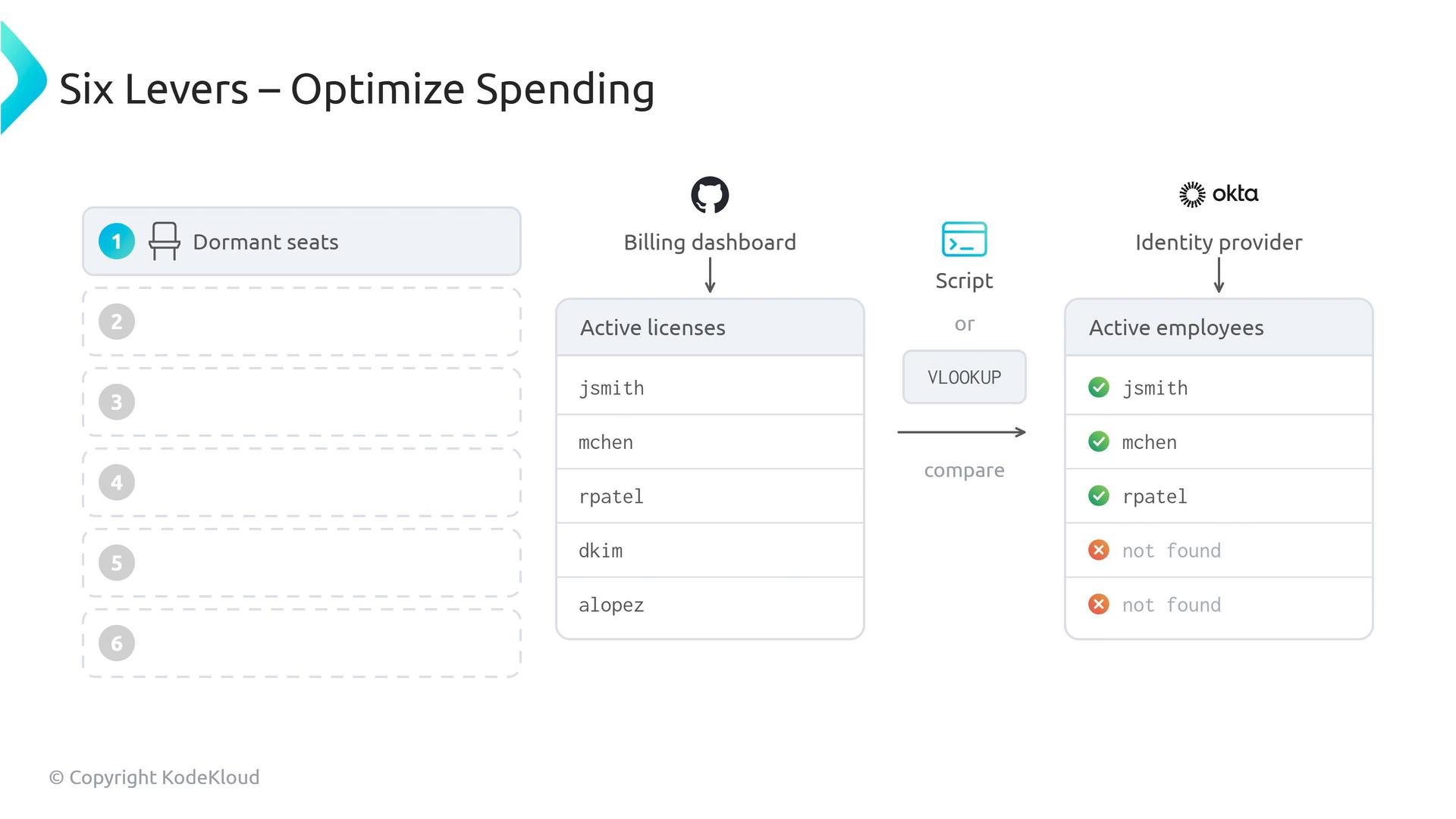
-
Machine accounts
- Ensure CI bots and service accounts use appropriately scoped machine/service accounts that do not consume standard user seats or expensive Advanced Security committer seats. Treat machine accounts differently in your identity provider or license mapping to avoid misbilling.
-
Outside collaborators
- Outside collaborators on private or internal repositories consume paid seats; outside collaborators added only to public repositories do not. Audit collaborator lists and, where security permits, move contributors to public repositories or adjust repository visibility to avoid unnecessary license consumption.
-
macOS and Windows runners
- macOS minutes are billed at a 10× multiplier relative to Linux minutes; Windows minutes are billed at 2×. If you see large quantities of these SKUs, consider:
- Restricting macOS/Windows runner use (e.g., only run them for main-branch or release builds).
- Migrating builds to self-hosted runners (no per-minute billing from GitHub).
- Caching dependencies and build artifacts to reduce runtime.
- Use targeted branch filters, required checks, or repository-level policies to reduce accidental runs.
- macOS minutes are billed at a 10× multiplier relative to Linux minutes; Windows minutes are billed at 2×. If you see large quantities of these SKUs, consider:
- GitHub Advanced Security seats
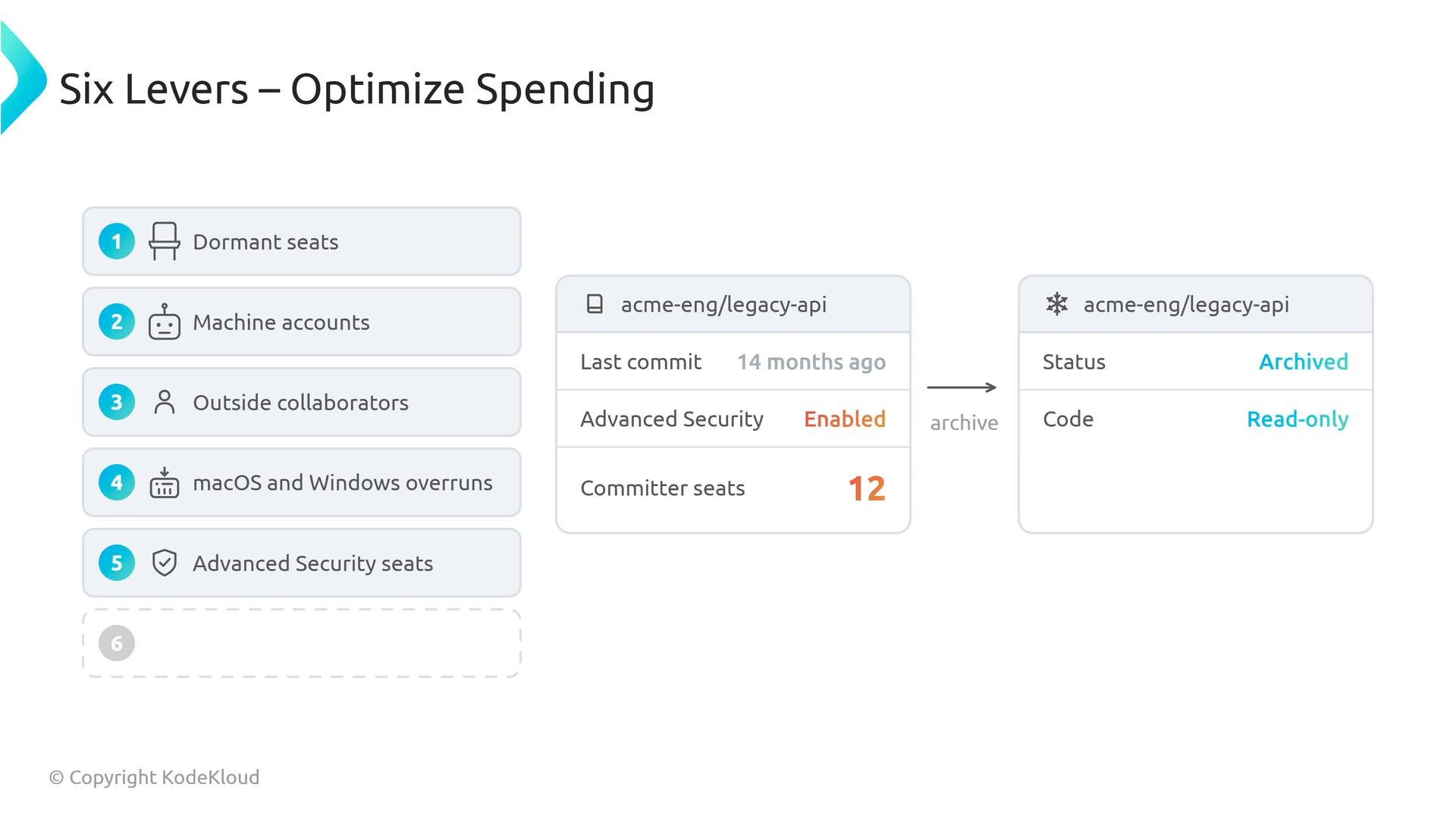
- Advanced Security seats can be expensive. If repositories with Advanced Security enabled are inactive, archive them. Archiving makes a repository read-only and, after 90 days, reclaims active Advanced Security committer seats that were tied to that repo. This is a safe way to pause spending on legacy projects without immediate permanent deletion.
- Dependency caching
- Add caching to Actions workflows to significantly reduce subsequent build times — often by up to ~80% depending on dependency patterns. This directly reduces billed minutes and is usually the quickest win.
Key takeaways
- Use the billing CSV to find expensive SKUs and repositories causing overages.
- Prioritize fixes: reclaim dormant seats, convert machine accounts, remove paid collaborator assignments where possible, and limit macOS/Windows usage.
- Archive inactive repos with Advanced Security to reclaim committer seats after 90 days.
- Add dependency caching to workflows for rapid minutes reduction.
- GitHub Actions billing and usage documentation
- GitHub Advanced Security
- Using the dependency cache in GitHub Actions (actions/cache)