

Where to find audit logs (UI)
Open your enterprise, go to Settings → Audit log. The Audit log lists events across the enterprise and its organizations. Each row shows a summary (actor, action, target, timestamp). Click the three-dot menu on any entry to view full metadata, including timestamp, action, actor and user IDs, enterprise/organization names and IDs, user agent, and more. Here’s an example of a detailed entry you might see in the UI: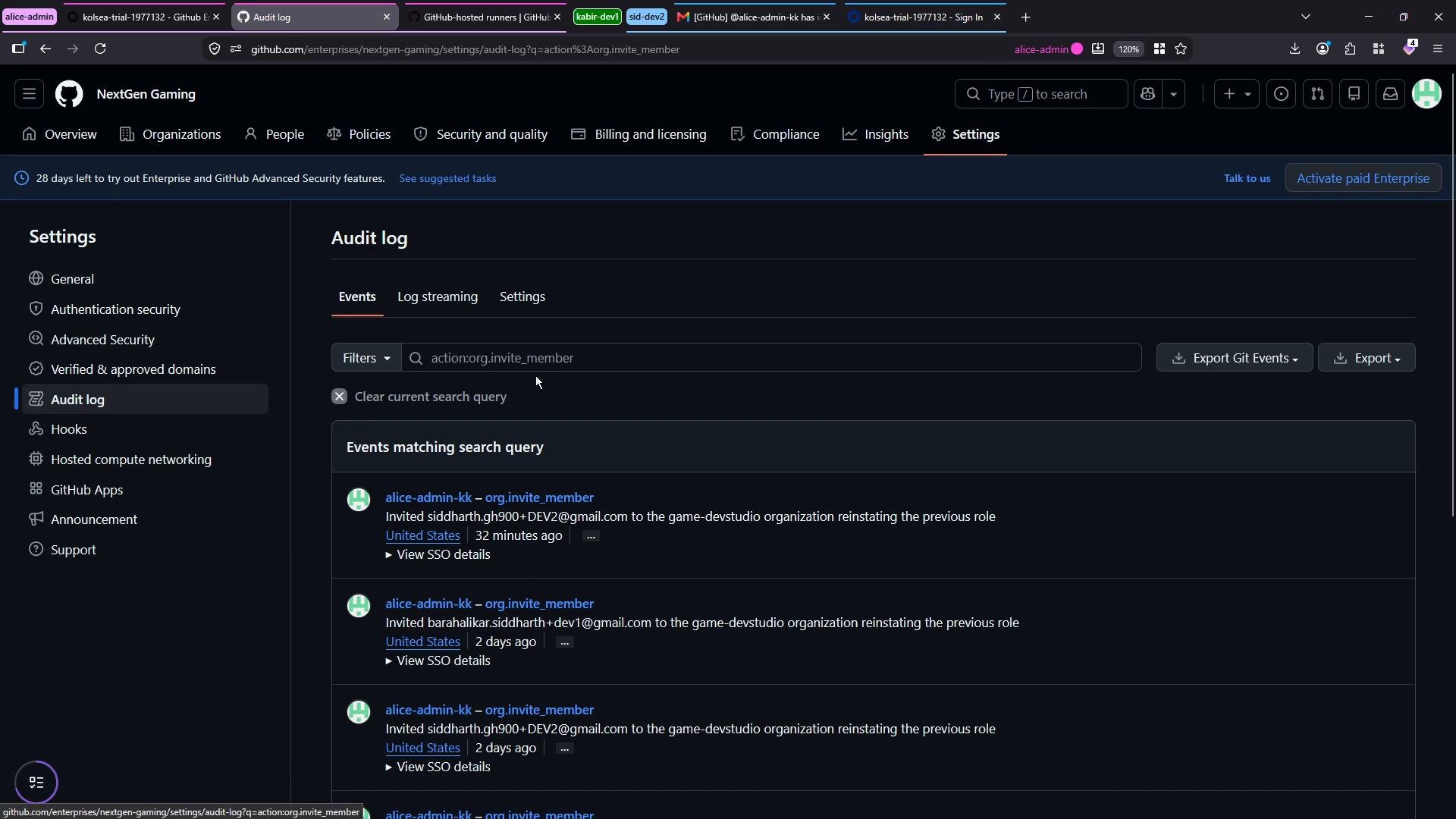
Filtering and searching the Audit log
Use the search bar to filter the Audit log by action, user, date range, or other indexed fields. Filters let you focus on a specific class of events (e.g., invites, repo creation, branch protection overrides). Common queries:- Organization member invitations:
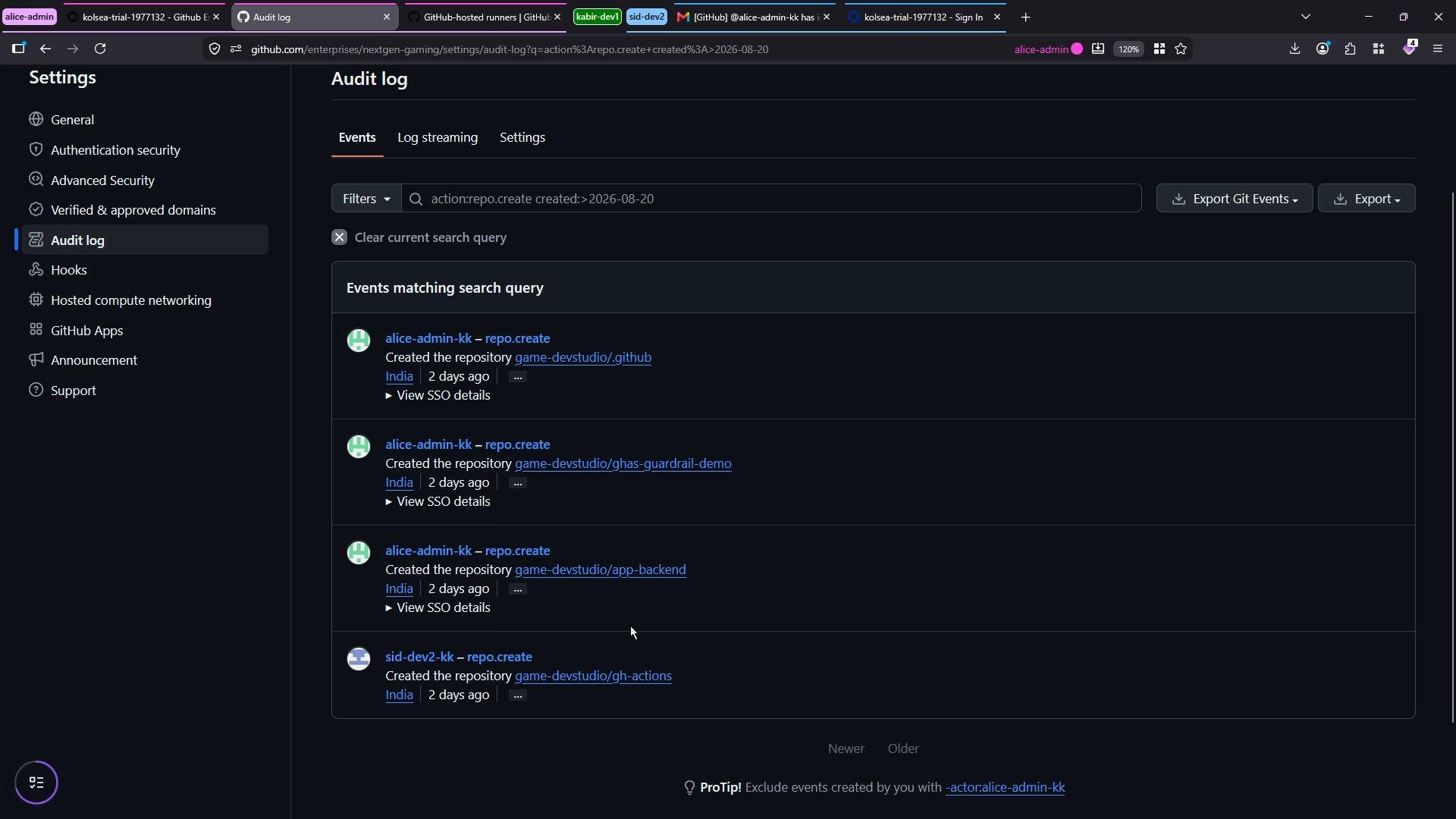
- Repositories created after a specific date:
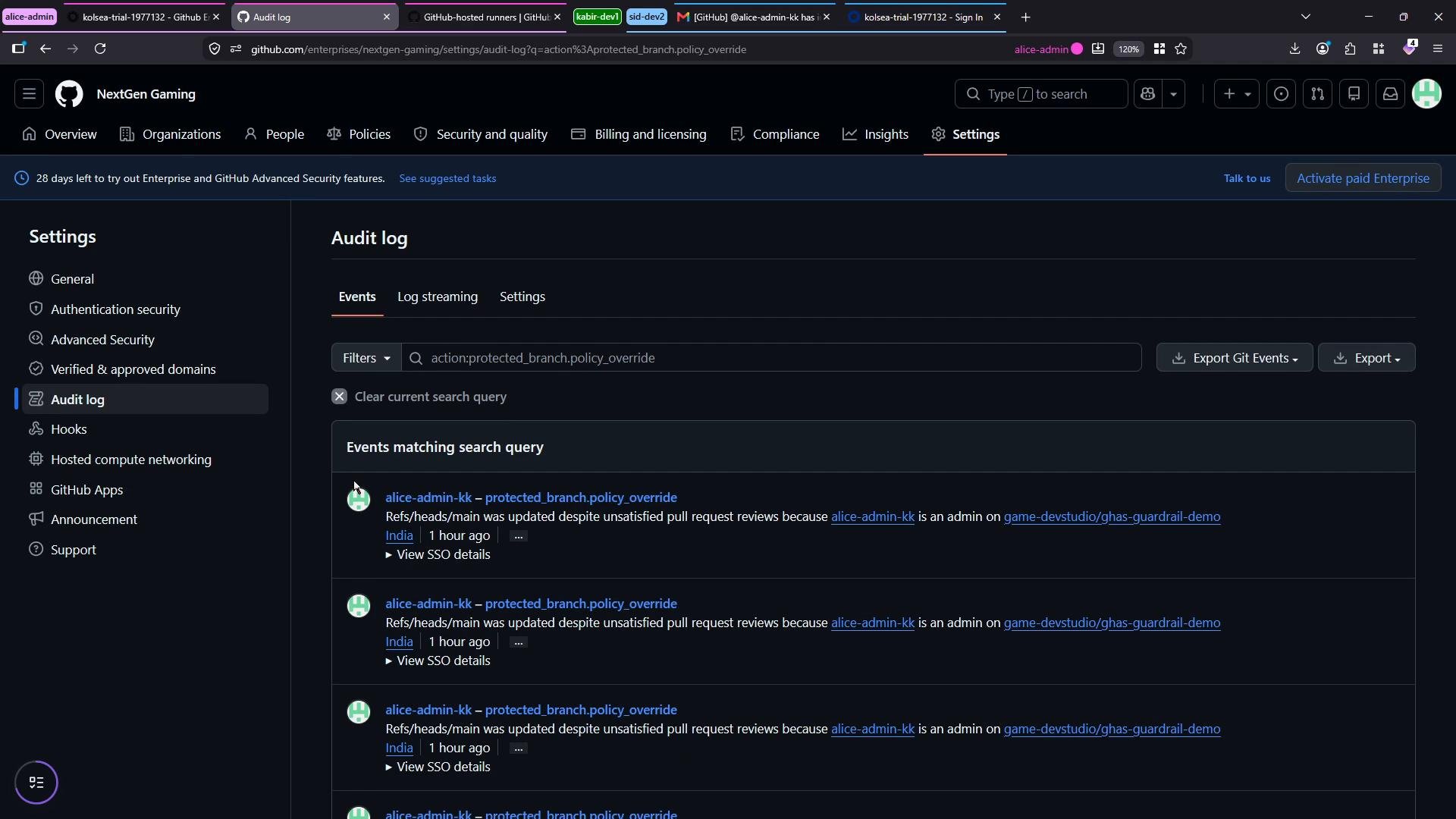
- Protected branch policy overrides:
action:repo.create created:>2026-08-20, the results show who created each repository, when it was created, and other metadata. Example results might include repositories like .github, gists, guardrails, app-backend, and gh-actions.
protected_branch.policy_override filter to see who bypassed branch protections and when. In tightly controlled environments, these overrides are typically performed by a small set of admins — which will be visible in the returned events.
Useful filter cheat sheet
Programmatic access and exports
Audit logs can be consumed programmatically:- Use the Enterprise Audit Log REST API: https://docs.github.com/en/rest/enterprise-admin/audit-log
- For continuous integration with SIEM or centralized logging, configure log streaming / exports: https://docs.github.com/en/enterprise-cloud@latest/admin/monitoring-your-enterprise/exporting-your-enterprise-audit-log
Audit logs provide a full, timestamped record of enterprise and organization actions. Use UI filters for quick investigations and the API or log streaming to integrate audit records into centralized monitoring, alerting, and retention workflows.