Finding security flaws in proprietary code requires deep semantic analysis, not just simple pattern matching. A plain text search (for example, using grep) only matches literal tokens:
In this article we explain how CodeQL compiles your code and treats it like a queryable database to trace dangerous data flows through your application—and why that capability is critical for finding real vulnerabilities in first‑party code. CodeQL is the engine behind GitHub Code Scanning and behaves very differently from traditional security tools. It does more than search for suspicious words: it reasons about how data flows through your program.
Instead of reporting only literal matches, CodeQL builds a semantic model of your code and lets you query it, so you can find cases where user-controlled input reaches dangerous sinks. Example: a vulnerable JavaScript render function and a simplified CodeQL query that finds calls to eval where the argument is user-controlled.
How CodeQL helps: it can trace a specific piece of data across layers of your application. If a user types a search string on your site, CodeQL can follow that value from the UI, through your API layer, and into a database query or to an eval() call, flagging dangerous sinks such as unsanitized SQL concatenation or dynamic evaluation. Example vulnerable server code:
This pattern may lead to SQL injection because user input q is interpolated directly into the SQL string. How CodeQL analyzes different languages
  • For interpreted languages like Python, JavaScript, and Ruby, CodeQL reads and analyzes the source files directly.
  • For compiled languages such as Java, C++, and Go, CodeQL must observe a successful build to understand how the final program is constructed. It hooks into your compiler and build system to extract semantic artifacts. If the build fails, analysis cannot proceed.
For interpreted languages, CodeQL reads the source directly:
A slide titled "Interpreted – Read Directly" showing Python and JavaScript icons in rounded boxes, labeled "Python" and "JavaScript."
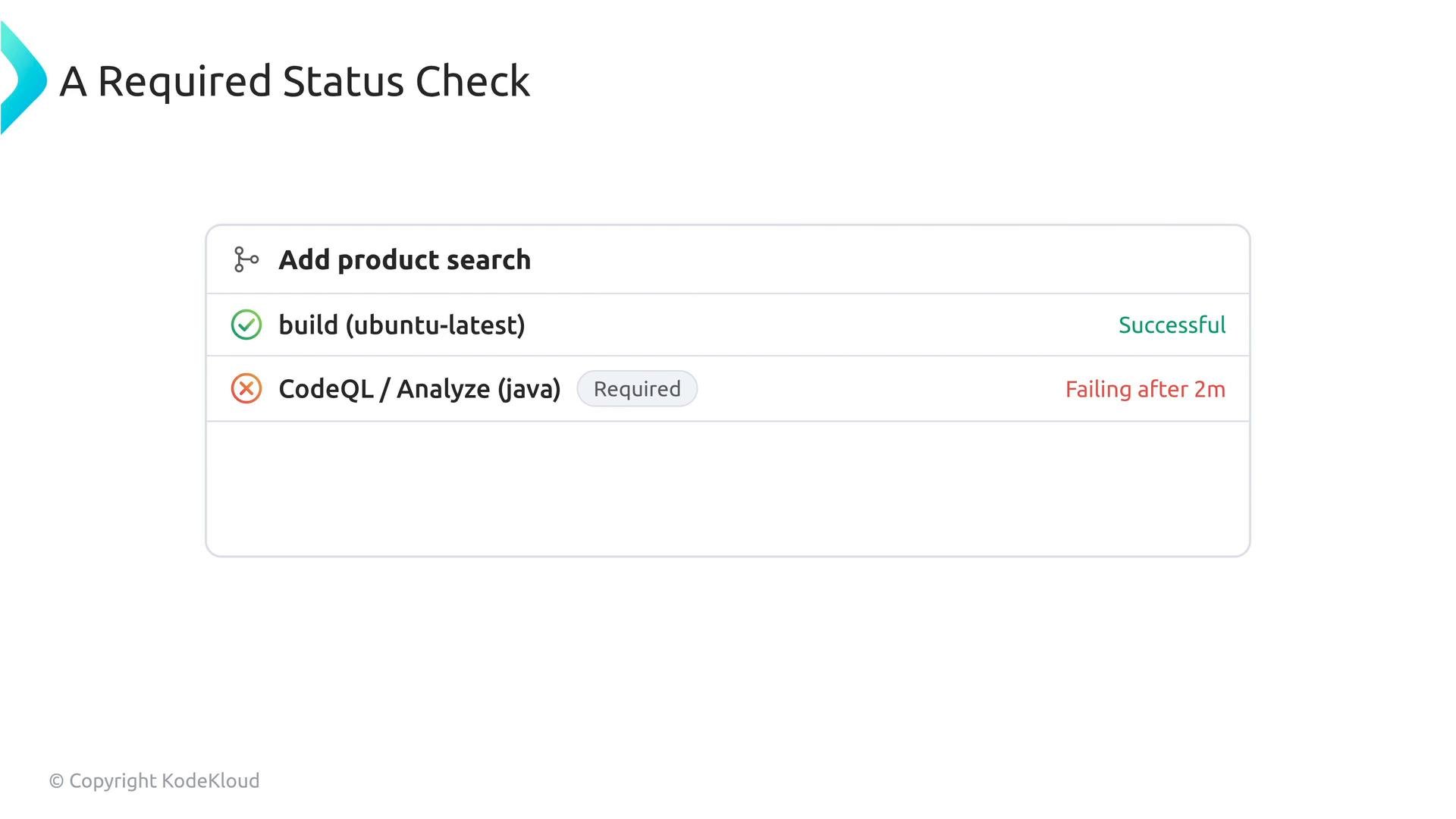
For compiled languages, the scan depends on a successful build. If your CI environment cannot reproduce the exact build steps, CodeQL may be unable to extract the semantic data it needs. A failing build in your workflow causes CodeQL analysis to fail:
You typically integrate CodeQL via a GitHub Actions workflow that performs the build and then runs the analysis. Making that workflow a required status check on protected branches ensures both the build and the analysis must succeed before merges are allowed. If you want merges blocked specifically because of new CodeQL findings, configure your workflow and branch protection rules to fail on newly introduced alerts.
Screenshot of a status check panel titled "A Required Status Check" for "Add product search." It shows "build (ubuntu‑latest)" as successful and "CodeQL / Analyze (java)" marked required and failing after 2m.
For compiled languages, ensure your CI environment reproduces the build steps CodeQL needs (including required toolchains and build flags). If the analyzer can’t build the project, it can’t extract the semantic data needed for accurate analysis.
If your CodeQL workflow is failing due to build errors, make that failure actionable in CI. Treat the build + analysis status checks as required on protected branches so broken builds (and therefore incomplete analyses) block merges until resolved.
Quick reference: CodeQL behavior by language type Best practices and next steps
  • Integrate CodeQL into GitHub Actions: follow the official guide to add the CodeQL analysis workflow and automate scans on push and pull requests. See the CodeQL docs for setup details: https://docs.github.com/en/code-security/code-scanning/using-codeql-code-scanning
  • Make the CodeQL workflow a required status check on protected branches so build failures or new, unaddressed alerts block merges.
  • For compiled projects, ensure CI reproduces your local build: include necessary toolchains, environment variables, and build flags.
  • Customize or write CodeQL queries tailored to your codebase to reduce false positives and find risky data-flow paths unique to your application logic.
Links and references Understanding these distinctions—source analysis vs. build‑dependent analysis—and configuring CI accordingly will help you get reliable, actionable results from CodeQL and improve the security of your codebase.

Watch Video