

Note: “Internal” repository visibility is available only for GitHub Enterprise and some paid organization plans. If your organization plan does not include Internal repositories, members will only see Public and Private options.
Why control repository creation?
Restricting repository creation by visibility can prevent accidental public exposure of private code and maintain consistent governance across your organization. Common policies include allowing members to create only Private repositories or disallowing creation entirely for non-owners.Where to change these settings
- Go to your organization on GitHub.
- Navigate to Settings -> Member privileges.
- Under “Repository creation” select which repository types members can create (Public, Internal, Private, or a combination).
- Optionally prevent outside collaborators from creating repositories.
Demonstration: member vs owner experience
I demonstrate using the Game Dev Studio organization:- First, I log in as a regular member user (siddh-dev2) and start creating a new repository. When the organization allows all types, the member sees all three visibility options: Public, Internal, and Private.
- Then I update the organization policy to allow only Private repositories for members.
- After enforcing the policy, a member attempting to create a repository in Game Dev Studio sees only the Private option; Public and Internal choices are disabled for them.
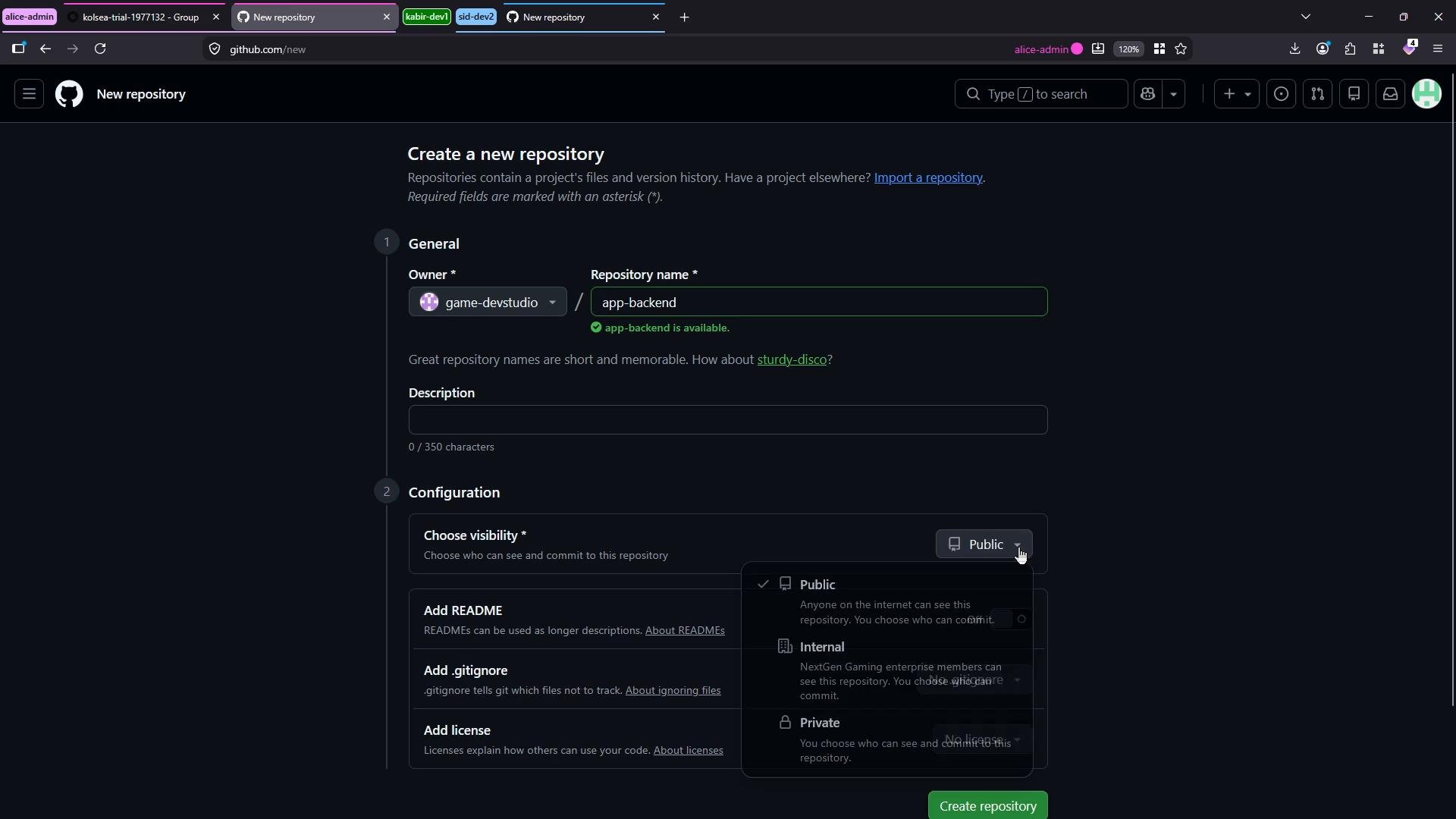
Organization owners retain the ability to create repositories with any visibility and can override member repository creation restrictions. Use this authority deliberately so visibility choices stay consistent with your organization’s security policies.
Member privileges — key options
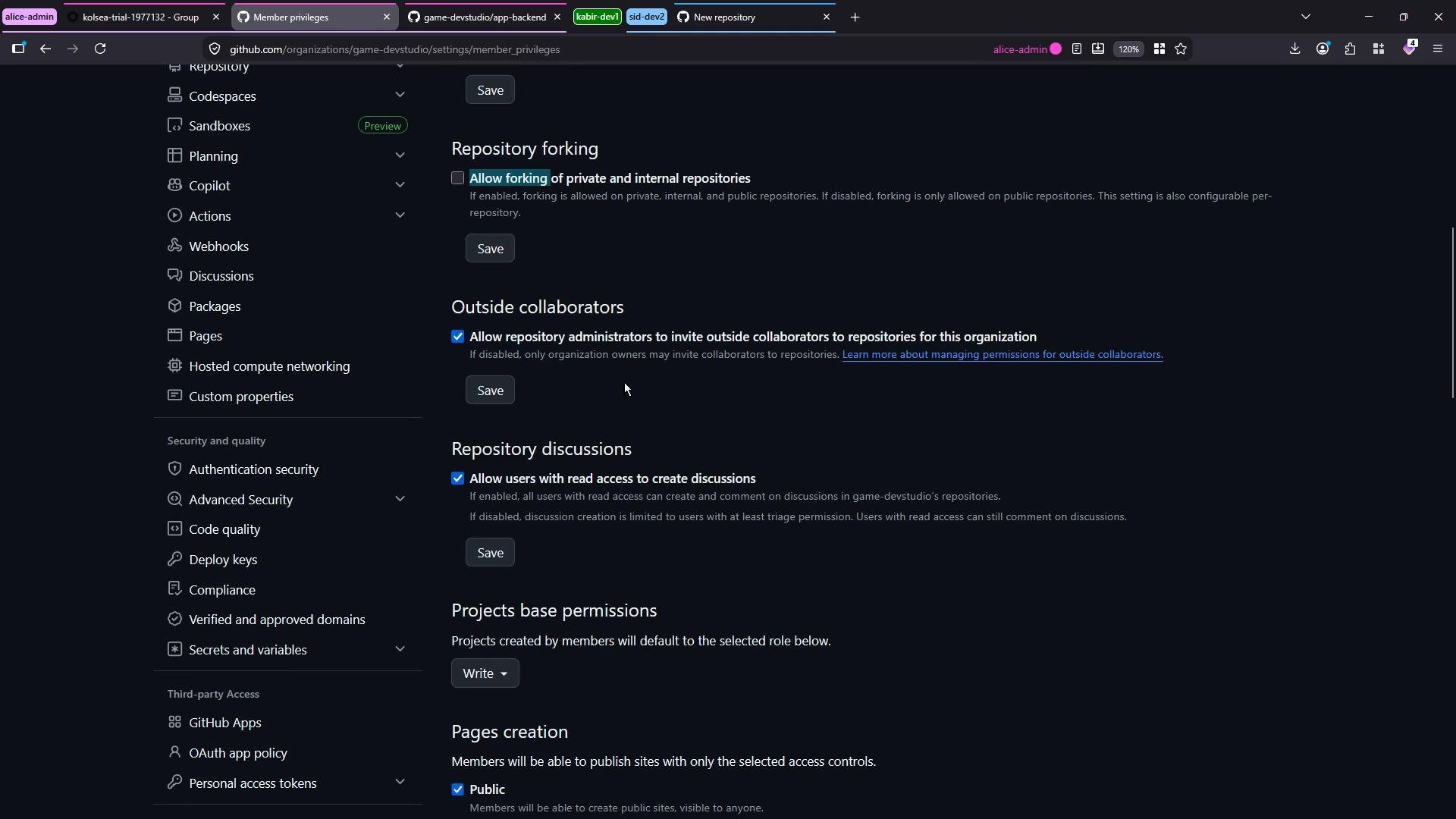
In the Member privileges area you can configure several important settings that affect collaboration and security. Review these to align with your governance model.How these settings affect workflows
- Members: Limited to creation options you allow; default repository permissions determine initial access to new repos.
- Owners: Full control to create any visibility and change organization policies.
- Outside collaborators: Can be prevented from creating repositories or given restricted abilities.
Recommended checklist
- Review your organization’s compliance and IP policies.
- Set “Repository creation” to the minimal set of visibility options required.
- Configure a conservative “Base permission” for members (start with
Read). - Decide whether forking of private/internal repositories is acceptable.
- Periodically audit owner activity and repository visibility.
Links and references
- GitHub: Managing access for your organization
- GitHub: Repository visibility options
- GitHub Enterprise features and plans