

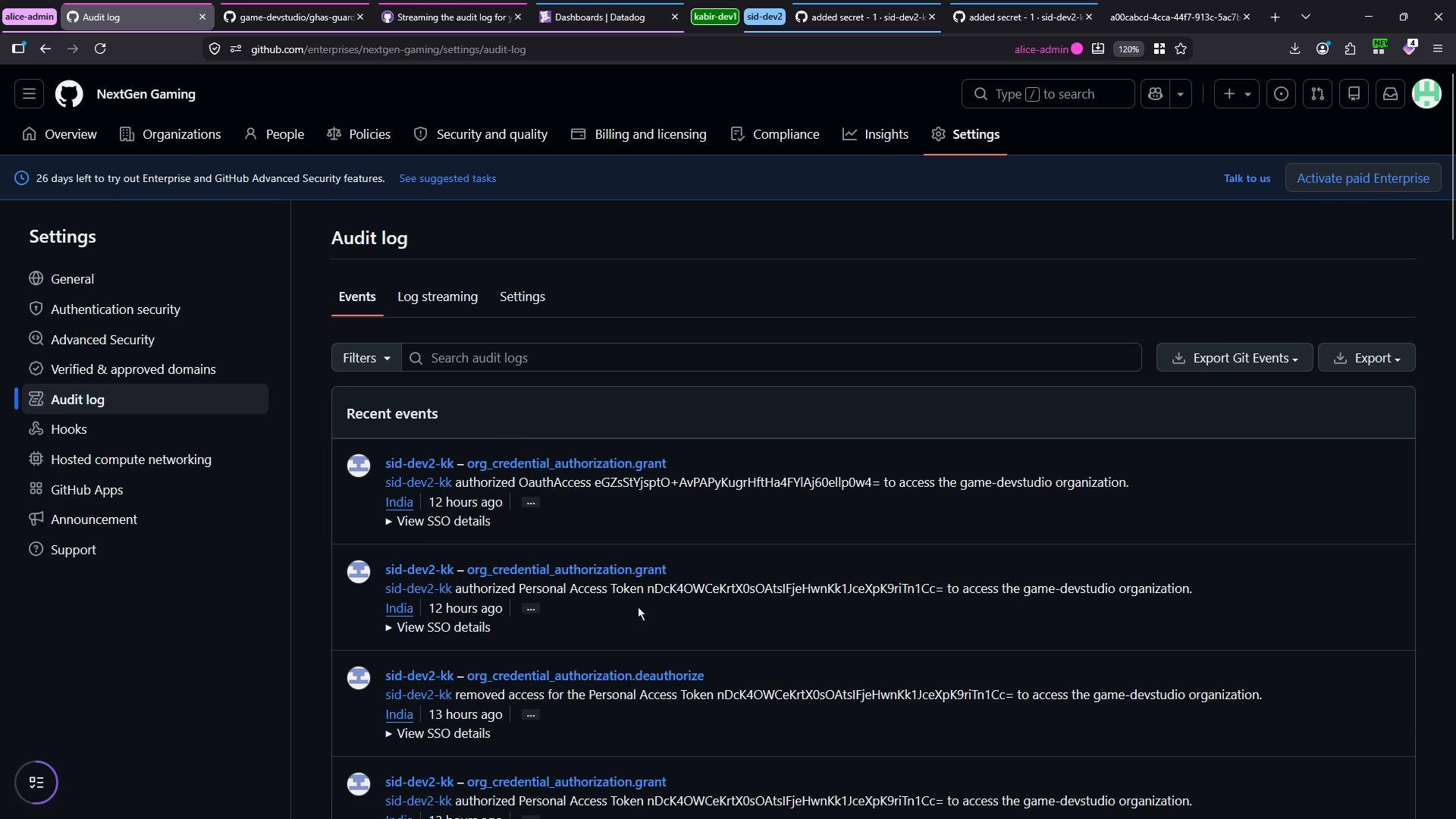
- GitHub Enterprise can forward audit events to supported destinations so you can centralize logs, run queries, create alerts, or retain data outside GitHub.
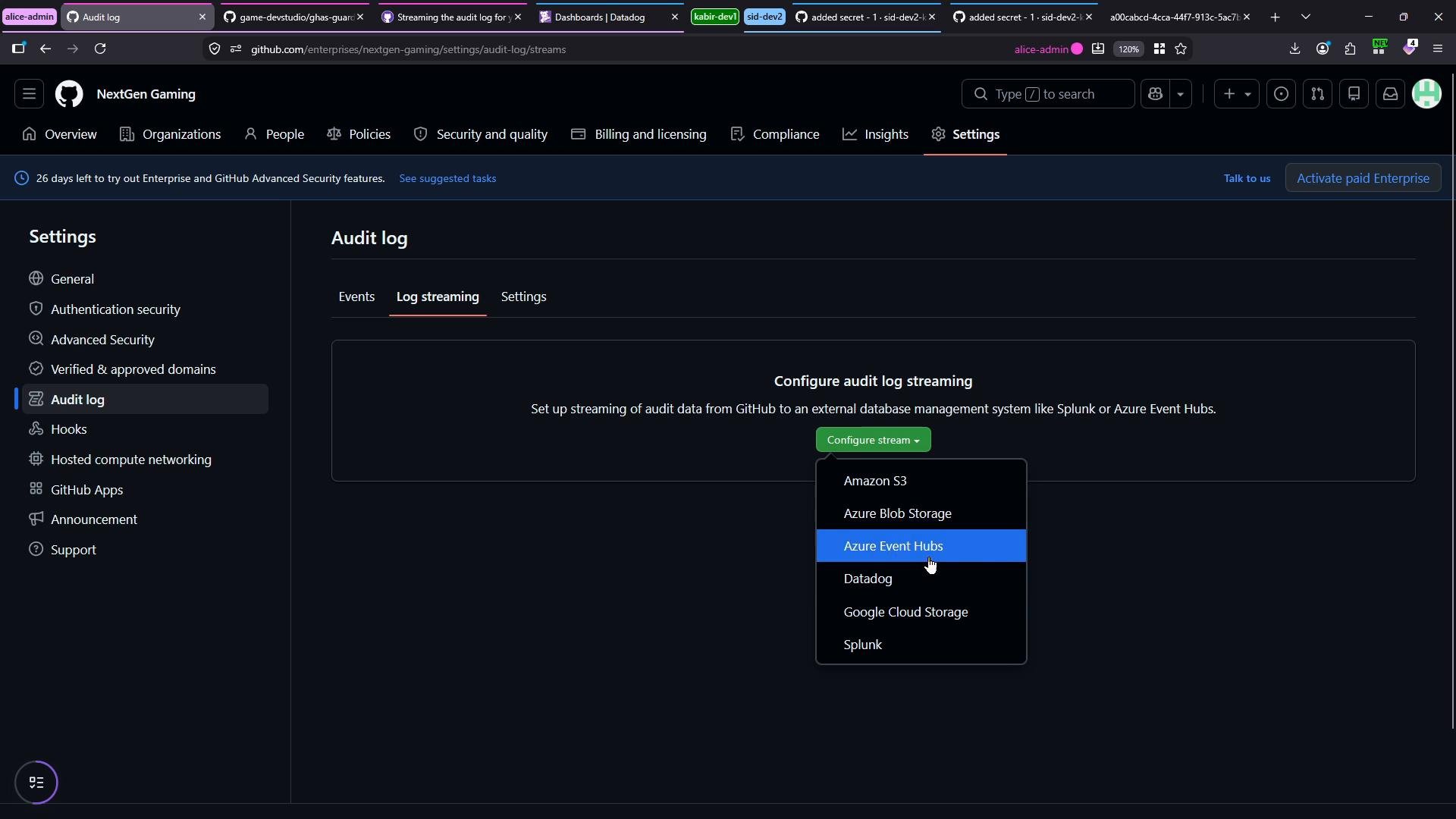
- Supported destinations include cloud storage and observability tools such as Amazon S3, Google Cloud Storage, Azure Event Hubs, Datadog, and Splunk.
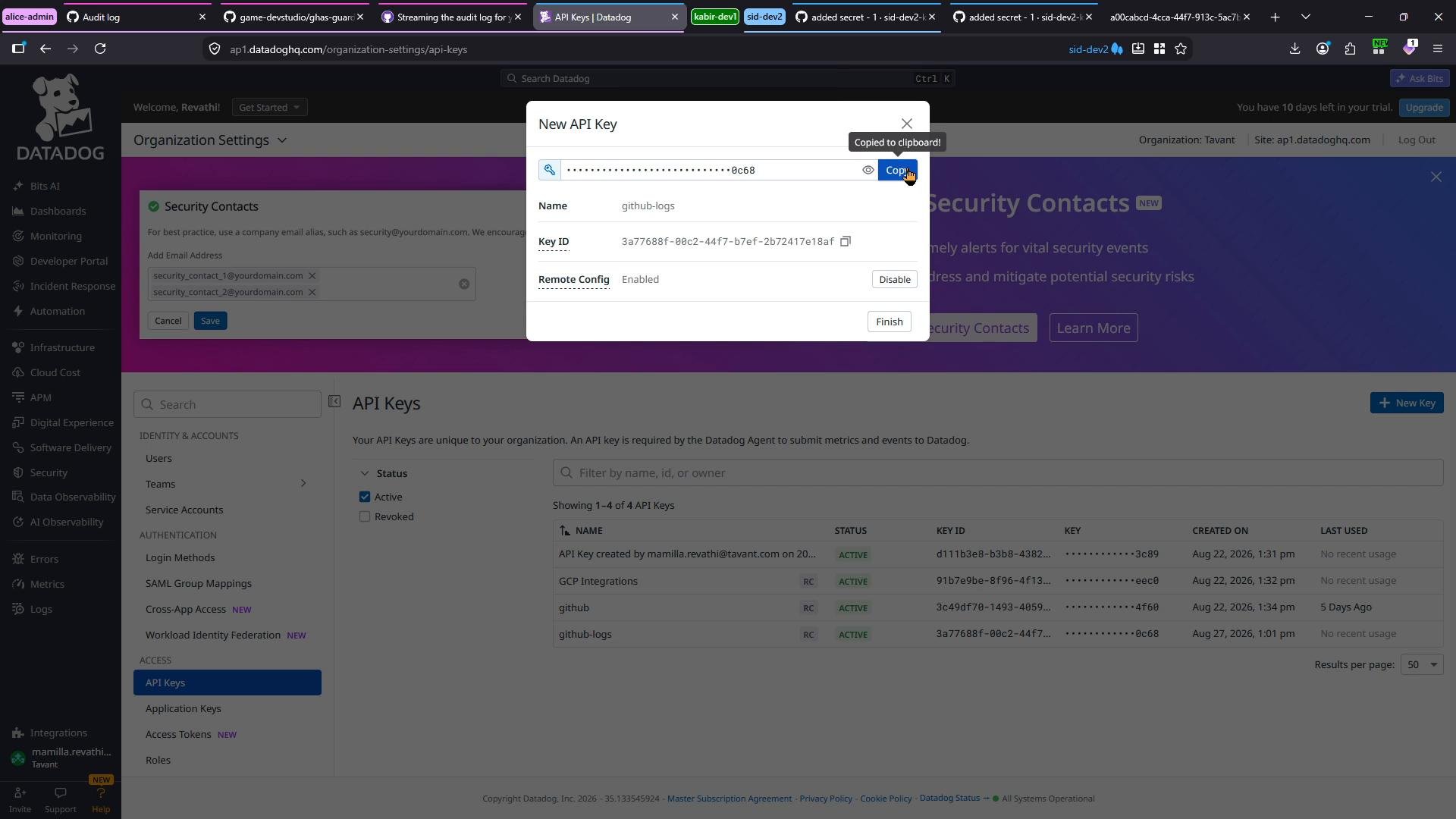
- You need a Datadog API key and must select the Datadog site/region that matches your account (for example, use
ap1.datadoghq.comfor the AP1 region). - Create a clear name for the key (e.g.,
GitHub Logs) so you can identify it later.
- Open Datadog → Organization settings → API Keys.
- Create a new API key (name it like
GitHub Logs). - Copy the generated key and paste it into GitHub’s Log streaming configuration.
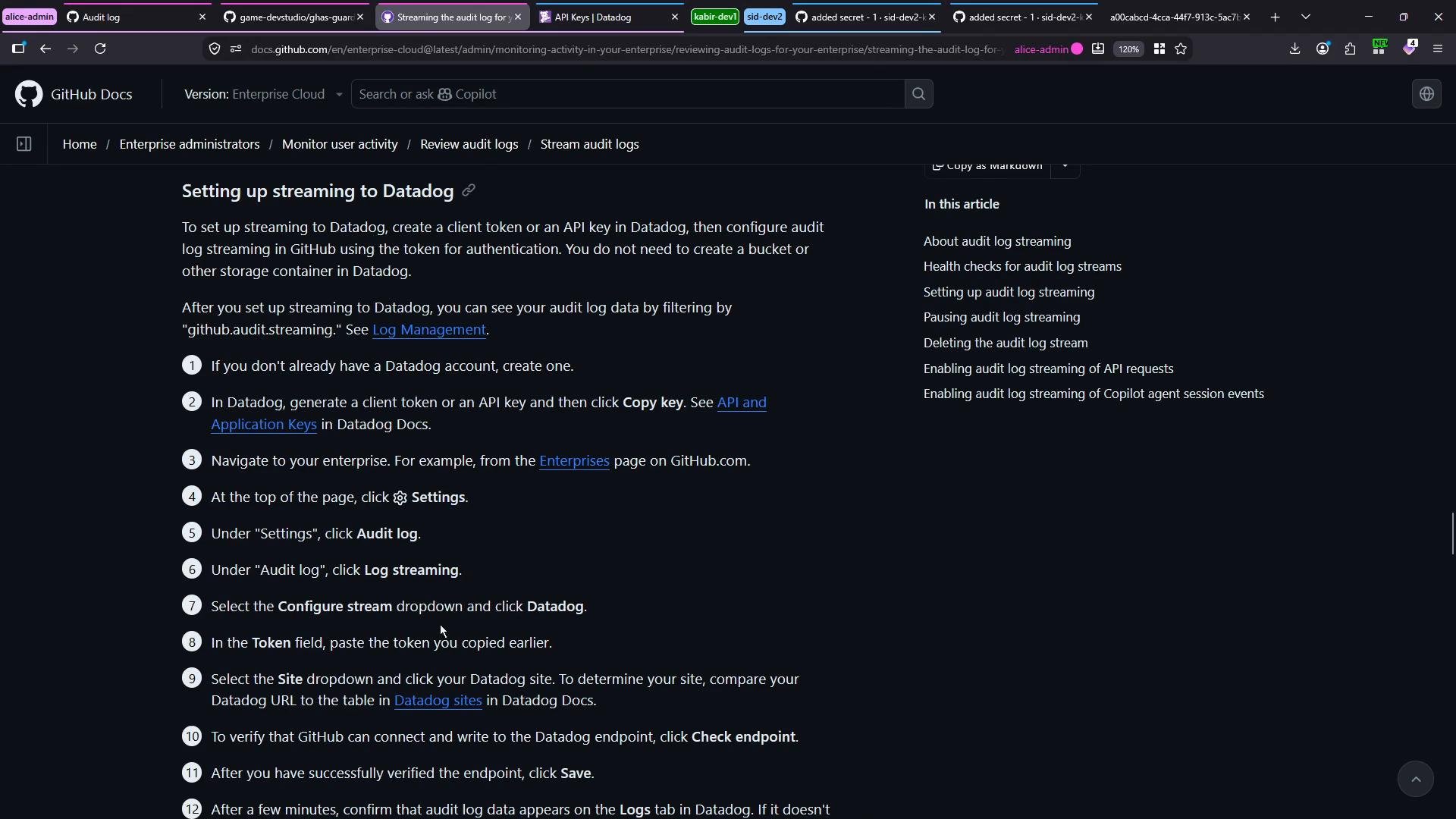
- In the GitHub Log streaming UI:
- Select Datadog as the destination.
- Paste your Datadog API key.
- Choose the Datadog site/region (for example,
AP1→ap1.datadoghq.com). - Use the “Validate endpoint” button so GitHub checks the token and site details.
- Click Save to enable the stream.
It typically takes about 10–15 minutes for streamed audit logs to start appearing in Datadog after you enable the stream.
- After saving the stream, perform administrative and repository actions in your enterprise to generate events that will flow into Datadog. In this demo the following actions were performed:
- Switched Advanced Security configuration from “NextGen Advanced Security” to “GitHub recommended” and then back.
- Created an internal repository
game-devstudio/test-repo-2with a README. - Changed repository visibility to public.
- Inspected deletion-related options in the repository “Danger Zone”.
- Triggered secret scanning and waited for it to complete.
- You can also request an on-demand export of audit logs (JSON or CSV). GitHub creates an export job and shows a message like:
- Small accounts or low-volume activity often produce the export much sooner. Typical outputs are
csv.gzor a JSON export file.
- The Audit log UI displays concise entries with actor, action, repository, and timestamps. Example UI-style entries:
- Events streamed to destinations include rich metadata. Below is a representative JSON-style event as emitted to a streaming destination:
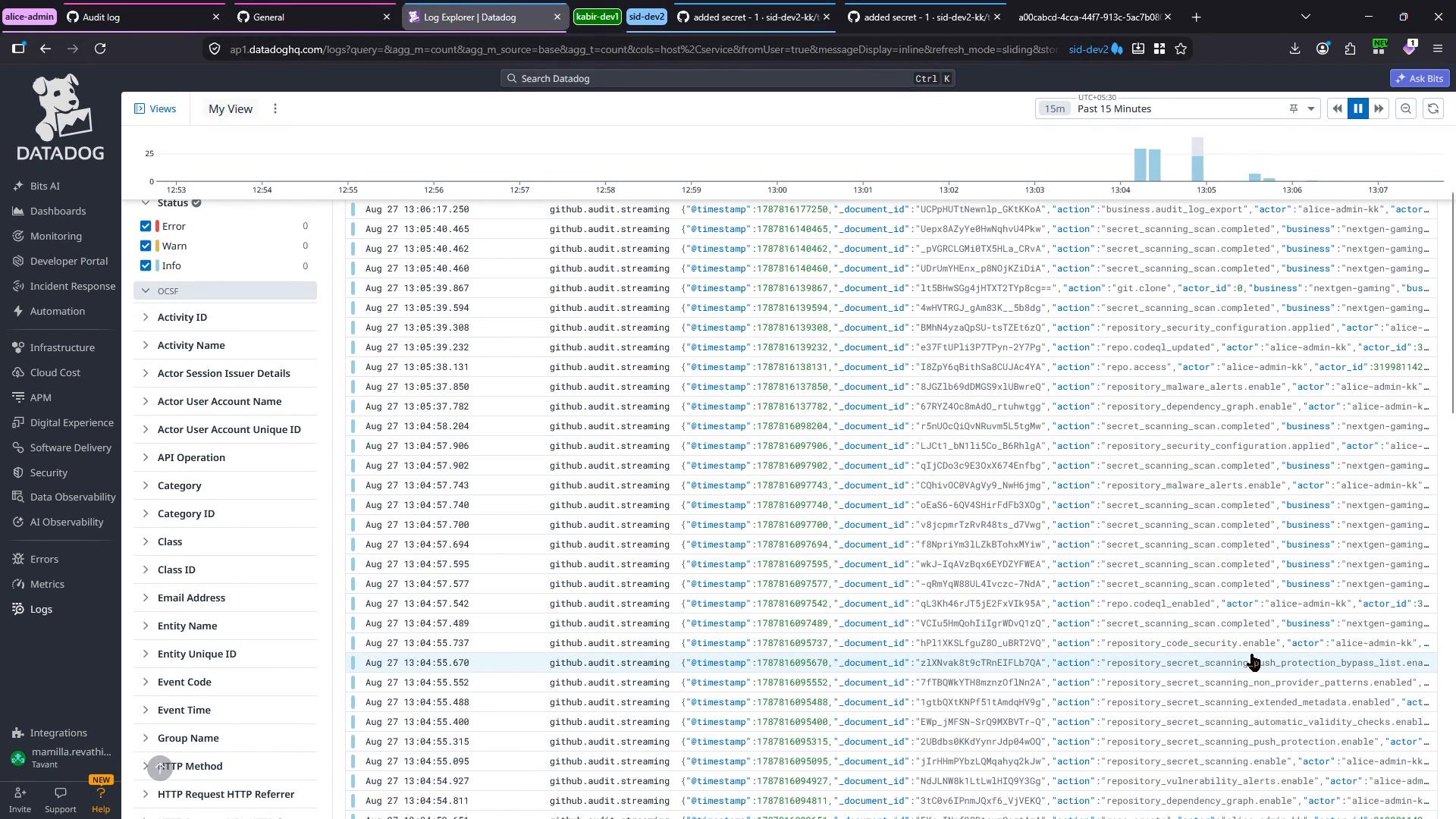
- Once streaming is active and events are emitted, open Datadog’s Log Explorer and search for events like
github.audit.streamingor filter by actor, action, repository, or other fields included in the JSON payload. The Log Explorer will show a timeline graph and a list of timestamped entries with searchable facets and attributes.
Links and references
- GitHub — Streaming audit logs to a third-party service: https://docs.github.com/
- GitHub — Audit log documentation: https://docs.github.com/en/enterprise-server@latest/admin/monitoring-and-optimization/audit-log
- Datadog — API keys and logs documentation: https://docs.datadoghq.com/
- Configure Log streaming in GitHub Enterprise and select a supported destination (Datadog in this demo).
- Generate an API key in Datadog and select the correct site/region.
- Validate and save the stream; expect logs to appear in ~10–15 minutes.
- Perform administrative and repository actions to generate audit events.
- Verify and query those events in the destination (Datadog) and consult the destination provider’s documentation for service-specific setup, retention, and troubleshooting.