

- Keywords: GitHub permissions, permission hierarchy, enterprise policies, organization permissions, team maintainers, custom roles
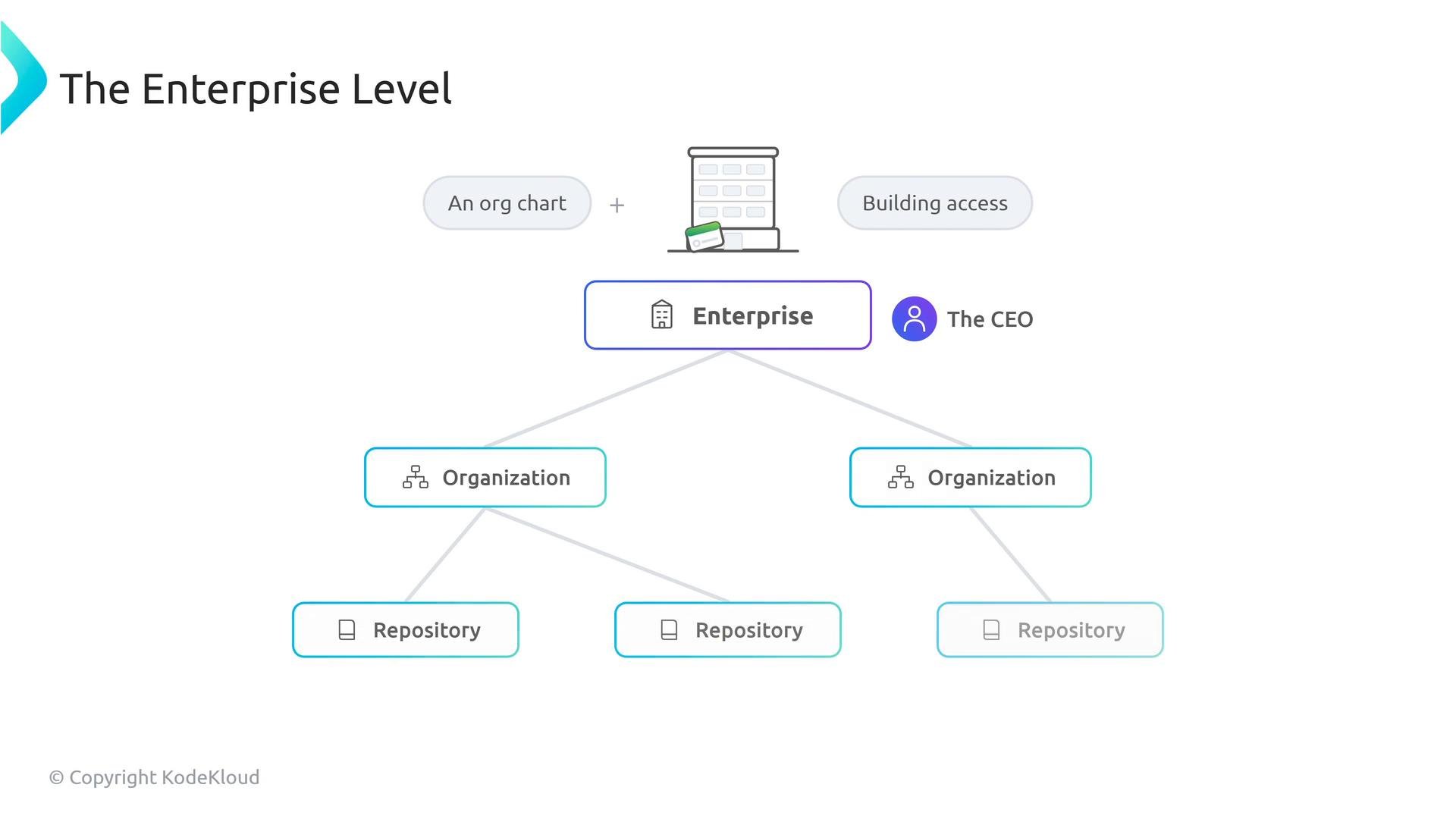
Organization level
One level down is the organization. An organization owner is comparable to a vice president of engineering: they control access and policies for their organization but must operate within enterprise limits. An organization can tighten settings (for example, require stricter SSO or lock repository visibility) but cannot make permissions more permissive than the enterprise allows.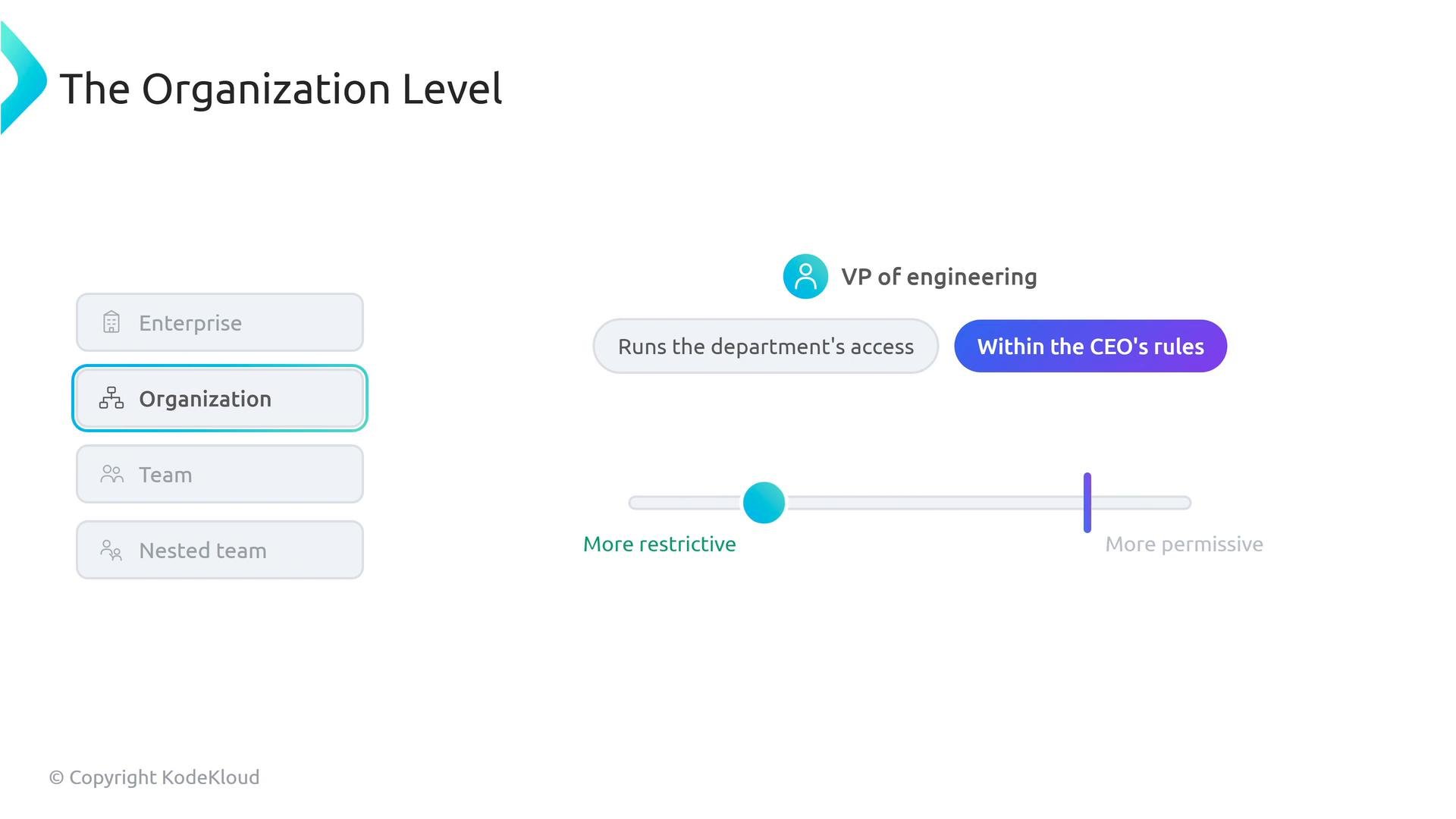
Teams
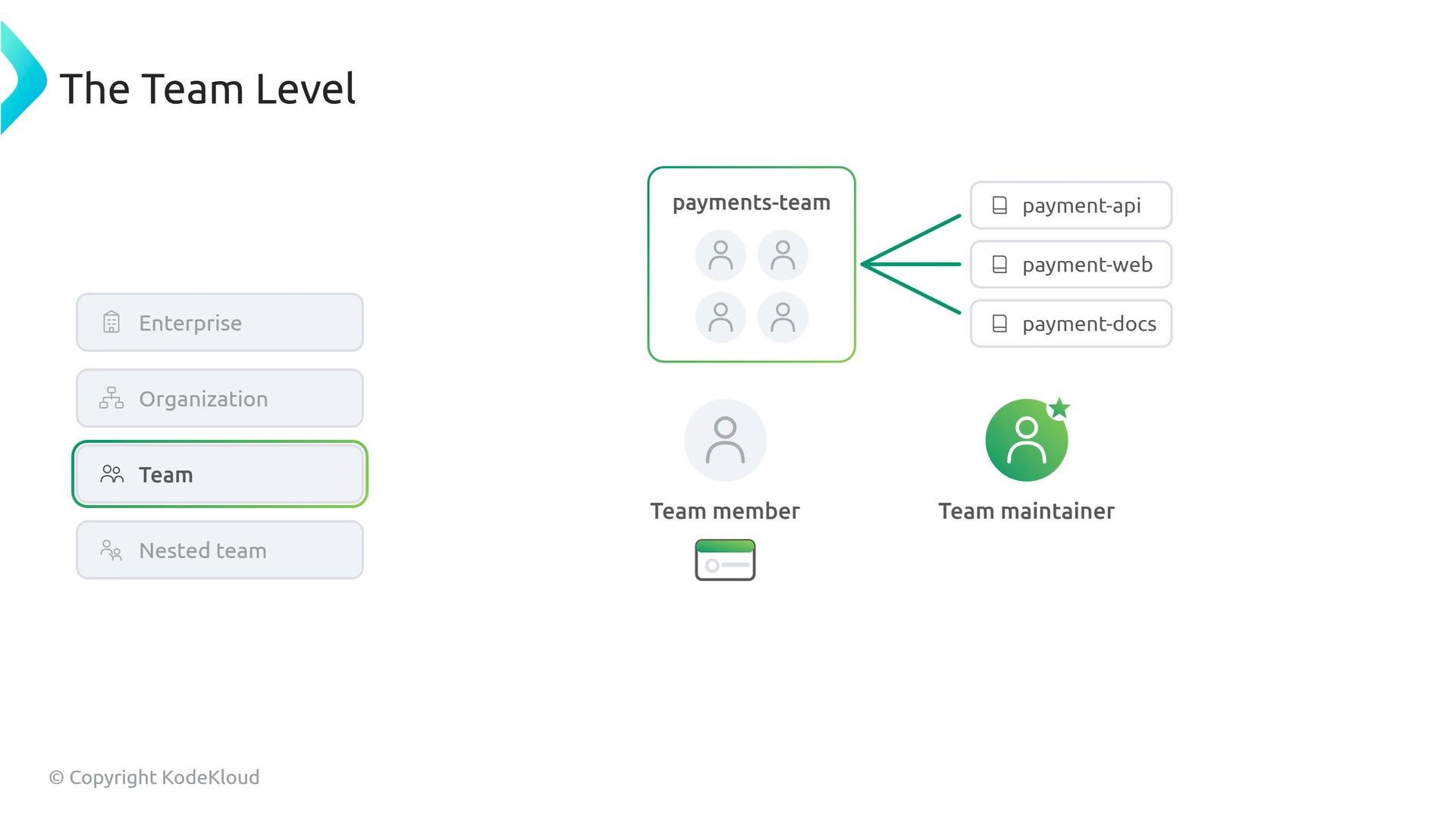
Teams are the primary mechanism to grant access at scale. There are two common team roles to know:- Team members: receive the permissions granted to the team (e.g., read, triage, write).
- Team maintainers: manage the team itself — rename it, add/remove members, and change team-level settings.
Nested teams and inheritance
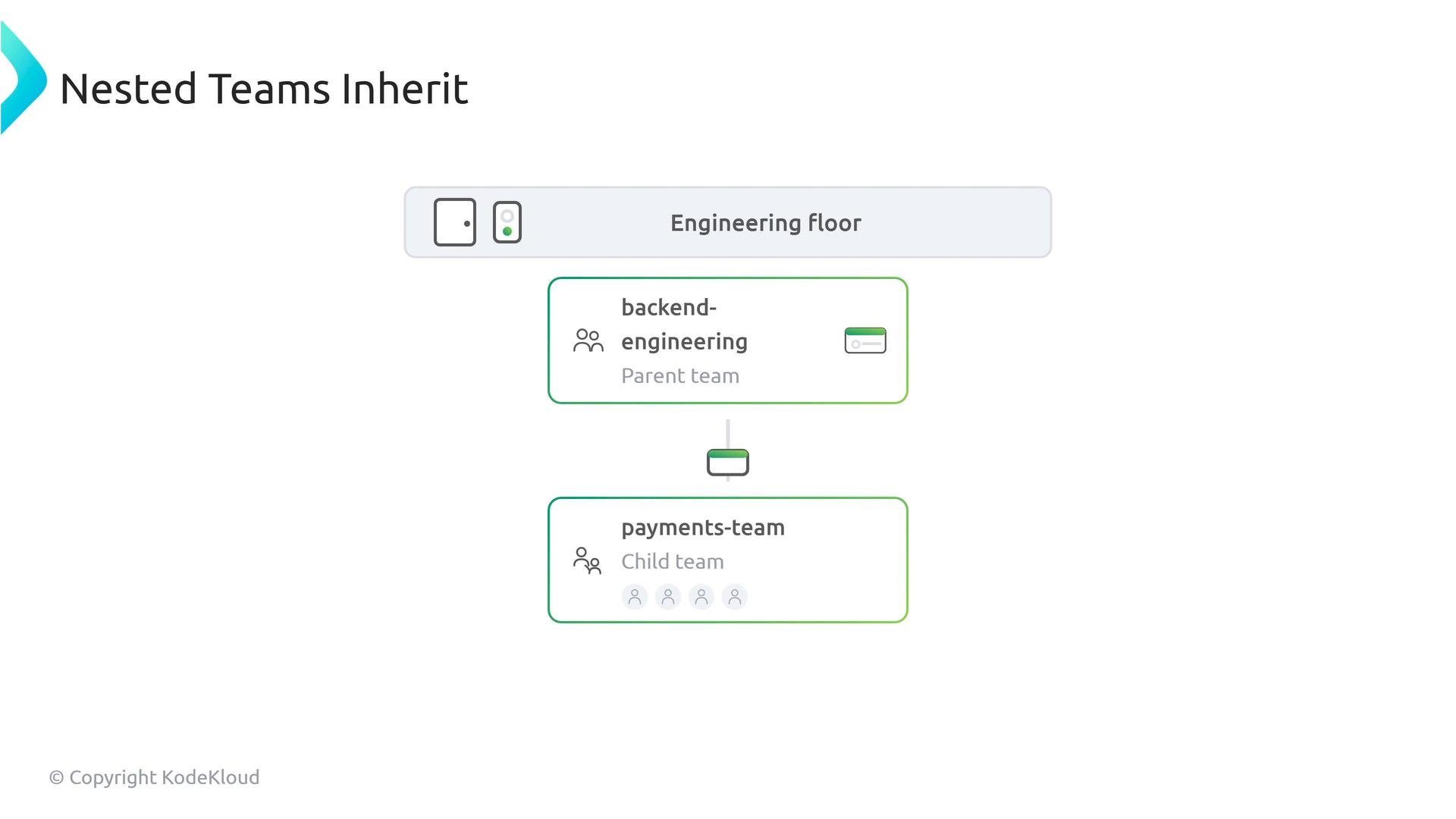
Teams can be nested. A child team inherits the repository permissions of its parent team; membership is managed separately. For example, if a parent team has access to the “engineering floor,” a child payments-team will also have that repository access unless an admin explicitly changes its permissions.- Inheritance principle: child team permissions = parent team repository permissions + any additional adjustments applied to the child
- Membership is independent: adding a member to a child team does not automatically add them to the parent team
Outside collaborators
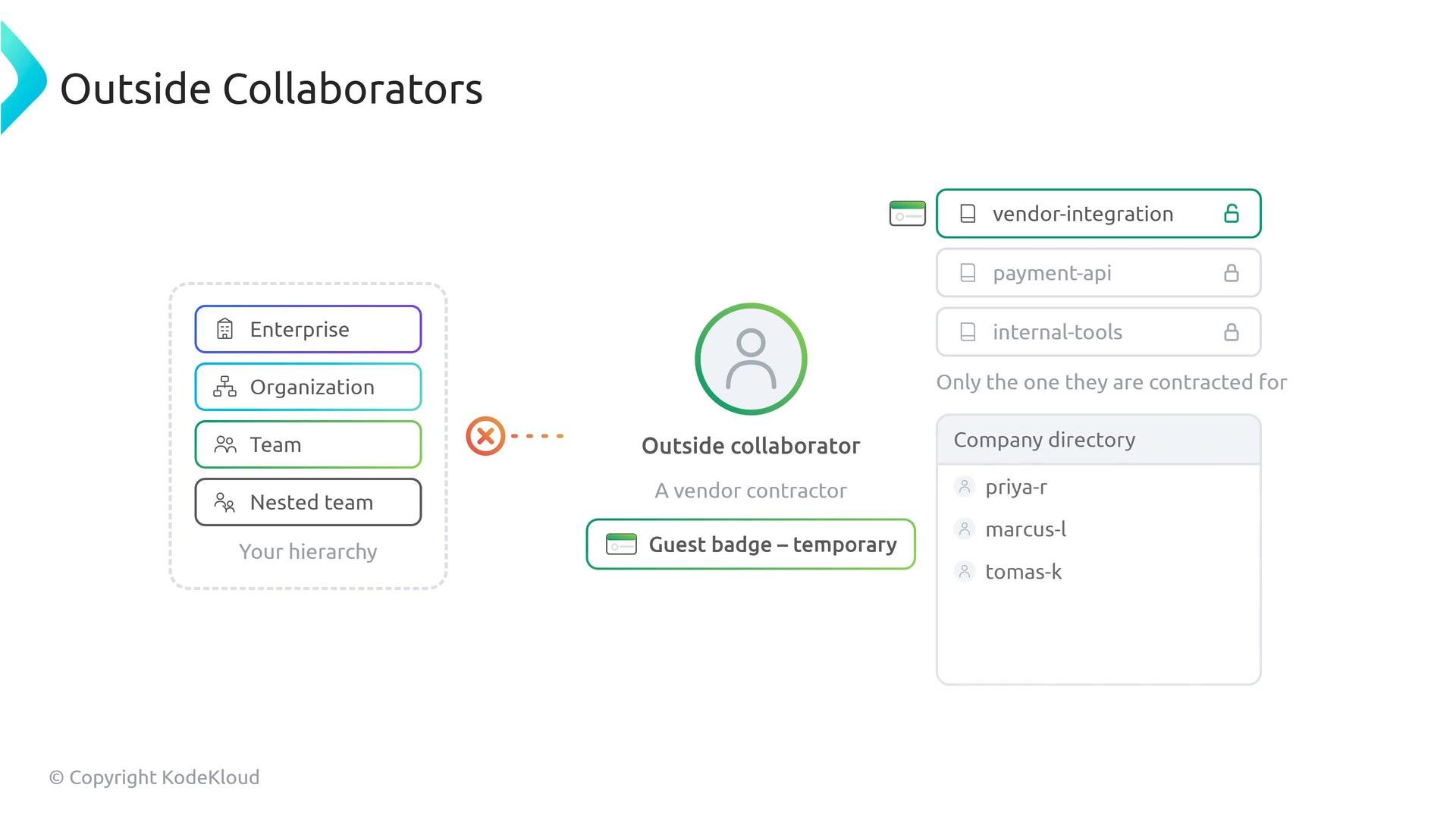
Outside collaborators are a distinct class of users — usually contractors, vendors, or temporary contributors — who receive repository-level access without being added to the organization’s membership. They are intentionally excluded from the company directory and do not inherit team permissions.- Typical use cases: vendor integrations, short-term contractors, external auditors
- Scope: limited explicitly to the repositories they need
Custom roles
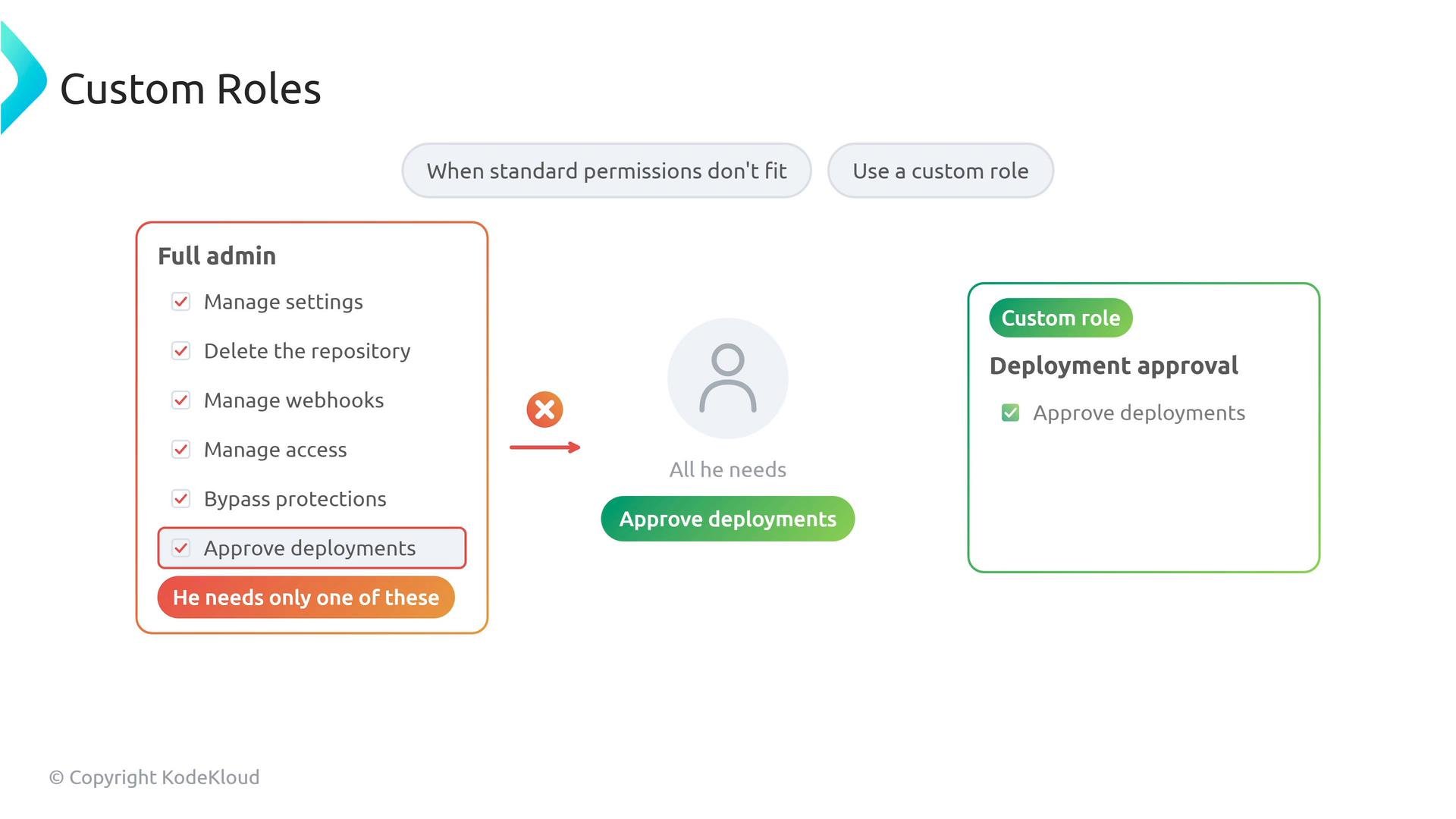
When built-in roles are too coarse, custom roles let administrators grant only the precise permissions required for a job. Instead of promoting someone to a full admin so they can approve deployments, create a custom role (for example, “Deployment approver”) that includes only that single permission.- Benefit: least privilege — reduce blast radius by granting minimal required permissions
- Use cases: deployment approval, release manager, compliance reviewer
Quick reference table
Higher-level policies act as immutable ceilings. Use organization and team settings to tighten access where needed, and use custom roles to enforce least privilege for sensitive tasks.
Links and references
- GitHub Permissions and Roles (official docs)
- Managing teams in an organization
- About outside collaborators
- Creating and managing custom roles