

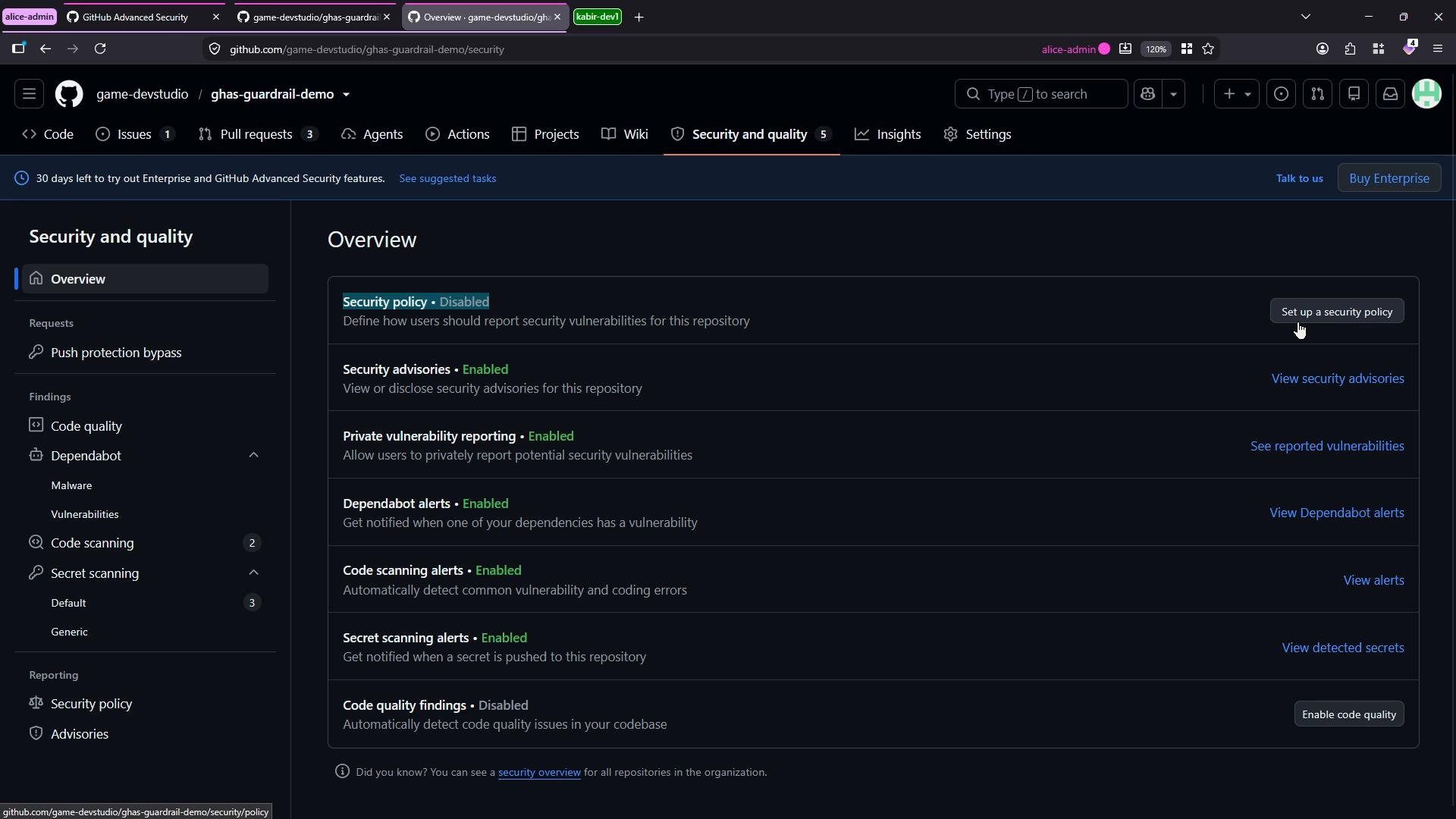
Where to start
- In the repository, go to Security → Security advisories.
- If there are no published advisories, click New draft security advisory to open the advisory form.
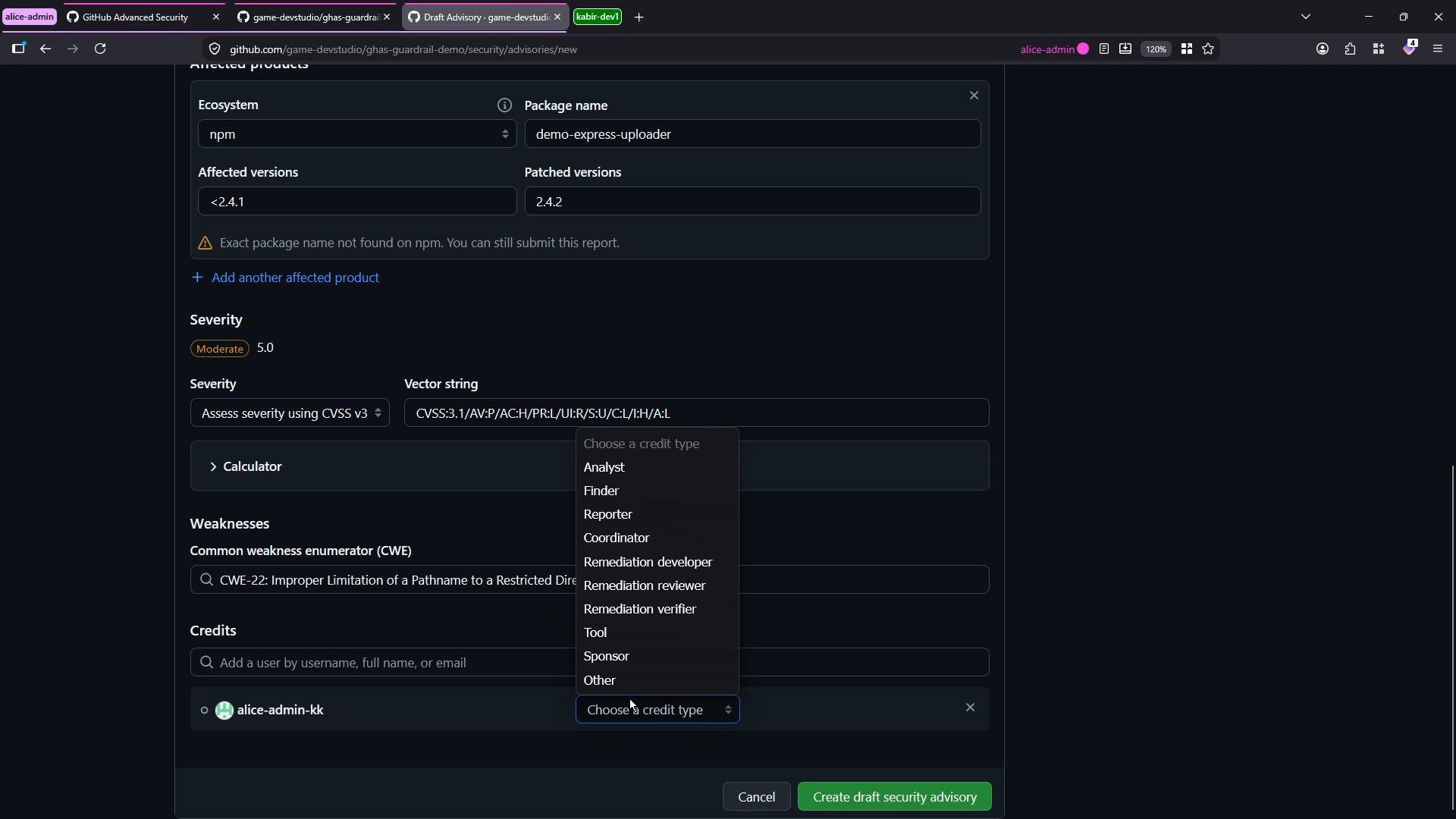
- Fill in the fields describing the vulnerability, affected products and versions, severity, and credits. You can save the advisory as a draft and update the details later.
Key fields and recommended values
Use the table below as a quick reference for the common fields you’ll fill in when creating a draft advisory.Filling out severity: use CVSS as a calculator
The advisory form exposes controls that generate a CVSS vector string and numeric score dynamically. Treat these controls as a calculator to justify severity — don’t guess a score.- Network attack vector + high impacts → e.g., 9.8 (Critical).
- Physical or higher privilege requirements usually lower the score.
- Adjust Confidentiality, Integrity, Availability (CIA) metrics to reflect real-world impact.
After creating the draft
Click Create draft security advisory when you’ve completed the fields. The advisory is saved in draft state and you’ll have a few important options for handling fixes and disclosure:- Create a temporary private fork to build and test a private patch. This keeps fix commits out of the public repository until disclosure.
- Request a CVE ID from GitHub during submission if you need an official identifier.
- When ready to publish, submit the advisory. GitHub will review and—if appropriate—coordinate publication to the GitHub Advisory Database (github.com/advisories).
Best practices and checklist
- Use the CVSS controls to produce a reproducible severity justification.
- Include reproduction steps, exploitability details, and clear mitigation or patch instructions.
- Add CWE identifiers and external references to improve clarity and discoverability.
- Provide explicit affected versions and the exact patched version string.
- Credit contributors by role; this helps audit trails and recognition.
- Consider private testing via a temporary private fork before making fixes public.
Draft advisories let you prepare full disclosure details and coordinate private fixes (via a temporary private fork) before public publication. Use the CVSS vector controls to calculate and justify the severity rather than guessing a score.
Useful links and references
- CVE (CVE Program): https://cve.mitre.org/
- CVSS (FIRST): https://www.first.org/cvss/
- CWE (MITRE): https://cwe.mitre.org/
- GitHub Advisory Database: https://github.com/advisories