

- Enable CodeQL at the organization level in GitHub Enterprise Advanced Security.
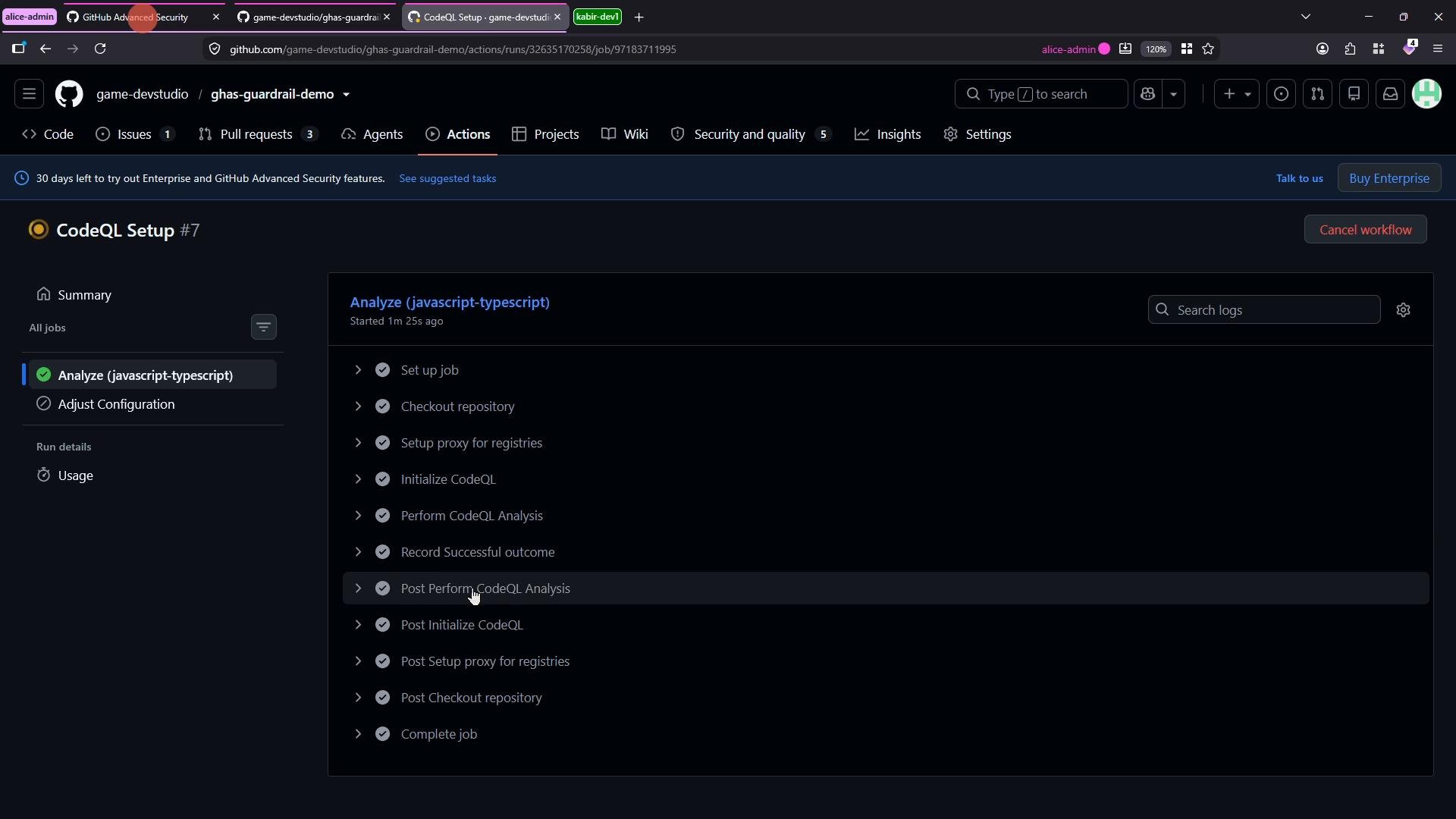
- Let the default CodeQL setup run via GitHub Actions.
- Inspect CodeQL findings in the repository Security & Analysis -> Code scanning alerts.
- Triage and remediate typical Node.js issues such as path traversal and missing rate limiting.
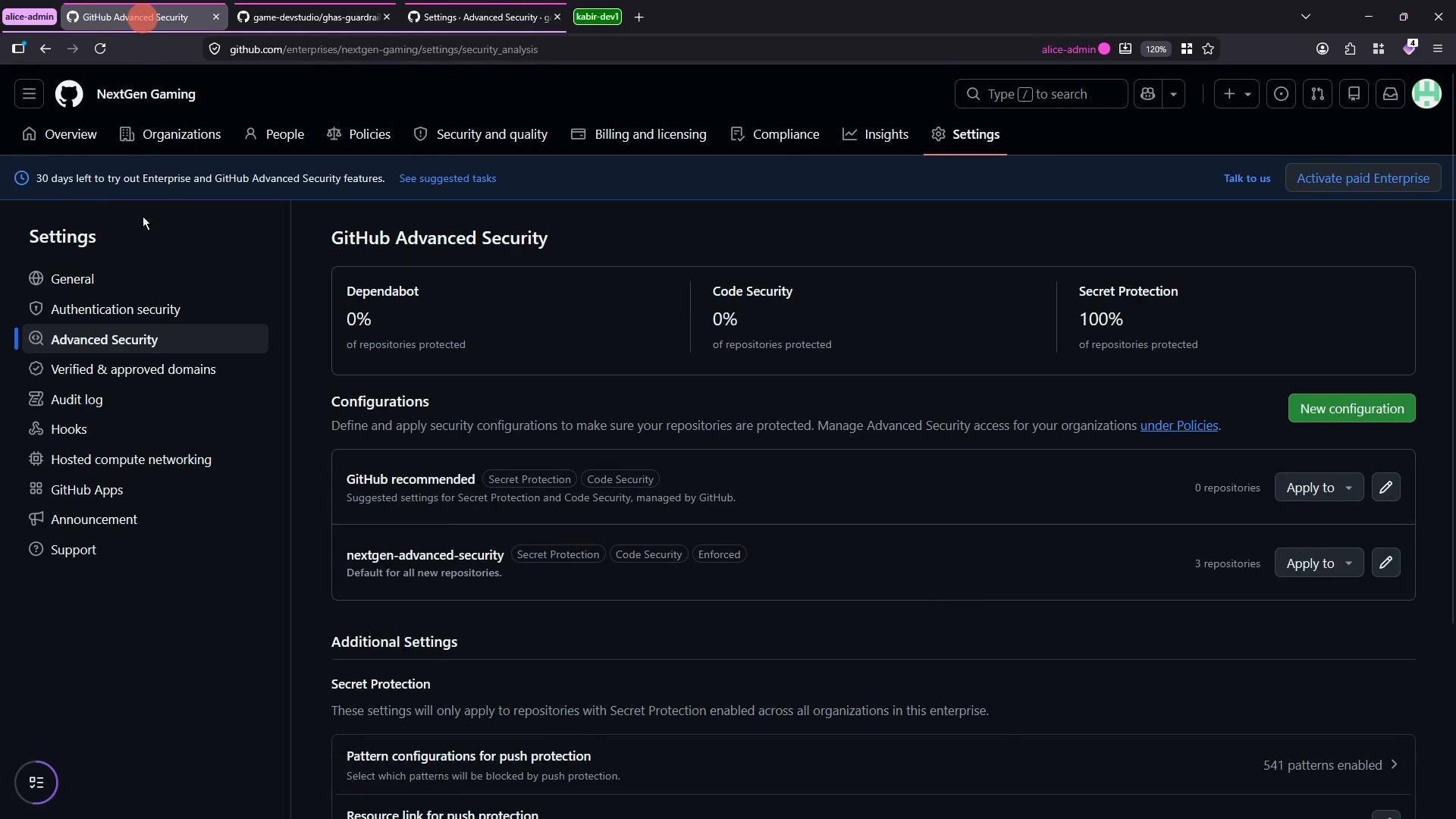
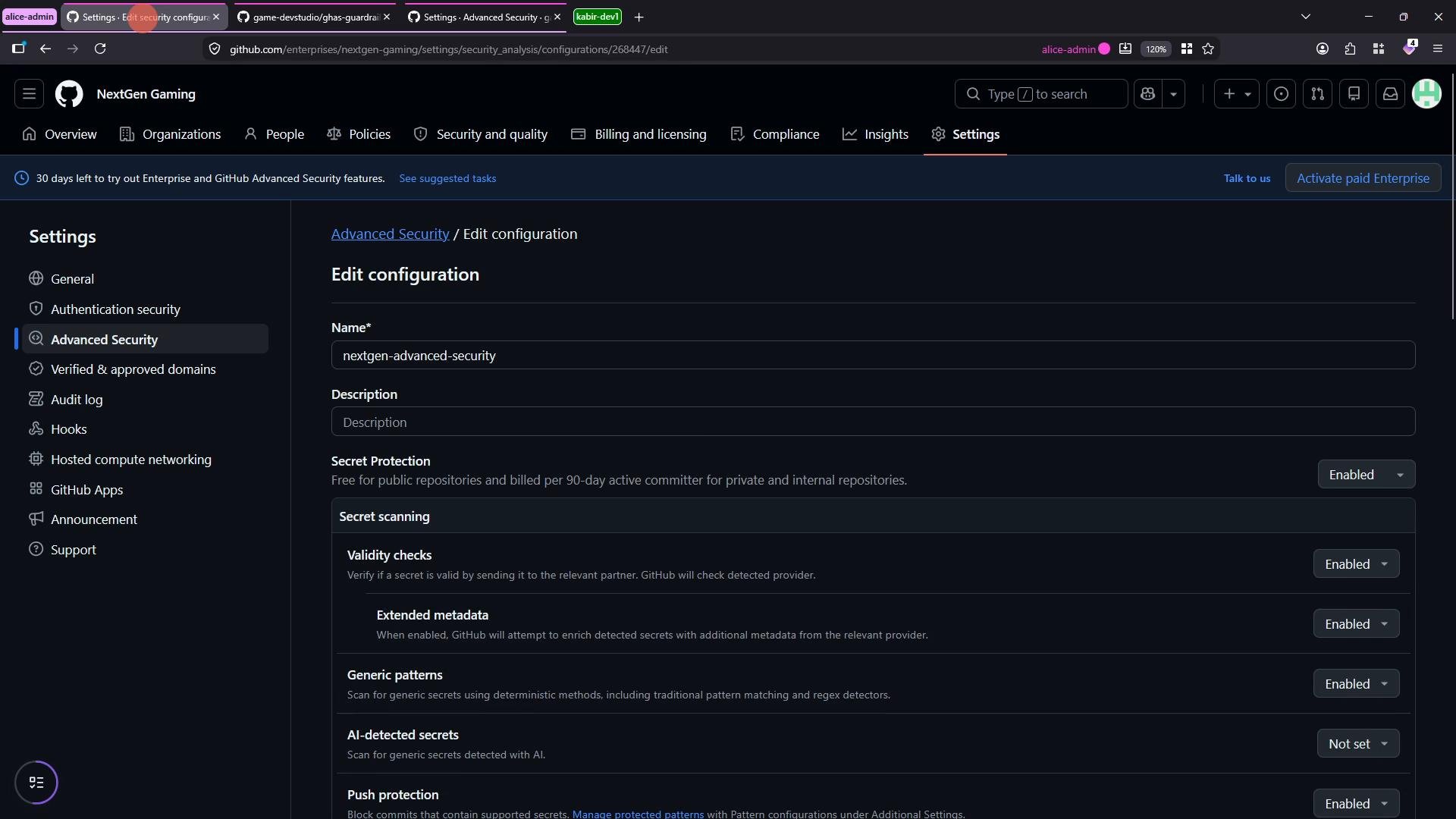
- Turn on secret scanning, push protection, and code scanning.
- Choose the CodeQL setup mode (default or advanced).
- Leave runner selection unset to allow repository/owner-level decisions, or select GitHub-hosted vs self-hosted runners.
- Enable options such as “prevent direct alert dismissal” to enforce tracked remediation.
Some Advanced Security features (for example, Dependabot version updates and CodeQL code scanning) run using GitHub Actions and therefore consume GitHub Actions minutes. Keep that in mind when enabling organization-wide CodeQL analysis.
If you enable organization-wide CodeQL, repositories will inherit the default setup and trigger workflow runs automatically. Confirm runner selection and billing implications before enabling at scale.
Vulnerable example: unsafe path resolution
This minimal Express example demonstrates the pattern CodeQL typically flags: directly joining unvalidated user input into a filesystem path.
filename contains traversal sequences (for example ../../etc/passwd), the server may send files outside the intended directory. CodeQL flags this pattern as a path traversal/uncontrolled data in path expression.
Safer alternatives
- Use
res.sendFile()with therootoption to constrain file lookup to a known directory. - Normalize and validate filenames (e.g.,
path.basename, verify resolved path is within the allowed root). - Prefer whitelisting allowed filenames or mapping IDs to stored files rather than accepting arbitrary filenames.
root (recommended when serving from a known directory)
- Start by reviewing the CodeQL alert description and the file/line context provided.
- Prioritize high-severity alerts and those affecting protected branches.
- Use CodeQL remediation guidance and the example fixes to create pull requests.
- Assign the alert to the developer or team responsible and link to a tracking issue if needed.
- GitHub Advanced Security (GHAS) — https://docs.github.com/en/enterprise-server@latest/code-security
- CodeQL code scanning — https://codeql.github.com/ and https://docs.github.com/code-security/secure-coding
- Node.js security best practices — https://nodejs.org/en/docs/guides/security
- Express documentation (
res.sendFile) — https://expressjs.com/en/4x/api.html#res.sendFile