

- User-level: Account → Developer settings → Personal access tokens.
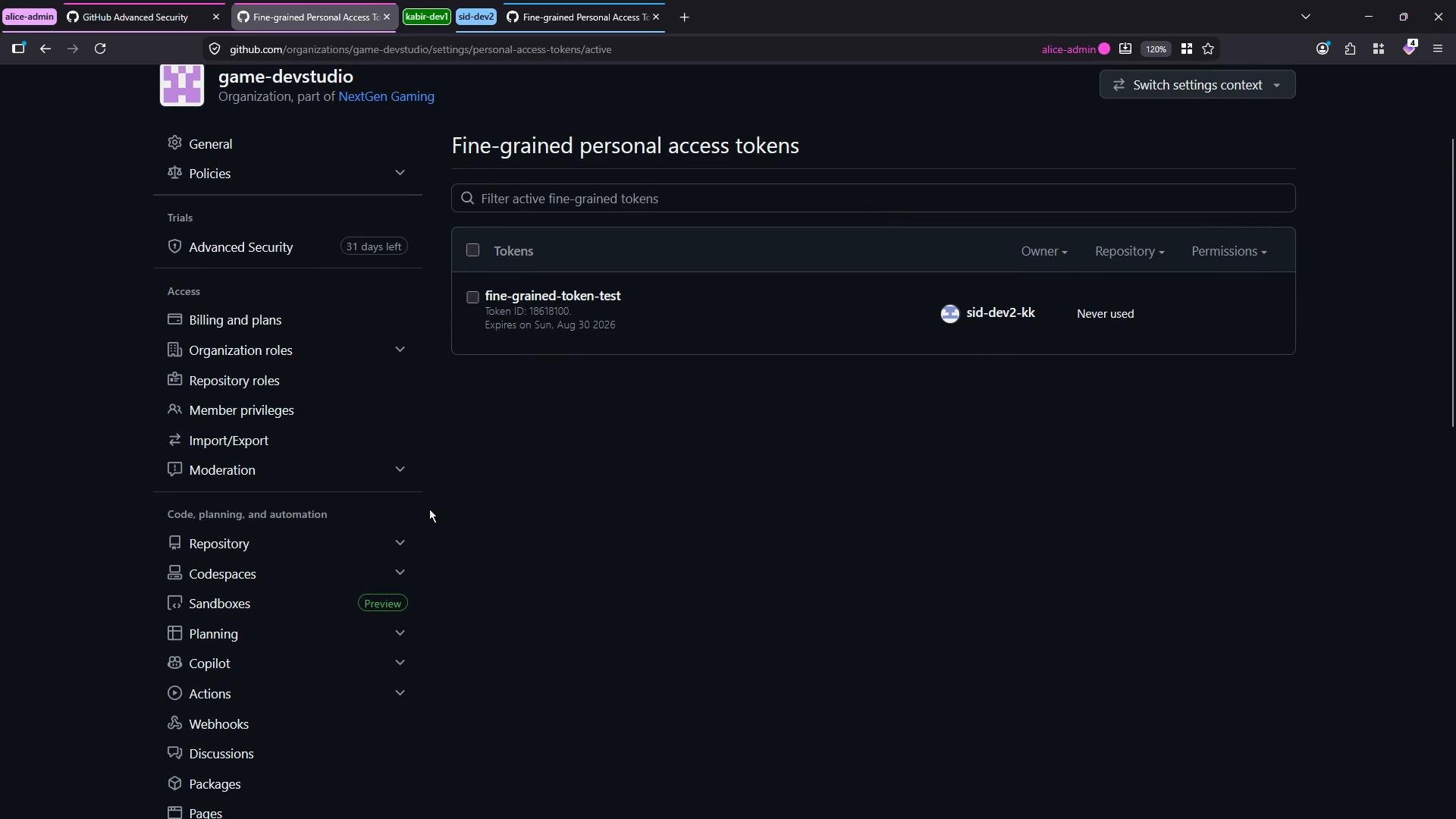
- Organization-level: Organization → Settings → Security (or Third-party access) → Personal access tokens (where you’ll find Settings, Active tokens, and Pending requests).
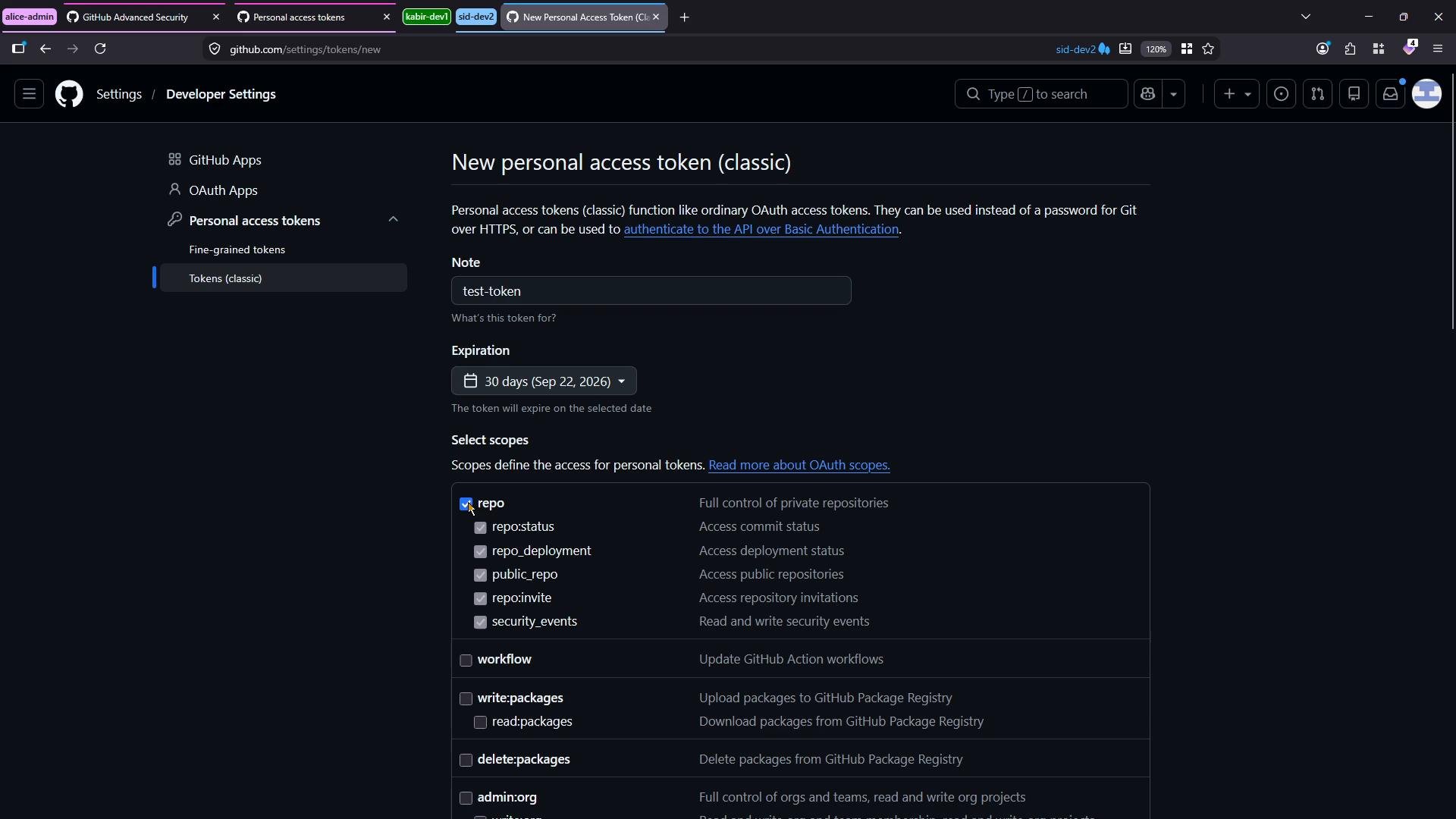
- Go to Developer settings → Personal access tokens → Tokens (classic).
- Click “Generate new token (classic)”.
- Provide a note (name), set an expiration, and select scopes (for example,
repo). - Generate the token and copy it immediately — classic tokens are issued immediately and do not require organization admin approval.
Fine-grained personal access tokens
Fine-grained tokens give you much more control. They allow repository-level selection as well as per-feature permission levels (for example, read vs. read & write for Actions, Codespaces, Issues, and so on). Fine-grained tokens are ideal when you need least-privilege credentials limited to specific repositories and operations.
When creating a fine-grained token you can:
- Select the resource owner (your user account or a specific organization).
- Choose repository scope: all repositories, public-only, or selected repositories.
- Configure granular permissions per repository feature (e.g., Actions read, Codespaces write).
- Set a token expiration.
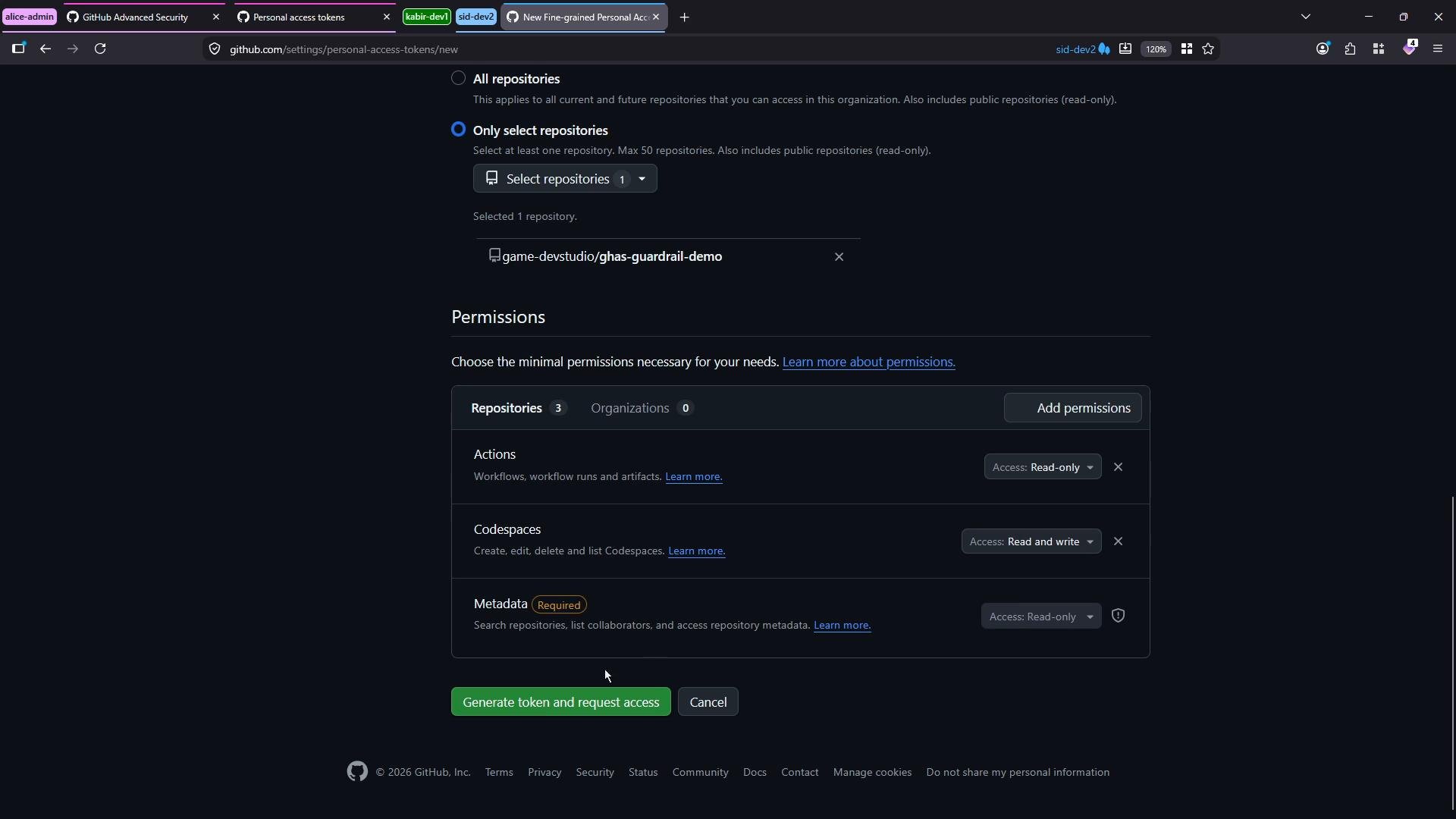
- Choose “Generate new token” → select “for an organization” as the resource owner.
- Choose repositories (e.g., only selected repositories).
- Set granular permissions and an expiration.
- If the organization requires approvals, click “Generate token and request access” — this creates a pending request and the token cannot be used until approved.
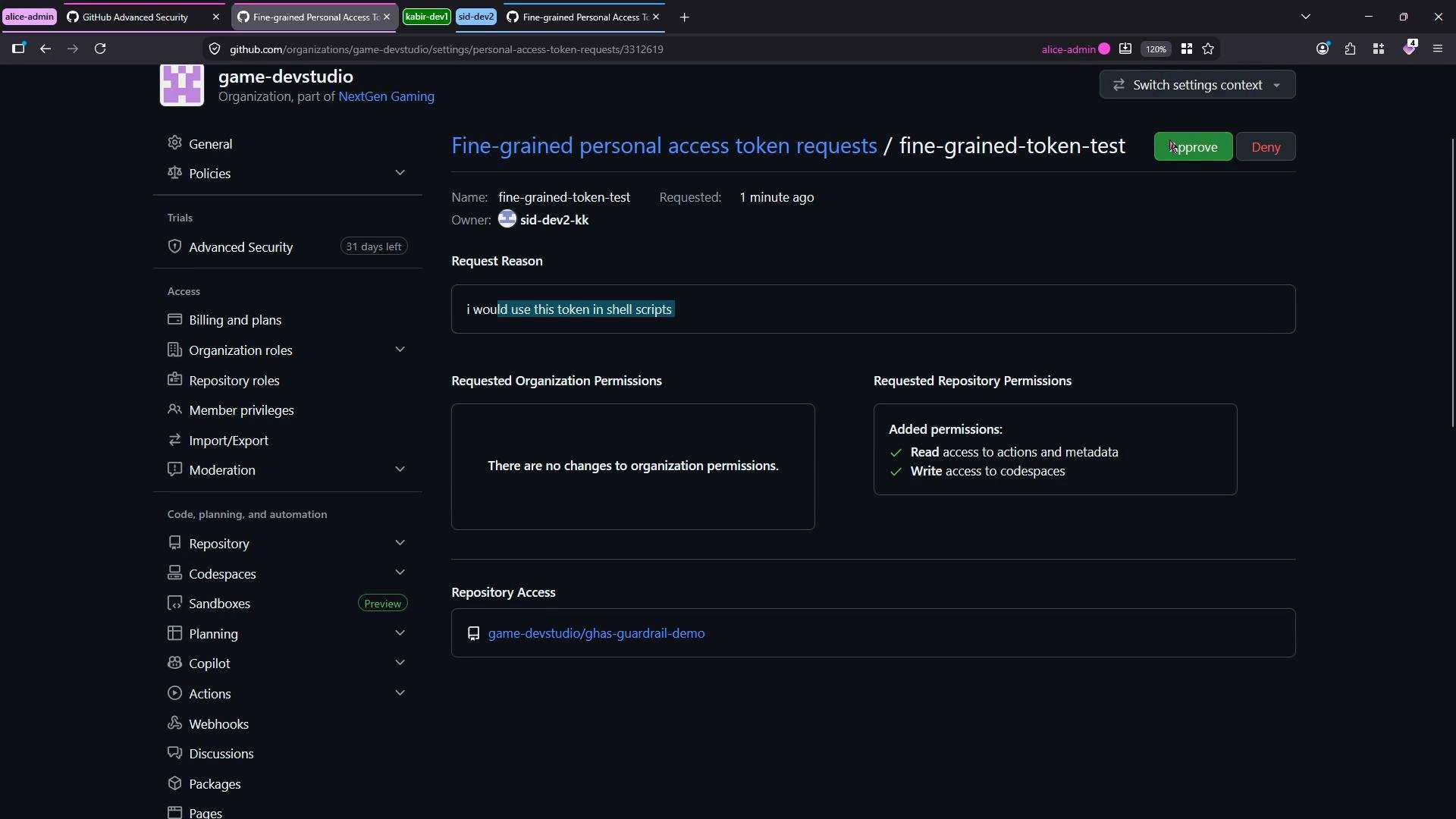
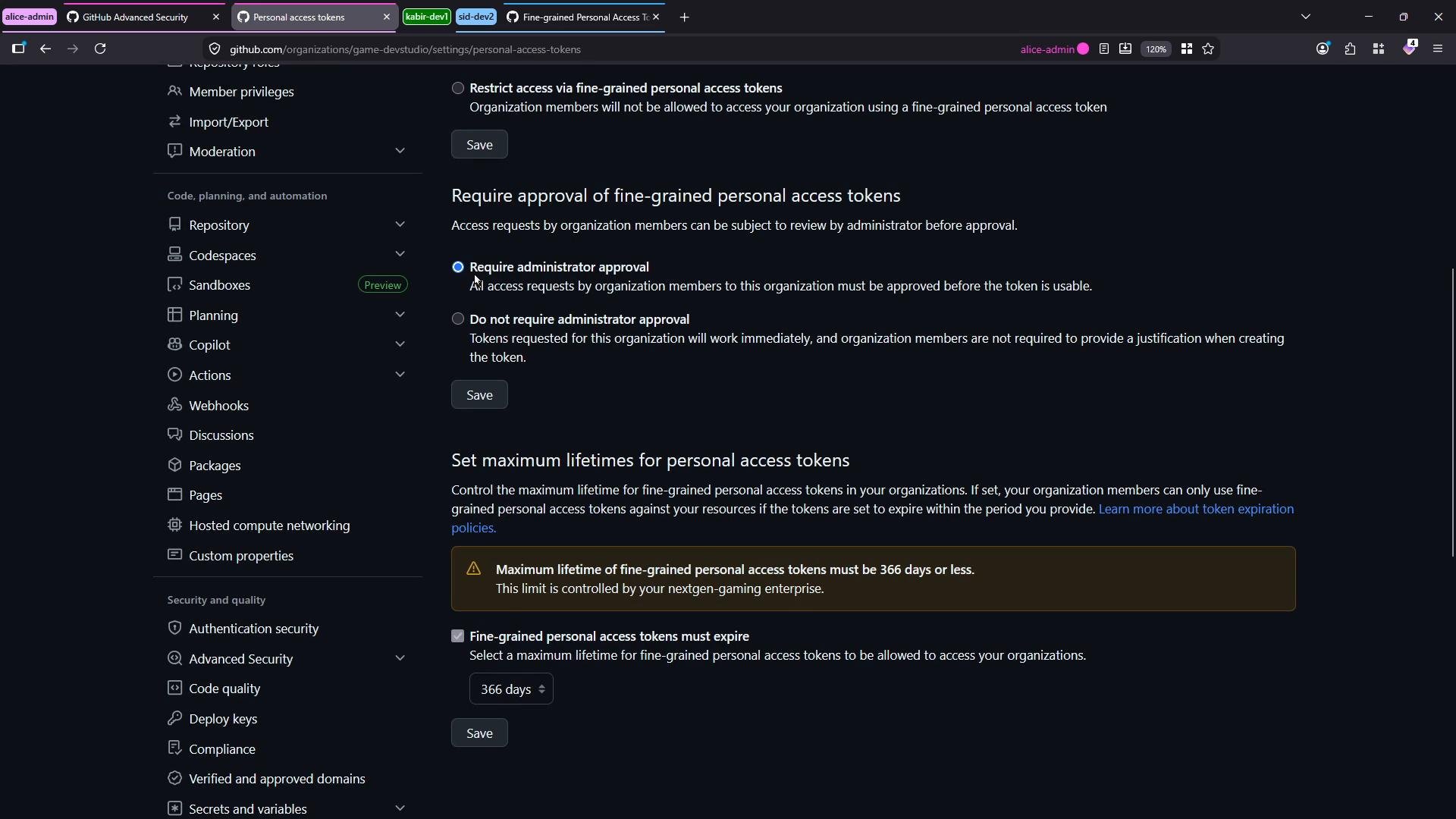
- Require administrator approval for fine-grained tokens.
- Configure a maximum token lifetime (enforce token expiration limits).
Best practices and security notes
Prefer fine-grained tokens for organization access to restrict permissions to only the necessary repositories and actions. Enforce approval workflows and maximum token lifetimes at the organization level to reduce risk.
Treat all PATs as secrets. Do not commit tokens to source control, public gists, or logs. Rotate tokens regularly, set short but practical expirations, and revoke lost or unused tokens immediately.
- GitHub Docs: Personal access tokens — https://docs.github.com/en/authentication/keeping-your-account-and-data-secure/creating-a-personal-access-token
- GitHub Docs: Fine-grained personal access tokens — https://docs.github.com/en/enterprise-cloud@latest/authentication/keeping-your-account-and-data-secure/creating-a-personal-access-token#fine-grained-personal-access-tokens
- GitHub Docs: Organization settings for personal access tokens — https://docs.github.com/en/organizations/keeping-your-organization-secure/managing-personal-access-tokens-in-your-organization