

- Admin access to the GitHub organization.
- A target repository (in this example,
app-backend) already created and accessible.
- Create a parent team (PC Devs).
- Grant the team access to a repository.
- Create a child team (Windows Client) under the parent.
- Observe permission inheritance and manage members.
- Create the parent team (PC Devs)
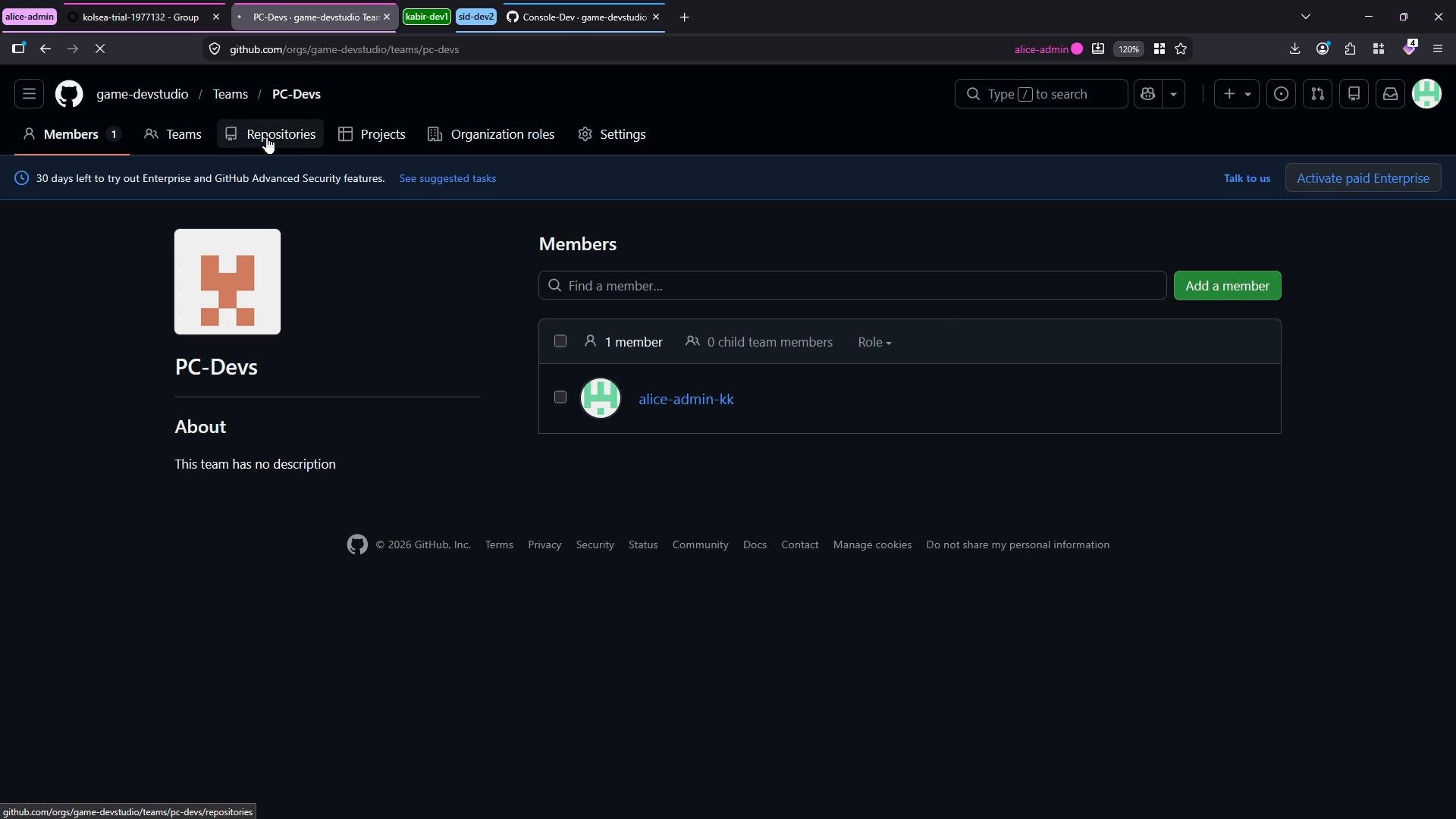
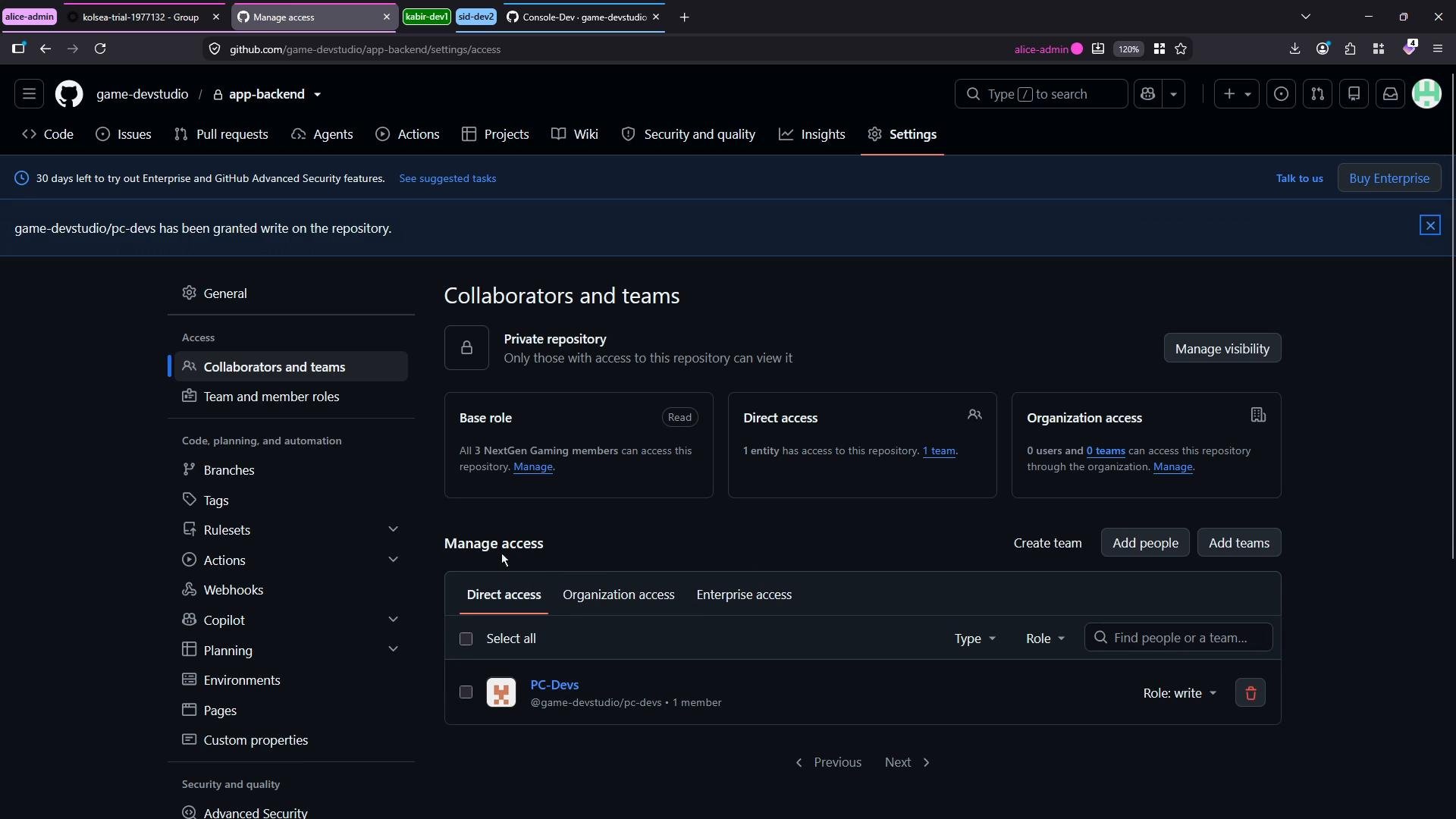
- Grant repository access to the team
app-backend) open that repository, navigate to Settings → Collaborators and teams, then add the team and select the desired permission level (Read, Write, or Admin). In this demo we grant the PC Devs team Write access and confirm by clicking Add selection.
- Create a nested (child) team under PC Devs
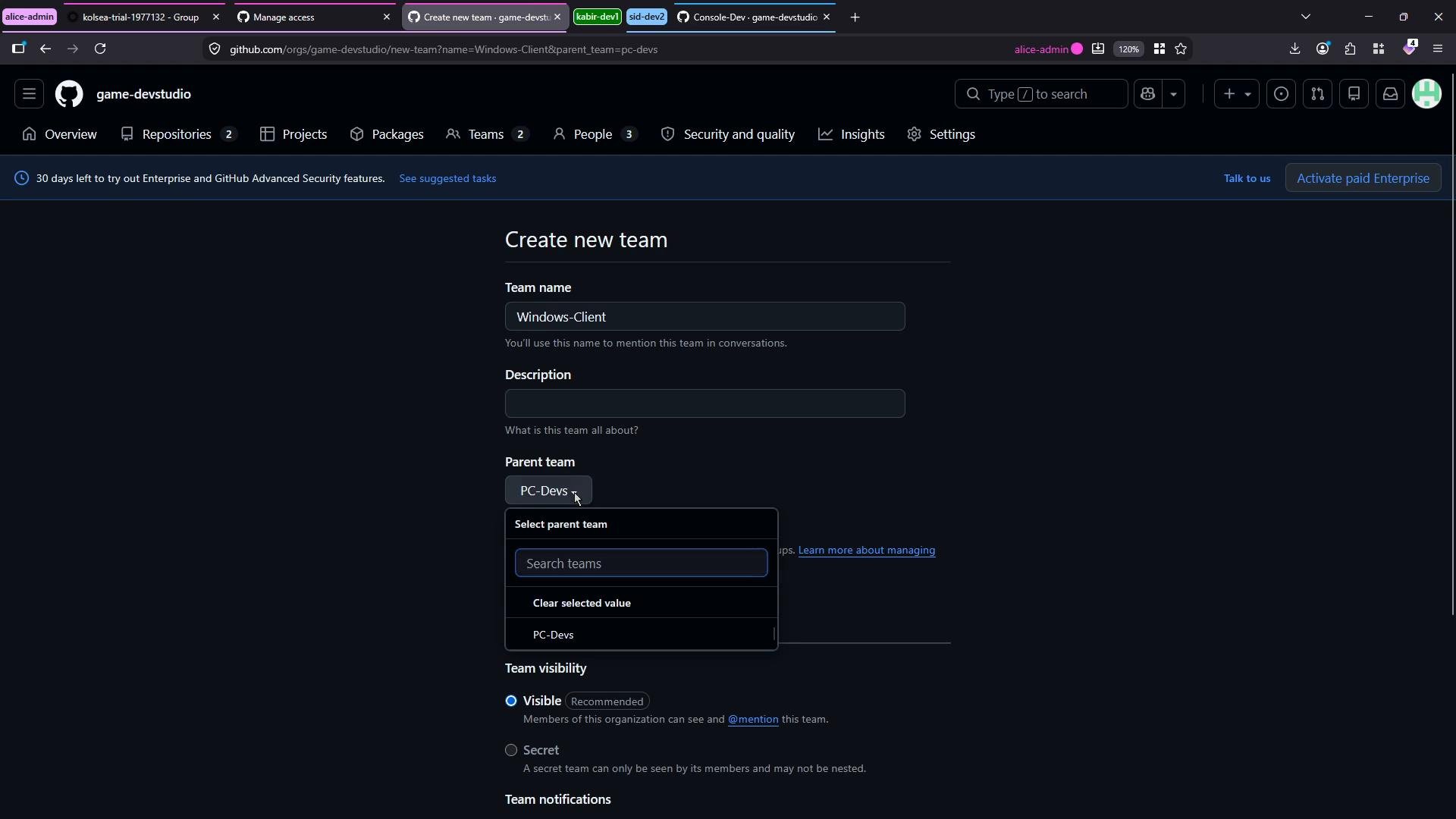
app-backend, Windows Client also has Write access by inheritance.
Child teams inherit repository access from their parent teams. Permissions are additive: a child team receives at least the access level the parent grants and can be given additional repository permissions, but it does not reduce the parent’s access.
Be cautious when granting elevated permissions (Write or Admin) at a parent-team level — those permissions propagate to all child teams. Review team membership before applying wide-scoped access.
- Grant repository permissions at the appropriate level: prefer granting access at a parent team when many subteams need the same base permission, but use child teams to restrict or add permissions for specific groups.
- Keep team membership tight and review maintainers regularly to avoid privilege escalation.
- Use GitHub’s audit logs and the repository access pages to confirm who has access.
Links and references
You can repeat these steps to create additional child teams (for example,
macOS Client or Android Client) to reflect your org structure and assign repository permissions at the right level as your organization grows. Use each team’s page to add members, invite maintainers, and fine-tune access.