

- How to enable Dependabot security updates
- How Dependabot creates PRs to bump vulnerable dependencies
- How to review, validate, and merge Dependabot PRs while respecting CI and branch protection
1. Enable Dependabot security updates
Open the repository’s Advanced Security settings and toggle on the “Security updates” option. If you prefer fewer pull requests when one dependency bump can remediate multiple alerts, also enable “Grouped security updates.” Grouped updates consolidate related fixes into a single PR.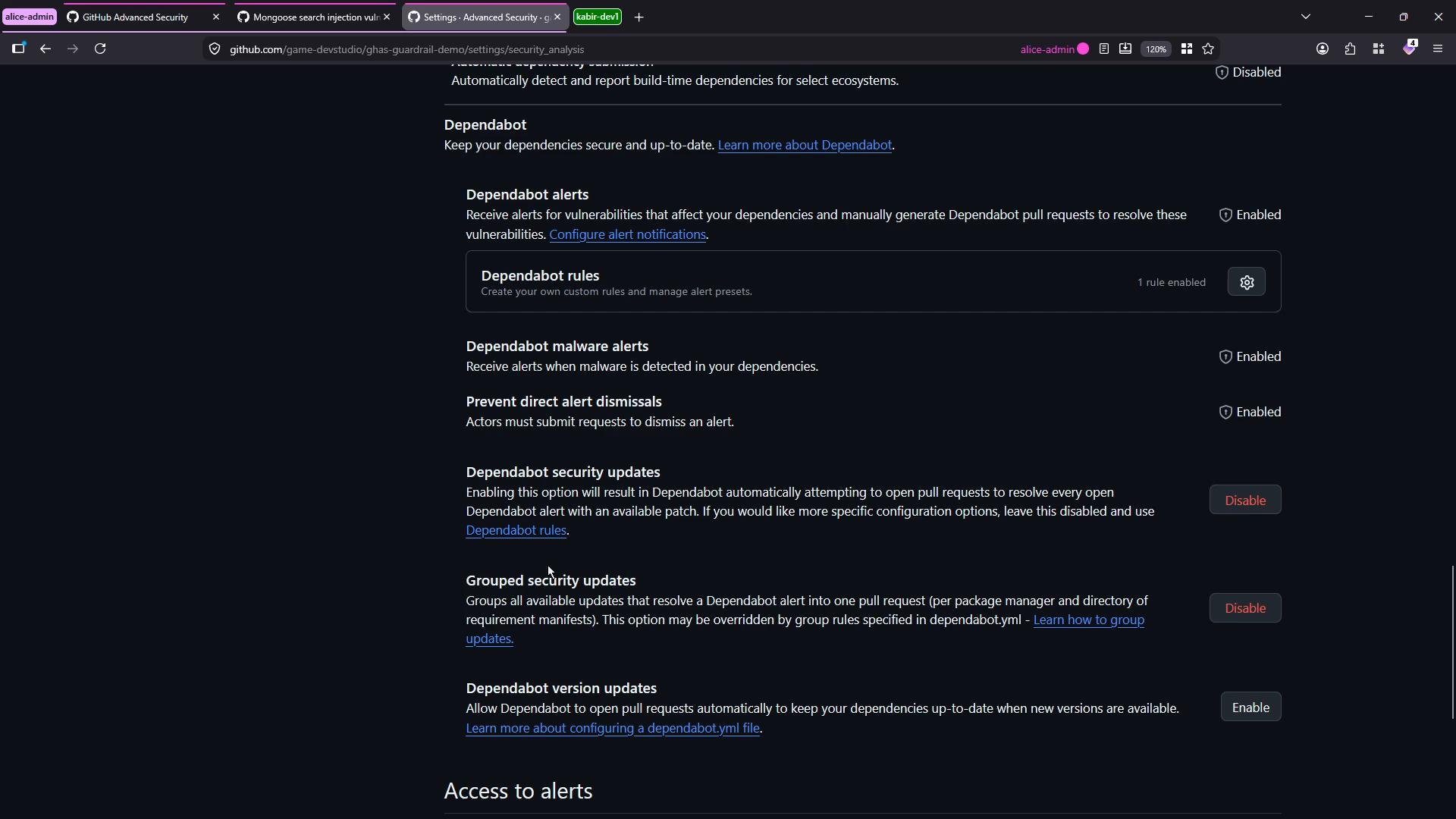
Dependabot may take several minutes to analyze your dependency graph and generate PRs after you enable security updates. If you enable grouped updates, expect fewer consolidated PRs instead of one PR per alert.
2. Wait for Dependabot to analyze and create PRs
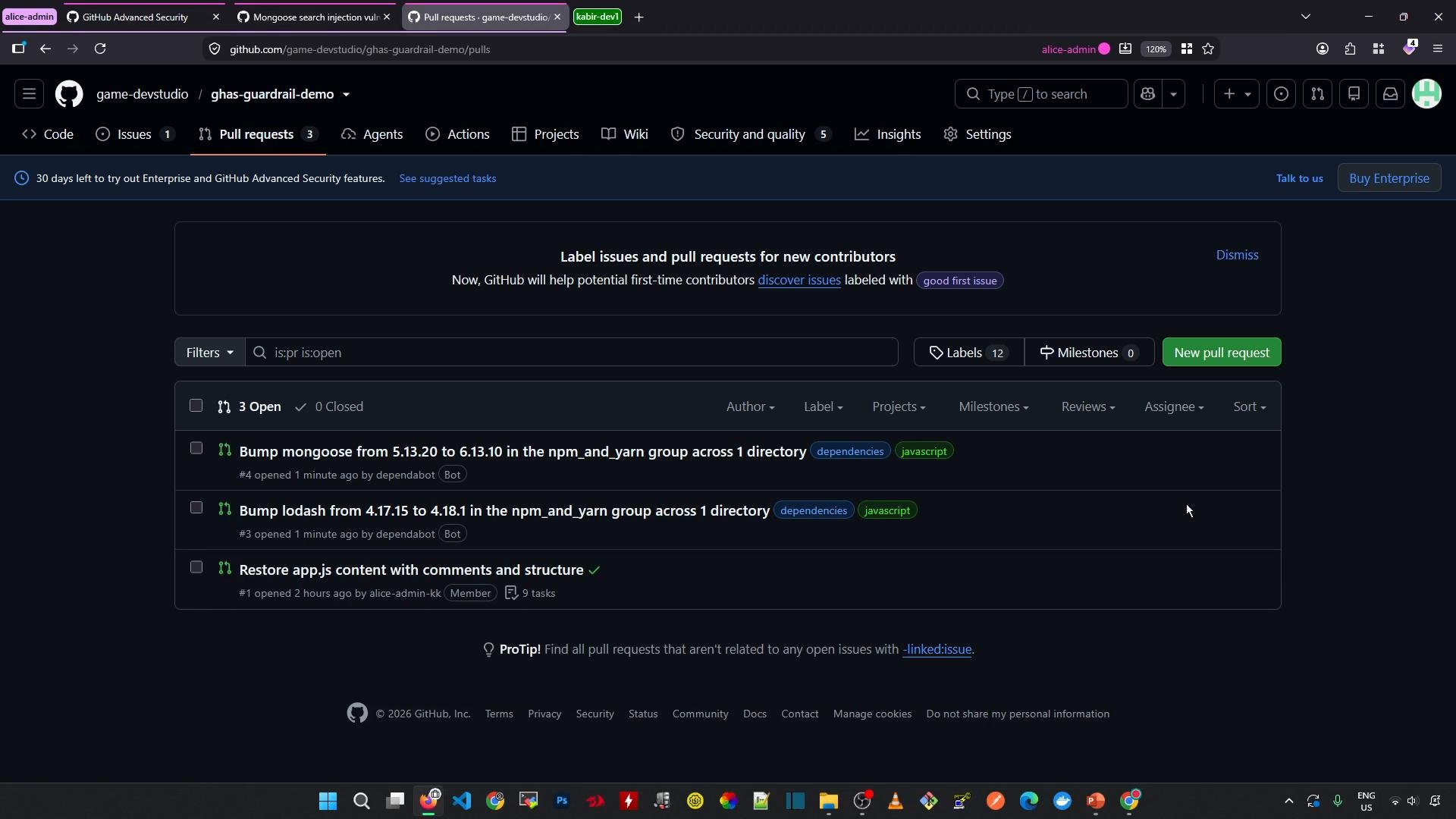
After enabling security updates, Dependabot scans your dependency manifests (for examplepackage.json / package-lock.json, pyproject.toml / poetry.lock, etc.). Depending on repository size and dependency count, this can take a few minutes. When complete, Dependabot will open one or more PRs to bump affected packages to safe versions.
In the demo repository, Dependabot opened PRs to update Mongoose and Lodash.
3. Review a Dependabot pull request
Open a Dependabot PR to review:- The description (which usually references the advisory/CVE)
- The list of changed files (package manifests and lockfiles)
- Any linked security advisories or remediation details
package.json and package-lock.json. Example diff (illustrative):
4. Validate CI, CodeQL, and branch protection checks
When you try to merge a Dependabot PR, automated checks such as CI pipelines or security scans (for example CodeQL) may block merging until they pass. This is expected behavior for repositories with branch protection and security checks enabled.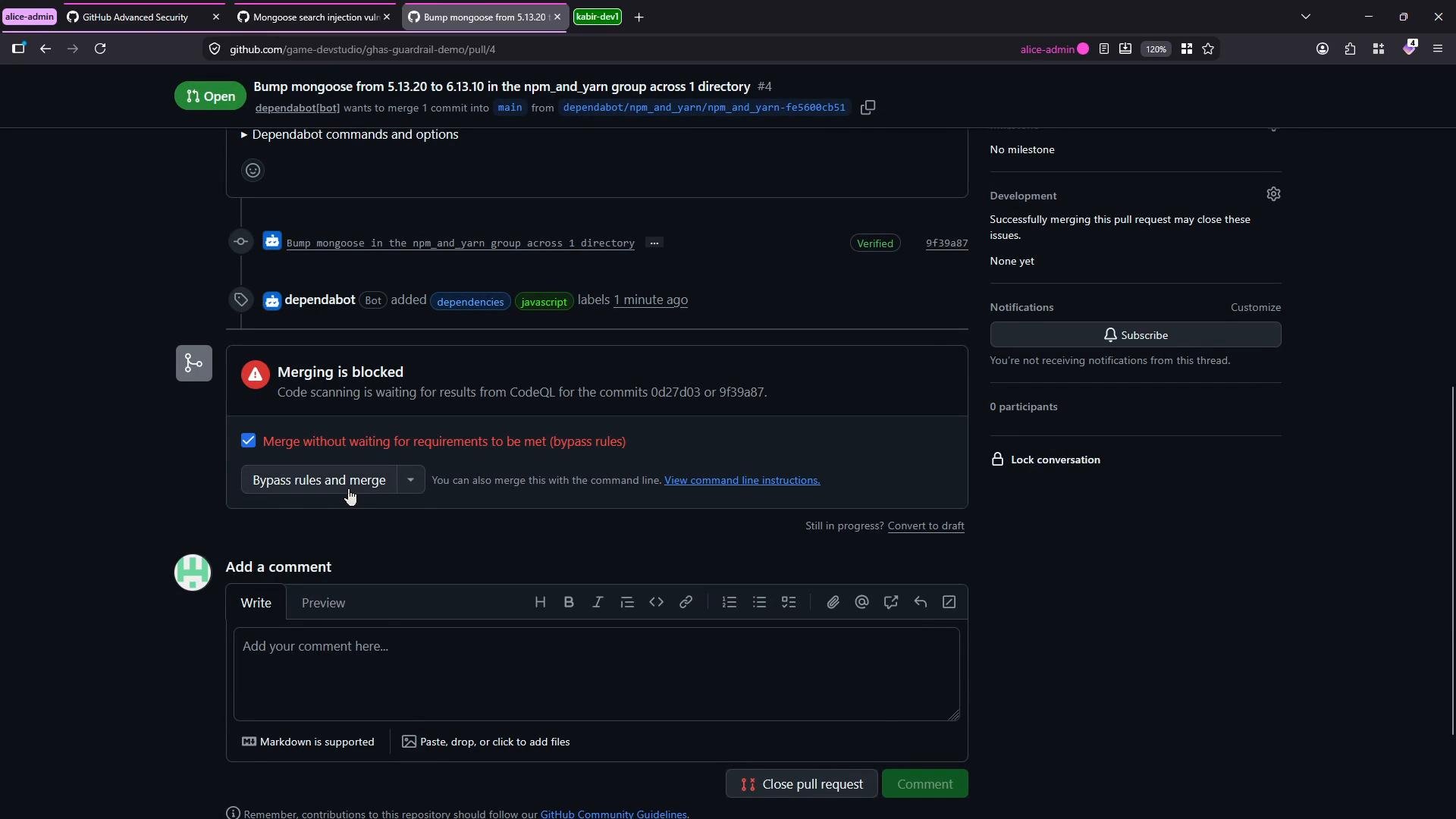
Avoid bypassing branch protection or security checks except in emergency situations. Always run and validate CI, tests, and security workflows after dependency updates to ensure the application behavior remains correct.
5. Merge, test, and monitor
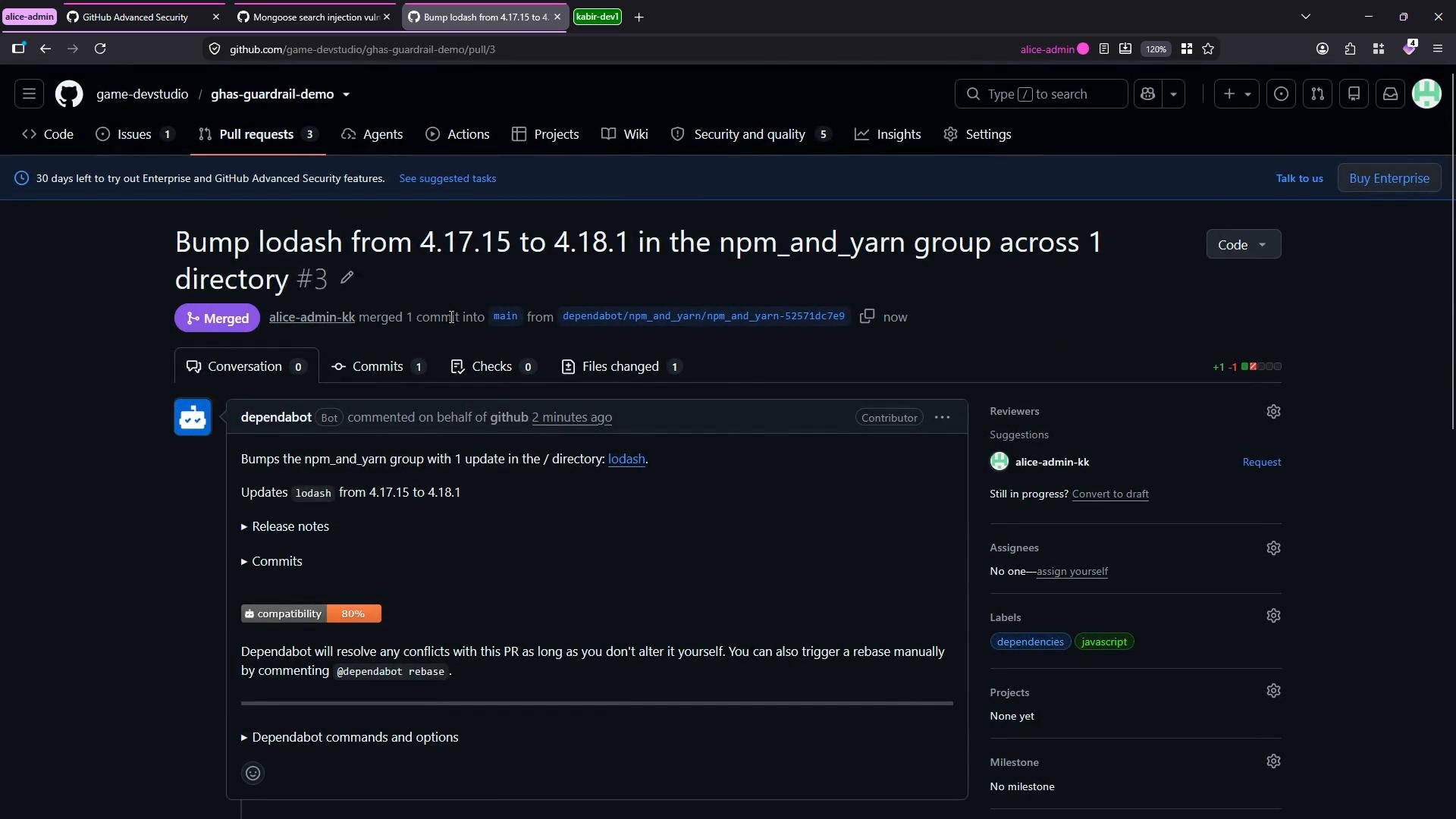
After PR checks pass and you have reviewed the changes:- Merge the Dependabot PR.
- Run your full test and build workflows (local and CI) to validate runtime behavior.
- Monitor deployment metrics, error reporting, and logs for unexpected changes.
Quick reference — workflow summary
Additional resources
- Dependabot overview — GitHub Docs
- Configuring security updates — GitHub Docs
- GitHub Advanced Security