

1) Create a reusable workflow
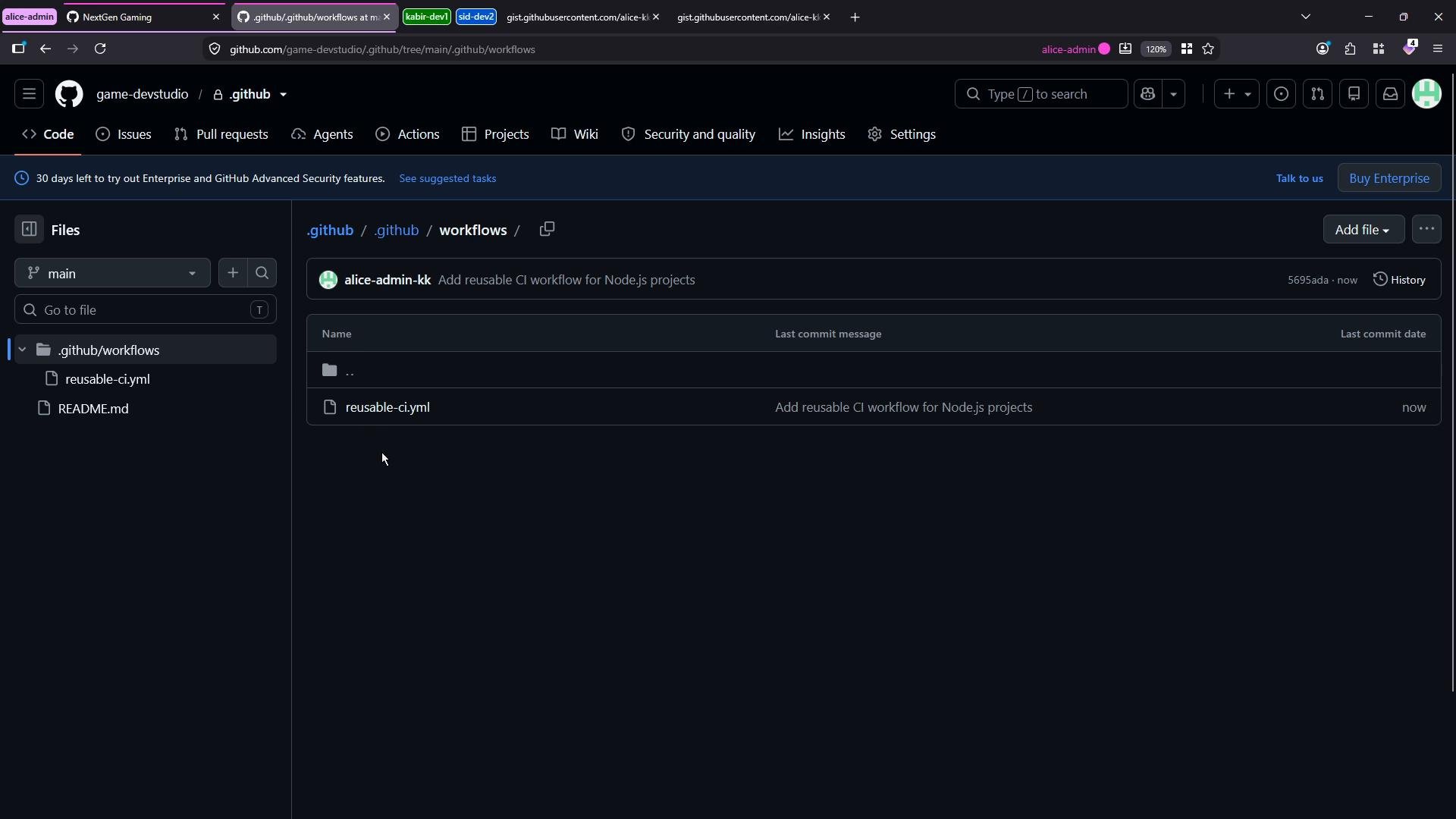
Create an organization-level repository named.github and add a workflow at .github/workflows/reusable-ci.yml with the contents below. This workflow uses on: workflow_call so other workflows can invoke it and accepts a node-version input.
on: workflow_calldeclares the workflow as reusable by other workflows.- The workflow takes a required string input
node-version. - The
npm-installjob: runs onubuntu-latest, checks out code, sets up Node.js using the passed input, and runsnpm install.
.github repository’s default branch (commonly main), the reusable workflow becomes available to consumer repositories.
2) Call the reusable workflow from a consumer repository
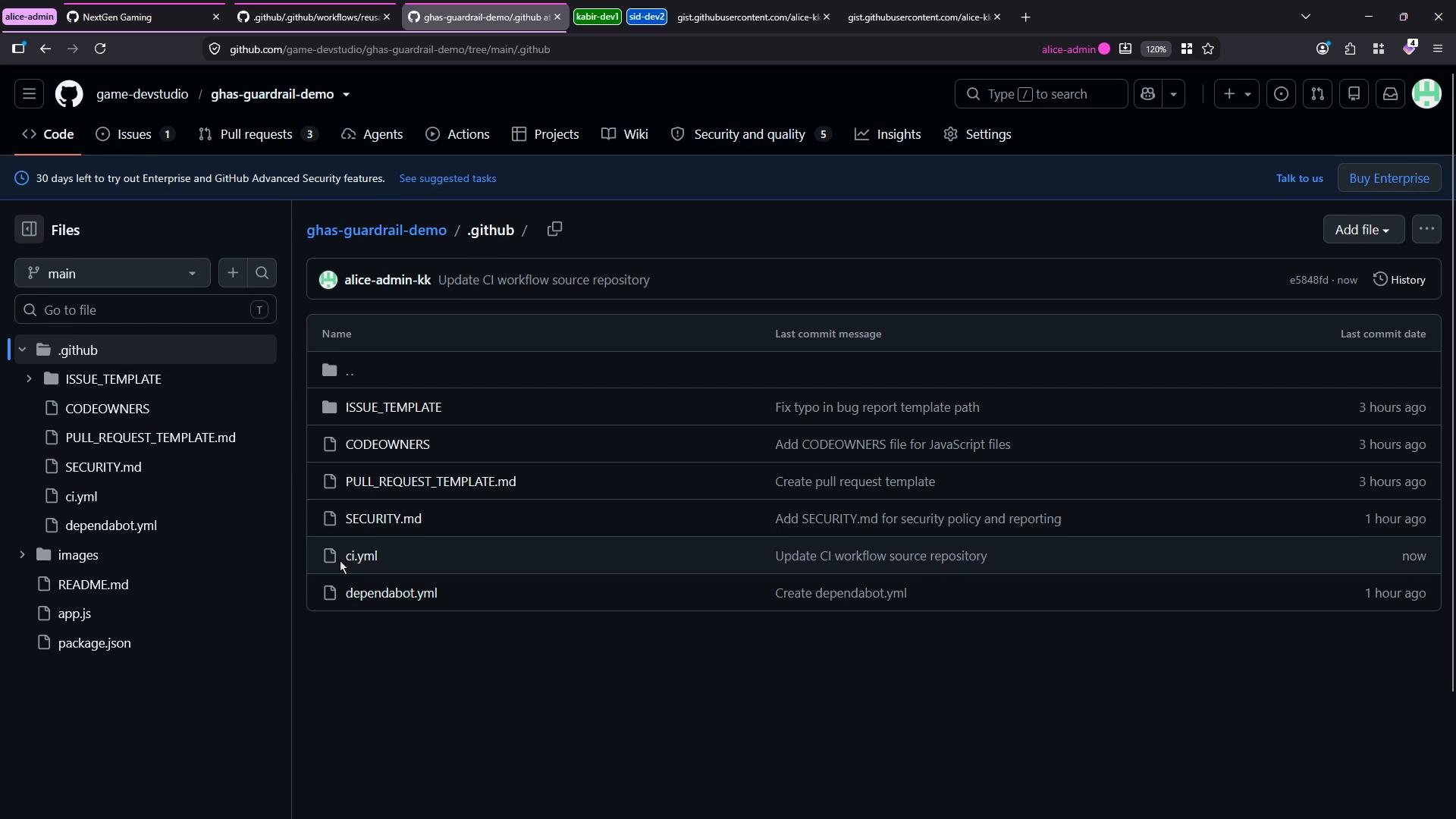
In your application repository (for example,ghas-catrils-demo) create a workflow file at .github/workflows/ci.yml that references the reusable workflow. Example:
- The
usesvalue must follow the format:owner/repository/path/to/workflow@ref. For an organization-level.githubrepo the path will include.githubin the repository name and again in the path:owner/.github/.github/workflows/reusable-ci.yml@main. pushtriggers runs on commits;workflow_dispatchenables manual runs from the Actions UI.- The
withblock passes thenode-versioninput required by the reusable workflow.
Important: the consumer workflow file must be placed in
.github/workflows/ci.yml on the repository’s default branch. If it is outside the workflows directory, GitHub Actions will not pick it up.
3) Common errors and permissions
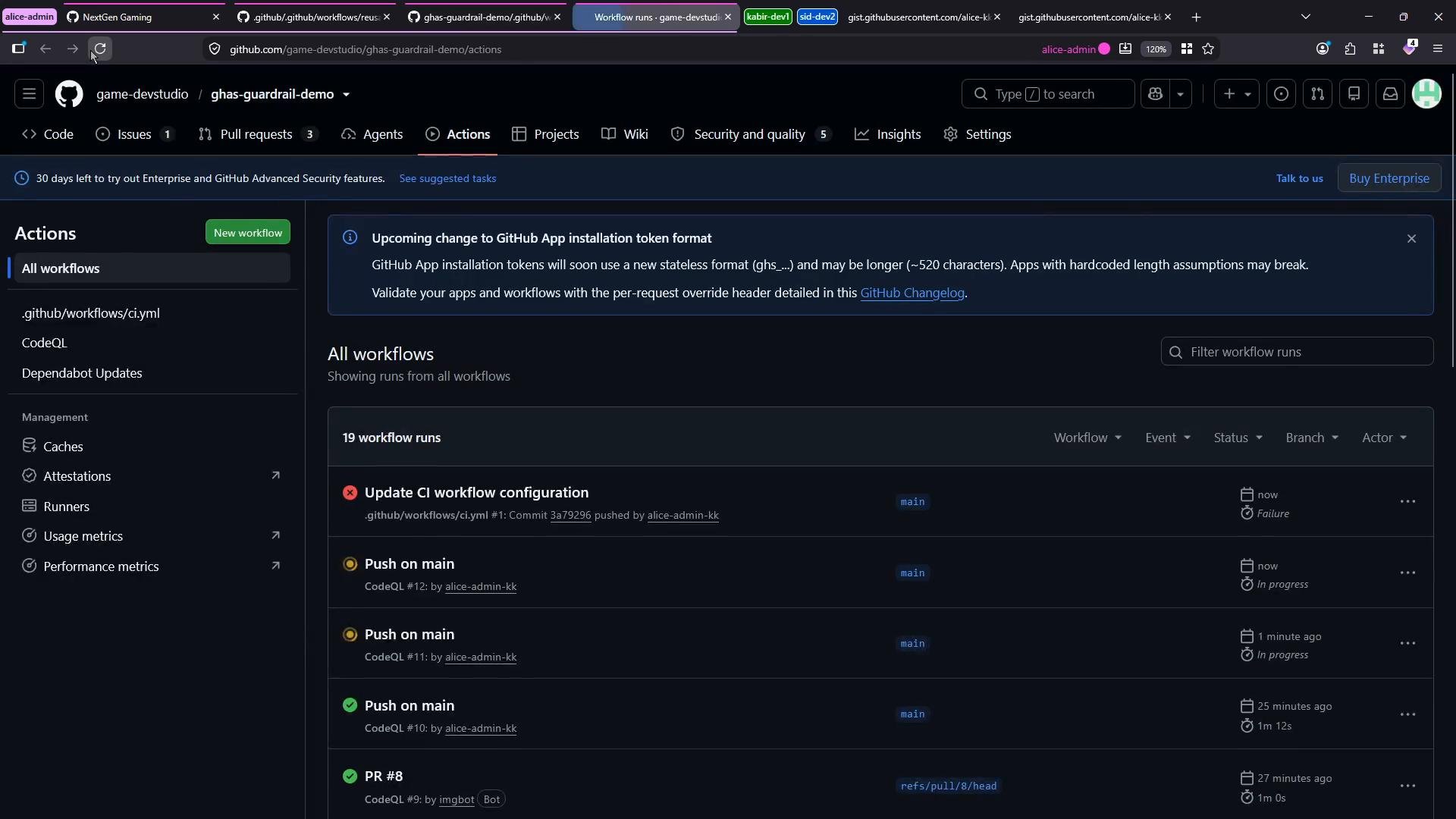
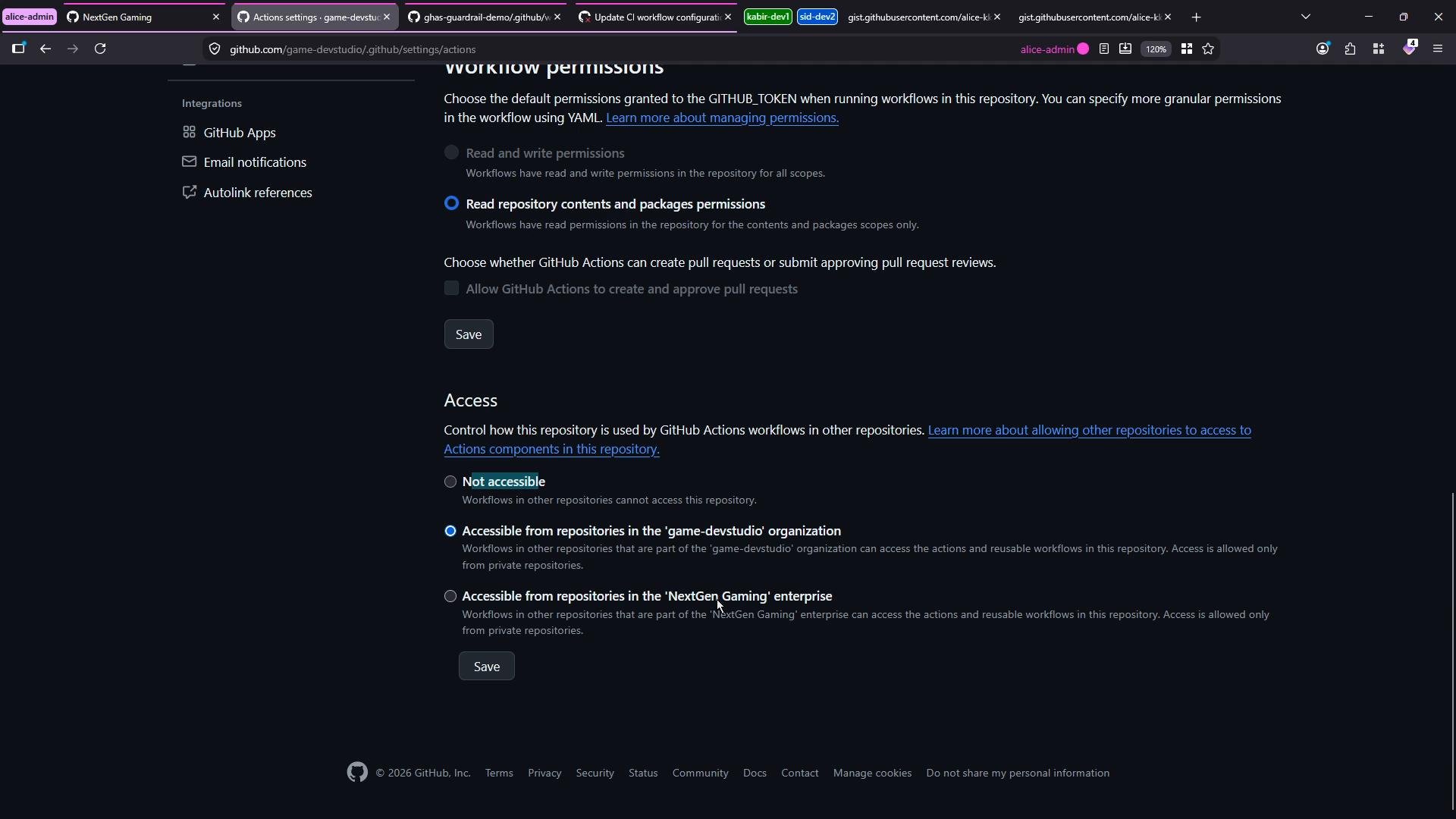
If the calling workflow fails with an error like:If the reusable workflow repository is private, you must explicitly allow access from consumer repositories. Go to the reusable repository’s Settings → Actions → General and adjust “Access” so other repositories in your organization can use its workflows.
4) Triggering and observing the reusable workflow run
Once the consumer workflow is correctly placed and permissions are set:- A push to the consumer repository or a manual
workflow_dispatchwill invoke the reusable workflow. - In the consumer repository’s Actions UI you will see the run and the jobs defined by the reusable workflow (for example,
npm-install). - The steps (checkout, setup-node,
npm install) will execute in the context of the consumer repository run, but sourced from the central reusable workflow.
Reusable workflows require
on: workflow_call. When the reusable workflow lives in the special .github repository, include the repository name in the uses path—for example: owner/.github/.github/workflows/reusable-ci.yml@main.5) Final reusable workflow reference
For convenience, here is the reusable workflow again (copy this into your.github/workflows/reusable-ci.yml):
Links and references
- Reusing workflows (GitHub Actions): https://docs.github.com/actions/learn-github-actions/reusing-workflows
- Workflow syntax for GitHub Actions: https://docs.github.com/actions/using-workflows/workflow-syntax-for-github-actions
- Actions permissions and repository access: https://docs.github.com/actions/learn-github-actions/authorizing-deployments#using-environments-for-deployments