

- A GitHub user account (for this demo:
Dev2). - Organization admin privileges (to review/approve installation requests).
- A basic understanding of GitHub Apps and the permissions model.
1. Create a custom GitHub App (from the Dev2 account)
- Sign in as the
Dev2user. - In Dev2, open Settings → Developer settings → GitHub Apps and click Create a new GitHub App.
- Enter the app’s basic details:
- App name: for example,
demo-bot-dev - Description: for example, “GitHub App test”
- Homepage URL: your app’s website (for this demo we use
https://example.com)
- App name: for example,
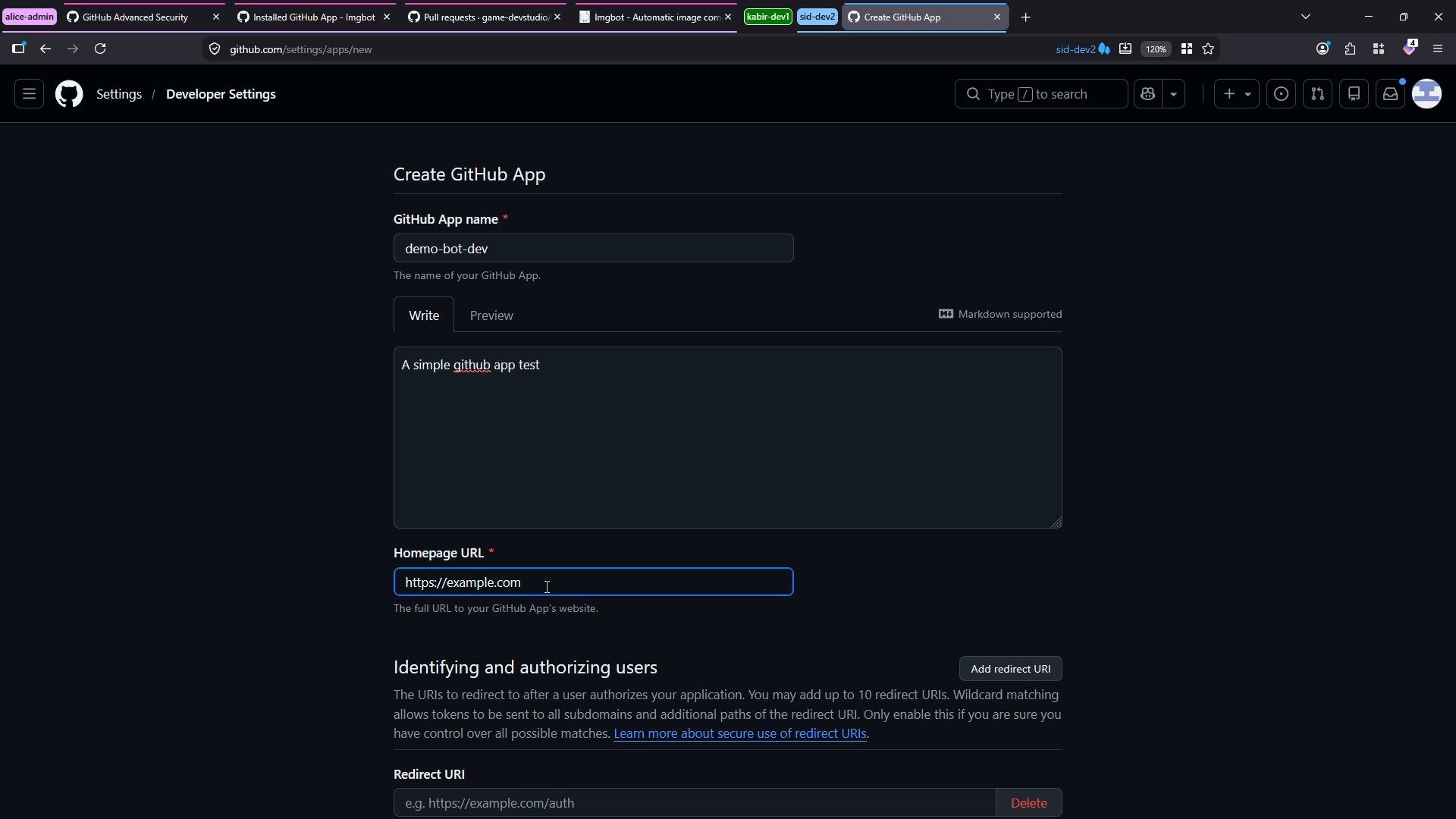
- Configure identifying/authorization options required by your app. (In this demo we do not enable additional user identification settings.)
- Disable webhooks if your app does not require them.
- Set granular permissions according to the principle of least privilege. For example:
- Actions: read & write (if the app needs to manage Actions runs)
- Pull requests: read (if it only needs to view PRs)
- Commit statuses: read & write (if it sets build/check statuses)
- Select “Where can this GitHub App be installed?” according to distribution (for example, any account).
- If your app does not use OAuth redirects, you can leave the Redirect URL fields empty.
- Click Create to register the application.
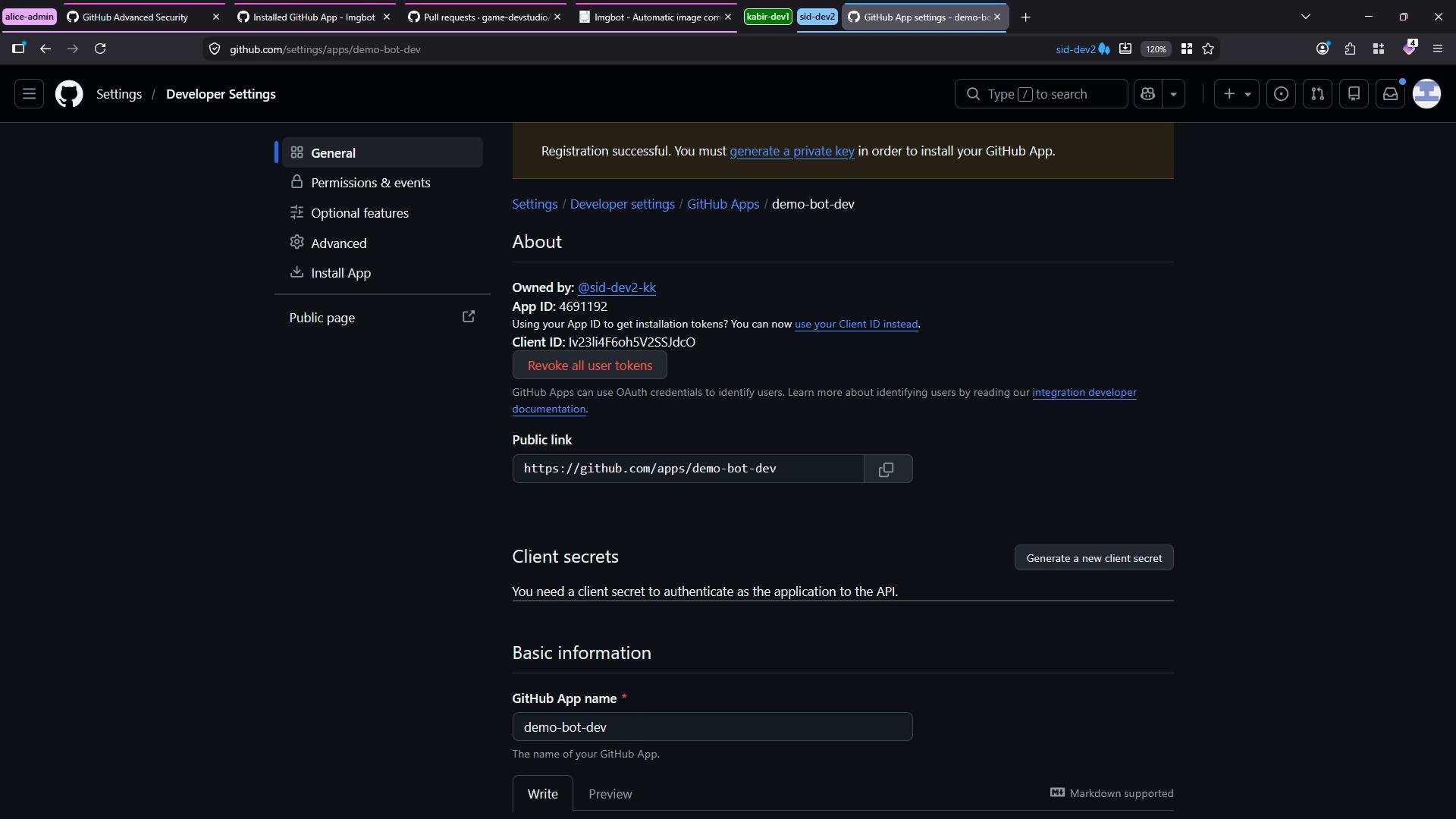
Quick reference — Example permission mapping
2. Installing the app into an organization
To install the app in an organization, use the public installation link or the Install App button from the app settings page. During installation you choose:- The target account (your organization)
- Which repositories to grant access to (e.g., select only the
App Backendrepository)
When an organization’s third‑party application access policy is set to Access restricted, member-initiated app installations become pending requests. An organization admin must review and approve those requests before the app gains access to organization repositories.
3. How organization admins review pending installation requests
An organization administrator can review and manage installation requests as follows:- Go to the organization’s Settings.
- Scroll to OAuth apps / Third‑party application access policy to confirm the organization’s current policy and view any already approved applications.
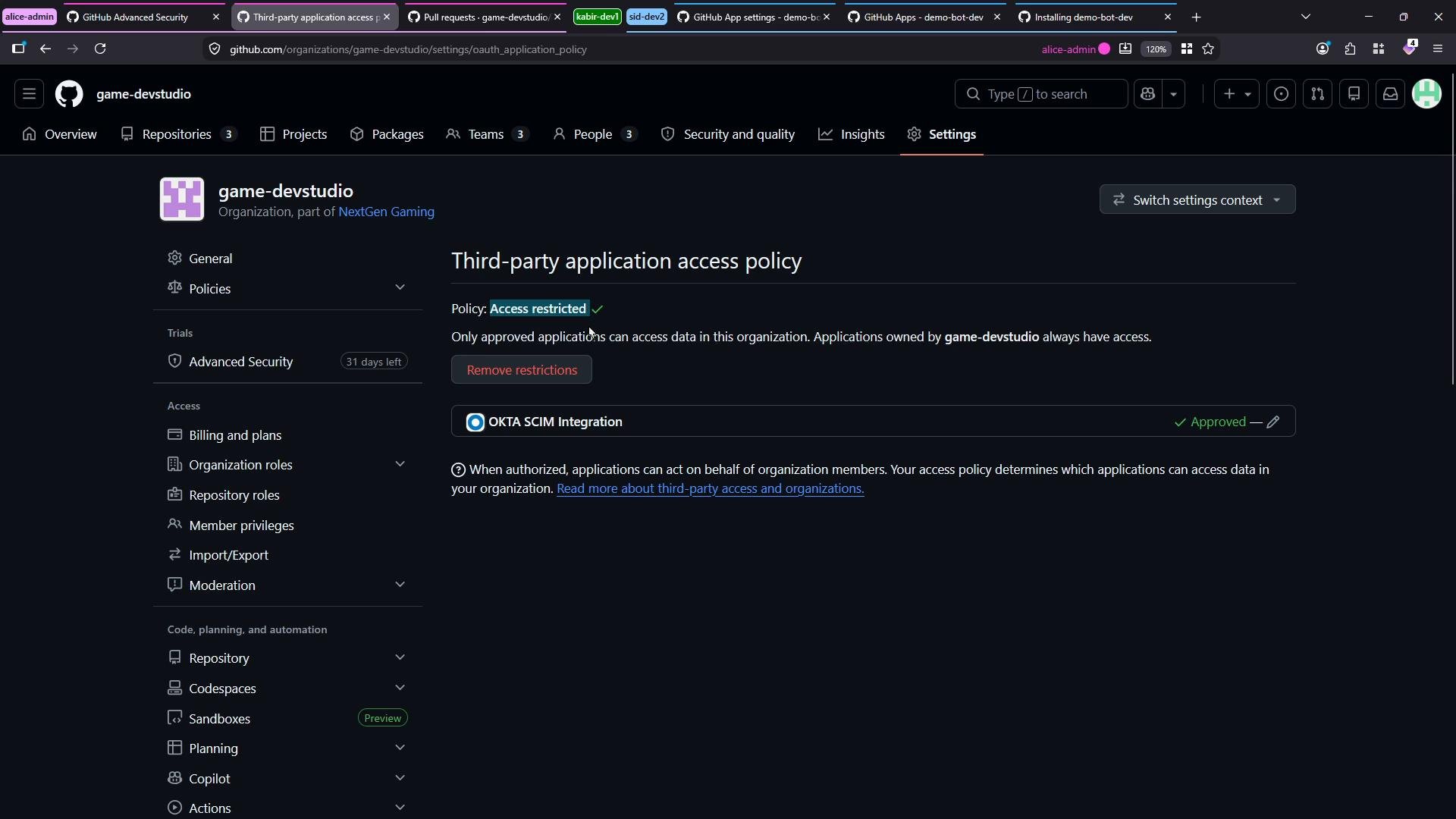
- Open Installed GitHub Apps (GitHub Applications) to see pending installation requests.
- Inspect each pending request to review:
- The app identity and App ID
- The permission scopes requested
- Which repositories the requesting user wants to grant access to
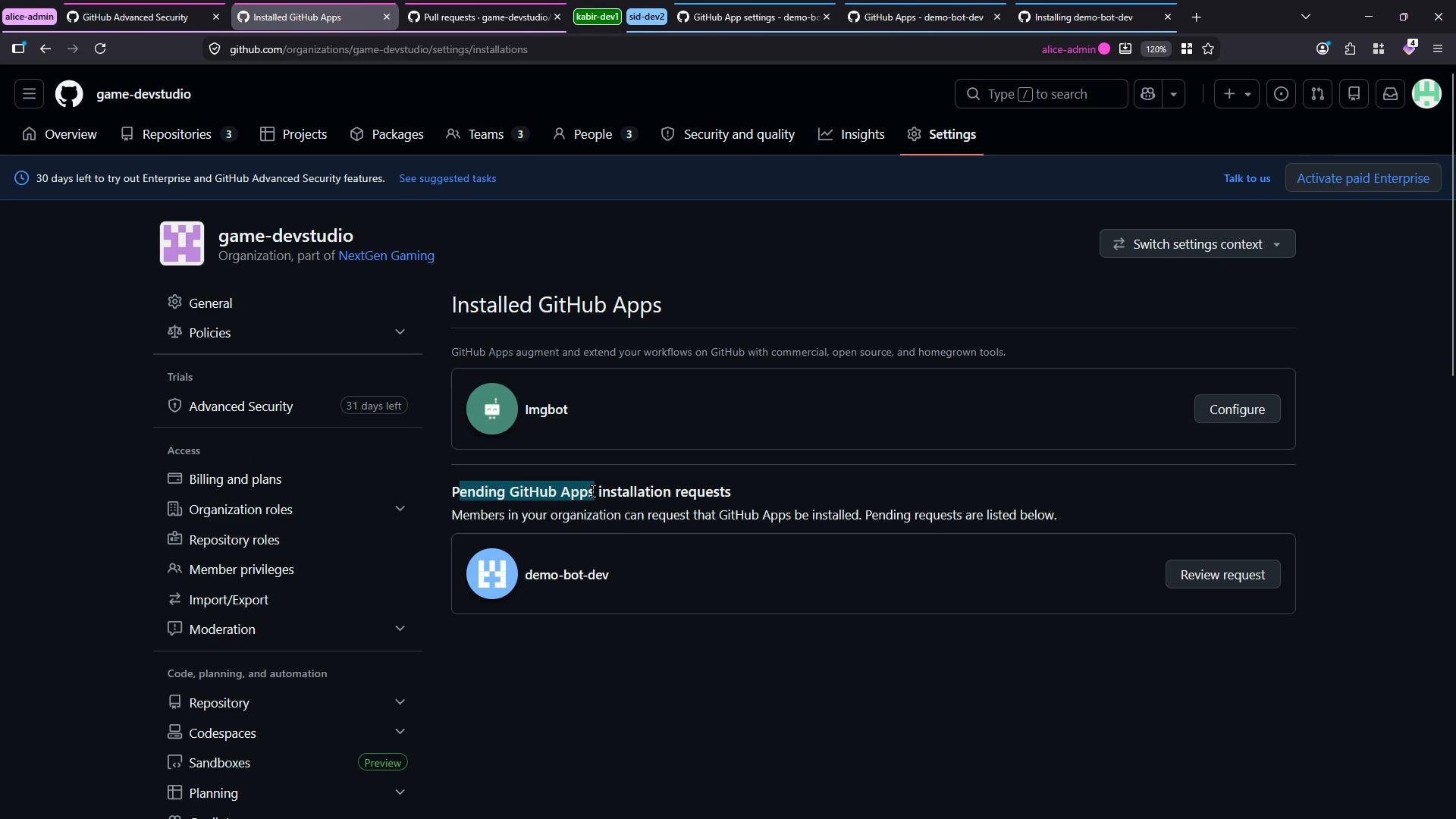
- Approve the request to allow the app to be installed on the selected repositories, or reject/cancel if the app should not have access.
Changing the organization’s third‑party application access policy to be less restrictive (e.g., allowing installations without admin approval) reduces friction but increases exposure to unvetted apps. Follow the principle of least privilege and document the rationale for any policy changes.
Best practices and next steps
- Review requested permissions carefully and limit repository access to only those repos the app needs.
- Maintain an allowlist of approved apps and periodically audit installed GitHub Apps.
- For automation or integrations that need broad access, consider using a service account with limited scope and rotate credentials regularly.