

- Ensures every bug report includes required details (description, reproduction, environment, version).
- Lets you pre-assign labels and set default titles to streamline triage.
- Renders a guided form in GitHub so contributors don’t have to remember every required field.
CODEOWNERS file in the repository. Now we’ll add a bug report issue form under the repository’s .github/ISSUE_TEMPLATE/ directory. GitHub detects any .yml or .yaml files in that folder and renders a friendly form when someone opens a new issue.
Place issue forms in
.github/ISSUE_TEMPLATE/ and name them with a .yml or .yaml extension. Each file must be a valid YAML document describing the form (top‑level keys like name, description, title, labels, and body).Create the file
Create a new file at:.github/ISSUE_TEMPLATE/bug_report.yml
Key form fields (top-level keys)
This table summarizes common top-level keys you’ll use in issue forms.How it looks in GitHub
After committing the file to the repository’s default branch (for example,main), GitHub will surface this template in the New Issue dialog. The preview below shows the repository file tree and the issue template file in the editor.
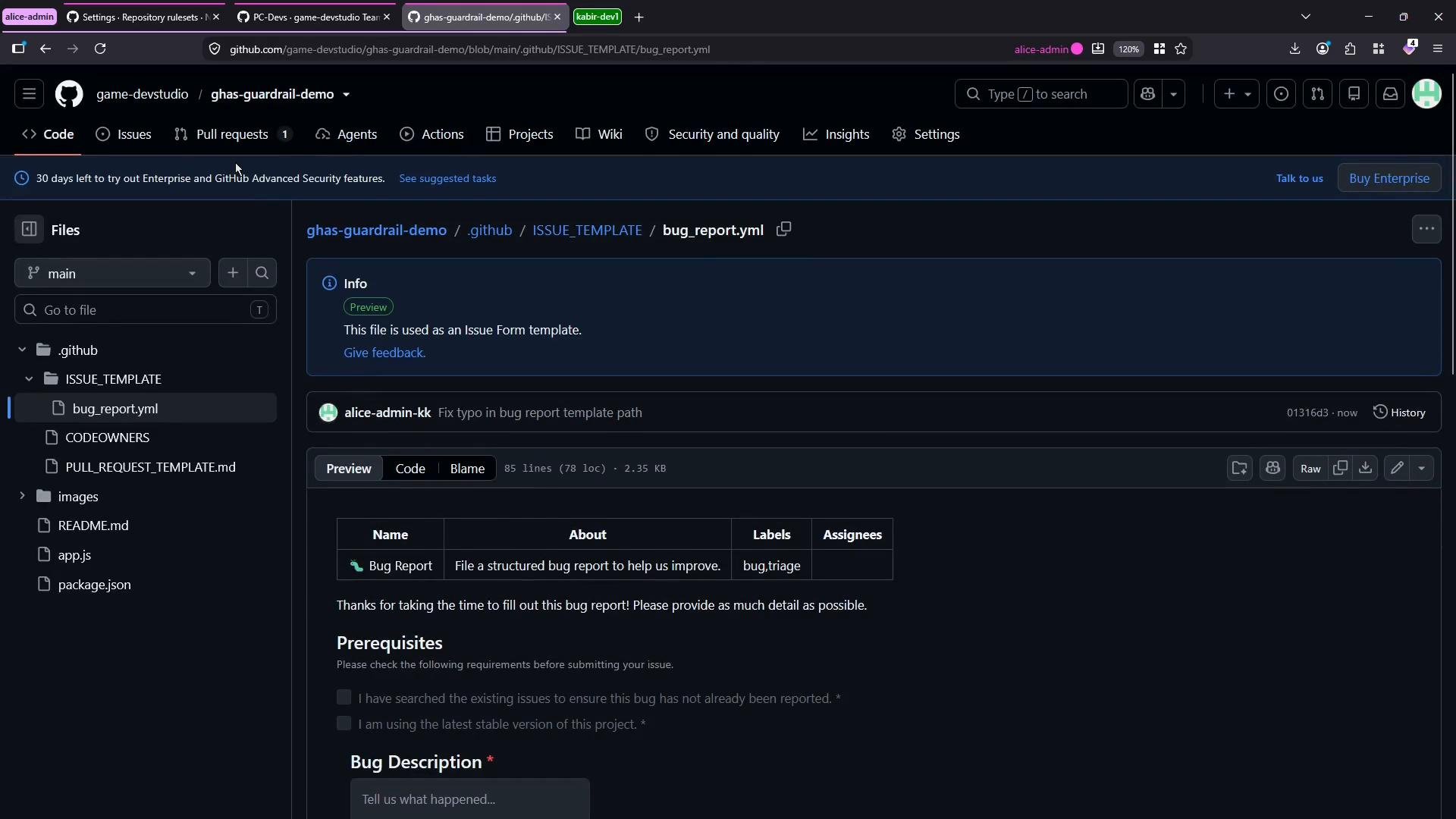
iOS), add a version, paste logs, and then submit. The issue page also shows standard metadata in the sidebar (assignees, labels, projects, milestones) which maintainers can set or update.
![A dark‑mode screenshot of a GitHub repository issue page showing a bug report titled “[Bug]: test1 #2,” with the issue content and checklist on the left and the assignees/labels/fields sidebar on the right.](https://mintcdn.com/kodekloud-c4ac6d9a/Ae2SeWV4btujbkSt/images/GitHub-Administration-Certification/Governance-and-Roles/Demo-Developer-Workflow-Standards-Issue-Template/github-issue-bug-test1-dark-screenshot.jpg?fit=max&auto=format&n=Ae2SeWV4btujbkSt&q=85&s=32a251da6c78d20bf2acc7a89b7e7919)
Common pitfalls:
- Ensure the folder path is exactly
.github/ISSUE_TEMPLATE/(no typos, correct capitalization). - File names must end with
.ymlor.yaml. - Validate your YAML syntax before committing — an invalid YAML file may prevent GitHub from rendering the form.
Commit and verification
- Add the file to your branch and commit:
git add .github/ISSUE_TEMPLATE/bug_report.yml && git commit -m "Add bug report issue template". - Push the commit to the default branch (for example,
main):git push origin main. - Visit the repository, click New Issue, and confirm the Bug Report template appears and renders the expected fields.
Tips for maintainers
- Keep required fields minimal but essential — too many required inputs can discourage useful reports.
- Use checkboxes for pre-submission checks (e.g., “I’ve searched existing issues”).
- Include a
Additional Contexttextarea to collect logs or attachments. - Add default
labels(likebug,triage) so maintainers can quickly filter new reports.