

- When an organization enforces SAML SSO, API requests that use a PAT which hasn’t been authorized for that organization will be rejected with a 403 and an explanatory message.
- The PAT is valid, but GitHub prevents it from accessing organization-protected resources until the token is explicitly authorized for that organization via SAML SSO.
- Open GitHub and go to: Settings → Developer settings → Personal access tokens → Tokens (classic) (or the PAT page you used to create the token).
- Locate the token you used for the failing request.
- Click Configure SSO next to that token.
- In the Configure SSO flow, sign in with your organization credentials and complete any required 2‑factor authentication.
- Approve the organization authorization. Organization owners will be able to view the token’s scopes and last-used timestamp.
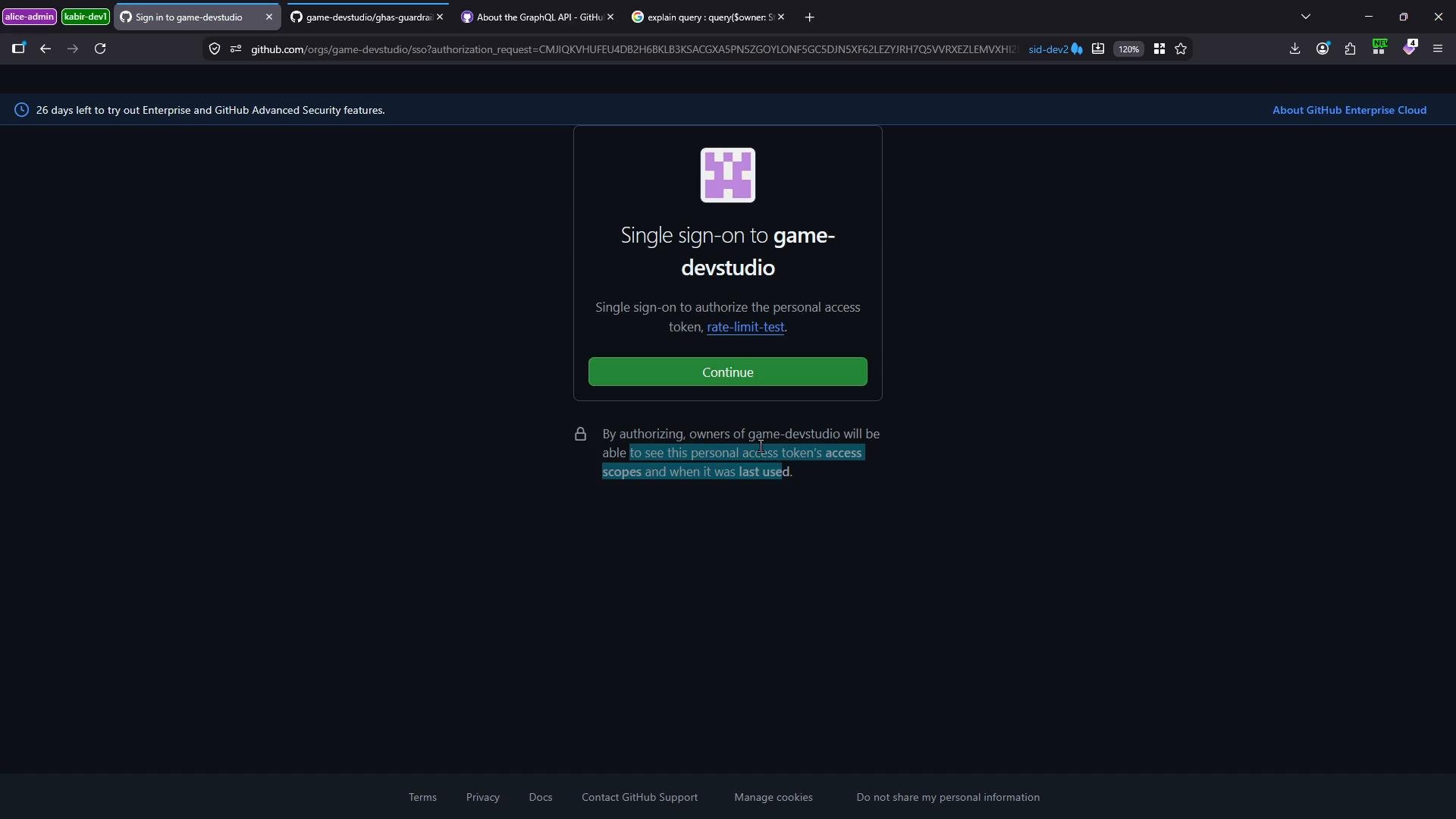
By authorizing the token with SAML, you allow that PAT to act on behalf of your identity for organization-protected resources. Organization owners will be able to view the token’s scopes and last-used timestamp.
- After authorizing the token through the SSO dialog, re-run the same API request without changing the token. The request should now succeed and return the repository workflow runs.
- After SSO authorization you should see workflow entries (for example, “Using Reusable CI Workflow” and “Using Composite Workflow” if present). This confirms the PAT is authorized to access organization-protected resources.
Do not share your PAT. When you authorize a token for an organization, owners may view the token’s scopes and last-used timestamp. If a token is compromised, revoke it immediately from your Personal access tokens settings.
- GitHub Docs: Authenticating to a GitHub organization with SAML single sign-on — https://docs.github.com/articles/authenticating-to-a-github-organization-with-saml-single-sign-on/
- Personal access tokens (classic) — https://docs.github.com/authentication/keeping-your-account-and-data-secure/creating-a-personal-access-token
- A valid PAT may still be blocked from organization resources if SAML SSO is enforced. Authorize the PAT via the PAT page by using Configure SSO and completing the organization authorization. After authorization, API calls using that PAT will succeed for protected resources.