

- Unauthenticated requests (no token): 60 requests per hour (attributed to the originating IP).
- Authenticated requests using a personal access token (PAT): 5,000 requests per hour (per user/token).
- GitHub Apps: higher limits (example: ~15,000 requests per hour depending on context).
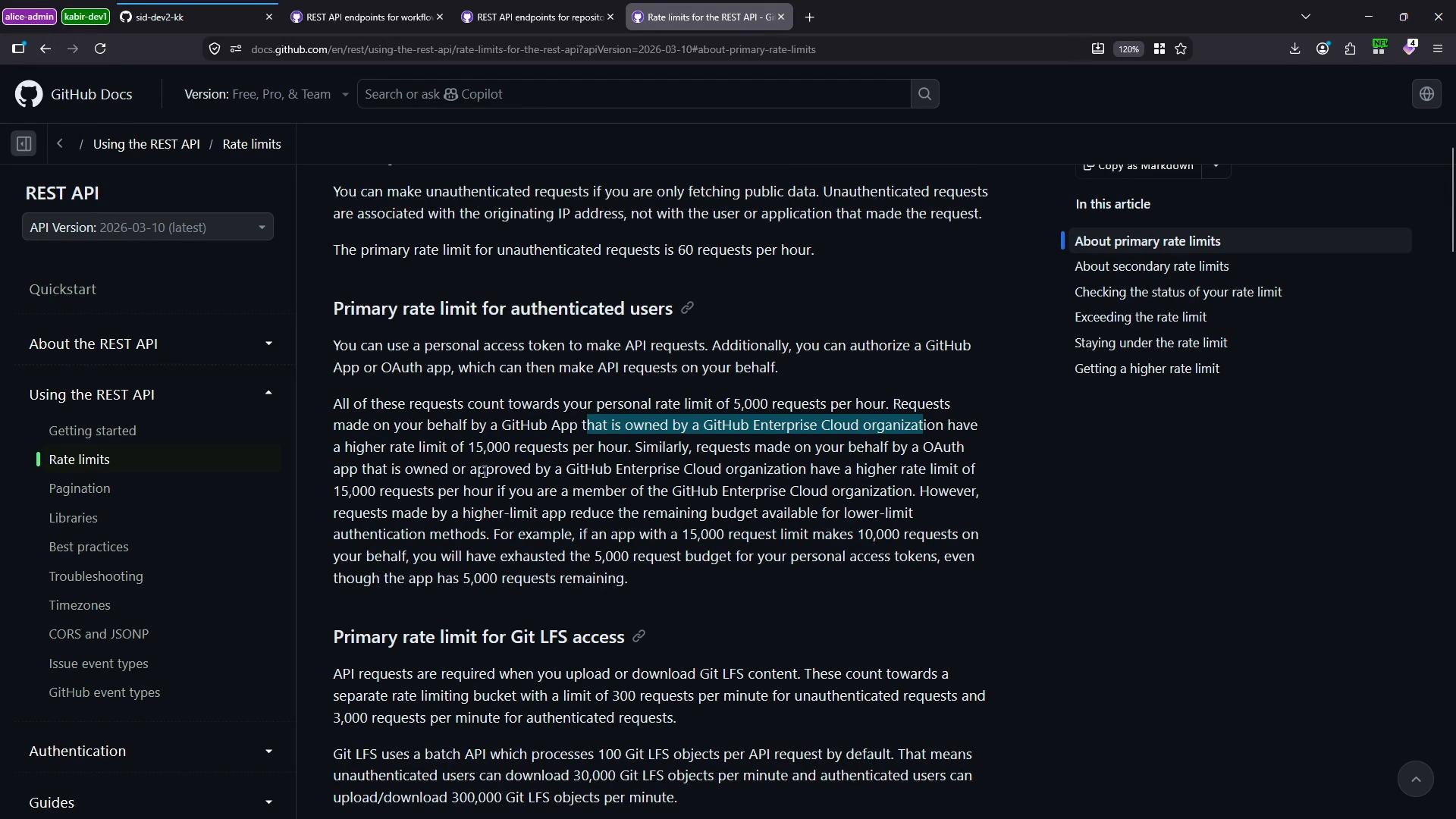
Quick reference — primary limits
How to check your current rate limit
- Rate limits are returned in response headers:
X-RateLimit-Limit,X-RateLimit-Remaining,X-RateLimit-Used,X-RateLimit-Reset, andX-RateLimit-Resource. - You can also query the REST endpoint
GET /rate_limitto receive the same information in JSON form.
X-RateLimit-* fields so you can programmatically inspect and throttle clients or surface usage dashboards.
What each X-RateLimit-* header means
Using a Personal Access Token (PAT)
Authenticate requests with a PAT to increase the core limit (commonly from60 to 5000 per hour). Create a token in GitHub: Developer settings → Personal access tokens. Then include it in the Authorization header.
Example (authenticated request):
YOUR_TOKEN with a securely stored token (do not hard-code tokens in source control or logs).
If you need access to private repository data, ensure your token has the required scopes (for example,
repo). For organization repos protected by SAML single sign-on, grant your token access to the organization through your identity provider; otherwise requests will return a 403 with SAML enforcement instructions.Fetching repository contents
To fetch a file’s contents from a repository, call the repository contents endpoint with the owner, repo, and path:- Wrap placeholder values like
OWNER,REPO,PATH, andYOUR_TOKENin backticks when editing MDX. - For private repositories, omitting
Authorizationoften returns404 Not Found(GitHub hides the existence of private repos) or401 Unauthorized/Bad credentialsfor invalid tokens.
content field:
Using the Actions REST API — listing workflow runs
To list workflow runs for a repository:- If your token lacks organization access (for example, SAML SSO not authorized), GitHub returns a
403 Forbiddenwith an explanation and instructions to grant token access.
Best practices and next steps
- Monitor usage programmatically using the
X-RateLimit-*headers or the/rate_limitendpoint. - Reduce polling frequency and avoid aggressive loops.
- Use conditional requests (ETags /
If-None-Match) to avoid downloading unchanged resources. - Implement exponential backoff and retry on
429 Too Many Requestsor secondary-rate-limit responses. - Cache common responses where feasible.
- For organization data, ensure your token is authorized with appropriate scopes and SAML access if enforced.
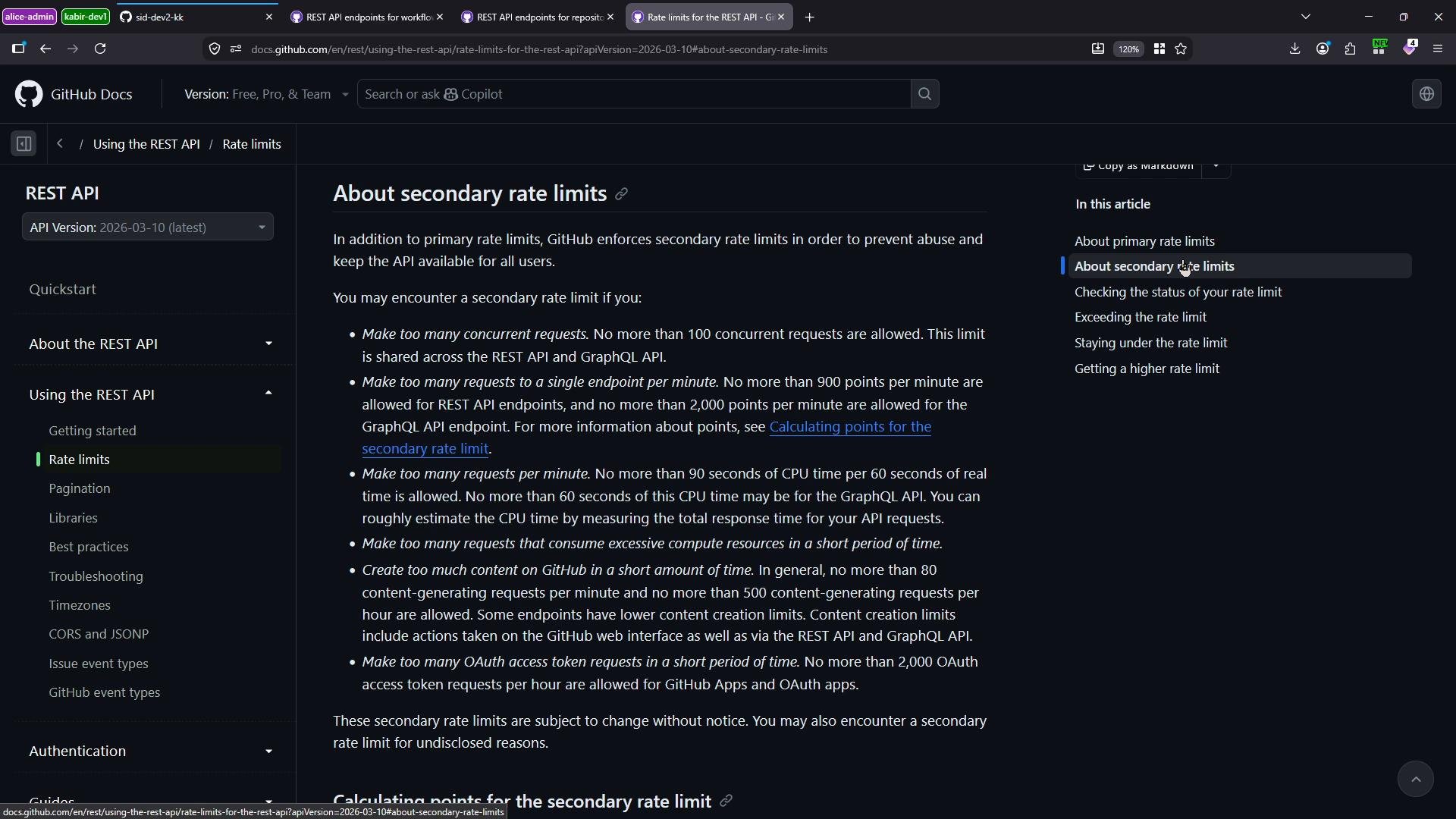
Best practice: cache responses, use conditional requests with ETags, and implement exponential backoff on 429/secondary-rate-limit responses to reduce the likelihood of hitting secondary limits.
Links and references
- GitHub REST API — Rate limit documentation
- About secondary rate limits
- Authenticating to a GitHub organization with SAML single sign-on