

Overview
- Audience: enterprise owners or admins setting up GitHub for an organization.
- Example account: Alice Admin (new account with no repositories).
- Deployment used in this lesson: GitHub Enterprise Cloud with personal accounts.
Enterprise types and user models
Reference: GitHub Enterprise documentation — https://docs.github.com/en/enterprise
For this walkthrough we use the Enterprise Cloud deployment with personal accounts.
Prerequisites
- Sign in as an enterprise admin (Alice Admin in this example).
- Have a valid contact email for verification and notifications.
- Decide on the enterprise name, region, industry, and company size before starting.
Step-by-step: Create the enterprise and first organization
- From the account menu, select “Enterprises” to begin creating your enterprise.
- Enter a unique enterprise name (example: Next Gen Gaming). GitHub will generate a URL slug (
nextgen-gaming) from the name. - Choose the region (for example, US or India), select an industry and company size.
- Optionally include any existing organizations from your personal account now, or add them later.
- Provide a real contact email address — it’s used for verification and important notifications.
- After creating the enterprise, you’ll be prompted to create the first organization as part of the enterprise. Provide the organization details and click “Create organization and continue”.
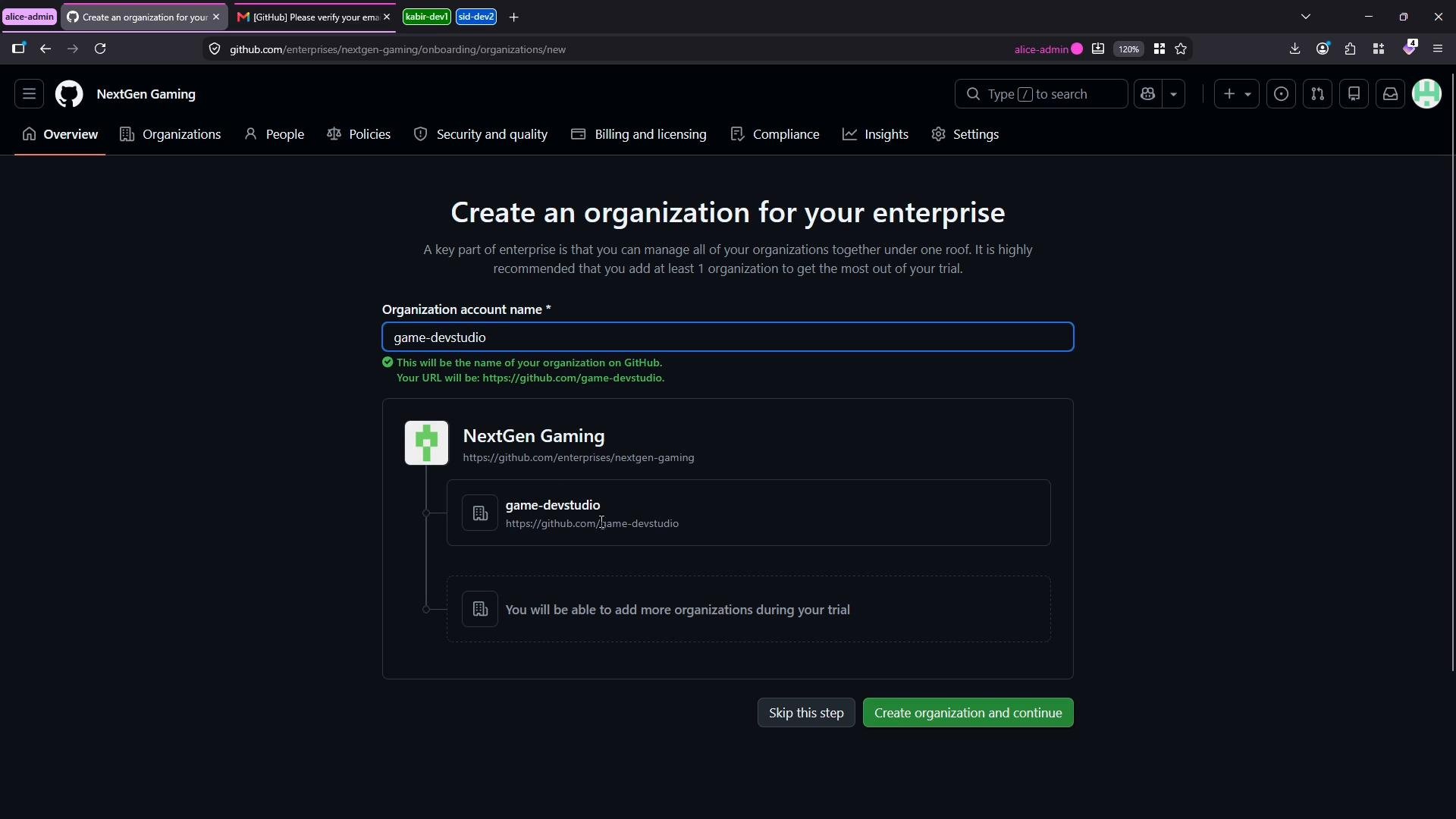
Add additional organizations
- Once the initial organization is created, you can add more organizations under the same enterprise.
- Click “New organization”, enter a validated name (example: Player Services), and GitHub will create the organization.
- Repeat as needed for other organizational units, teams, or business units.
How enterprise licensing works
Although Alice appears as a member in multiple organizations, enterprise licenses are counted at the enterprise level, not per organization. A single user who is a member of several organizations within the same enterprise consumes just one license seat. You can confirm license usage and billing details on the enterprise Billing & licensing page. This page displays:- Total licenses available
- Consumed seats
- Estimated monthly costs
- Usage for add‑ons such as Advanced Security and code quality features
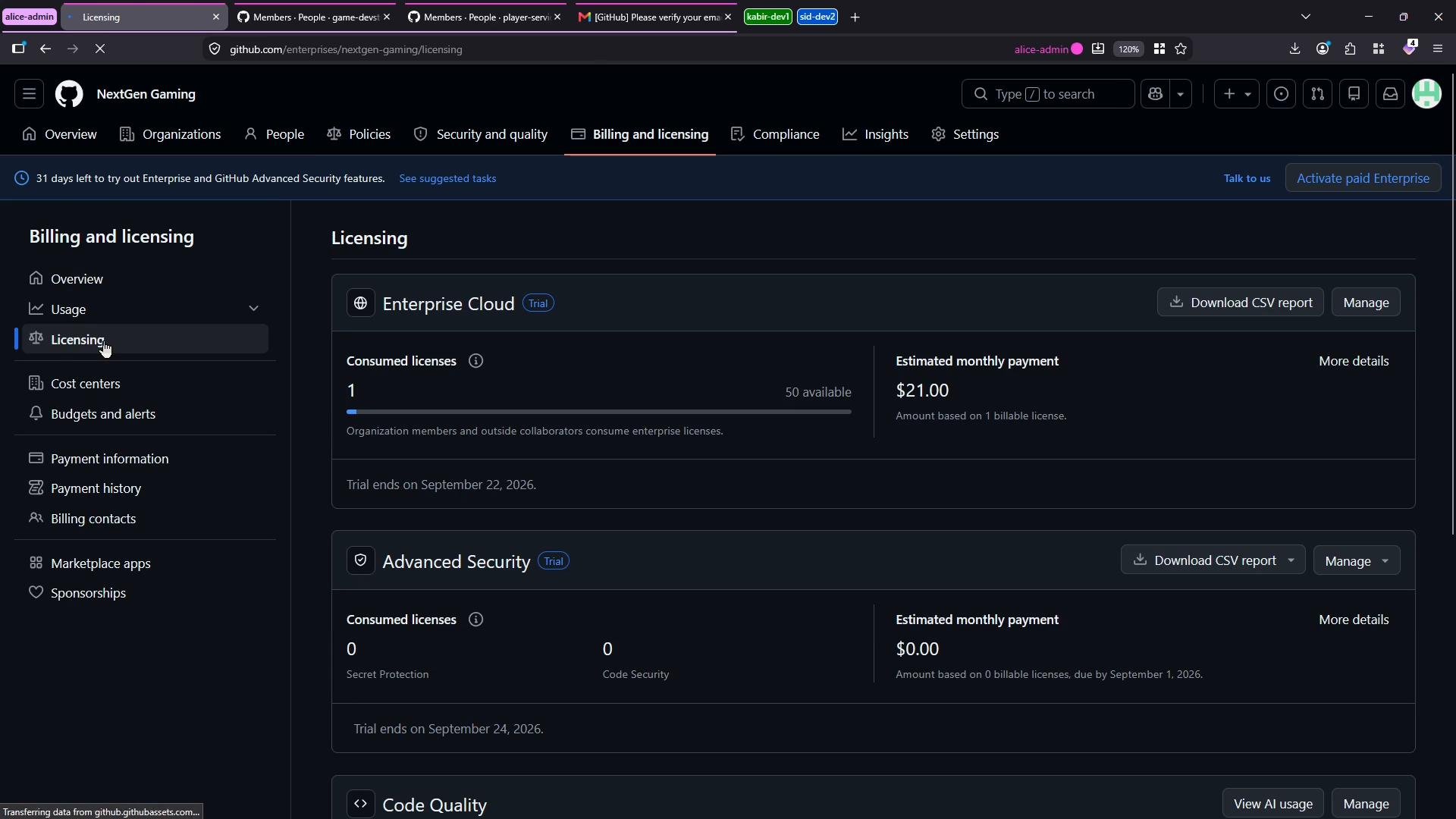
Enterprise licenses are counted per user at the enterprise level. A user who belongs to multiple organizations within the same enterprise consumes a single license seat. Check the Billing & licensing page to confirm consumed seats and add‑on usage such as Advanced Security.
Quick checklist for admins
- Choose deployment: Cloud or Server.
- Pick user model: personal accounts or managed users.
- Provide a valid contact email for the enterprise.
- Create the enterprise and the initial organization.
- Add additional organizations as needed.
- Verify license usage and add‑on consumption on Billing & licensing.
Additional resources
- GitHub Enterprise Cloud: https://docs.github.com/en/enterprise-cloud
- GitHub Enterprise Server: https://docs.github.com/en/enterprise-server
- Managing billing and licenses: https://docs.github.com/en/billing/managing-billing-for-your-organization