In this lesson we’ll add a CODEOWNERS file to automatically require reviewers for changes to specific files. This is useful when you want pull requests to request review from the responsible teams or individuals—without manually adding reviewers each time. Context
  • Repository: my GHAS schedules demo repo (public).
  • Current behavior: when I push a branch and open a pull request, GitHub shows no requested reviewers because there are no repo-level rules or CODEOWNERS configured.
Create and push a branch locally:
When opening a pull request, the default PR template in this repo looks like:
Because no CODEOWNERS are configured, the PR does not auto-request reviewers. To require reviewers automatically when certain files change, add a CODEOWNERS file. Best practice is to place it under the .github/ directory:
  • Path: .github/CODEOWNERS
CODEOWNERS basics
  • Each line maps a file pattern to one or more owners (users or teams).
  • Owner formats:
    • Individual user: @username
    • Organization team: @org/team-name
  • Patterns follow GitHub filename globbing (similar to .gitignore).
Example: assign ownership of all JavaScript files to an organization team
Key requirements for owner entries to be valid
  • The referenced user or team must exist.
  • Organization teams must be visible (not secret).
  • The team must have at least Write access to the repository.
If any requirement is missing, GitHub will mark the owner as unknown and the CODEOWNERS file will be invalid. Common CODEOWNERS patterns and examples Error example If the referenced team is not visible or lacks write permission, you may see an error like:
How to fix the error
  1. Confirm the team exists in the organization.
  2. Ensure the team visibility is public (not a secret team).
  3. Grant the team at least Write access to the repository:
    • Repository Settings → Collaborators & teams, or
    • Organization → Teams → select team → Repositories → Add repository with Write access.
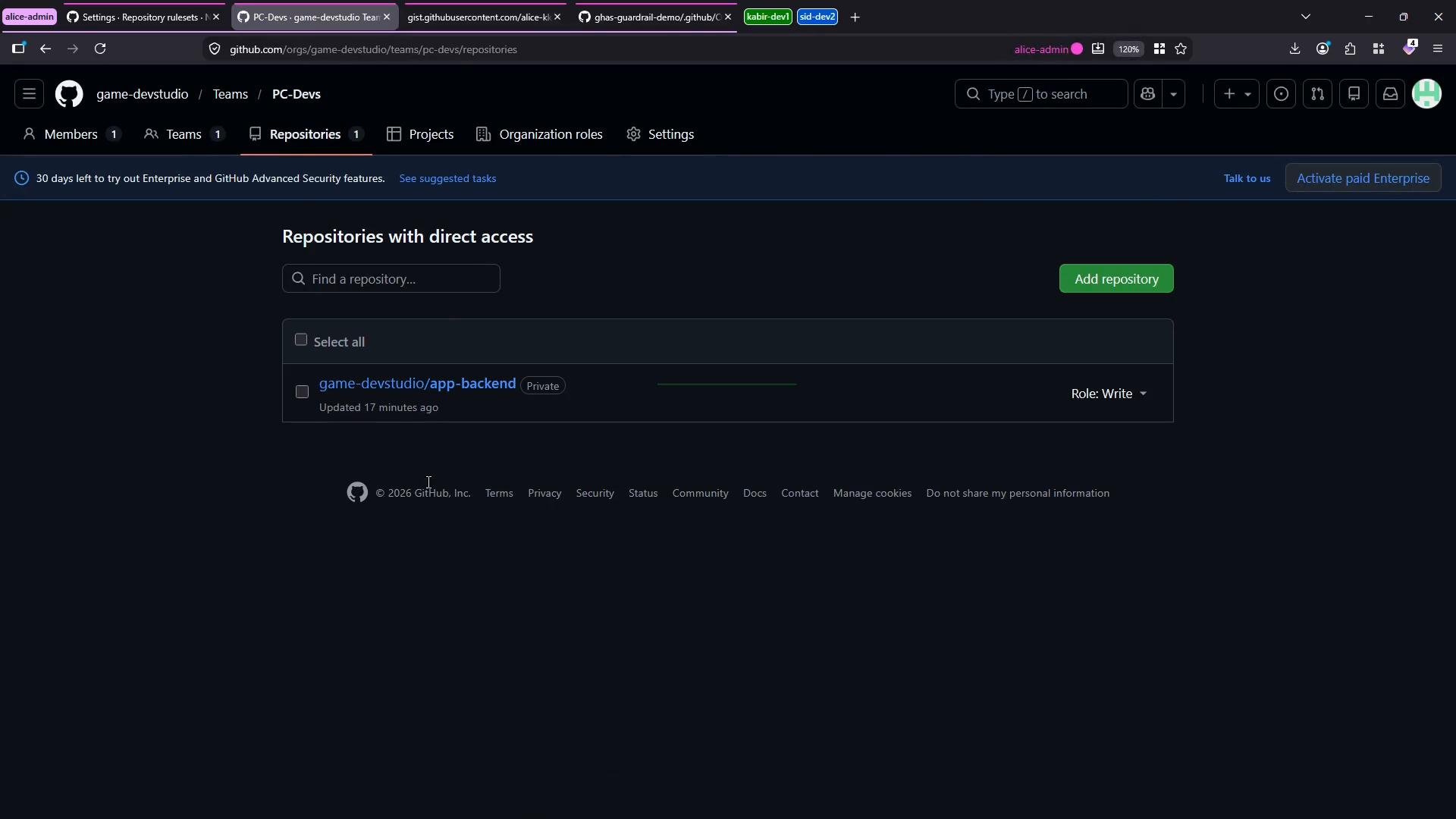
A dark-themed GitHub screenshot of an organization's "PC-Devs" team Repositories page showing a single listed repo "game-devstudio/app-backend" (Private) with an "Add repository" button. A banner about a 30-day Enterprise trial and the repo role set to "Write" are also visible.
Once the team is visible and has the required access, the CODEOWNERS entry will be valid:
Make sure teams referenced in CODEOWNERS are organization teams (use the @org/team format), are publicly visible, and have at least Write access to the target repository. Otherwise GitHub will flag the owner as unknown and the CODEOWNERS file will be invalid.
After adding a valid CODEOWNERS file, GitHub will automatically request review from the specified owners when a pull request modifies files matching the patterns. This ensures code changes are reviewed by the right people and helps enforce your team’s review standards. Further reading

Watch Video