

production, staging, or development) provide deployment targets and can enforce protection rules such as required reviewers and wait timers. Environments can also hold secrets that are available only to jobs explicitly associated with that environment.
Secrets can be defined at three scopes:
- Organization
- Repository
- Environment
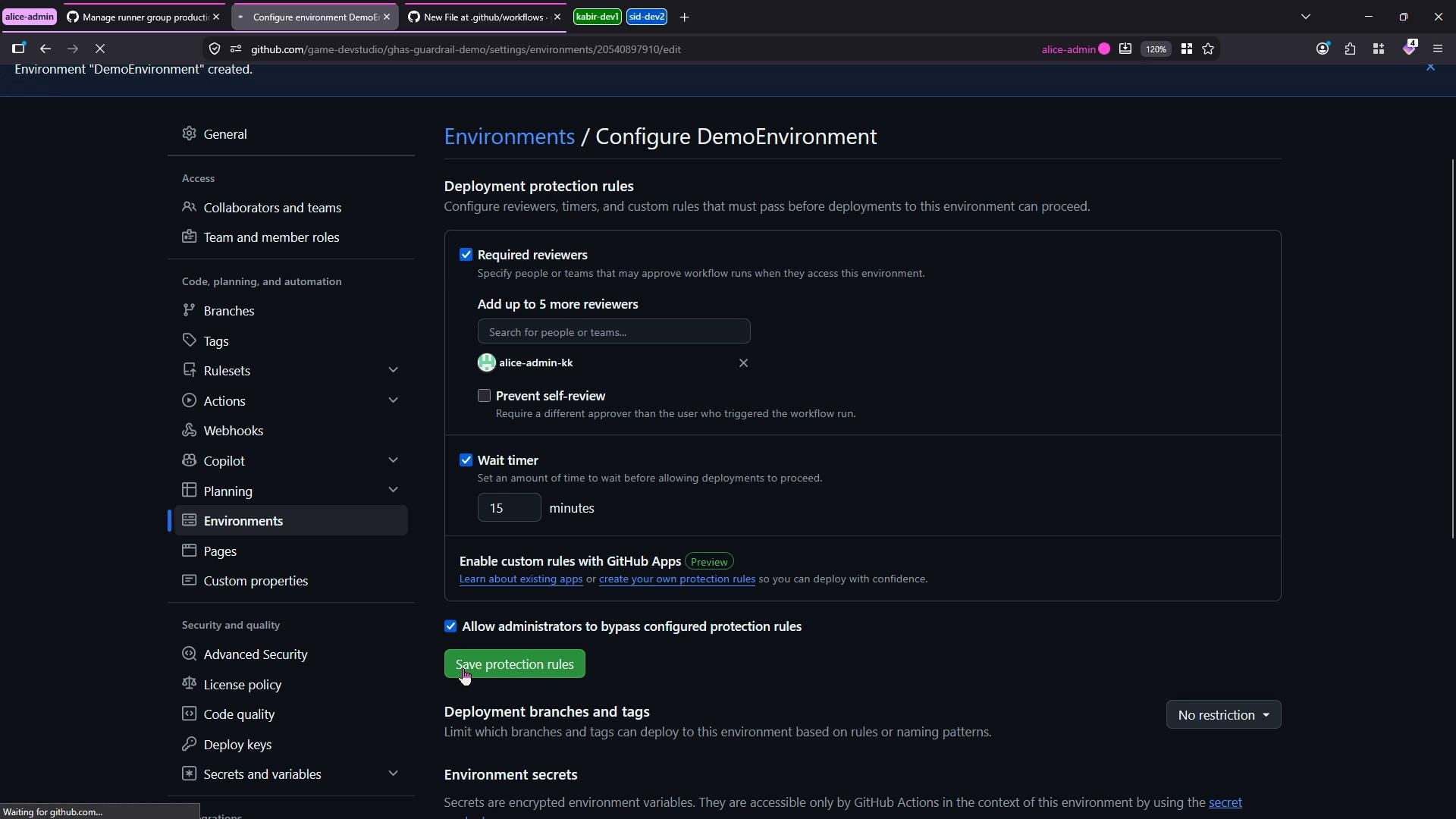
- Create an environment (here named
DemoEnvironment) and configure protection rules such as required reviewers and a wait timer. You can also allow admins to bypass these protections if desired.
- Add secrets at each scope using the same secret name so you can observe precedence:
- Environment secret: Name
DEMO_OVERRIDE_SECRET, ValueEnvironmentValue - Organization secret: Name
DEMO_OVERRIDE_SECRET, ValueOrganizationValue(can be scoped to all or selected repos) - Repository secret: Name
DEMO_OVERRIDE_SECRET, ValueRepositoryValue
- Environment secret: Name
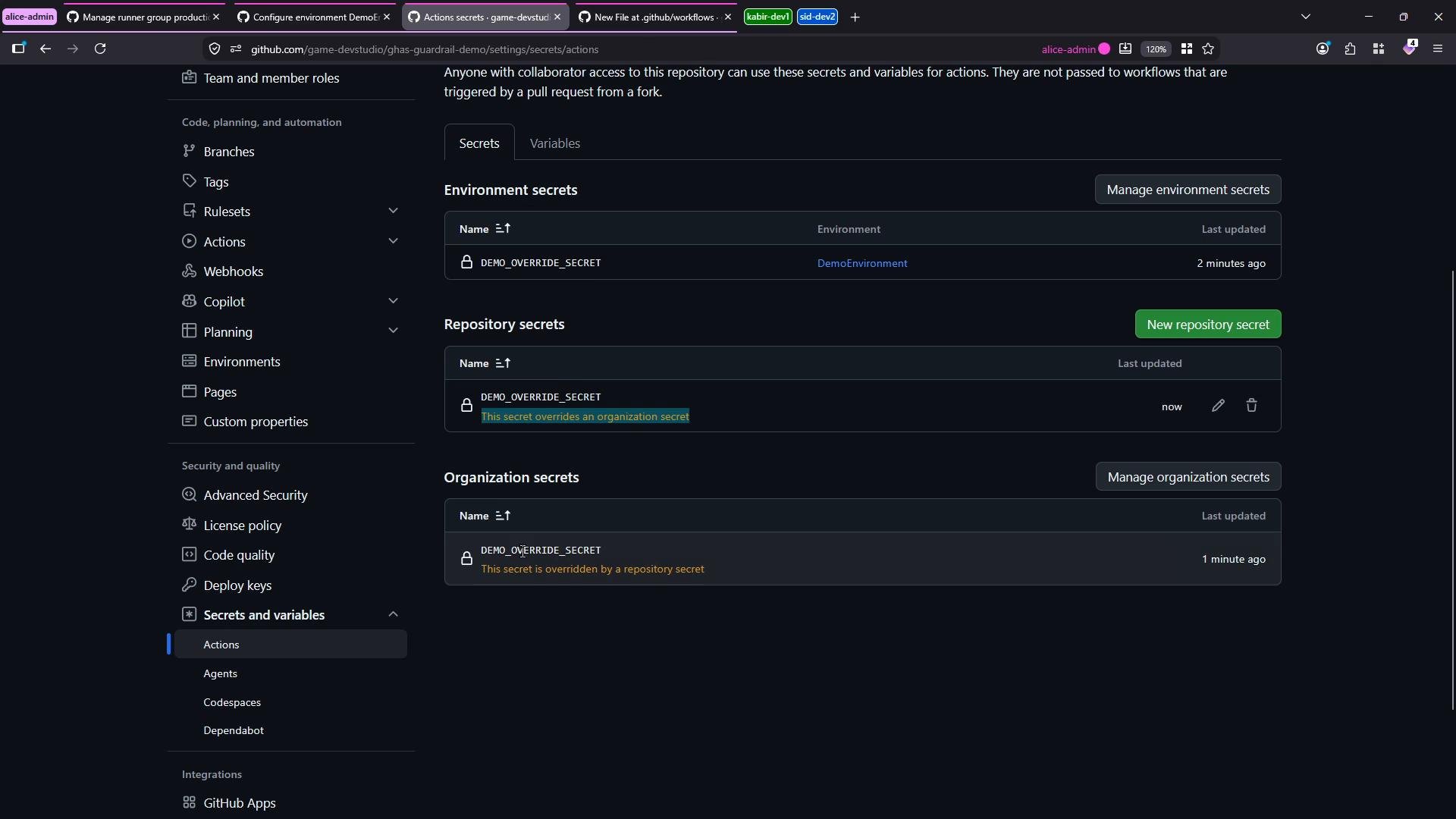
Secret precedence summary:
- Environment secret (when the job is associated with that environment) overrides Repository and Organization secrets.
- Repository secret overrides Organization secret.
- If a job is not associated with an environment, the environment secret is not considered; repository and organization secrets follow their precedence order.
Demo workflow: verify secret precedence
Create the workflow file
.github/workflows/secrets-priority.yml. The workflow contains two jobs:
env-vs-repo-vs-org: associated withDemoEnvironment— demonstrates Environment vs Repository vs Organization precedence.repo-vs-org: not associated with any environment — demonstrates Repository vs Organization precedence.
workflow_dispatch. On the Actions page you will see two jobs:
- The job without an environment (
repo-vs-org) runs immediately and should pick up the repository secret (RepositoryValue) if present. - The job associated with
DemoEnvironment(env-vs-repo-vs-org) may be paused for required approvals and wait timers until protections are satisfied.
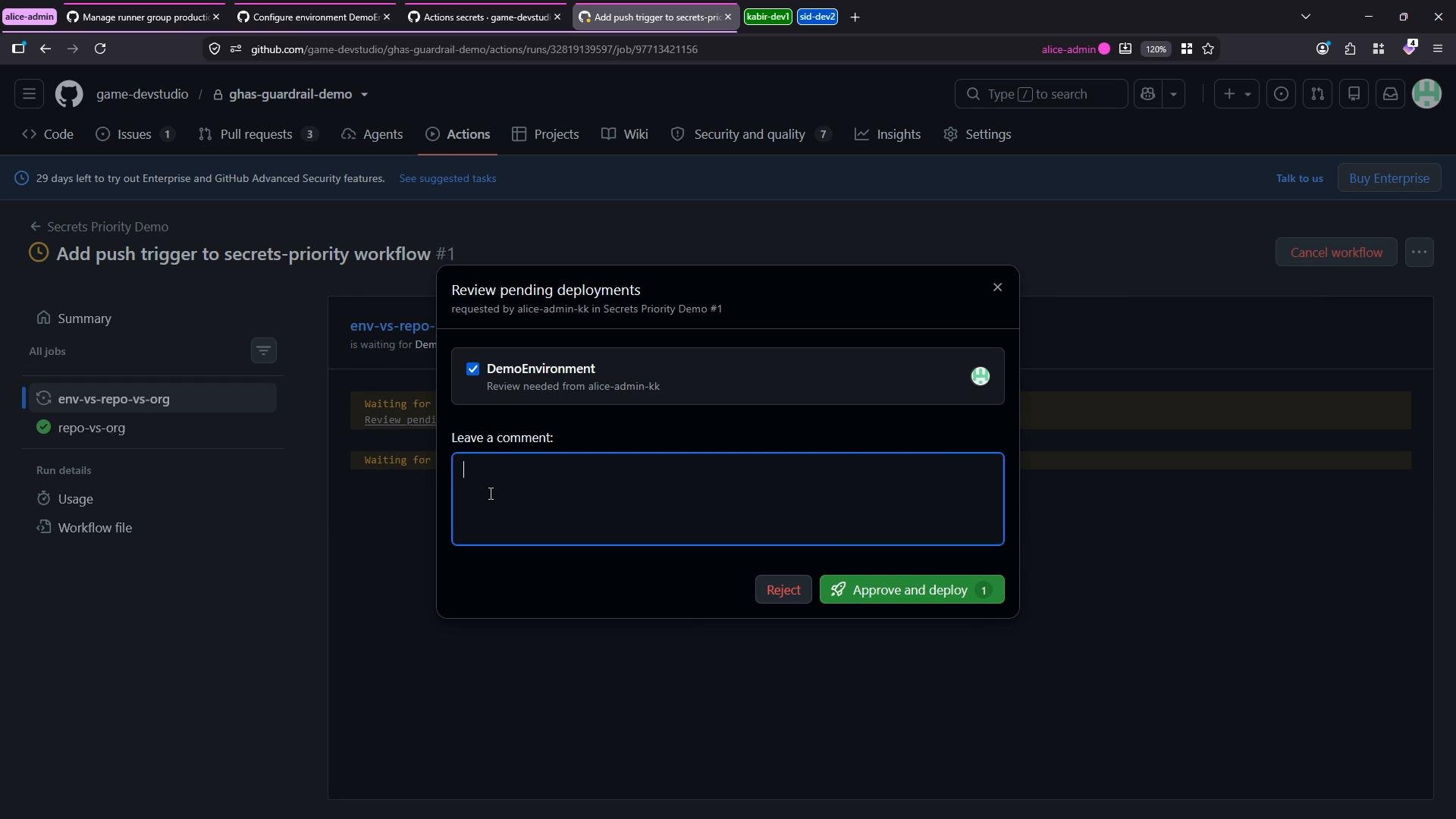
- Job that ran without an environment (expected when repository secret is
RepositoryValue):
- After approving the environment-associated job (expected when environment secret is
EnvironmentValue):
- Environment-level secrets take the highest priority for jobs explicitly associated with that environment. Environment protections (approvals, wait timers) can pause runs until satisfied.
- Repository-level secrets override organization-level secrets when the environment does not define the secret or when a job is not using an environment.
- Organization-level secrets are lowest priority in this hierarchy but are useful for centrally managed values and can be scoped to selected repositories.
- For predictable behavior: keep secret names unique where possible, and document which secret scope is intended to be authoritative for each workflow.
- GitHub Docs — Environments: https://docs.github.com/en/actions/deployment/targeting-different-environments/using-environments-for-deployment
- GitHub Docs — Encrypted secrets: https://docs.github.com/en/actions/security-guides/encrypted-secrets
- GitHub Docs — Managing organization secrets for GitHub Actions: https://docs.github.com/en/organizations/managing-access-to-your-organizations-repositories/managing-organization-secrets-for-github-actions