In this lesson you’ll create an Argo Events Sensor that listens to a webhook EventSource and triggers an Argo Workflow. Sensors can trigger many target resources — for example Argo Workflows, AWS Lambda, HTTP endpoints, or generic Kubernetes objects. If a built-in trigger doesn’t meet your needs, Argo Events provides extension points to implement a custom trigger.
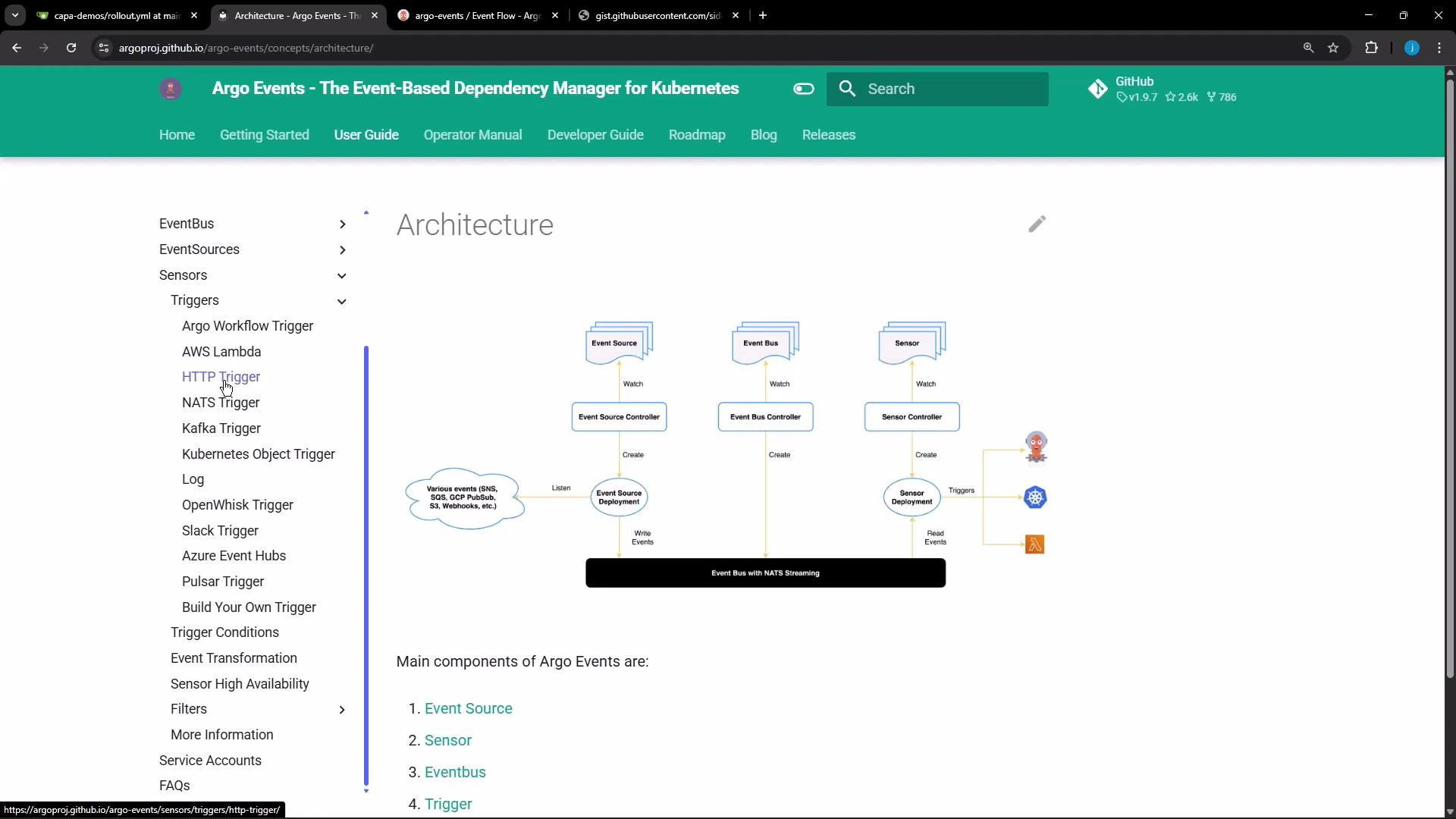
Screenshot of the Argo Events documentation page showing the "Architecture" section. It includes a central diagram of Event Source, Event Bus, and Sensor components with their controllers, and a left-hand navigation menu listing triggers (e.g., HTTP Trigger).
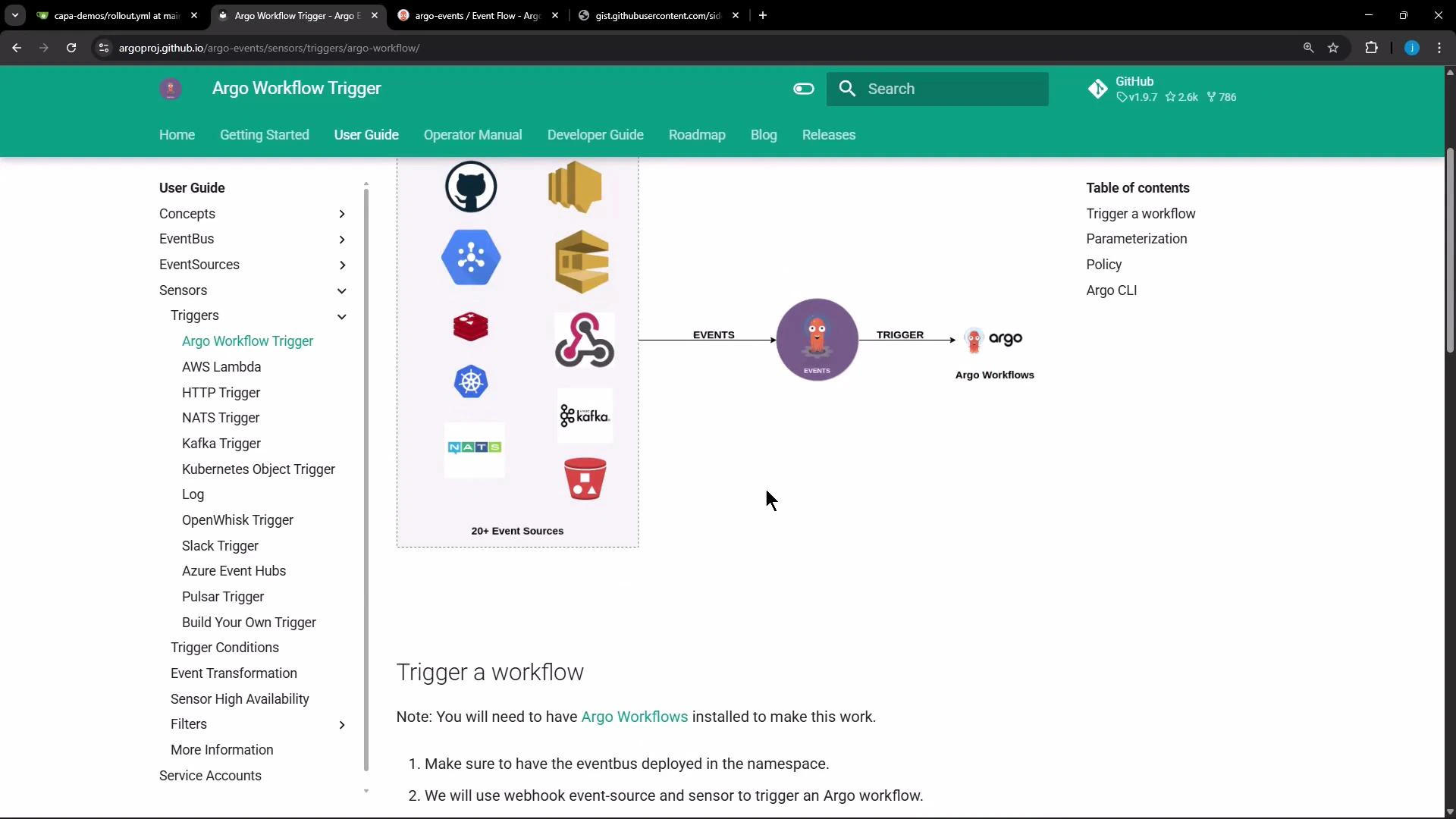
High-level flow: the EventSource receives an incoming webhook request, publishes an event to the EventBus, and a Sensor subscribed to that EventBus evaluates dependencies and, when satisfied, executes the configured trigger(s). Below is the “trigger a workflow” diagram for reference.
A screenshot of the "Argo Workflow Trigger" documentation page showing a left sidebar of user guide topics and a central diagram of various event sources sending events to an Argo Workflows trigger. The page header is green and the visible content includes a "Trigger a workflow" section.

Sensor concepts: dependencies and triggers

  • A Sensor lists one or more dependencies. Each dependency references an EventSource by name and a named event defined in that EventSource (the event name).
  • When a dependency is satisfied (an event is published), the Sensor evaluates any dependency expressions (if configured) and then executes the configured trigger(s).
Example dependency referencing the EventSource named webhook and the event my-webhook:
apiVersion: argoproj.io/v1alpha1
kind: Sensor
metadata:
  name: webhook-sensor
  namespace: argo-events
spec:
  dependencies:
    - name: my-webhook-dep
      eventSourceName: webhook
      eventName: my-webhook
  triggers:
    # triggers are defined below
EventSource names and event names are defined in your EventSource manifest. Use eventSourceName to reference the EventSource metadata.name and eventName to reference the specific event key under spec.
How to find the eventSourceName and eventName
  • The EventSource resource contains the top-level name (EventSource metadata.name) and under its spec you will see one or more events (each with its own name). Example (abridged):
metadata:
  name: webhook
  namespace: argo-events
spec:
  service:
    ports:
      - port: 13000
        targetPort: 13000
  webhook:
    my-webhook:
      endpoint: /push
      method: POST
      port: "13000"
  • In the Sensor dependency above, use eventSourceName: webhook and eventName: my-webhook. The Sensor will only react when that specific event is emitted.

Triggering an Argo Workflow from a Sensor

Below is a Sensor trigger configured to submit an Argo Workflow when the dependency matches. The trigger uses the argoWorkflow trigger type and embeds the Workflow manifest as the resource.
apiVersion: argoproj.io/v1alpha1
kind: Sensor
metadata:
  name: webhook-sensor
  namespace: argo-events
spec:
  dependencies:
    - name: my-webhook-dep
      eventSourceName: webhook
      eventName: my-webhook
  triggers:
    - template:
        name: hello-workflow-trigger
        argoWorkflow:
          operation: submit
          source:
            resource:
              apiVersion: argoproj.io/v1alpha1
              kind: Workflow
              metadata:
                generateName: hello-kodekloud-
                namespace: argo
              spec:
                entrypoint: cowsay
                templates:
                  - name: cowsay
                    container:
                      image: rancher/cowsay
                      command: [cowsay]
                      args: ["Hello Kode Kloud from ArgoEvents!!"]
You can create the Sensor either by pasting the YAML into the Argo Events UI or by applying it with kubectl.

Prepare to send an event to the webhook EventSource

  1. Confirm the EventSource service exists in the argo-events namespace and get its service name and port.
  2. Port-forward the EventSource service to localhost so you can POST to it.
Example commands:
# List services in argo-events
kubectl -n argo-events get svc

# Example service you should see:
# NAME                             TYPE        CLUSTER-IP      EXTERNAL-IP   PORT(S)      AGE
# Port-forward the webhook EventSource service to localhost:13000
kubectl port-forward -n argo-events svc/webhook-eventsource-svc 13000:13000
Send a test payload (POST to /push):
curl -d '{"message": "hello"}' \
  -H "Content-Type: application/json" \
  -X POST http://localhost:13000/push
Expected lightweight response:
success

Inspecting logs and the event flow

  • The EventSource pod logs will show the webhook receiving the request, validating the route, and publishing the event to the EventBus.
  • The Sensor logs show subscription to the EventBus and then the attempt to execute the trigger when an event arrives.
Representative (abridged) log lines: EventSource logs (abridged):
namespace=argo-events, eventSourceName=webhook, eventName=my-webhook, level=info, msg="route is activated"
namespace=argo-events, eventSourceName=webhook, eventName=my-webhook, level=info, msg="a request received, processing it..."
namespace=argo-events, eventSourceName=webhook, eventName=my-webhook, level=info, msg="Succeeded to publish an event"
namespace=argo-events, eventSourceName=webhook, eventName=my-webhook, level=info, msg="successfully dispatched the request to the event bus"
Sensor logs (abridged):
namespace=argo-events, sensorName=webhook-sensor, level=info, msg="Sensor started."
namespace=argo-events, sensorName=webhook-sensor, level=info, msg="Dependency expression for trigger hello-workflow-trigger: my-webhook-dep"
namespace=argo-events, sensorName=webhook-sensor, level=info, msg="Connected to NATS server."
namespace=argo-events, sensorName=webhook-sensor, level=error, msg="Create request failed" error="workflows.argoproj.io is forbidden: User \"system:serviceaccount:argo-events:default\" cannot create resource \"workflows\" in API group \"argoproj.io\" in the namespace \"argo\""
namespace=argo-events, sensorName=webhook-sensor, level=info, msg="Error: Failed to submit workflow: rpc error: code = PermissionDenied desc = workflows.argoproj.io is forbidden: User \"system:serviceaccount:argo-events:default\" cannot create resource \"workflows\" in the namespace \"argo\""

Why the trigger failed

The Sensor attempted to create an Argo Workflow in the argo namespace, but the service account used by the Sensor (system:serviceaccount:argo-events:default in this example) does not have RBAC permissions to create workflows.argoproj.io in the argo namespace. This caused the PermissionDenied error in the Sensor logs.
Ensure the service account configured for the Sensor (via spec.template.serviceAccountName or in the Sensor controller pod) has appropriate RBAC permissions to create the target resources (Argo Workflows or Kubernetes objects) in the target namespace.

Solution outline (RBAC and service account)

Steps to resolve:
  1. Create or select a service account that has a Role or ClusterRole with permissions to create/submit the target resource (e.g., workflows.argoproj.io) in the target namespace.
  2. Create a RoleBinding or ClusterRoleBinding that binds the Role/ClusterRole to the service account.
  3. Configure your Sensor to use that service account, for example via spec.template.serviceAccountName: <name>.
  4. Re-trigger the webhook; the Sensor should now be able to submit the Workflow.
Quick RBAC reference:
Resource TypeUse CaseExample
Role / RoleBindingGrant namespace-scoped permissions for Sensor service accountGrant create on workflows.argoproj.io in argo namespace
ClusterRole / ClusterRoleBindingGrant cluster-scoped permissions if needed across namespacesGrant create on workflows.argoproj.io cluster-wide
ServiceAccountToken identity used by Sensor to act against the API servercreate-pod-sa used by Sensor template
References:

Kubernetes object trigger example (create a Pod)

Triggers can also create generic Kubernetes objects (Pods, Deployments, Jobs, etc.). For such triggers, grant the service account the required permissions for the relevant Kubernetes API resources.
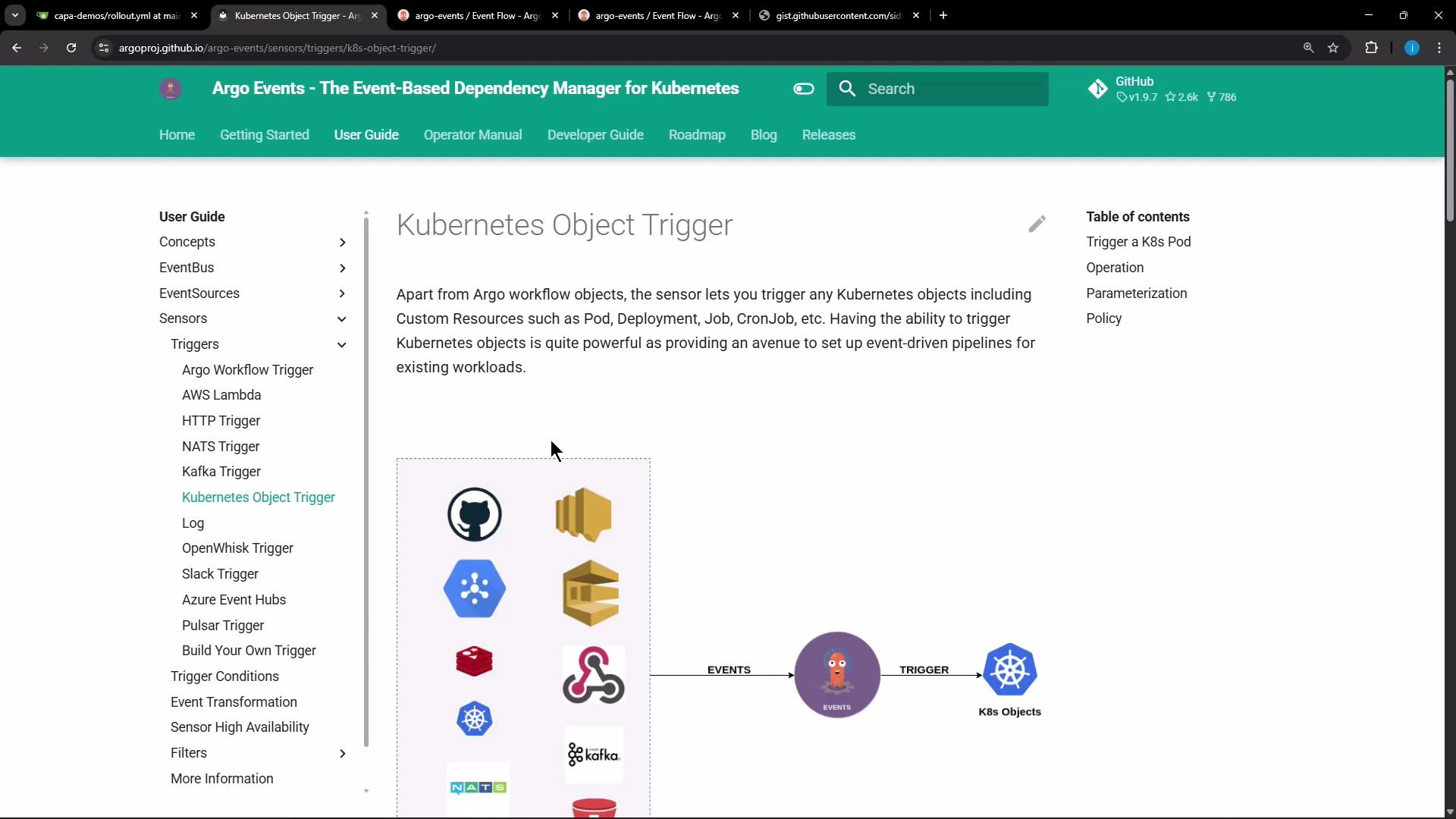
A screenshot of the Argo Events documentation page titled "Kubernetes Object Trigger," showing the left navigation menu, main explanatory text, and a diagram illustrating events triggering Kubernetes objects. The page has a green top header and a table of contents on the right.
Example Sensor that specifies a service account and creates a Pod via the k8s trigger:
apiVersion: argoproj.io/v1alpha1
kind: Sensor
metadata:
  name: webhook
  namespace: argo-events
spec:
  template:
    serviceAccountName: create-pod-sa  # use a service account with privileges to create pods
  dependencies:
    - name: test-dep
      eventSourceName: webhook
      eventName: example
  triggers:
    - template:
        name: webhook-pod-trigger
        k8s:
          operation: create
          source:
            resource:
              apiVersion: v1
              kind: Pod
              metadata:
                generateName: hello-world-
              spec:
                containers:
                  - name: hello-container
                    image: busybox
                    command: ["/bin/sh", "-c"]
                    args: ["echo hello-world"]
      parameters:
        - src:
            dependencyName: test-dep
            # optionally map event data into the pod manifest via parameters

Next steps

  • Create a service account and bind the appropriate Role/ClusterRole to it (use RoleBinding or ClusterRoleBinding).
  • Update your Sensor to reference the service account via spec.template.serviceAccountName.
  • Re-submit the event to your webhook and watch the Sensor create the target resource (Workflow or Pod).
  • Consult the Argo Events documentation for advanced trigger parameterization and transformations.
Useful links:

Watch Video