

Workflow YAML (example)
The entrypointmain contains two sequential steps: generate (runs the producer template) and consume (runs the consumer template). The producer template uses a script that writes to stdout; Argo Workflows captures that stdout as the step result. The consume step receives that result via an argument.
How it works (key points)
- The
producerstep runs first and prints a message to stdout. - Argo captures the
scripttemplate’s stdout automatically and exposes it asoutputs.resultfor the step. - The
consumestep uses an argument withvalue: "{{steps.generate.outputs.result}}"to receive the message. - Inside the
consumertemplate, you access the passed parameter as{{inputs.parameters.message}}.
When a template uses
script, Argo Workflows automatically captures the script’s stdout as outputs.result. For container templates, echo or write to a defined output path and map it explicitly to expose outputs, or wrap the container output so it becomes available as outputs.result.Output parameters are only available after the producing step has completed. If a downstream step references an output from a still-running or failed step, it will not receive a valid value.
What you will see in the UI
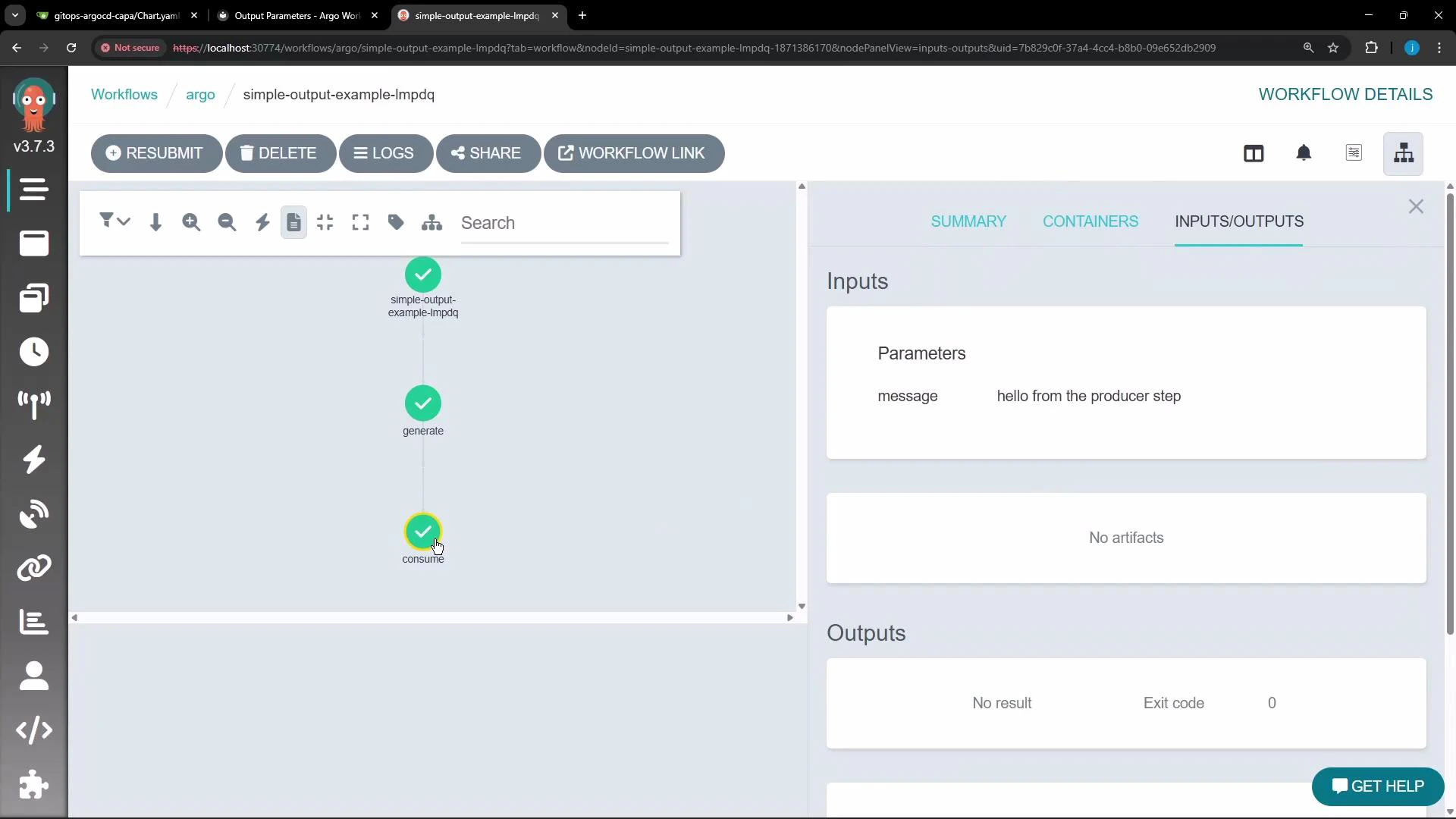
In the Argo Workflows UI you can inspect the workflow graph and the Inputs/Outputs pane for a node. The following screenshot shows the vertical graph and theInputs/Outputs pane listing the message parameter with the value produced by the generate step.
Inspecting logs
You can verify the flow by viewing logs from each step:generatestep (producer) stdout:
consumestep (consumer) stdout:
producer script output was captured as steps.generate.outputs.result and passed into the consumer step as the message parameter.
When to use output parameters
- When you need to pass small text values (IDs, messages, JSON snippets) produced by one step into another.
- For larger binary blobs or files, consider using artifacts instead of output parameters.
Links and references
- Official docs: Argo Workflows — Parameters and Results
- Getting started: Kubernetes Basics