A reconciliation loop is how often an Argo CD Application controller attempts to synchronize the declared desired state in Git with the live state in the Kubernetes cluster. In typical GitOps workflows with frequent commits, Argo CD polls the Git repository periodically (about every three minutes by default) to detect changes. The polling behavior is implemented by the argocd-repo-server and is driven by the config key timeout.reconciliation. This key is exposed to the repo-server as the environment variable ARGOCD_RECONCILIATION_TIMEOUT via the argocd-cm ConfigMap. To adjust how often Argo CD polls Git (for example, to poll every five minutes instead of the default three), update the argocd-cm ConfigMap with a new timeout.reconciliation value and restart the argocd-repo-server so it reads the change.
SettingPurposeExample
argocd-cm timeout.reconciliationControls repo-server polling interval"300s" or "5m"
Env varExposes the ConfigMap value to repo-serverARGOCD_RECONCILIATION_TIMEOUT
ComponentWhere the change takes effectargocd-repo-server deployment
Steps to change the reconciliation interval:
  1. Inspect the repo-server pod environment to confirm the ARGOCD_RECONCILIATION_TIMEOUT reference.
  2. Patch the argocd-cm ConfigMap with the desired timeout (include a time unit).
  3. Restart the repo-server deployment to pick up the new value.
  4. Verify the restarted pod shows the updated environment reference.
Example commands:
# Inspect the repo-server pod environment to see the ARGOCD_RECONCILIATION_TIMEOUT reference
kubectl -n argocd describe pod -l app.kubernetes.io/name=argocd-repo-server | grep -i "ARGOCD_RECONCILIATION_TIMEOUT:" -B1

# Patch the ConfigMap to set the reconciliation timeout to 300 seconds (5 minutes)
kubectl -n argocd patch configmap argocd-cm --patch='{"data":{"timeout.reconciliation":"300s"}}'

# Example output:
# Restart the repo-server deployment to pick up the new configuration
kubectl -n argocd rollout restart deploy argocd-repo-server

# Example output:
# After the rollout completes, list the repo-server pods and verify the env entry references the configmap key
kubectl -n argocd get pods -l app.kubernetes.io/name=argocd-repo-server
kubectl -n argocd describe pod <argocd-repo-server-pod-name> | grep -i "ARGOCD_RECONCILIATION_TIMEOUT:" -B1
When setting timeout.reconciliation, always include a time unit (for example 300s or 5m). Very short polling intervals increase load on your Git provider and Argo CD components — pick an interval that balances responsiveness and resource usage for your environment.
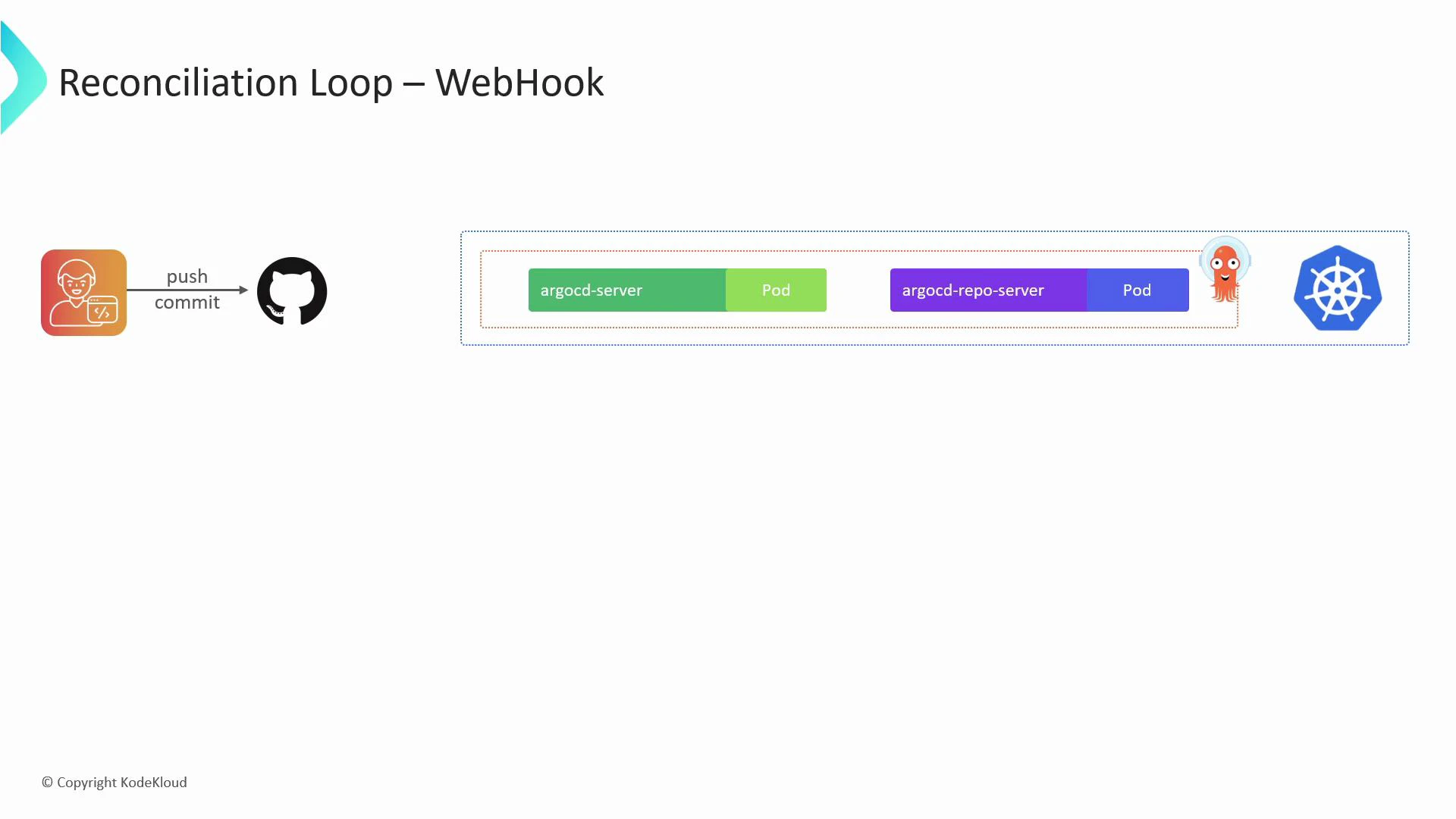
Polling introduces a small delay between a Git push and Argo CD reconciling that change (three minutes by default). If you require near-instant synchronization, configure push-based notifications (webhooks) from your Git provider so Argo CD is notified immediately when commits are pushed.
A diagram titled "Reconciliation Loop – WebHook" showing a developer pushing a commit to GitHub which triggers Argo CD components. It depicts argocd-server and argocd-repo-server pods running inside a Kubernetes cluster with Argo CD and Kubernetes icons.
To use webhooks, create a webhook in your Git provider (for example, GitHub or GitLab) that targets the Argo CD server webhook endpoint: /api/webhook A push event to the repository will notify Argo CD immediately, prompting it to pull the committed changes and reconcile without waiting for the next poll. Ensure the Argo CD API server is reachable from your Git provider (directly or via a secure proxy), and secure the webhook (TLS, secret/signature verification, and network restrictions).
Make sure the Argo CD API server endpoint used for webhooks is accessible from your Git provider. Protect webhook traffic using TLS, verify payload signatures or secrets, and restrict network access to reduce risk.
Links and references

Watch Video