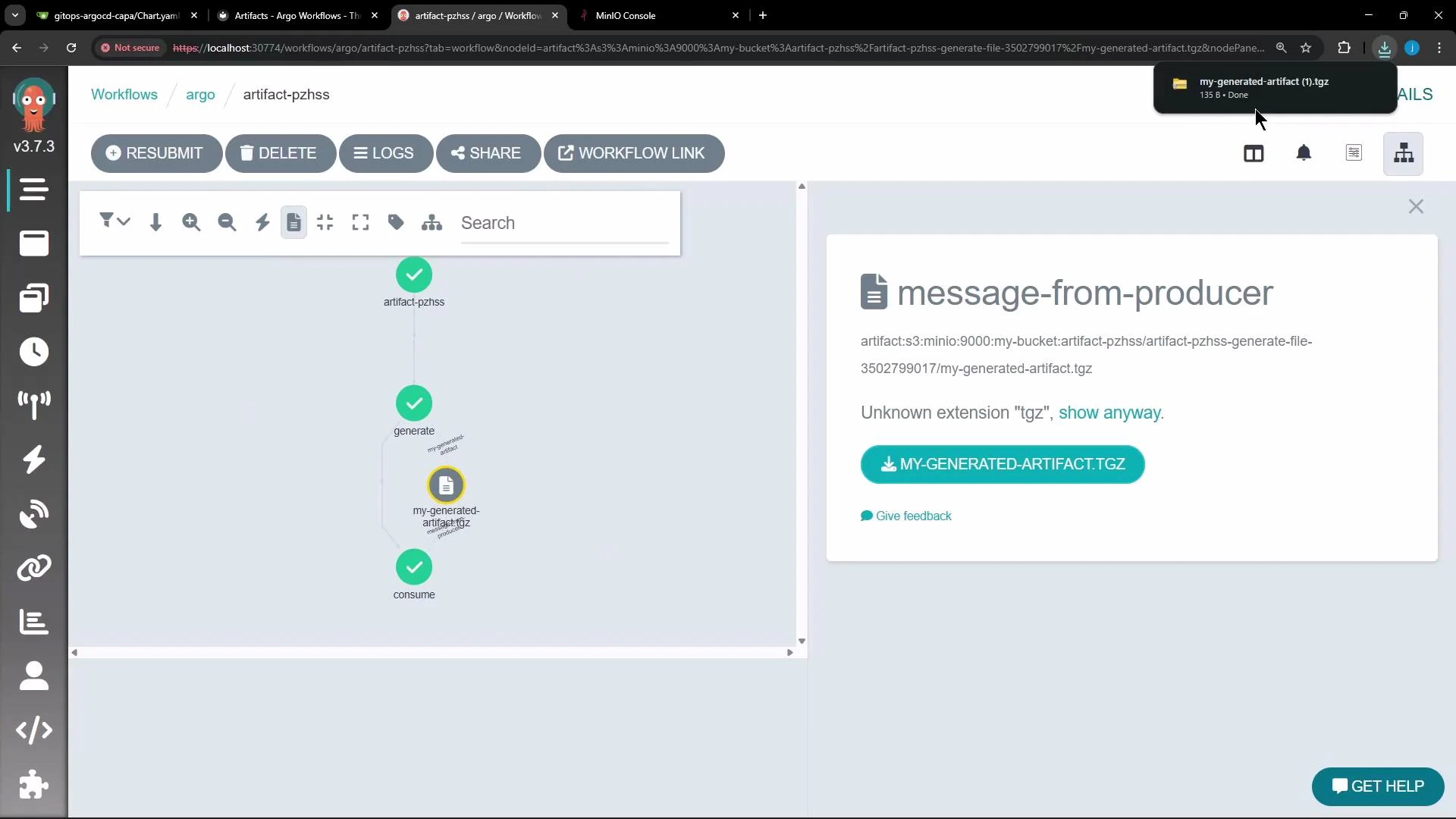
Demonstrates an Argo Workflow that generates a file artifact, uploads it to MinIO, and passes and consumes that artifact in a later step.
This lesson shows an Argo Workflow that produces a file in one step and consumes it in a later step. It demonstrates creating a file, uploading it as an artifact to an artifact repository (MinIO in this example), and then downloading and reading that artifact in the consumer step.Overview
The generate step creates /tmp/hello.txt and declares it as an output artifact.
The consume step accepts that artifact as an input artifact (passed via arguments) and prints its contents.
The templates run in sequence: generate finishes first, then consume runs and receives the artifact produced by generate.
Use standard temporary paths such as /tmp inside container scripts to avoid confusion. This example uses /tmp consistently for both producer and consumer.
Full workflow (single, corrected YAML)
Copy
apiVersion: argoproj.io/v1alpha1kind: Workflowmetadata: generateName: artifact- namespace: argospec: entrypoint: main templates: - name: main steps: # This step runs first to generate the artifact - - name: generate template: generate-file # This step runs after 'generate' is complete and receives the artifact - - name: consume template: consume-file arguments: artifacts: # Pass the output artifact from the 'generate' step - name: message-from-producer from: "{{steps.generate.outputs.artifacts.my-generated-artifact}}" - name: generate-file script: image: busybox command: ["sh", "-c"] source: "echo 'Hello from an artifact!' > /tmp/hello.txt" outputs: artifacts: # Define the output artifact - name: my-generated-artifact path: /tmp/hello.txt - name: consume-file inputs: artifacts: # Define the input artifact (it will be populated from the previous step) - name: message-from-producer path: /tmp/message.txt container: image: busybox command: ["sh", "-c"] args: ["echo '---'; echo 'Consumer received:'; cat /tmp/message.txt; echo '---'"]
Key pieces explained
Component
Purpose
Example / Notes
outputs.artifacts (producer)
Declares artifacts to upload after the step completes
name: my-generated-artifact, path: /tmp/hello.txt
arguments.artifacts + from (caller)
Passes a previously produced artifact into another template
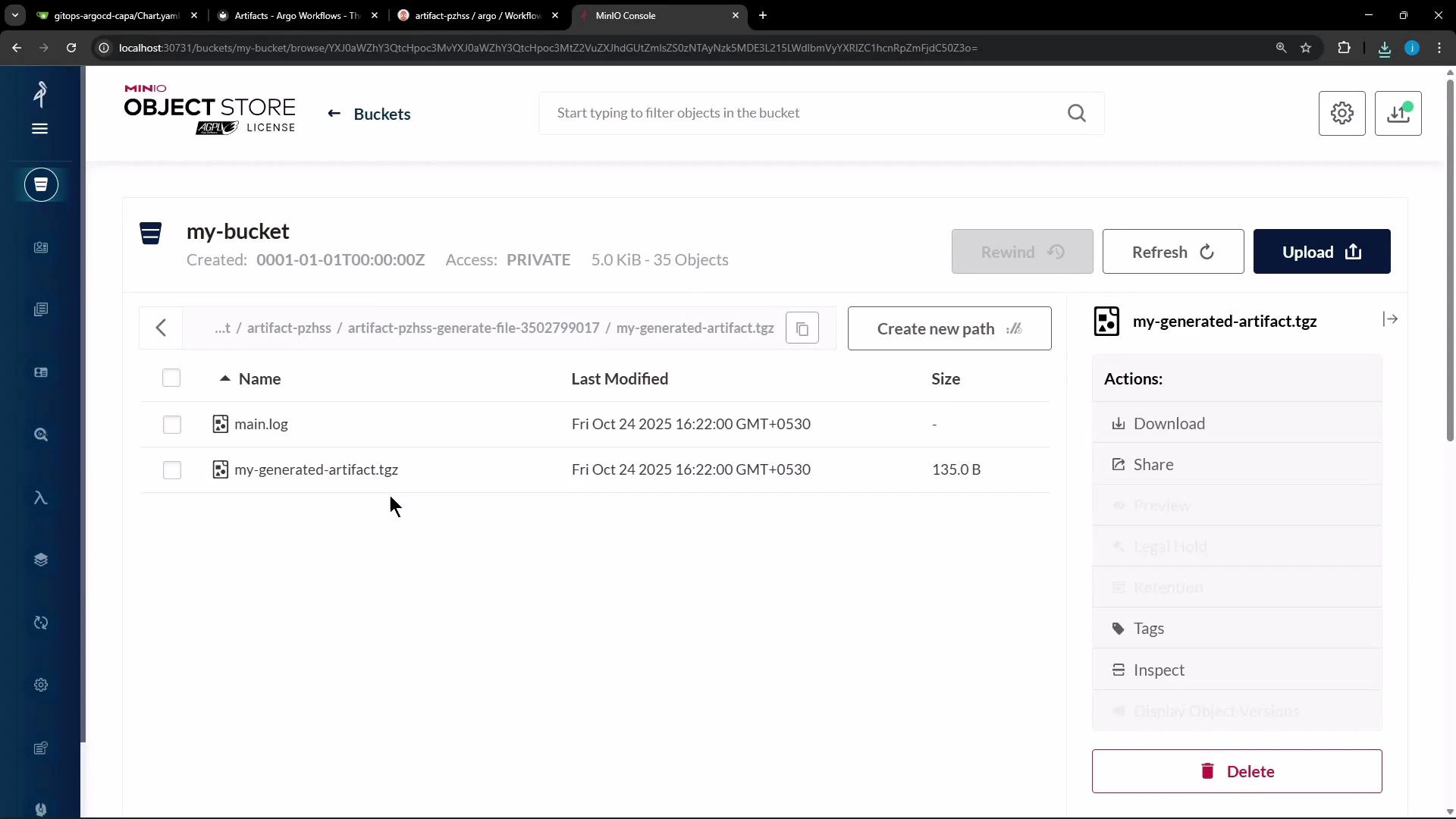
How artifacts are stored (MinIO and default compression)When the generate step completes, Argo uploads the artifact to the configured artifact repository (MinIO in this demo). By default Argo archives artifacts as a tar + gzip, so objects stored in MinIO often appear as compressed tarballs (for example, .tgz or .tar.gz). You can download these archived artifacts from the MinIO console or the Argo Workflows UI.
Argo Workflows UI exposes artifact details and offers a direct download option for the archived artifact:
Customizing archive behaviorArgo allows you to control how artifacts are archived before upload. Typical choices:
Archive mode
Behavior
Use case
tar + gzip (default)
Archive and gzip the artifact
Default for most small files and directories
none
Upload the file/directory as-is
When repository layout must match container output exactly (e.g., build caches)
tar with compressionLevel
Control gzip compression level (0–9)
Tune size vs CPU for large textual logs or binary blobs
Example configuration snippets for outputs.artifacts
Use archive: none when the consumer must see the exact file/directory structure your container produced (for caching or large build outputs).
Use tar with a compressionLevel when you need to tune upload size vs CPU cost. For textual logs, higher compression helps; for already-compressed binaries, consider lower compression or disabling it.
What to expect when the workflow runs
generate completes and Argo uploads /tmp/hello.txt to the artifact repository as a tar+gzip by default (e.g., my-generated-artifact.tgz).
The consume step is scheduled; Argo downloads the artifact, materializes it at /tmp/message.txt inside the consumer container, and the consumer prints: