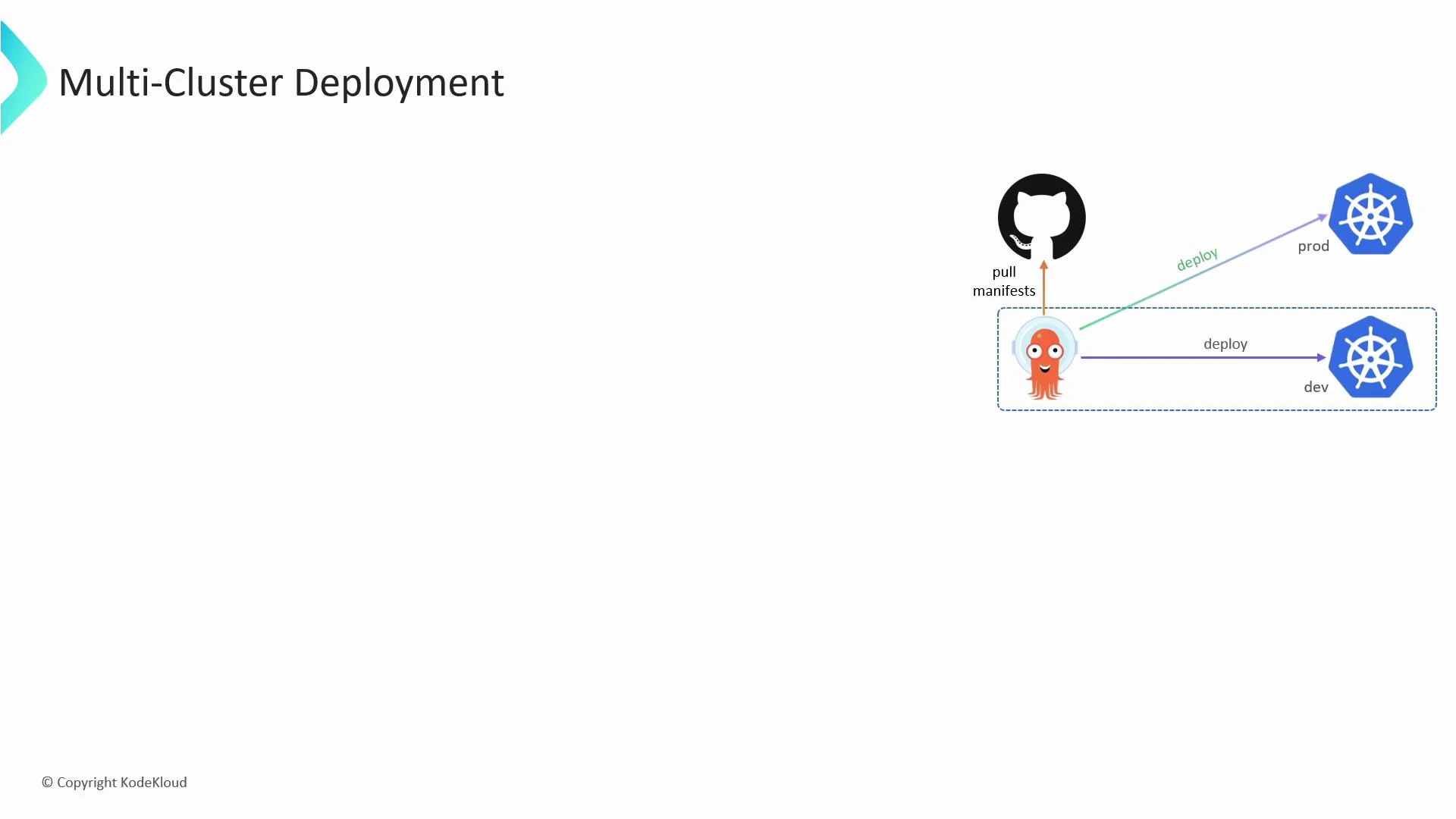
Learn how Argo CD can manage applications across multiple Kubernetes clusters — not just the cluster where Argo CD itself runs. This guide shows the recommended sequence: prepare your kubeconfig, register the external cluster with Argo CD, and verify that the cluster is available as a deployment destination. Argo CD supports multi-cluster deployments by storing external cluster credentials in its own namespace and using a dedicated service account on each external cluster to apply manifests.
A slide titled "Multi-Cluster Deployment" showing a controller pulling manifests from a GitHub repository and deploying them to dev and prod Kubernetes clusters. The diagram uses icons for GitHub, a squid-like operator inside a dashed box, and Kubernetes cluster symbols with arrows labeled "deploy."

Overview — steps to add an external cluster

  1. Add the external cluster details (server, certificates, user credentials, context) to your local kubeconfig.
  2. Use the argocd CLI to register that kubeconfig context with Argo CD (argocd cluster add).
  3. Confirm Argo CD created the required ServiceAccount, ClusterRole, and ClusterRoleBinding on the target cluster.
  4. Verify the cluster appears in Argo CD’s cluster list and inspect the stored secret if needed.
Before running the commands below, ensure you have access to the target cluster API endpoint and appropriate client certificates or tokens. You can also use cloud provider IAM auth (e.g., EKS, GKE) depending on your environment.

Example commands

Add the cluster server, user credentials, and context into kubeconfig:
$ kubectl config set-cluster prod --server=https://1.2.3.4 --certificate-authority=prod.crt
Cluster "prod" set.

$ kubectl config set-credentials admin --client-certificate=admin.crt --client-key=admin.key
User "admin" set.

$ kubectl config set-context admin-prod --cluster=prod --user=admin --namespace=prod-app
Context "admin-prod" set.
Register the context with Argo CD (this will create a service account and RBAC bindings on the external cluster):
$ argocd cluster add admin-prod

WARNING: This will create a service account `argocd-manager` on the cluster referenced by context `admin-prod` with full cluster level admin privileges. Do you want to continue [y/N]? y

INFO[0011] ServiceAccount "argocd-manager" created in namespace "kube-system"
INFO[0011] ClusterRole "argocd-manager-role" created
INFO[0011] ClusterRoleBinding "argocd-manager-role-binding" created
Cluster 'https://1.2.3.4' added
Check the clusters that Argo CD knows about:
$ argocd cluster list

SERVER                         NAME         VERSION   STATUS      MESSAGE   PROJECT
https://1.2.3.4               admin-prod   1.21      Successful
https://kubernetes.default.svc in-cluster   1.20      Successful
Argo CD stores the cluster credentials as Kubernetes Secrets in the argocd namespace. You can inspect a secret like this:
Output:
bash
$ kubectl describe secret cluster-1.2.3.4-1827028835 -n argocd

....Data
config: 3017 bytes    # user token/cert
name: 54 bytes        # context name
server: 21 bytes      # server url
When you run argocd cluster add, Argo CD will create an argocd-manager ServiceAccount with cluster-admin level permissions by default. Limit access and scope where possible — for production, prefer restricting RBAC to the minimum required privileges.

Quick reference — commands and purpose

CommandPurposeNotes
kubectl config set-clusterAdd cluster endpoint & CA to kubeconfigProvide the API server URL and CA cert
kubectl config set-credentialsAdd user credentials (cert/key or token)Use client certs or bearer token
kubectl config set-contextCreate a kubeconfig context for the clusterInclude namespace if you want a default namespace
argocd cluster add <context>Register the kubeconfig context with Argo CDCreates ServiceAccount, ClusterRole, ClusterRoleBinding on target cluster
argocd cluster listList clusters registered in Argo CDShows status and server URL
kubectl describe secret <name> -n argocdInspect stored cluster credentialsSecrets store the kubeconfig/config data

Verification and troubleshooting

  • Use argocd cluster list to confirm the cluster status shows Successful.
  • If a cluster shows errors, check the target cluster’s kube-apiserver reachability, certificate validity, and whether the created ServiceAccount/RBAC objects exist in the target cluster’s kube-system namespace.
  • Inspect Argo CD logs for errors: kubectl -n argocd logs deploy/argocd-server or check the repo-server and application-controller logs for sync problems.
This workflow lets Argo CD act as a single control plane for application deployment across multiple Kubernetes clusters, enabling consistent GitOps-driven rollouts to dev, staging, and production clusters.

Watch Video