In this guide you’ll learn how a single ApplicationSet can generate multiple Argo CD Applications across several clusters by using generators. We focus on the list and clusters generators, showing examples and a practical demo that deploys an nginx application to all clusters known to Argo CD. ApplicationSets use generators to produce parameter sets which are rendered into the ApplicationSet template. Generators available include list, clusters, git, matrix, merge, and others. This article demonstrates the list and clusters generators and walks through deploying an nginx app across multiple clusters using the clusters generator.

Overview: ApplicationSet generators

Use generators to produce parameter combinations for the ApplicationSet template. Typical use-cases:
GeneratorUse case
listExplicitly enumerate targets (key/value pairs). Best for small, known sets.
clustersDiscover clusters from Argo CD cluster secrets. Great for many clusters managed centrally.
gitGenerate parameters from Git repo contents or branches.
matrixCombine multiple generators to create Cartesian products of parameters.
mergeMerge results from multiple generators into a single parameter set.
For more detail see the official ApplicationSet documentation: Argo CD ApplicationSet Controller.

List generator

The list generator allows you to explicitly list cluster-like elements (key/value pairs). It’s ideal when you have a finite, known set of targets and you want precise control over each generated Application. Example ApplicationSet using the list generator:
apiVersion: argoproj.io/v1alpha1
kind: ApplicationSet
metadata:
  name: guestbook
  namespace: argocd
spec:
  goTemplate: true
  goTemplateOptions: ["missingkey=error"]
  generators:
    - list:
        elements:
          - cluster: engineering-dev
            url: https://kubernetes.default.svc
          # - cluster: engineering-prod
          #   url: https://kubernetes.default.svc
  template:
    metadata:
      name: '{{ .cluster }}-guestbook'
    spec:
      project: my-project
      source:
        repoURL: https://github.com/argoproj/argo-cd.git
        targetRevision: HEAD
        path: applicationset/examples/list-generator/guestbook/{{ .cluster }}
      destination:
        server: '{{ .url }}'
        namespace: guestbook
Key points:
  • The generator emits parameters (here .cluster and .url) for each listed element.
  • The template uses those parameters to produce distinct Application resources. For example, with cluster: engineering-dev the application name becomes engineering-dev-guestbook.
  • Add another element (e.g., engineering-prod) to generate an additional Application.

Cluster generator

The clusters generator discovers clusters registered with Argo CD (stored as cluster Secrets in the argocd namespace) and generates parameters from those secrets. This is the recommended approach if you manage many clusters and prefer automatic discovery. A basic clusters generator that selects clusters by label:
apiVersion: argoproj.io/v1alpha1
kind: ApplicationSet
metadata:
  name: guestbook
  namespace: argocd
spec:
  goTemplate: true
  goTemplateOptions: ["missingkey=error"]
  generators:
    - clusters:
        selector:
          matchLabels:
            staging: "true"
The clusters generator exposes parameters such as .name, .server, and metadata fields that come from the cluster Secrets Argo CD creates when you add clusters.
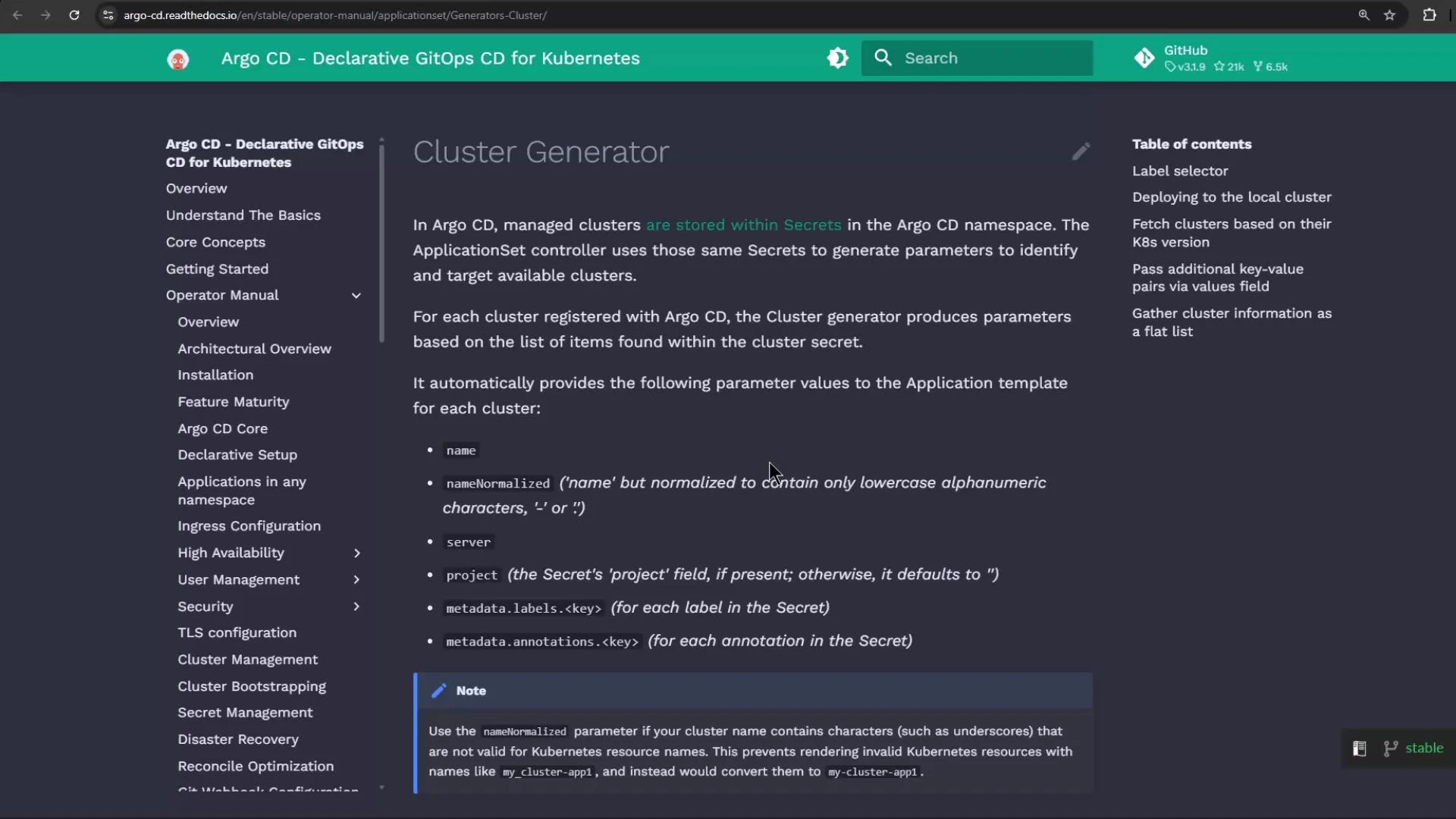
A screenshot of the Argo CD documentation page titled "Cluster Generator," showing a left navigation menu, the main content describing cluster parameters and secrets, and a right-hand table of contents. The page explains generated parameter values like name, server, and metadata fields.
Argo CD stores cluster connection details as Secrets labeled with argocd.argoproj.io/secret-type: cluster. An illustrative (decoded) example of such a Secret:
kind: Secret
metadata:
  labels:
    argocd.argoproj.io/secret-type: cluster
data:
  # In Kubernetes these fields are base64-encoded; shown here decoded for readability.
  config: '{"tlsClientConfig":{"insecure":false}}'
  name: "in-cluster2"
  server: "https://kubernetes.default.svc"
# (...)
The clusters generator reads cluster Secrets in the argocd namespace and exposes fields like .name and .server. Reference these generated parameters in your ApplicationSet template to target destinations automatically.
When you manage dozens of clusters, the clusters generator significantly reduces maintenance compared to manually updating a list generator.

Example: Deploy nginx to all clusters

This ApplicationSet example uses the clusters generator to deploy an nginx application to every cluster Argo CD knows about:
apiVersion: argoproj.io/v1alpha1
kind: ApplicationSet
metadata:
  name: common-nginx-server
  namespace: argocd
spec:
  goTemplate: true
  generators:
    - clusters: {}
  template:
    metadata:
      name: '{{ .name }}-nginx-server'
    spec:
      project: default
      source:
        repoURL: http://host.docker.internal:5000/kk-org/gitops-argocd-capa
        targetRevision: HEAD
        path: ./nginx-app
      destination:
        server: '{{ .server }}'
        namespace: nginx-server
      syncPolicy:
        automated: {}
        syncOptions:
          - CreateNamespace=true
Notes:
  • generators: - clusters: {} tells Argo CD to generate one Application per discovered cluster.
  • The template uses .name for each generated Application’s name and .server for the destination cluster server URL (both supplied by cluster Secrets).

Applying the ApplicationSet and troubleshooting

If you attempt to apply an ApplicationSet before the ApplicationSet CRD and controller are installed, the apply will fail with a “no matches for kind” error. Example failure when CRDs are missing:
kubectl -n argocd apply -f https://gist.github.com/sidd-harth/e798ef3d63308fcffa72df5a1e8ec5c5/raw/28e91e353b3a96c6e164e8f5243de58a47f15aec/application-set-nginx.yml
error: resource mapping not found for name: "common-nginx-server" namespace: "argocd" from "https://gist.github.com/sidd-harth/e798ef3d63308fcffa72df5a1e8ec5c5/raw/28e91e353b3a96c6e164e8f5243de58a47f15aec/application-set-nginx.yml": no matches for kind "ApplicationSet" in version "argoproj.io/v1alpha1"
ensure CRDs are installed first
Check for CRDs:
kubectl get crds
No resources found
If you target the wrong kubecontext (for example, a cluster without Argo CD installed), kubectl will not find the ApplicationSet CRD. Switch to the context that hosts Argo CD (e.g., your Docker Desktop or kind cluster) and re-run the apply after ensuring the ApplicationSet CRD and controller are installed.
After switching to the correct context and ensuring the CRDs/controller are present, applying the ApplicationSet should succeed and create the ApplicationSet resource:
kubectl -n argocd apply -f https://gist.github.com/sidd-harth/e798ef3d63308fcffa72df5a1e8ec5c5/raw/28e91e353b3a96c6e164e8f5243de58a47f15aec/application-set-nginx.yml
applicationset.argoproj.io/common-nginx-server created

kubectl get applicationsets -n argocd
NAME                  AGE
common-nginx-server   1m

kubectl describe applicationset common-nginx-server -n argocd
# (excerpted)
Repo URL:        http://host.docker.internal:5000/kk-org/gitops-argocd-capa
Target Revision: HEAD
Sync Policy:
  Automated:
  Sync Options:
    CreateNamespace=true
Status:
  Conditions:
    - Type: ParametersGenerated
      Status: "True"
      Reason: ParametersGenerated
      Message: Successfully generated parameters for all Applications
    - Type: ResourcesUpToDate
      Status: "True"
      Reason: ApplicationSetUpToDate
      Message: ApplicationSet up to date
Events:
  Type    Reason    Age   From                         Message
  ----    ------    ---   ----                         -------
  Normal  created   18s   applicationset-controller    created Application "in-cluster-nginx-server"
  Normal  created   17s   applicationset-controller    created Application "kind-argo-cluster-1-nginx-server"
The events show that Applications were generated — one per discovered cluster.

Verify in the Argo CD UI

Inspect the generated Applications in the Argo CD web UI. Use search and filters to locate the nginx applications deployed across your clusters.
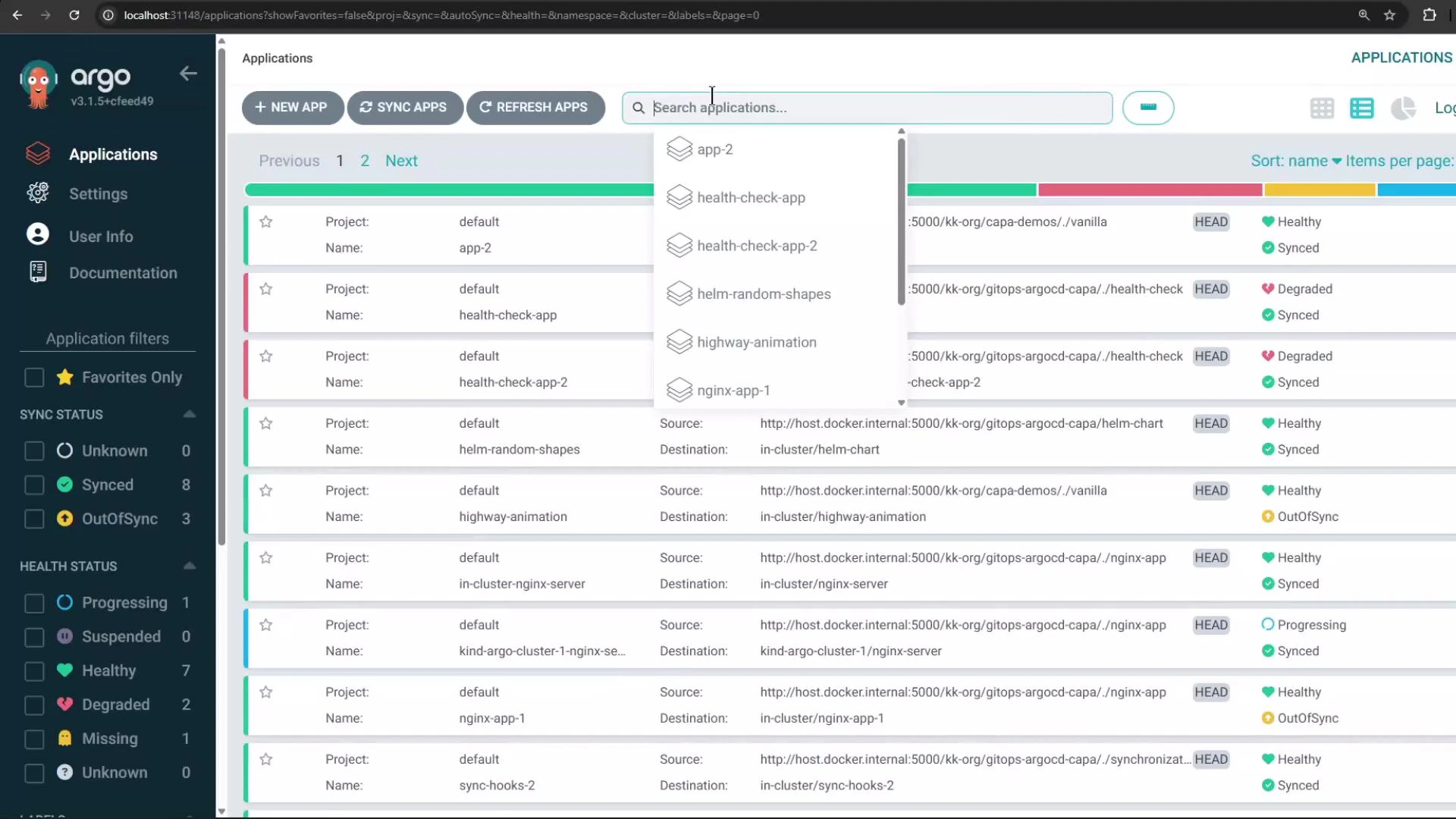
A screenshot of the Argo CD web UI showing an applications dashboard with a search dropdown and a list of Kubernetes apps. The left sidebar shows navigation and sync/health filters while the main pane lists app names, projects, source/destination info and health/sync status badges.
In this example the UI shows multiple nginx Applications — one for the in-cluster destination and another for the kind cluster. Using a single ApplicationSet with the clusters generator lets you create identical Applications targeted to multiple clusters automatically.

Further reading and references

That’s all for this lesson — you should now be able to choose between the list and clusters generators and deploy workloads across multiple clusters using a single ApplicationSet.

Watch Video

Practice Lab